

Integrating Red Hat Single Sign-On With AMQ Streams for Auditing Events
Do you need to do audit events of your SSO Instance? Check this easy way to do it with AMQ Streams.
Join the DZone community and get the full member experience.
Join For FreeHere I am again with another take from the field.
Red Hat Single Sign-on (RH-SSO) is the enterprise-ready version of Keycloak, and one thing that is most commonly asked, especially for big customers is, "How do we audit all the events?"
The out of the box way to do this is to save on the database, but this poses a silent and somewhat problematic threat: performance. RH-SSO generates a ton of events and, when doing complex authorization flows with lots of steps, this can become a burden on performance.
And then enters AMQ Streams, Red Hat's enterprise-ready version of Apache Kafka, with a simple Service Provider Interface (SPI) that we're going to build below.
All the code written below is available on GitHub.
Let's Start
So first, we'll Download RH-SSO the ZIP distribution and unzip and start it
xxxxxxxxxx
unzip rh-sso-7.4.0.zip -d /opt/
/opt/rh-sso-7.4/bin/standalone.sh
After deployment, we check http://localhost:8080/auth to check if started correctly.
Now, with RH-SSO started and working we're going to build our custom SPI
Let's Code
First, we create a simple Java project with these dependencies
x
<dependency>
<groupId>org.keycloak</groupId>
<artifactId>keycloak-core</artifactId>
<version>${keycloak.version}</version>
</dependency>
<dependency>
<groupId>org.keycloak</groupId>
<artifactId>keycloak-server-spi</artifactId>
<version>${keycloak.version}</version>
</dependency>
<dependency>
<groupId>org.keycloak</groupId>
<artifactId>keycloak-server-spi-private</artifactId>
<scope>provided</scope>
<version>${keycloak.version}</version>
</dependency>
<dependency>
<groupId>org.keycloak</groupId>
<artifactId>keycloak-services</artifactId>
<scope>provided</scope>
<version>${keycloak.version}</version>
</dependency>
<dependency>
<groupId>org.apache.kafka</groupId>
<artifactId>kafka-clients</artifactId>
<version>2.7.0</version>
</dependency>
And to build our custom SPI, we start by creating a class that implements the EventListener Provider
xxxxxxxxxx
package com.rmendes.provider;
import org.keycloak.events.Event;
import org.keycloak.events.EventListenerProvider;
import org.keycloak.events.admin.AdminEvent;
public class KafkaEventListener implements EventListenerProvider{
public void close() {
// TODO Auto-generated method stub
}
public void onEvent(Event arg0) {
// TODO Auto-generated method stub
}
public void onEvent(AdminEvent arg0, boolean arg1) {
// TODO Auto-generated method stub
}
}
We can see that this is a very straightforward interface. We have two methods, one to handle login events and one to handle admin events.
Now we start configuring our AMQ Streams client
xxxxxxxxxx
private static final String KAFKA_BOOTSTRAP_SERVERS = "localhost:9092";
private static final String KAFKA_TOPIC_EVENTS = "rhsso.events";
private static final String KAFKA_TOPIC_ADMIN_EVENTS = "rhsso.admin.events";
private Properties kafkaProperties() {
Properties p = new Properties();
p.setProperty(ProducerConfig.BOOTSTRAP_SERVERS_CONFIG, KAFKA_BOOTSTRAP_SERVERS);
p.setProperty(ProducerConfig.KEY_SERIALIZER_CLASS_CONFIG, StringSerializer.class.getName());
p.setProperty(ProducerConfig.VALUE_SERIALIZER_CLASS_CONFIG, StringSerializer.class.getName());
return p;
}
We configured our bootstrap server, and out topics to send our records.
Now we create a simple send method
xxxxxxxxxx
private void sendRecordKafka(String topic, String value) {
Thread.currentThread().setContextClassLoader(null);
KafkaProducer<String, String> producer = new KafkaProducer<String, String>(kafkaProperties());
ProducerRecord<String, String> record = new ProducerRecord<String, String>(topic, value);
producer.send(record);
producer.flush();
producer.close();
}
And we can just call the send method
xxxxxxxxxx
public void onEvent(Event event) {
sendRecordKafka(KAFKA_TOPIC_EVENTS, eventStringfier(event));
}
public void onEvent(AdminEvent event, boolean bool) {
sendRecordKafka(KAFKA_TOPIC_ADMIN_EVENTS, adminEventStringfier(event));
}
The stringifier methods are just to create a string representation of the events.
Creating the Provider Factory
When deploying a custom SPI, we need to create a provider factory that is going to instantiate our EventListener, and we can also handle some configurations on creation and destruction.
To achieve this we implement the interface EventListenerProviderFactory
xxxxxxxxxx
package com.rmendes.provider;
import org.keycloak.Config.Scope;
import org.keycloak.events.EventListenerProvider;
import org.keycloak.events.EventListenerProviderFactory;
import org.keycloak.models.KeycloakSession;
import org.keycloak.models.KeycloakSessionFactory;
import com.rmendes.provider.KafkaEventListener;
public class KafkaCustomProviderFactory implements EventListenerProviderFactory{
public void close() {
// TODO Auto-generated method stub
}
public EventListenerProvider create(KeycloakSession arg0) {
return new KafkaEventListener();
}
public String getId() {
return "kafka-custom-listener";
}
public void init(Scope arg0) {
// TODO Auto-generated method stub
}
public void postInit(KeycloakSessionFactory arg0) {
// TODO Auto-generated method stub
}
}
And the last step to make Keycloak see this and be able to show it on the web interface is creating a file on src/main/resources/META-INF/ named org.keycloak.events.EventListenerProviderFactory with the full qualified name of our ProviderFactory class
xxxxxxxxxx
com.rmendes.provider.KafkaCustomProviderFactory
Now we can finally deploy our application, and we're going to take advantage of RH-SSO automatic deployment by simply copying our SPI to the deployments folder
xxxxxxxxxx
mvn clean package
cp target/kafka-keycloak-spi.jar /opt/rh-sso-7.4/standalone/deployments/
Starting AMQ-Streams
In a terminal window, extract the amq-streams ZIP and start Zookeeper
xxxxxxxxxx
unzip Downloads/amq-streams-1.7.0-bin.zip -d /opt/
/opt/kafka_2.12-2.7.0.redhat-00005/bin/zookeeper-server-start.sh /opt/kafka_2.12-2.7.0.redhat-00005/config/zookeeper.properties
Now start the Kafka broker
xxxxxxxxxx
/opt/kafka_2.12-2.7.0.redhat-00005/bin/kafka-server-start.sh /opt/kafka_2.12-2.7.0.redhat-00005/config/server.properties
Configuring RH-SSO
Now we just need to tell RH-SSO to send events to our SPI
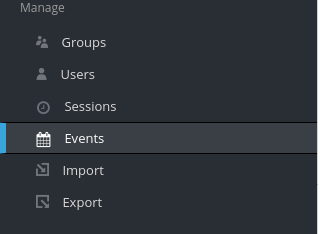
In the events session, if everything is working, we should see our custom listener in the select box

And then we enable both the Login events and Admin events settings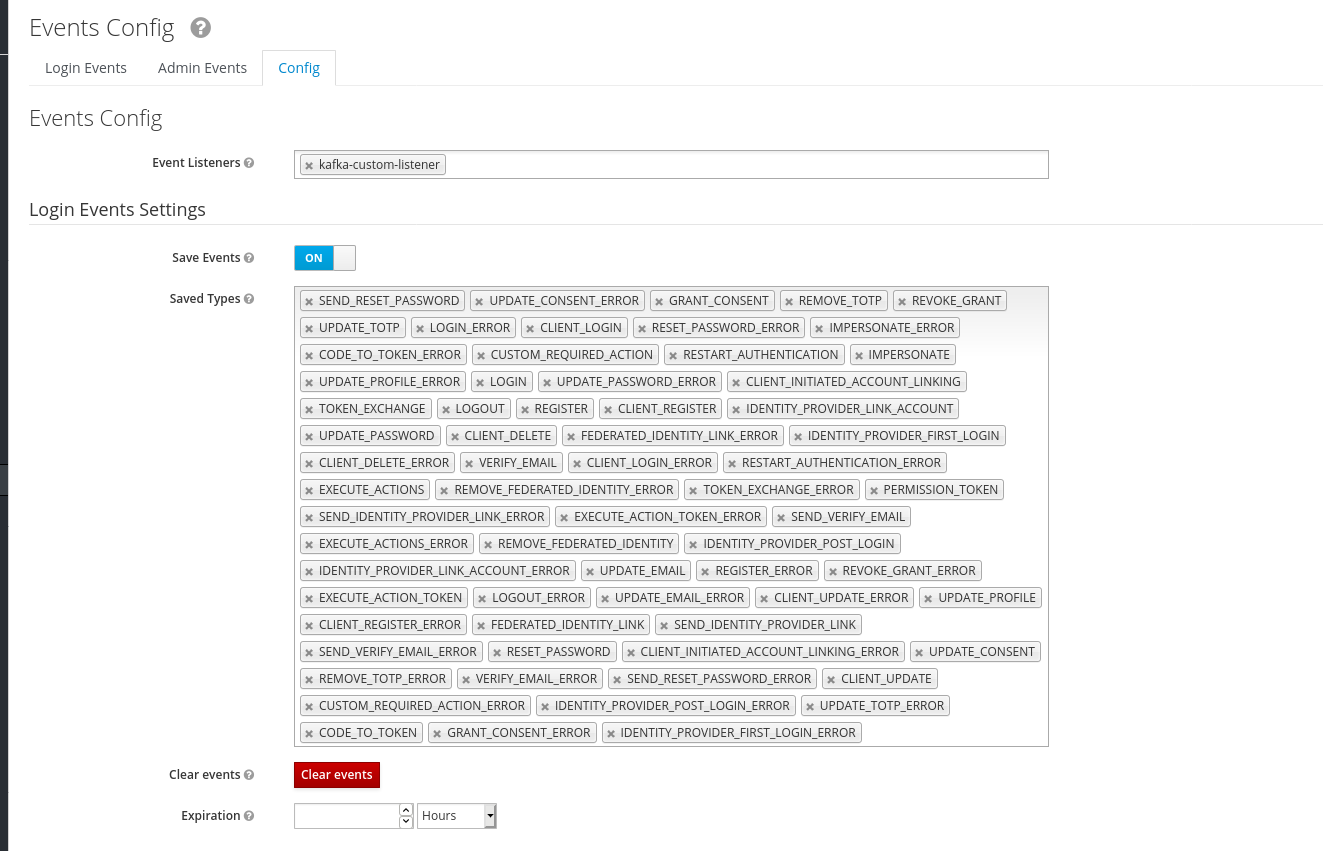
We save these configs and now we go to AMQ-Streams to see the magic working. Try some logins and logouts with various users and, to check that the events are being generated, we can use the command below to consume the messages.
xxxxxxxxxx
/opt/kafka_2.12-2.7.0.redhat-00005/bin/kafka-console-consumer.sh --bootstrap-server localhost:9092 --topic rhsso.events --from-beginning
clientID: null Type: LOGOUT UserID: b141c01a-30e6-4a1a-a03d-50f45b518fd6
clientID: security-admin-console Type: LOGIN UserID: b141c01a-30e6-4a1a-a03d-50f45b518fd6
clientID: security-admin-console Type: CODE_TO_TOKEN UserID: b141c01a-30e6-4a1a-a03d-50f45b518fd6
And that's it, our events are in a reliable tool that can be used to do many things, maybe real-time intrusion detection or plain, simple auditing. Feel free to explore.
Thanks!
Opinions expressed by DZone contributors are their own.
Comments