

Manage Your Milvus Vector Database With One-Click Simplicity
Zilliz launched Attu, an open-sourced GUI tool designed specifically for Milvus 2.0. Learn how to perform a vector similarity search with Attu and Milvus 2.0.
Join the DZone community and get the full member experience.
Join For Free
Zilliz has been a pioneer who dedicated itself to enabling users in the face of a rapidly growing demand for unstructured data processing. Zilliz has now open-sourced a graphical user interface, Attu, specifically for Milvus 2.0, an AI-oriented vector database system designed for massive production scenarios. In this article, we would like to show you step by step how to perform a vector similarity search with Attu and Milvus 2.0.
In comparison with Milvus CLI, which brings the uttermost simplicity of usage, Attu features more:
- Installers for Windows OS, macOS, and Linux OS
- Intuitive GUI for easier usage of Milvus
- Coverage of major functionalities of Milvus
- Plugins for expansion of customized functionalities
- Complete system topology information for easier understanding and administration of Milvus instance
Installation
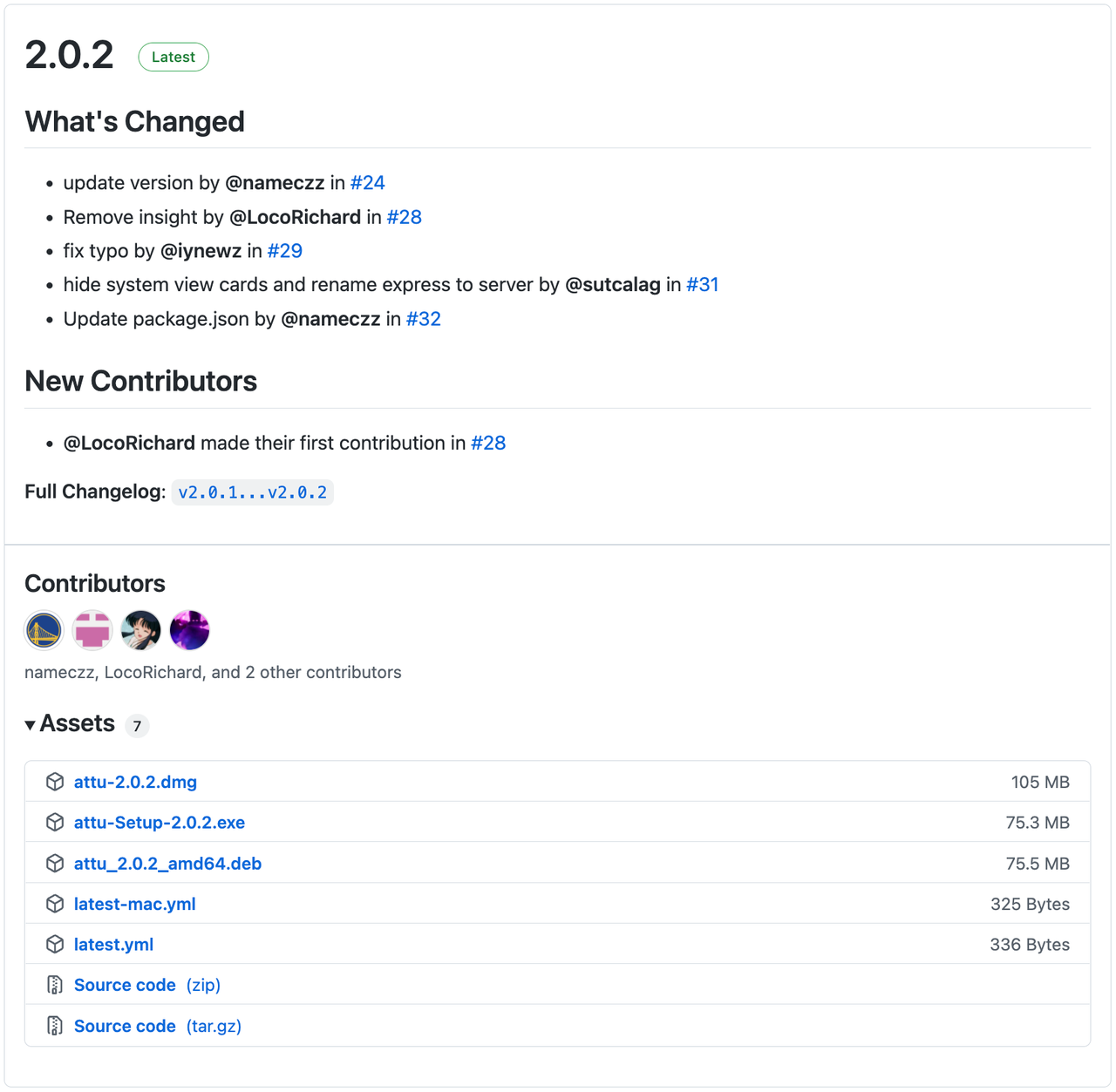
You can find the newest release of Attu at GitHub. Attu offers executable installers for different operating systems. It is an open-source project and welcomes contributions from everyone.
You can also install Attu via Docker.
docker run -p 8000:3000 -e HOST_URL=http://{ attu IP }:8000 -e MILVUS_URL={milvus server IP}:19530 zilliz/attu:latest
attu IP is the IP address of the environment where Attu runs, and milvus server IP is the IP address of the environment where Milvus runs.
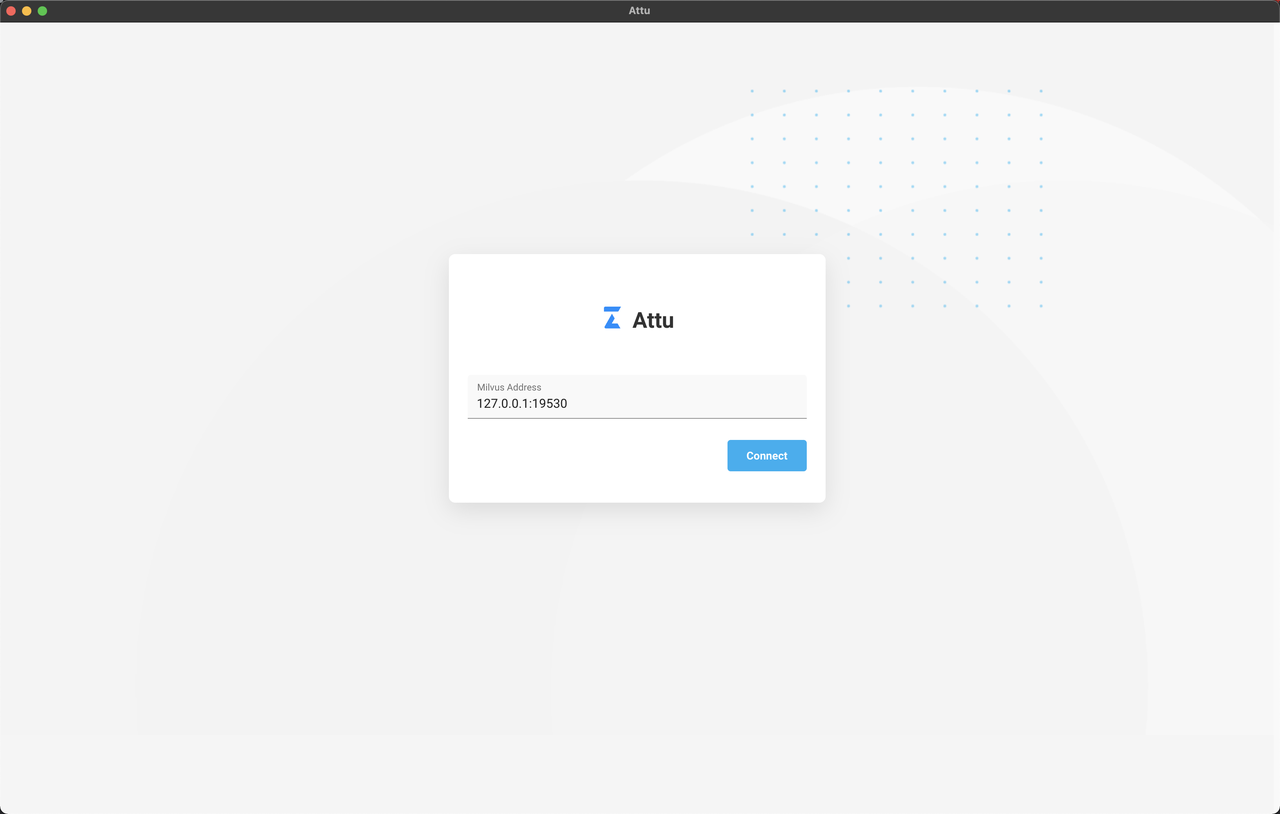
Having installed Attu successfully, you can input the Milvus IP and Port in the interface to start Attu.
Feature Overview
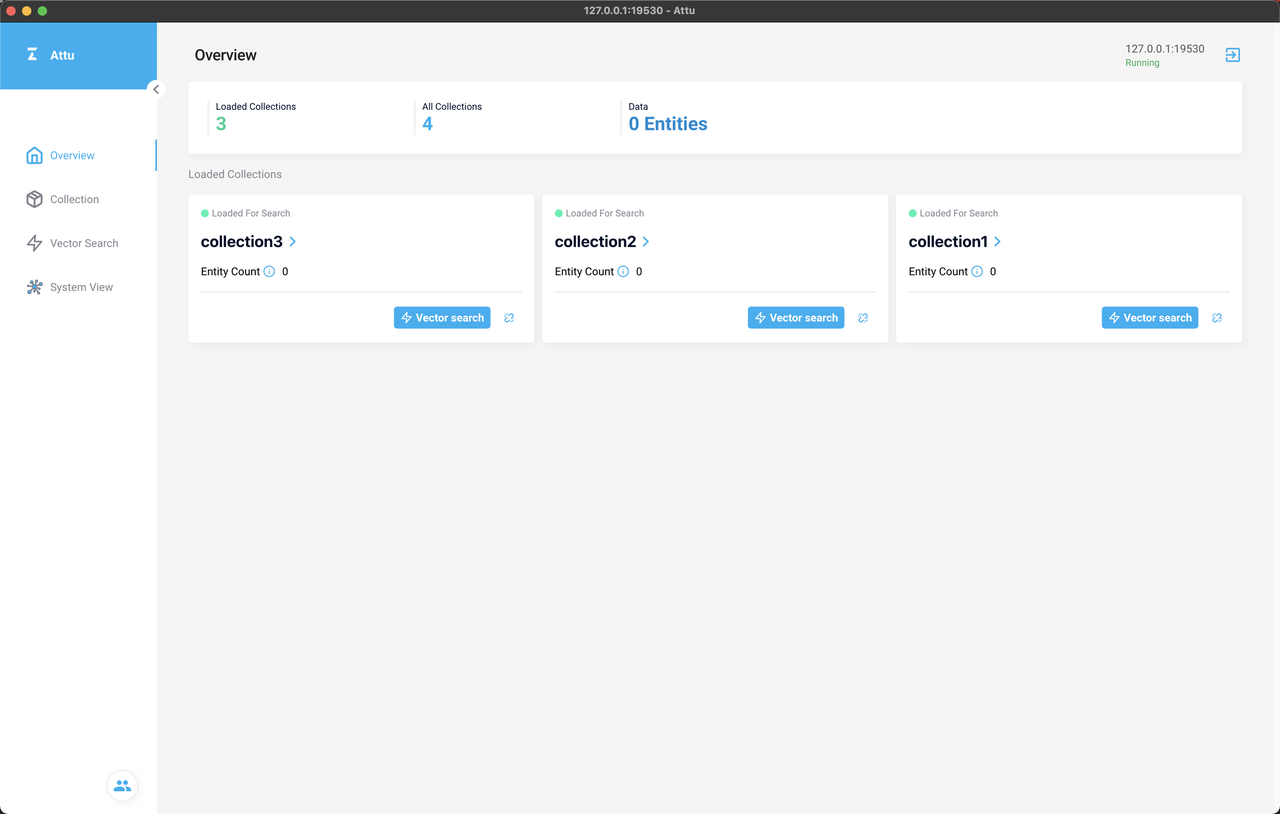
Attu interface consists of the Overview page, Collection page, Vector Search page, and System View page, corresponding to the four icons on the left-side navigation pane respectively. The Overview page shows the loaded collections, while the Collection page lists all the collections and indicates if they are loaded or released.
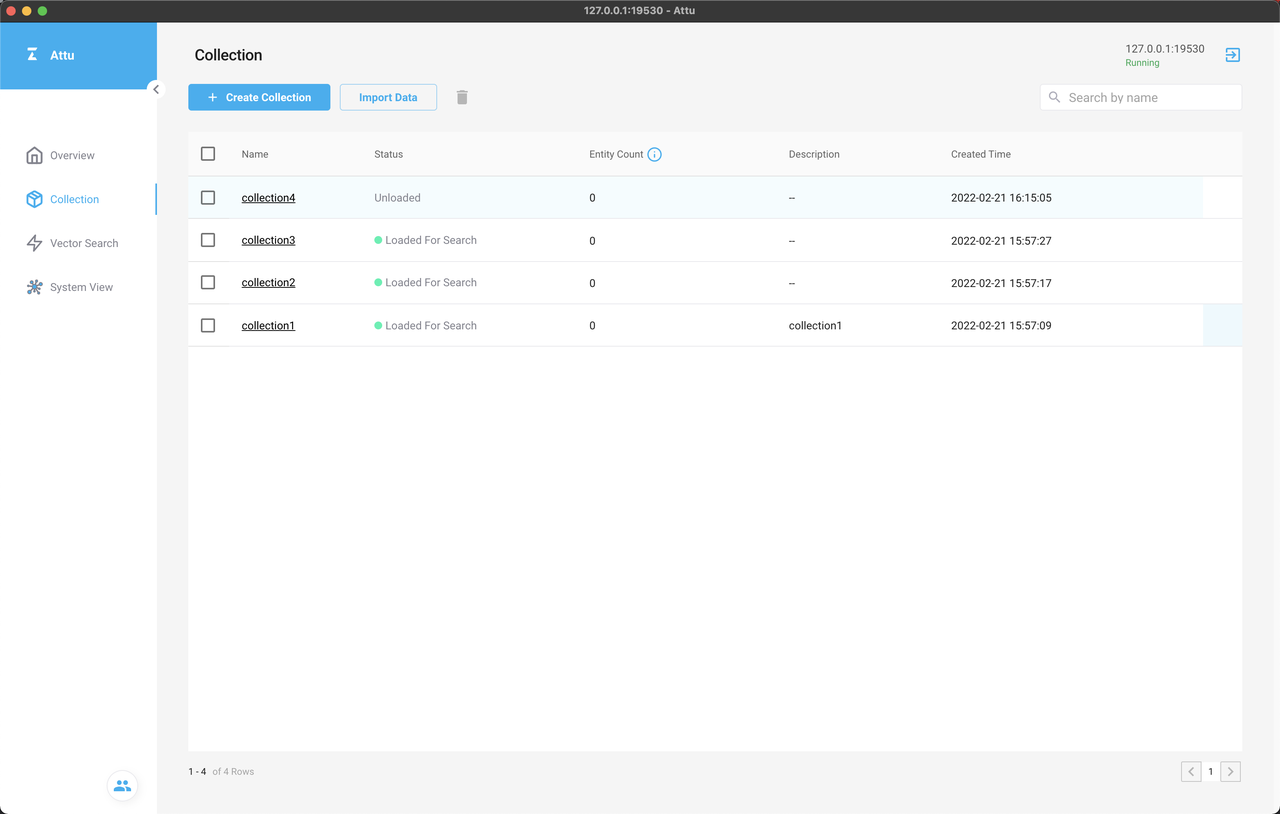
The Vector Search and System View pages are plugins of Attu. The concepts and usage of the plugins will be introduced in the final part of the blog.
You can perform a vector similarity search on the Vector Search page.
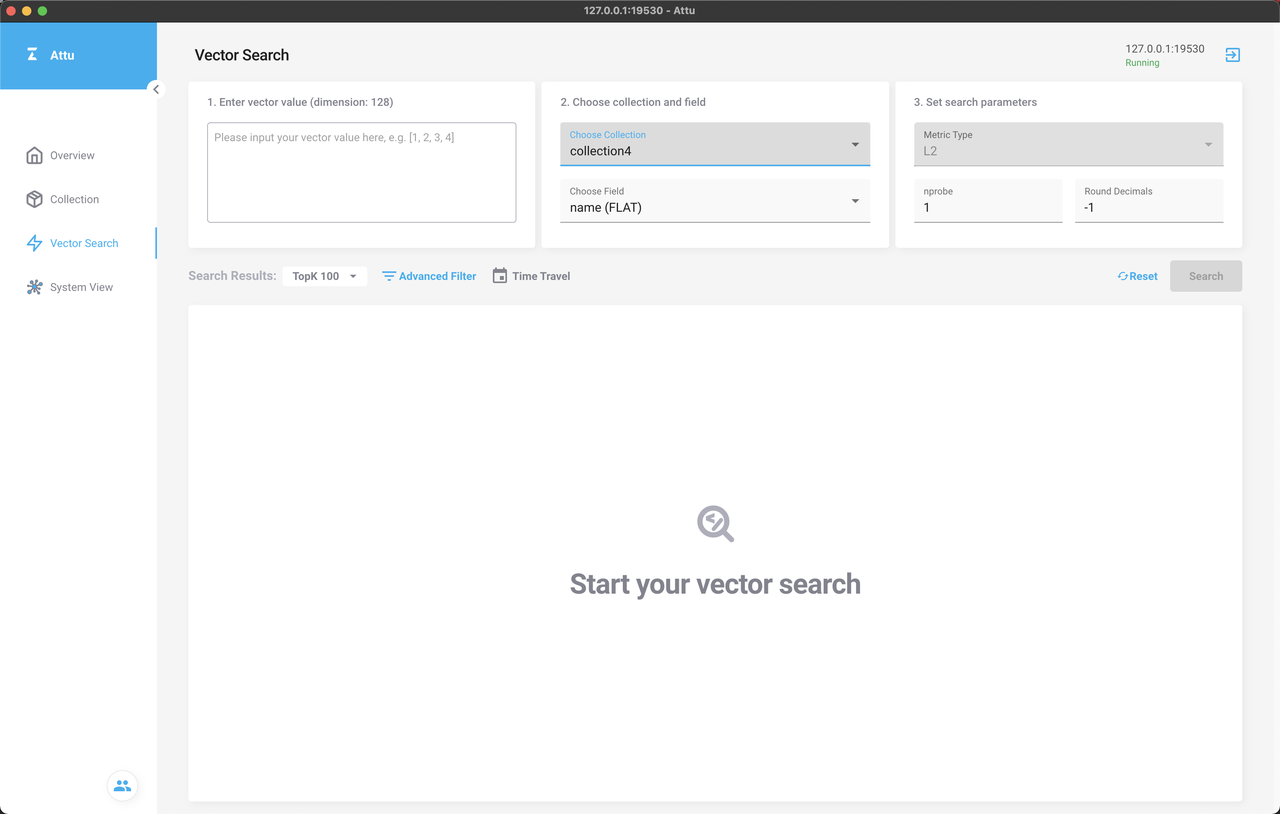
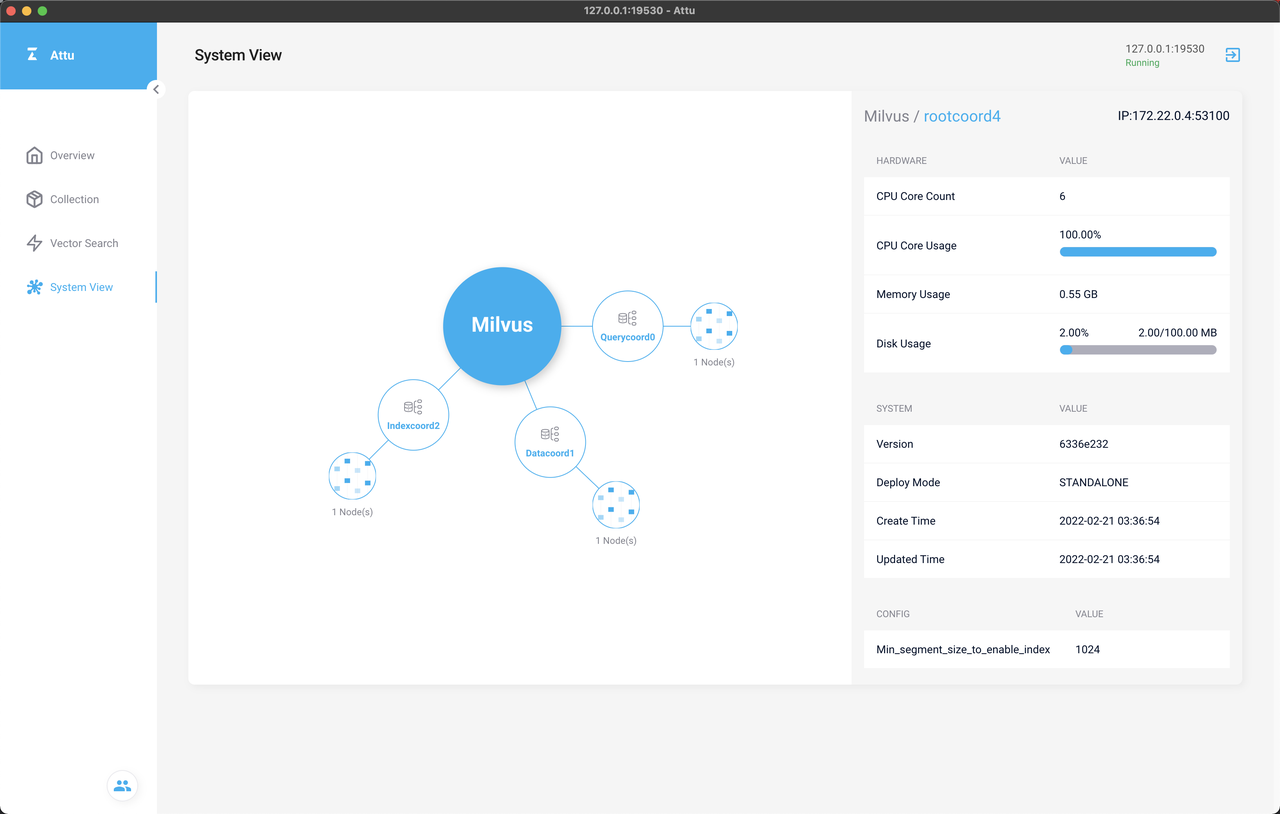
On the System View page, you can check the topological structure of Milvus.
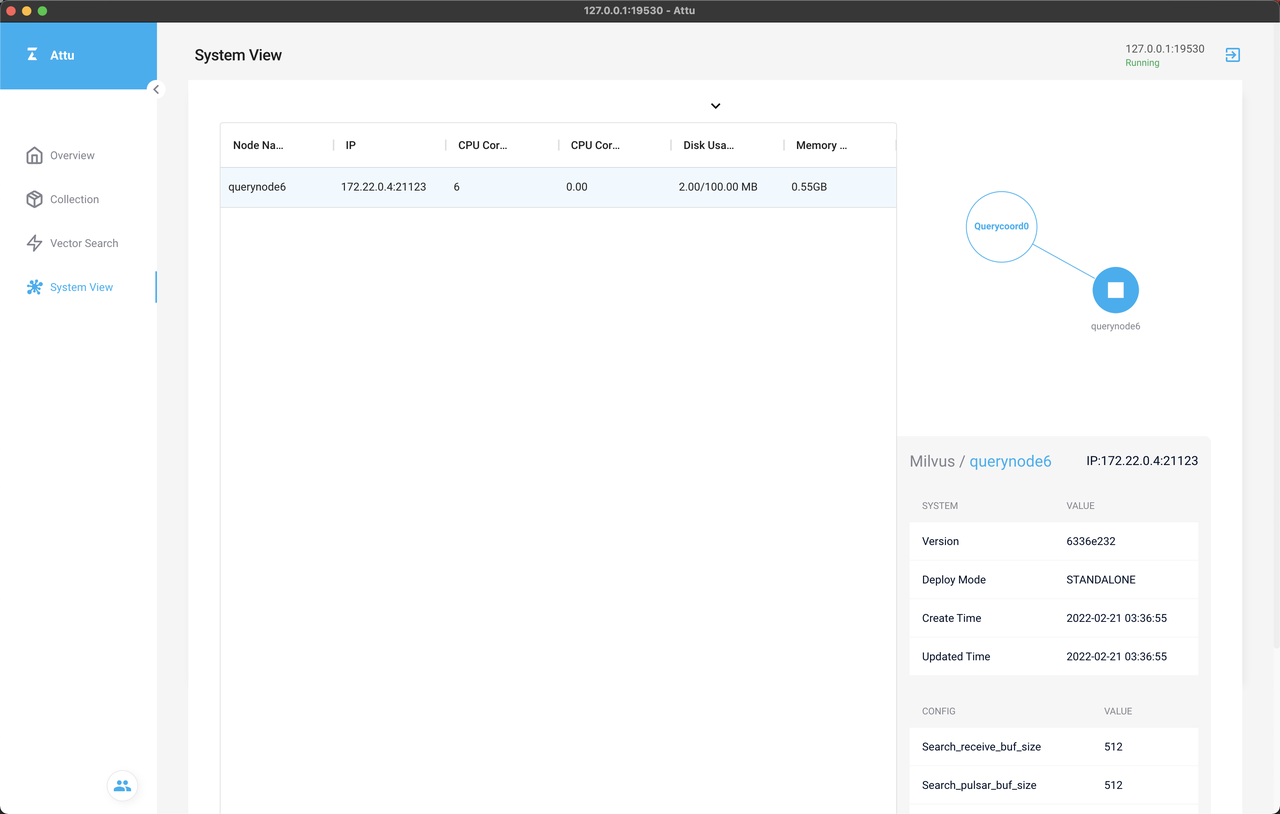
You can also check the detailed information of each node by clicking the node.
Demonstration
Let's explore Attu with a test dataset.
Check our GitHub repo for the dataset used in the following test.
First, create a collection named test with the following four fields:
- Field Name: id, primary key field
- Field Name: vector, vector field, float vector, Dimension: 128
- Field Name: brand, scalar field, Int64
- Field Name: color, scalar field, Int64
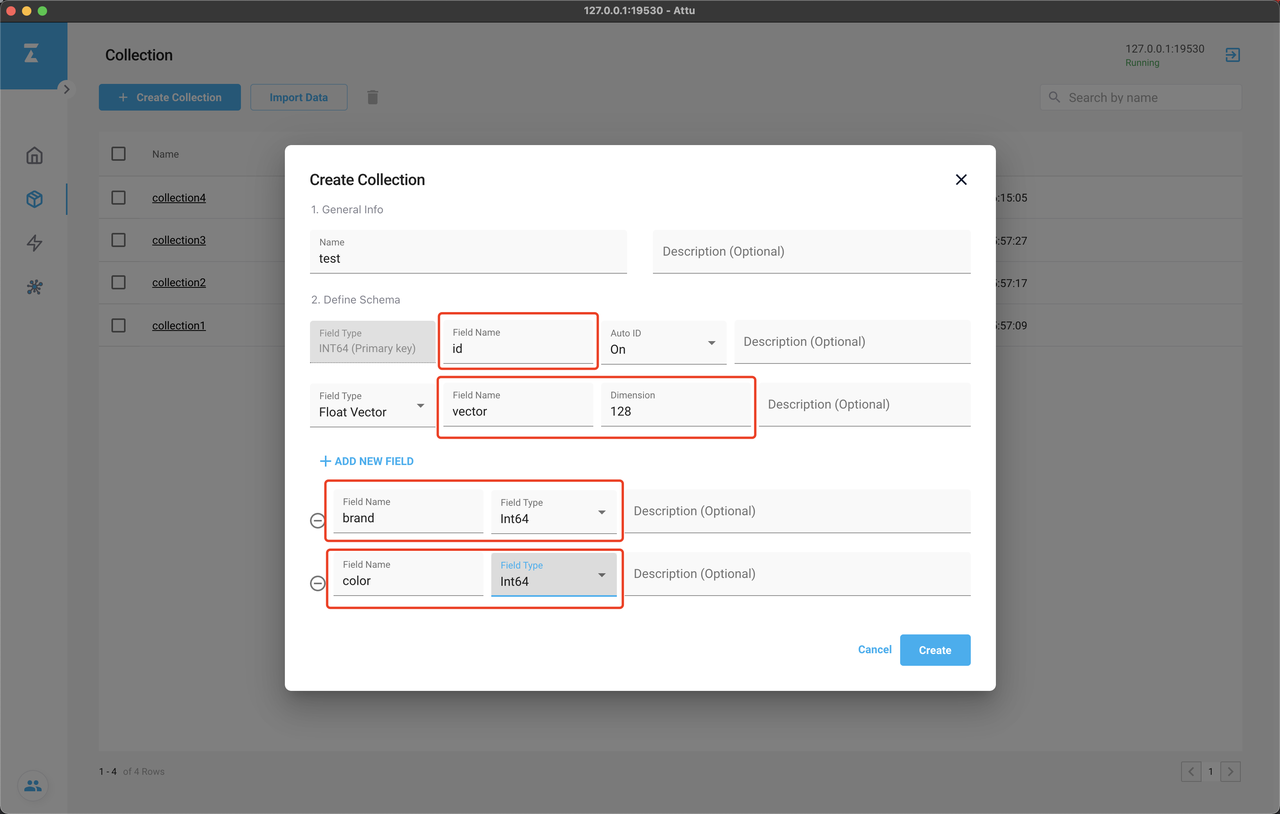 Create a collection with Attu
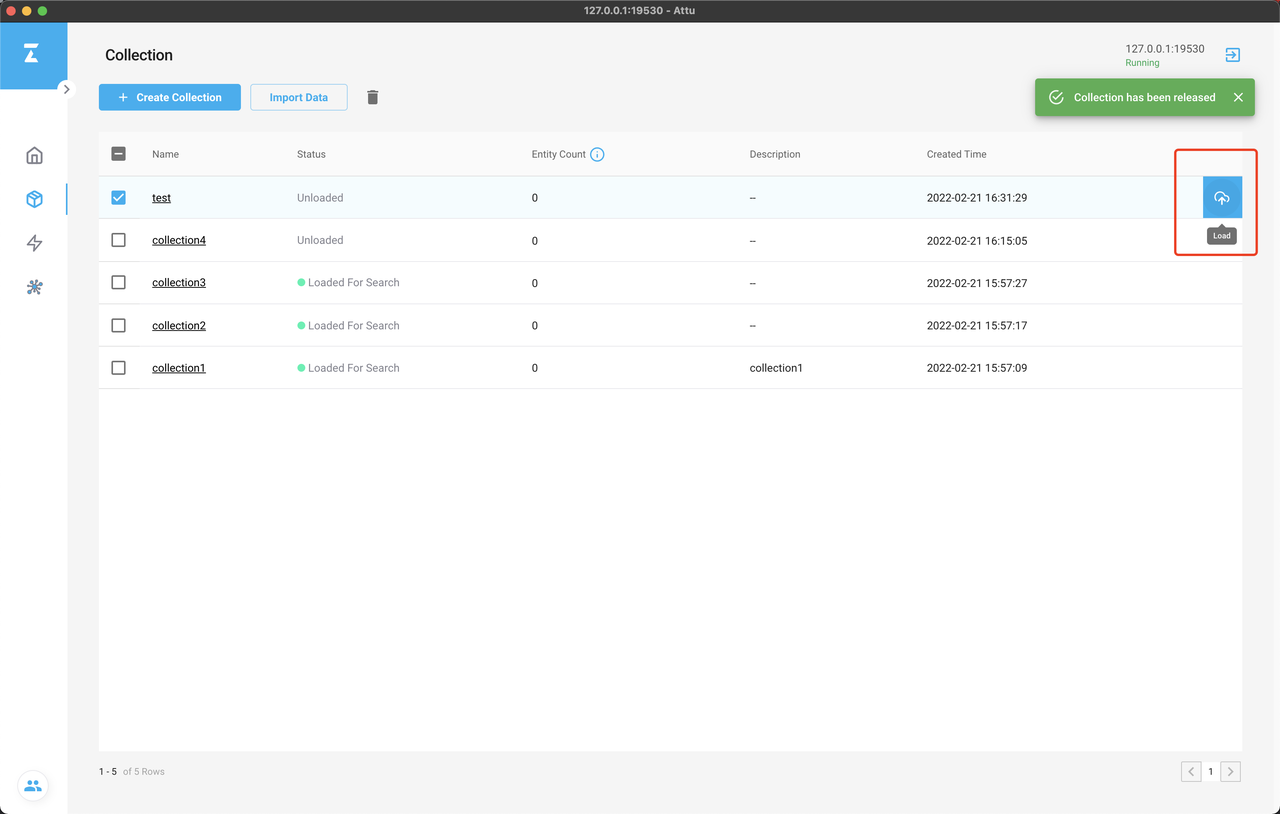
Load the collection for search after it was successfully created.
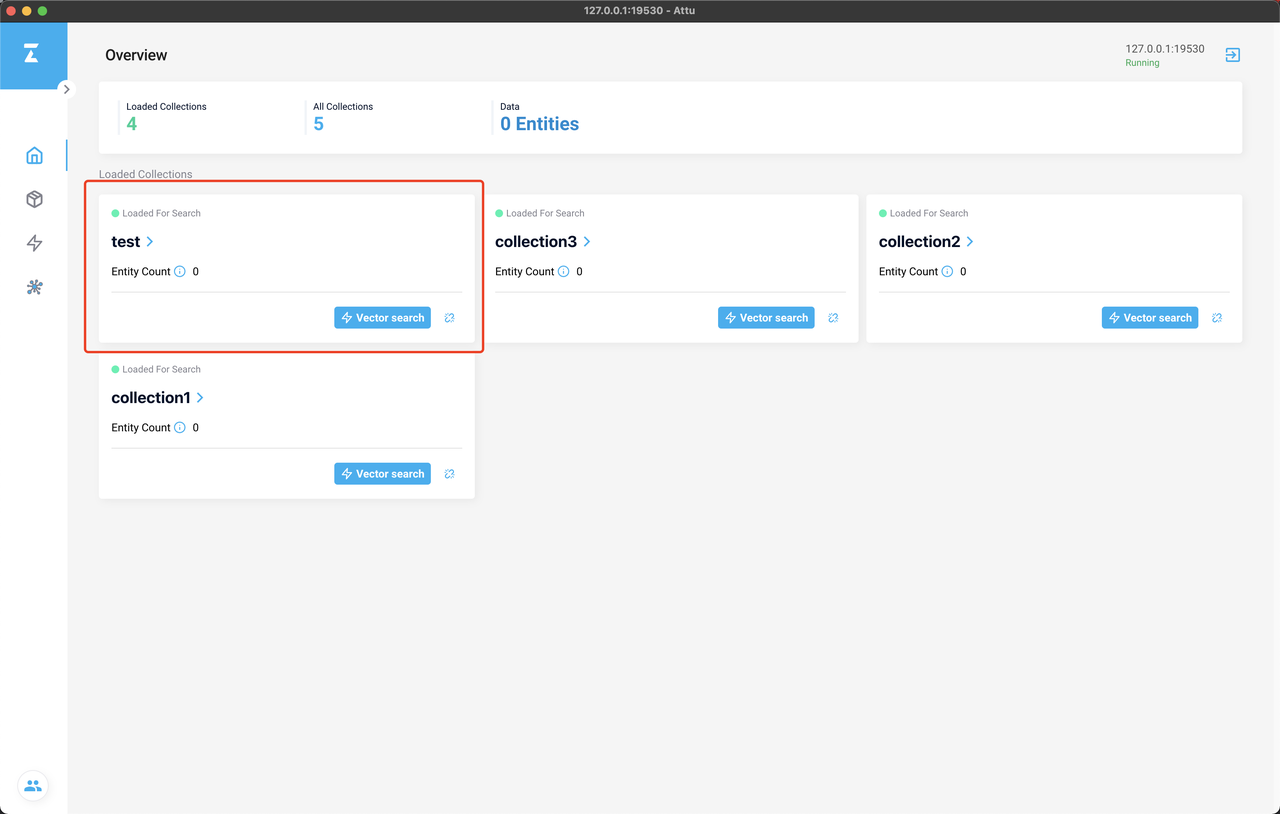
You can now check the newly created collection on the Overview page.
Import the test dataset into Milvus.
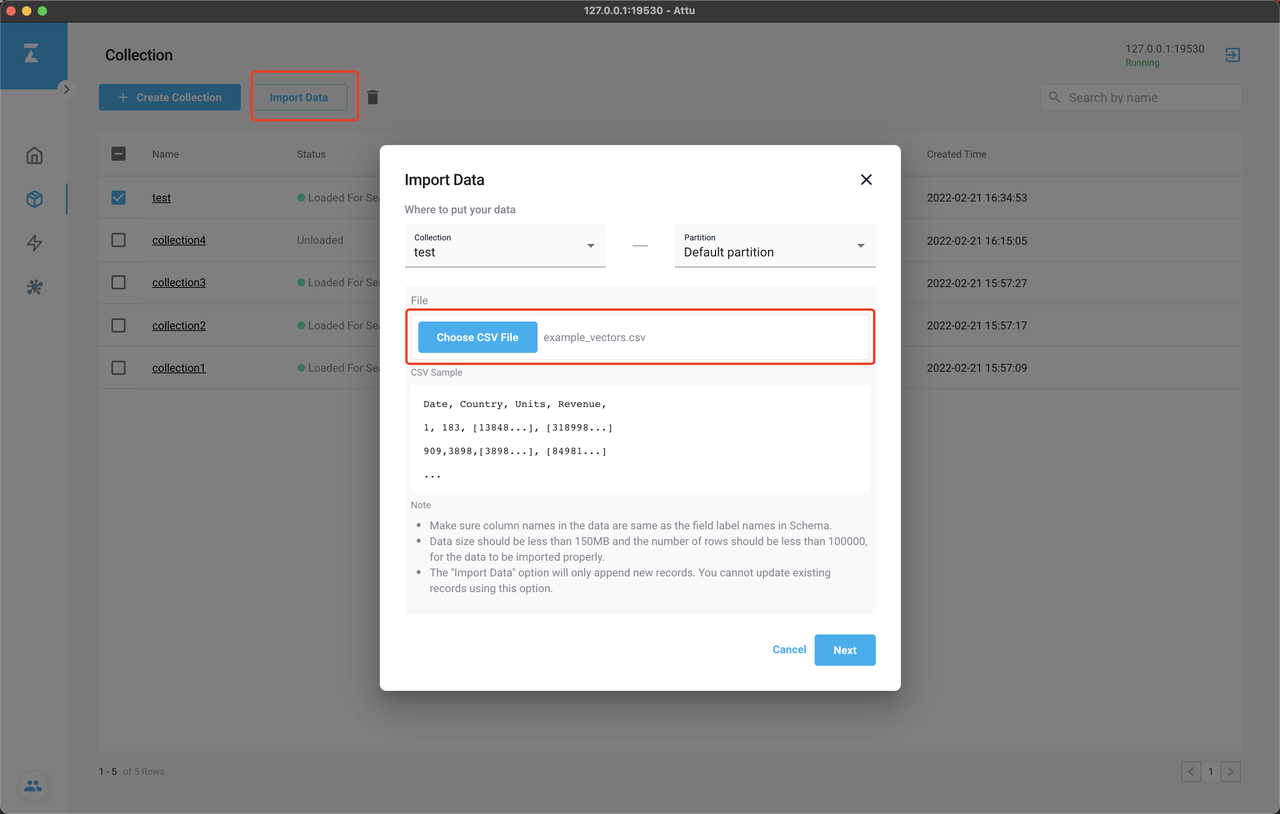
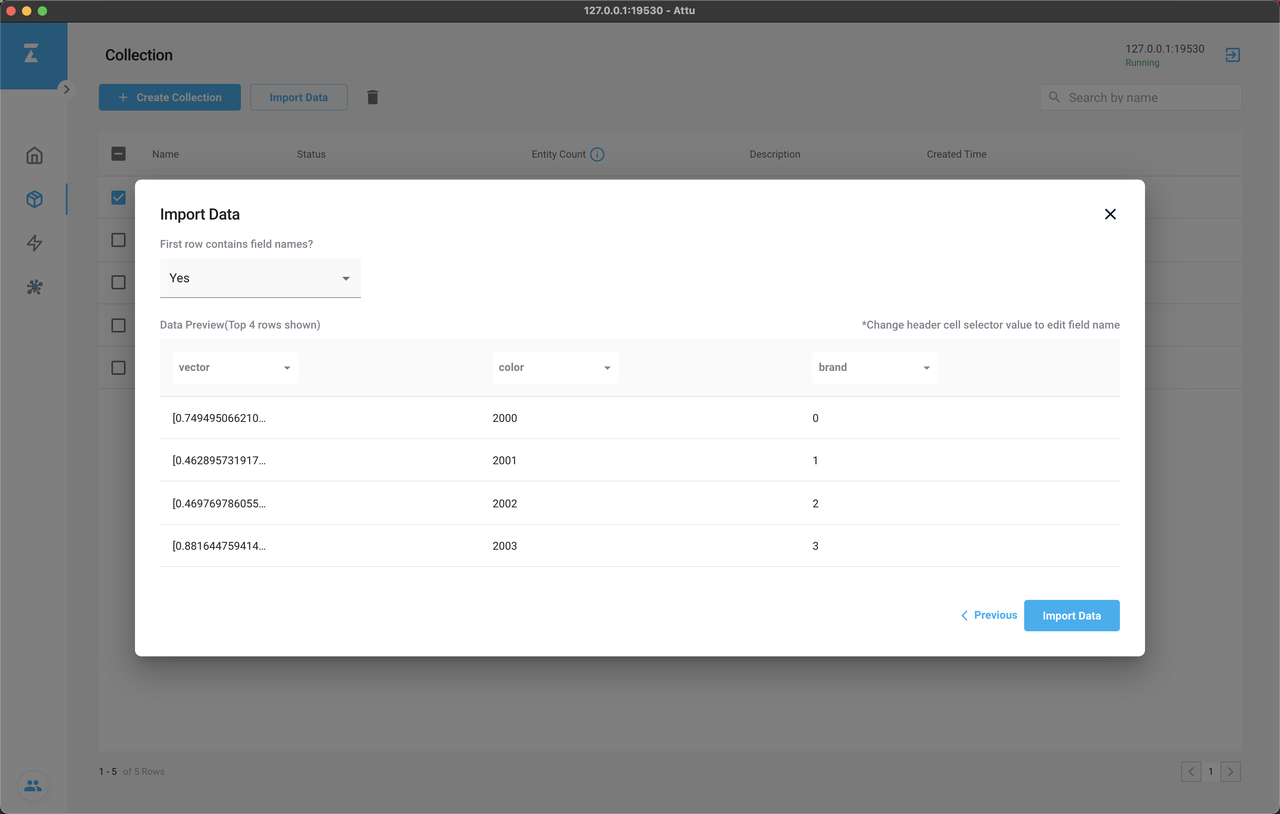
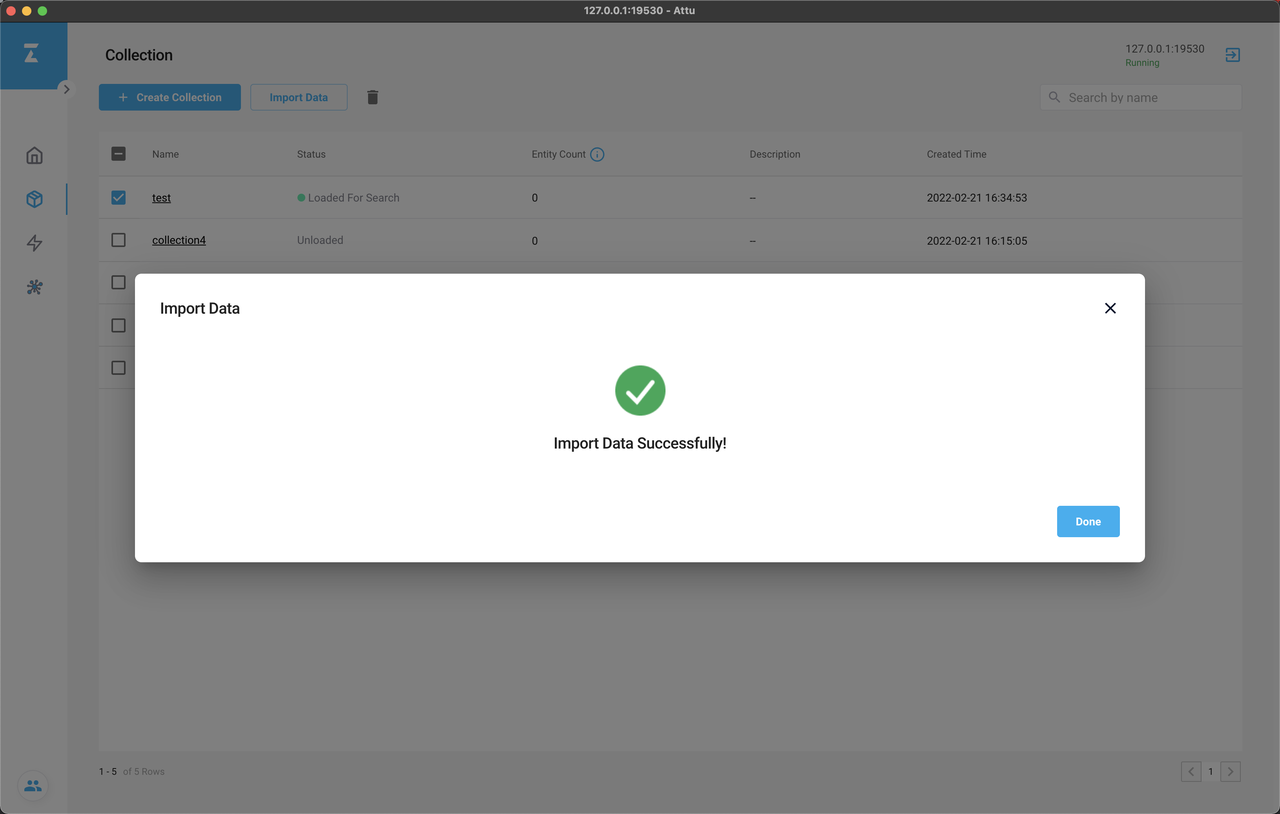
Import data with Attu
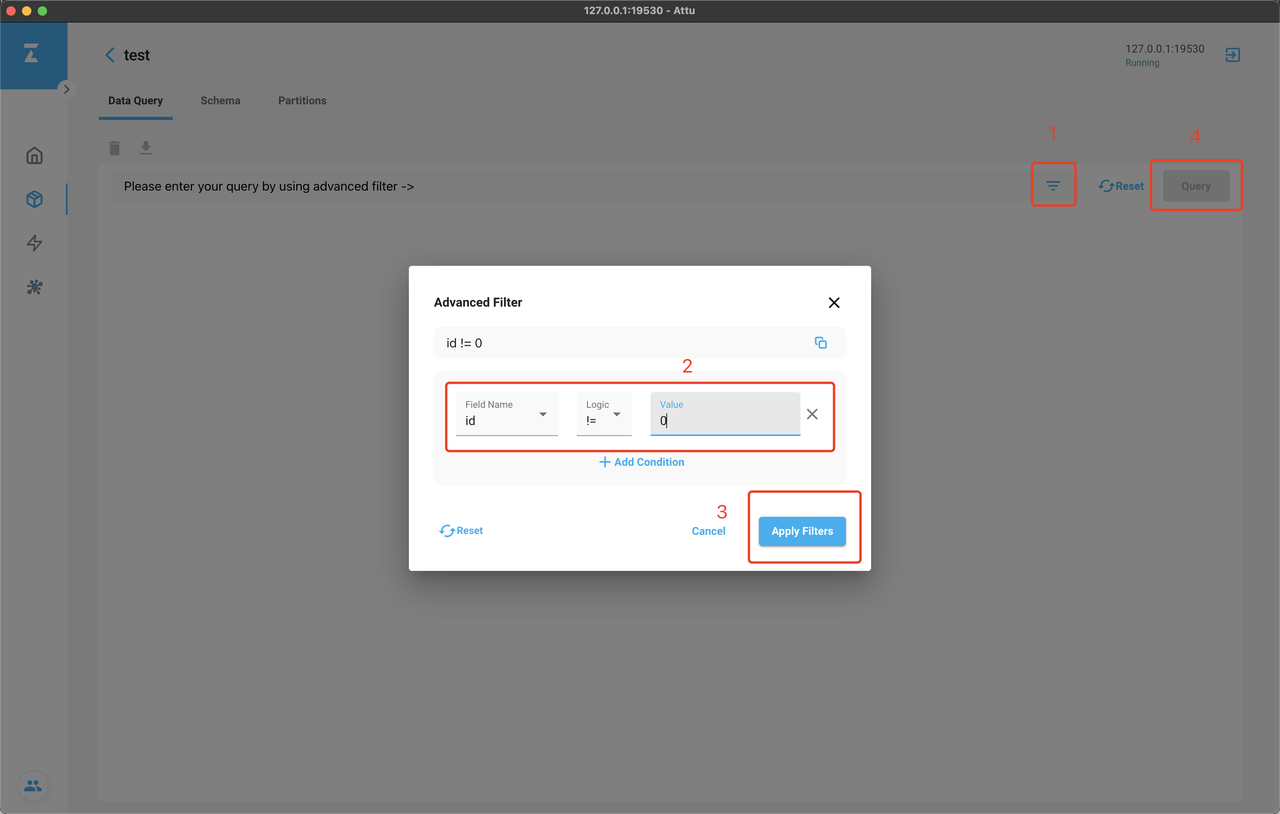
Click the collection name on the Overview or Collection page to enter the query interface to check the imported data. Add filter, specify the expression id != 0, click Apply Filter, and click Query.
You will find all fifty entries of entities are imported successfully.
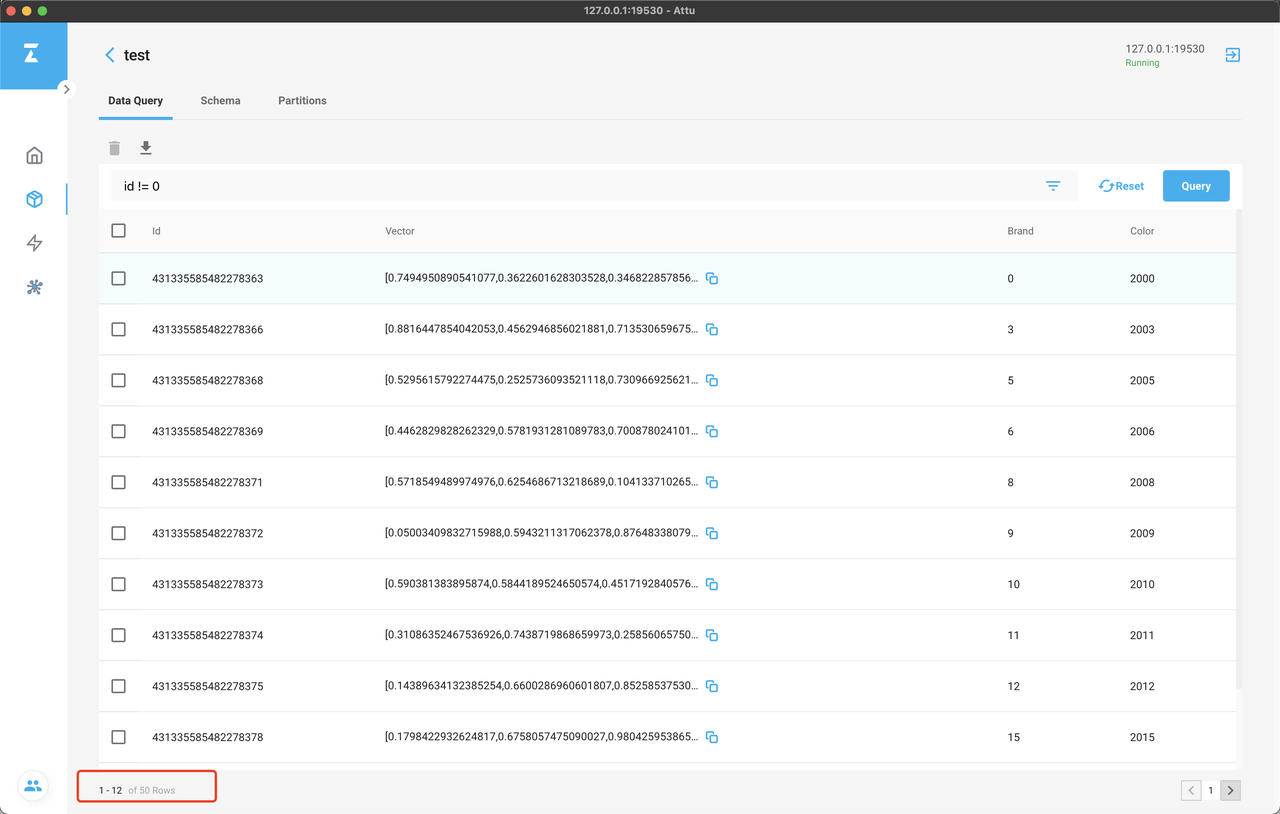
Query result
Let's try a vector similarity search.
Copy one vector from the search_vectors.csv and paste it in Vector Value field. Choose the collection and field. Click Search.
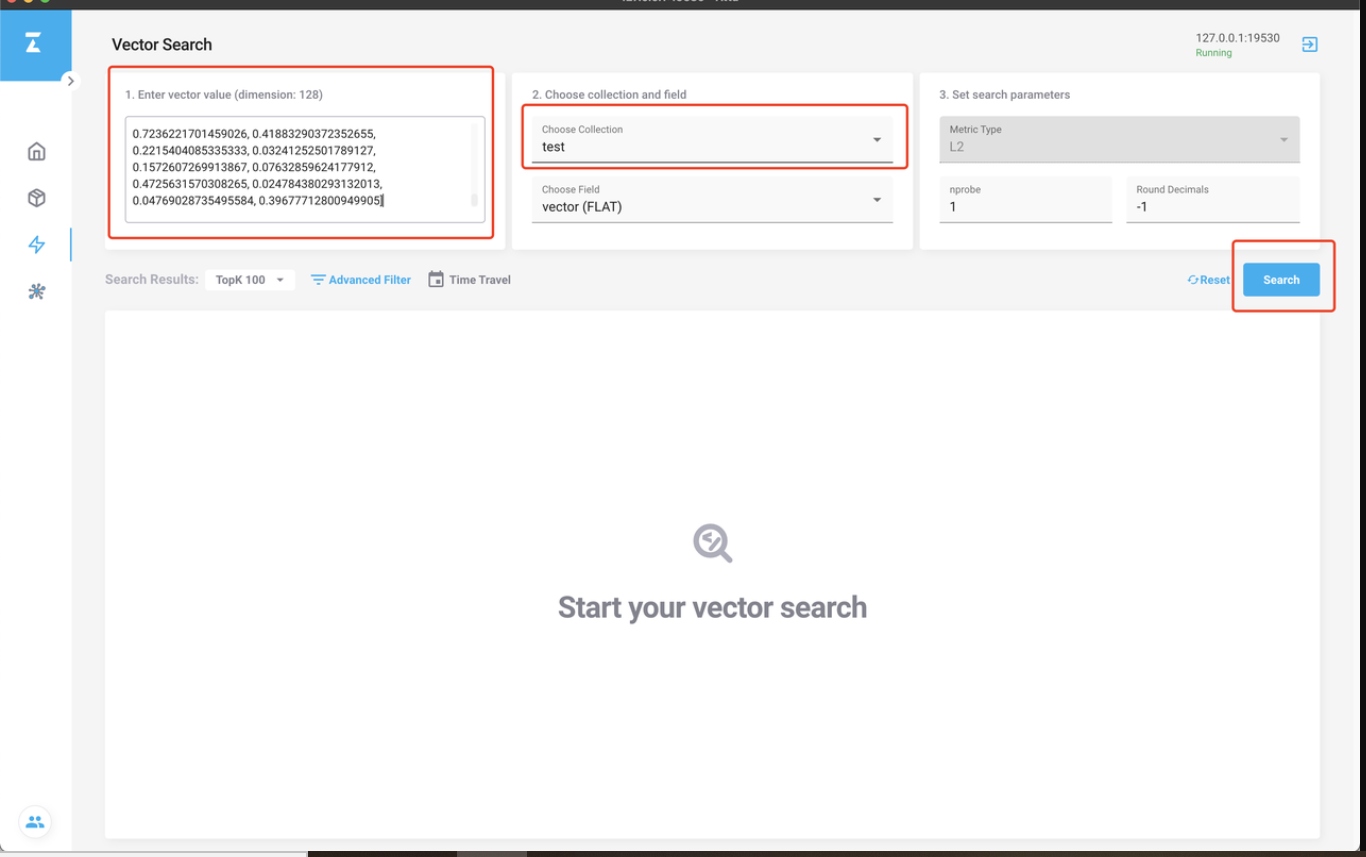
Search data with Attu
You can then check the search result. Without compiling any scripts, you can search with Milvus easily.
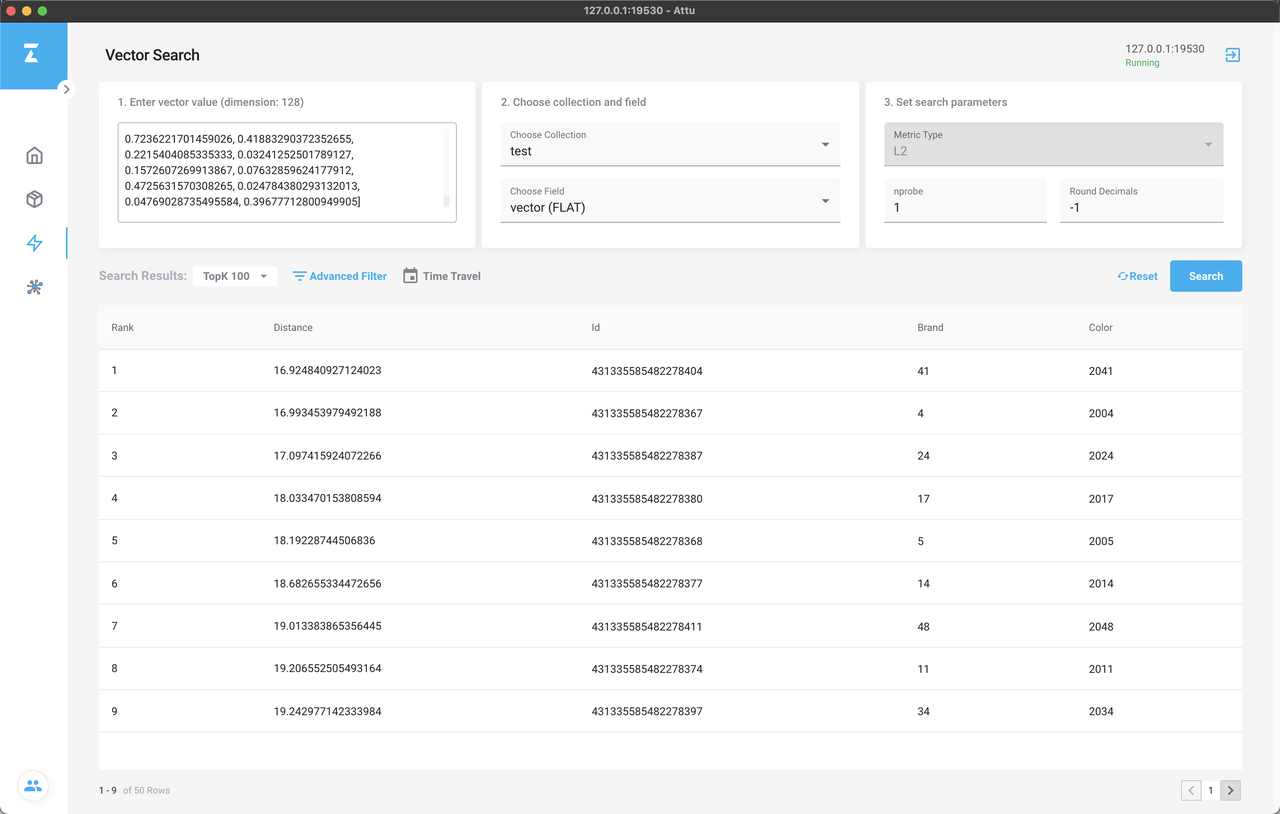
Search result
Finally, let's check the System View page.
With Metrics API encapsulated in Milvus Node.js SDK, you can check the system status, node relations, and node status.
As an exclusive feature of Attu, the System Overview page includes a complete system topological graph. By clicking on each node, you can check its status (refresh every 10 seconds).
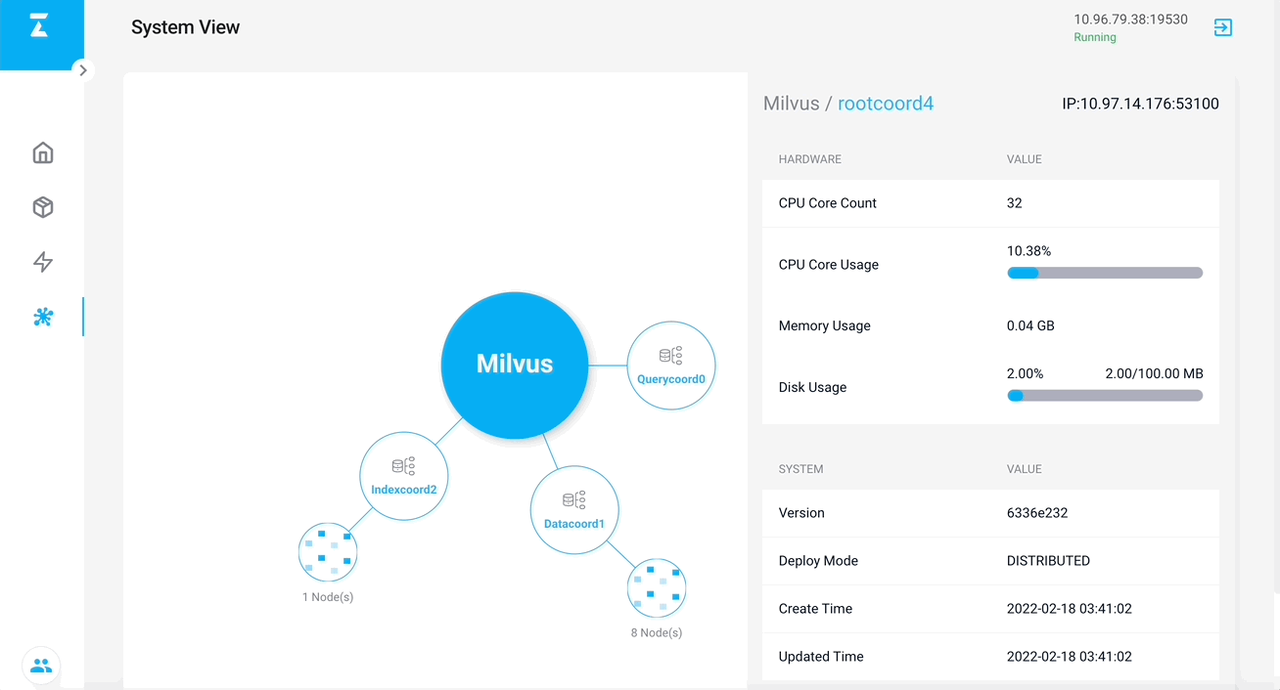
Milvus node topological graph in Attu
Click on each node to enter the Node List View. You can check all child nodes of a coord node. By sorting, you can identify the nodes with high CPU or memory usage quickly, and locate the problem with the system.
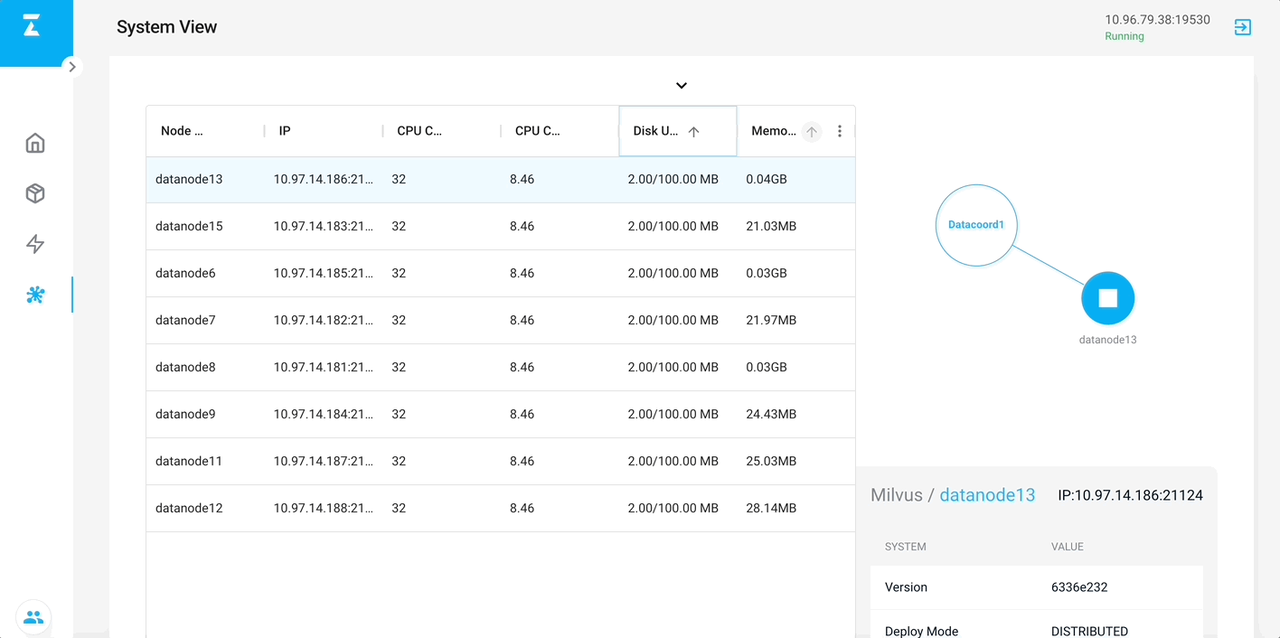
Milvus node list
What's More
As mentioned earlier, the Vector Search and System View pages are plugins of Attu. We encourage users to develop their own plugins in Attu to suit their application scenarios. In the source code, there is a folder built specifically for plugin codes.
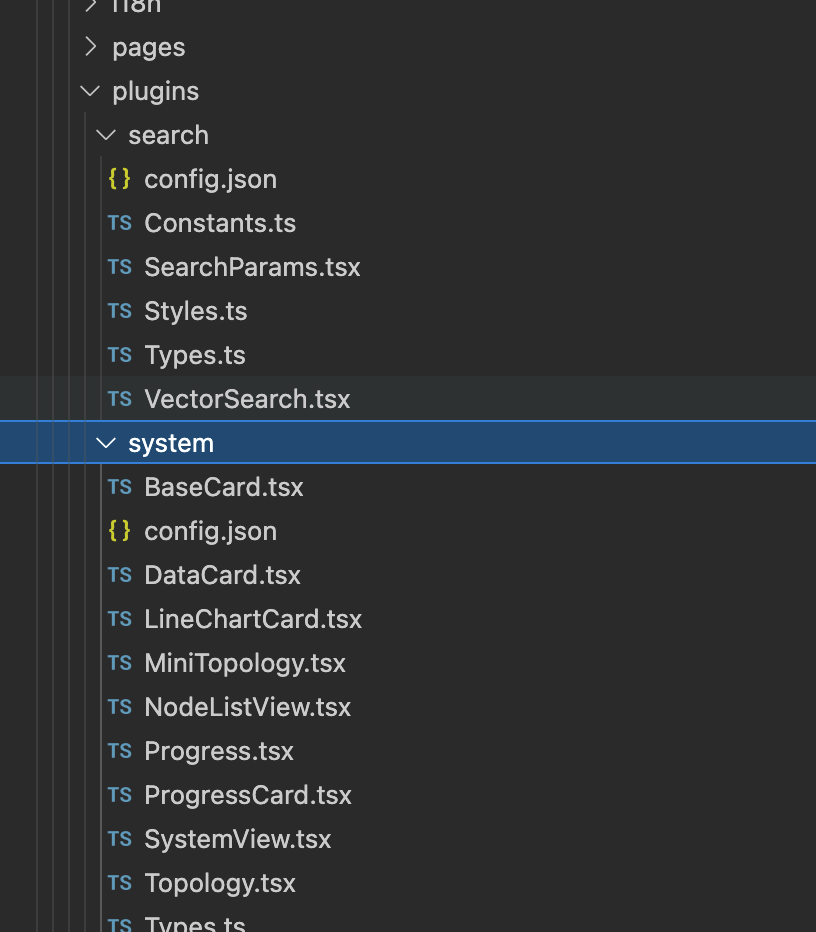
Vector Search and System View pages are plugins of Attu
You can refer to any of the plugins to learn how to build a plugin. By setting the following config file, you can add the plugin to Attu.
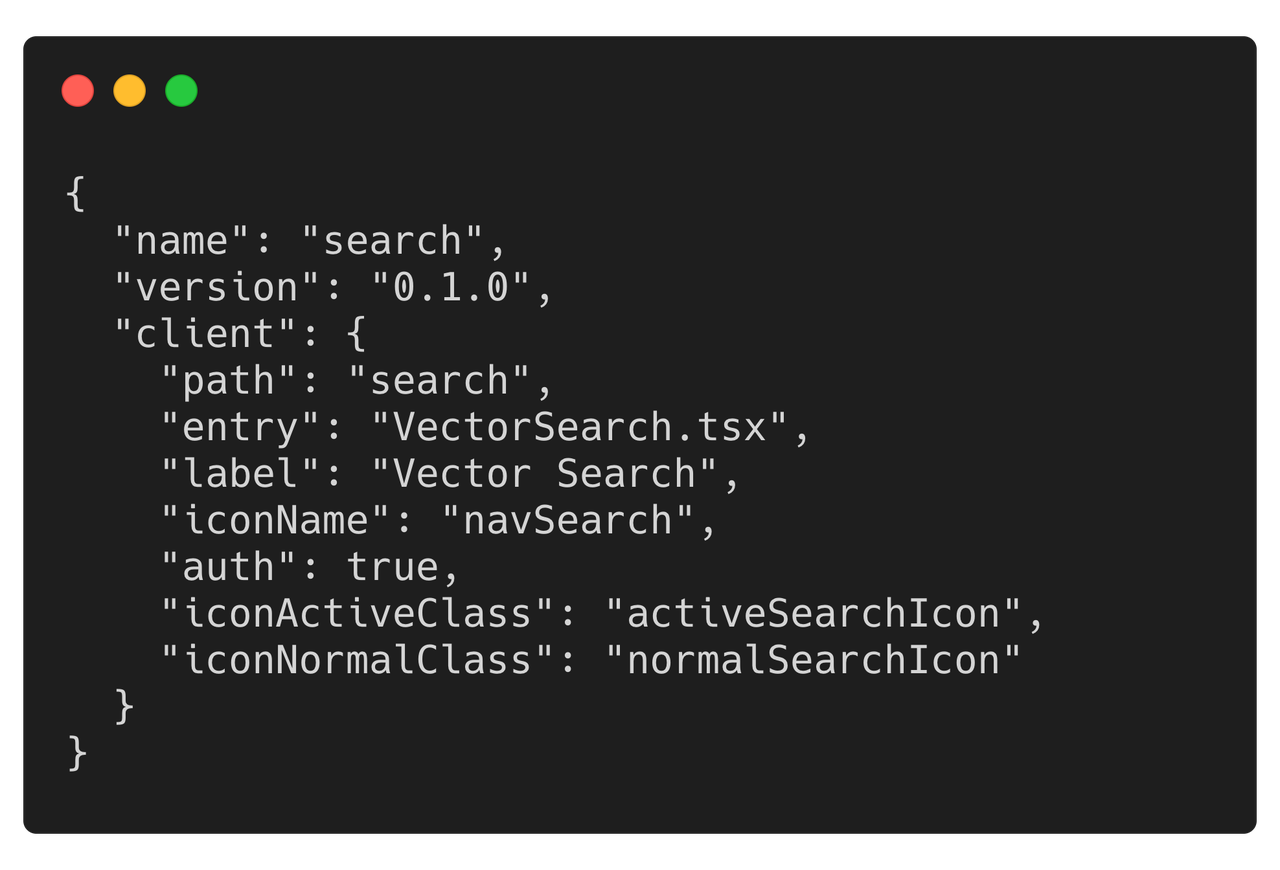
Add plugins to Attu
You can see Attu GitHub Repo and Milvus Technical Document for detailed instruction.
As a reminder, Attu is an open-source project. All contributions are welcome. You can also file an issue if you had any problem with Attu.
We sincerely hope that Attu can bring you a better user experience with Milvus, and if you like Attu, or have some feedback about the usage, you can complete this Attu User Survey to help us optimize Attu for a better user experience.
Published at DZone with permission of Jun Gu. See the original article here.
Opinions expressed by DZone contributors are their own.
Comments