

Mastering Serverless Data Pipelines: AWS Step Functions Best Practices for 2026
AWS Step Functions is central to modern serverless data engineering, yet many teams struggle to build pipelines that scale reliably in production.
 CORE
·
CORE
·
Join the DZone community and get the full member experience.
Join For FreeAWS Step Functions has evolved from a simple state machine orchestrator into the backbone of modern serverless data engineering. As organizations move away from brittle, monolithic scripts toward event-driven architectures, Step Functions provides the reliability, observability, and scalability required for complex ETL (Extract, Transform, Load) processes and data workflows.
However, building a “working” pipeline is different from building a “production-grade” pipeline. In this guide, we will explore industry-standard best practices for building robust serverless data pipelines, focusing on performance, cost efficiency, and maintainability.
1. Choose the Right Workflow Type: Standard vs. Express
The first and most critical decision in architecting a data pipeline is choosing between Standard and Express workflows. Choosing incorrectly can lead to either massive, unnecessary costs or the inability to track long-running processes.
The Comparison
| Feature | Standard Workflows | Express Workflows |
|---|---|---|
| Max Duration | Up to 1 year | Up to 5 minutes |
| Execution Model | Exactly-once | At-least-once |
| Pricing | Per state transition ($25 per million) | Per duration and memory usage |
| Use Case | Long-running ETL, human-in-the-loop | High-volume IoT ingestion, streaming |
Best Practice
Use Standard Workflows for high-value, long-running data jobs where auditability and “exactly-once” execution are paramount. Use Express Workflows for high-frequency, short-lived tasks (such as processing individual SQS messages or API transformations) to save costs.
2. Implement the “Claim Check” Pattern for Large Payloads
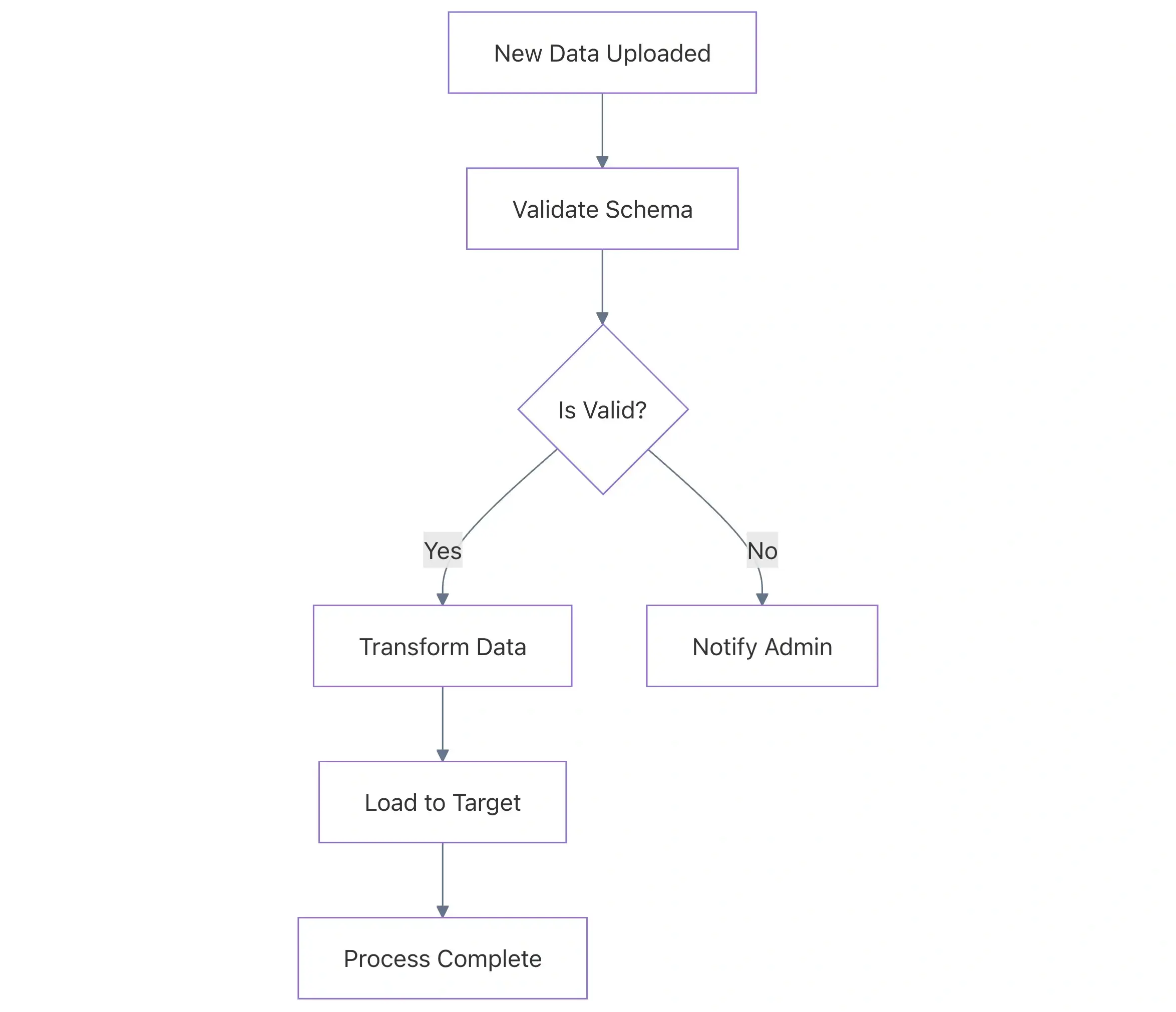
AWS Step Functions has a hard limit of 256 KB for the input and output payloads passed between states. In data pipelines, JSON metadata can easily exceed this limit if you pass raw data fragments or large arrays.
The Bad Practice: Passing Raw Data
Passing a large Base64-encoded string or a massive JSON array directly in the state output will eventually cause the execution to fail with a States.DataLimitExceeded error.
The Good Practice: The S3 Pointer
Instead of passing the data itself, write the data to an S3 bucket and pass the S3 URI (the pointer) between states. This is known as the “Claim Check” pattern.
Example (ASL Definition):
// BAD: Passing raw data results
{
  "StartAt": "ProcessData",
  "States": {
    "ProcessData": {
      "Type": "Task",
      "Resource": "arn:aws:lambda:us-east-1:123456789012:function:ProcessBigData",
      "End": true
    }
  }
}

// GOOD: Passing an S3 reference
{
  "StartAt": "ProcessData",
  "States": {
    "ProcessData": {
      "Type": "Task",
      "Resource": "arn:aws:lambda:us-east-1:123456789012:function:ProcessBigData",
      "Parameters": {
        "s3Bucket": "my-data-pipeline-bucket",
        "s3Key": "input/raw_file.json"
      },
      "ResultPath": "$.s3OutputPointer",
      "End": true
    }
  }
}
Why it matters: This ensures your pipeline is future-proof. Even if your data volume grows 100×, the pipeline architecture remains stable because it handles only metadata, not the data itself.
3. Advanced Error Handling and Retries
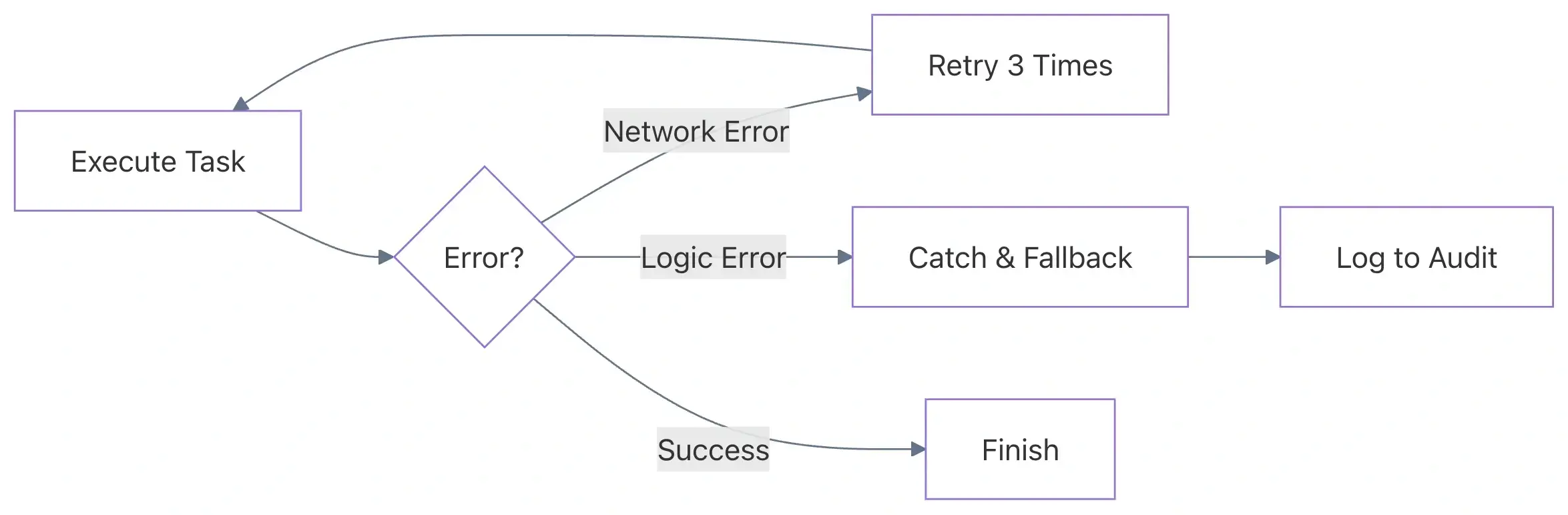
Transient errors (network timeouts, service throttling, or Lambda cold starts) are inevitable in distributed systems. A robust data pipeline should be self-healing.
The Pitfall: Generic Catch-Alls
Using a single Catch block for all errors — or worse, not using retries at all — leads to manual intervention and data loss.
The Best Practice: Specific Retries With Exponential Backoff
Configure specific retry strategies for different error types. For example, AWS service throttling should be handled differently from a custom business logic error.
Good Example (Retries With Jitter):
"Retry": [
  {
    "ErrorEquals": ["Lambda.TooManyRequestsException", "Lambda.ServiceException"],
    "IntervalSeconds": 2,
    "MaxAttempts": 5,
    "BackoffRate": 2.0,
    "JitterStrategy": "FULL"
  },
  {
    "ErrorEquals": ["CustomDataValidationError"],
    "MaxAttempts": 0
  }
]
Why it matters: Exponential backoff prevents "thundering herd" problems on your downstream resources (like RDS or DynamoDB). Adding Jitter ensures that if 100 concurrent executions fail simultaneously, they don't all retry at the exact same millisecond.
4. Leverage Intrinsic Functions to Reduce Lambda Usage
Many developers use AWS Lambda to perform simple tasks such as formatting strings, generating timestamps, or performing basic calculations within a workflow. Each Lambda call adds latency and cost.
The Bad Practice: The “Helper” Lambda
Calling a Lambda function just to combine strings or check whether a value is null.
The Good Practice: ASL Intrinsic Functions
AWS Step Functions provides built-in functions to perform these tasks directly within the state machine definition.
Example: Generating a Unique ID
// GOOD: Using intrinsic functions
"Parameters": {
  "TransactionId.$": "States.UUID()",
  "Message.$": "States.Format('Processing item {} at {}', $.itemId, States.FormatDateTime(States.Now(), 'yyyy-MM-dd'))"
}
Commonly Used Intrinsic Functions:
States.Array: Join multiple values into an arrayStates.JsonToString: Convert a JSON object to a stringStates.MathAdd: Perform basic arithmeticStates.StringToJson: Parse a string back into JSON
Why it matters: Intrinsic functions are executed by the Step Functions service at no additional cost (beyond the state transition) and with zero execution latency compared to the cold-start potential of a Lambda function.
5. High-Performance Parallelism With Distributed Map
For massive data processing tasks (such as processing millions of CSV rows in S3), the traditional Map state is insufficient. AWS introduced Distributed Map, which can run up to 10,000 parallel executions.
Best Practice: Item Batching
When using Distributed Map, avoid processing one record per execution if the records are small. Instead, use ItemBatching.
If you have 1 million rows and process them individually, you pay for 1 million state transitions. If you batch them into groups of 1,000, you pay for only 1,000 transitions.
Example Configuration:
"MapState": {
  "Type": "Map",
  "ItemReader": {
    "Resource": "arn:aws:states:::s3:getObject",
    "ReaderConfig": {
      "InputType": "CSV",
      "CSVHeaderLocation": "FIRST_ROW"
    }
  },
  "ItemBatcher": {
    "MaxItemsPerBatch": 1000
  },
  "MaxConcurrency": 1000,
  "Iterator": {
     // Processing logic here
  }
}
6. Security and Observability
Least-Privilege IAM Roles
Never use a single “god-mode” IAM role for your state machine. Each state machine should have a unique IAM role with permissions restricted to only the resources it interacts with (specific S3 buckets, specific Lambda functions).
Logging and X-Ray
Enable AWS X-Ray tracing for your Step Functions workflows. This allows you to visualize the entire request path across multiple AWS services, making it easy to spot bottlenecks.
Logging Configuration Best Practice:
Set the log level to ERROR for production environments. Use ALL only for development or debugging, as logging every state input and output can significantly increase CloudWatch costs in high-volume pipelines.
Summary Table: Do’s and Don’ts
| Practice | Do | Don't |
|---|---|---|
| Payloads | Use S3 URI pointers for large data. | Pass large JSON objects directly. |
| Logic | Use Intrinsic Functions for basic tasks. | Trigger Lambda functions for string manipulation. |
| Retries | Use Exponential Backoff and Jitter. | Use static intervals for all errors. |
| Parallelism | Use Distributed Map for large S3 datasets. | Use standard Map for millions of items. |
| Costs | Use Express Workflows for high-volume logic. | Use Standard Workflows for simple, high-frequency tasks. |
Common Pitfalls to Avoid
- Ignoring the History Limit: Standard Step Functions have a history limit of 25,000 events. For loops that run thousands of times, use a Distributed Map or Child Workflows to avoid hitting this limit.
- Hard-coding Resource ARNs: Use environment variables or CloudFormation/Terraform references to inject ARNs into your ASL definitions. Hard-coding makes it impossible to manage Dev/Staging/Prod environments.
- Tightly Coupling States: Avoid making States too dependent on the specific JSON structure of the previous state. Use
InputPath,OutputPath, andResultSelectorto map only the necessary data.
Conclusion
AWS Step Functions is the “glue” that holds serverless data pipelines together. By implementing modularity, utilizing the Claim Check pattern for large payloads, and leveraging intrinsic functions, you can build pipelines that are not only scalable but also cost-effective and easy to debug.
As you build, remember: optimize for clarity and resilience first. A pipeline that is easy to monitor and automatically recovers from failure is worth more than a slightly faster pipeline that requires manual restarts at 3:00 AM.
Are you using Step Functions for your data pipelines? Let us know in the comments if you have found any other patterns that work well for your team!
Published at DZone with permission of Jubin Soni, FBCS. See the original article here.
Opinions expressed by DZone contributors are their own.
Comments