

How to Merge Payloads Using DataWeave
DataWeave can do pretty much anything. You can use DataWeave to merge three different payloads into a single one using the service line value.
Join the DZone community and get the full member experience.
Join For FreeThere are a lot of questions on StackOverflow about merging multiple payloads into a single one using a primary key. However, the answers are a bit complex. We must know that DataWeave can do anything.
In this article, I am going to explain how to merge multiple payloads into a single one just using DataWeave.
Let's take this example where the profit, workforce, and investment of an organization are merged using service line number (Primary Key).
Main Flow
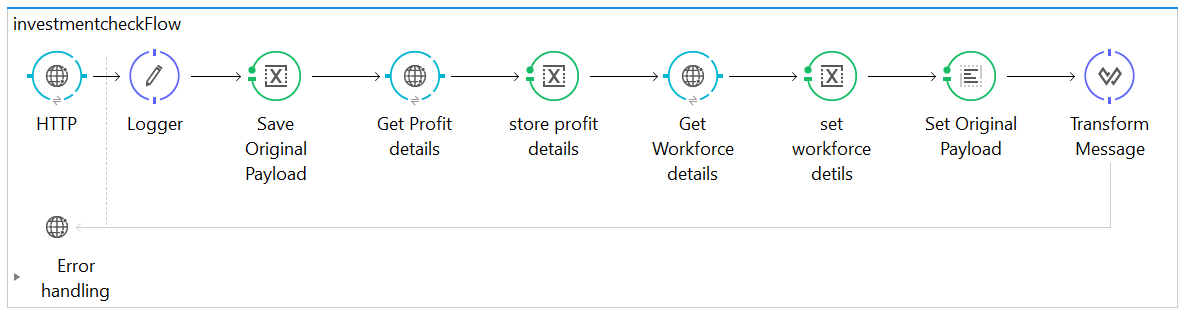
The payloads from different sources, as shown in the flow, are collected and stored in flow variables. The good thing about DataWeave is that it will allow you to map through flow variables.
Original payload (payload from Source 1):
{
"QuarterStatus":[
{
"Service line number":"4",
"Investment":220
},
{
"Service line number":"3",
"Investment":210
},
{
"Service line number":"1",
"Investment":130
},
{
"Service line number":"2",
"Investment":452
}
]
}
Profit payload (payload from Source 2):
{
"Result":[
{
"Service line number":"4",
"Profit":23
},
{
"Service line number":"3",
"Profit":44
},
{
"Service line number":"2",
"Profit":76
},
{
"Service line number":"1",
"Profit":19
}
]
}
Workforce payload (payload from Source 3):
{
"Workforce":[
{
"Service line number":"4",
"Employees":200
},
{
"Service line number":"3",
"Employees":35
},
{
"Service line number":"1",
"Employees":342
},
{
"Service line number":"2",
"Employees":65
}
]
}
Let's store the payloads in variables
Payload 1: Original Payload Variable (note: before transformation, set this as the payload).
Payload 2: Store in flow as Variable 1.
Payload 3: Store in flow as Variable 2.
Now, use DataWeave to merge all three payloads into a single one using the service line value. Let's take the service line value as the primary key and filter the flow variables.
DW script:
%dw 1.0
%output application/json
---
{
OrganizationData: payload.QuarterStatus map ((payload1 , indexOfPayload1) -> {
"Service line number": payload1."Service line number",
Investment: payload1.Investment,
(flowVars.variable2.Workforce filter ($."Service line number" == payload1."Service line number")  map ((variable2 , indexOfVariable2) -> {
Employees: variable2.Employees
})),
(flowVars.variable1.Result filter ($."Service line number" == payload1."Service line number")  map ((variable1 , indexOfVariable1) -> {
Profit: variable1.Profit
}))
})
}
Output:
{
  "OrganizationData": [
    {
      "Service line number": "4",
      "Investment": 220,
      "Employees": 200,
      "Profit": 23
    },
    {
      "Service line number": "3",
      "Investment": 210,
      "Employees": 35,
      "Profit": 44
    },
    {
      "Service line number": "1",
      "Investment": 130,
      "Employees": 342,
      "Profit": 19
    },
    {
      "Service line number": "2",
      "Investment": 452,
      "Employees": 65,
      "Profit": 76
    }
  ]
}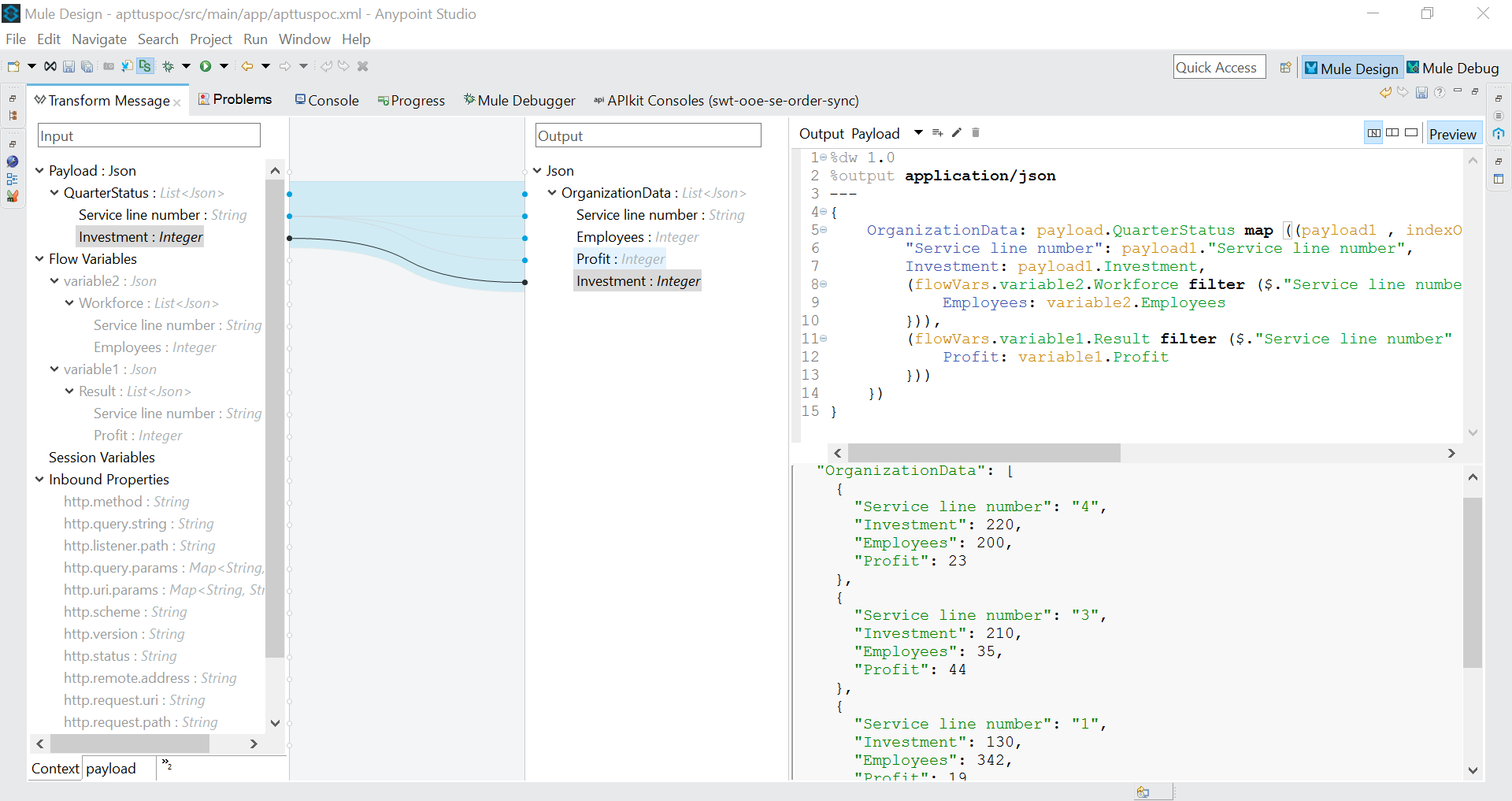
That's all! The payload has merged successfully.
Opinions expressed by DZone contributors are their own.
Comments