

DZone
Thanks for visiting DZone today,
Edit Profile
  • Manage Email Subscriptions
  • How to Post to DZone
  • Article Submission Guidelines
Sign Out View Profile
  • Post an Article
  • Manage My Drafts
Over 2 million developers have joined DZone.
Log In / Join
Refcards Trend Reports
Events Video Library
Refcards
Trend Reports

Events

View Events Video Library

Related

  • Mastering Shift-Left: The Ultimate Guide to Input Validation in Jenkins Pipelines
  • Jenkins Pipelines With Centralized Error Codes and Fail-Fast
  • Optimizing CI/CD Pipeline With Kubernetes, Jenkins, Docker, and Feature Flags
  • Building Jenkins Infrastructure Pipelines

Trending

  • Every Cache Miss Is a Tiny Tax on Your Performance
  • Why Stable RAG Answers Can Still Hide Unstable Evidence
  • Implementing Secure API Gateways for Microservices Architecture
  • Liquid Glass, Material 3, and a Lot of Plumbing
  1. DZone
  2. Testing, Deployment, and Maintenance
  3. DevOps and CI/CD
  4. Mule 4 and Jenkins Pipeline

Mule 4 and Jenkins Pipeline

In this artipostle, we look at how to use the new Mule Maven Plugin to deploy in Cloudhub through a simple Jenkins pipeline.

By 
Anupam Gogoi user avatar
Anupam Gogoi
·
Updated Jul. 10, 18 · Tutorial
Likes (3)
Comment
Save
Tweet
Share
18.0K Views

Join the DZone community and get the full member experience.

Join For Free

Introduction

With the release of Mule 4, there are slight changes in the Mule Maven Plugin too. So, in this article, I am going to explain how to use the new Mule Maven Plugin to deploy in Cloudhub through a simple Jenkins pipeline.

Mule Maven Plugin

The most recent plugin (version 3.1.1) looks like the snippet below,
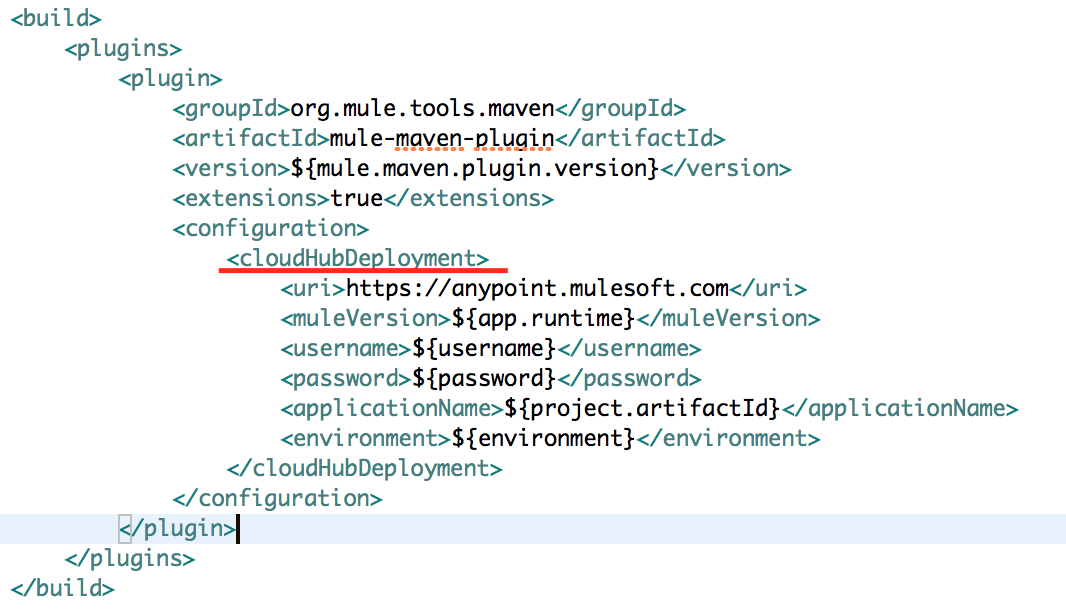
Image title

Slightly different from the previous version.

Jenkins Configuration 

After installing Jenkins, configure Maven in Global Tools Configuration section. In my case, I named it as maven. Also, configure credentials for your Anypoint Platform as shown in the below picture,
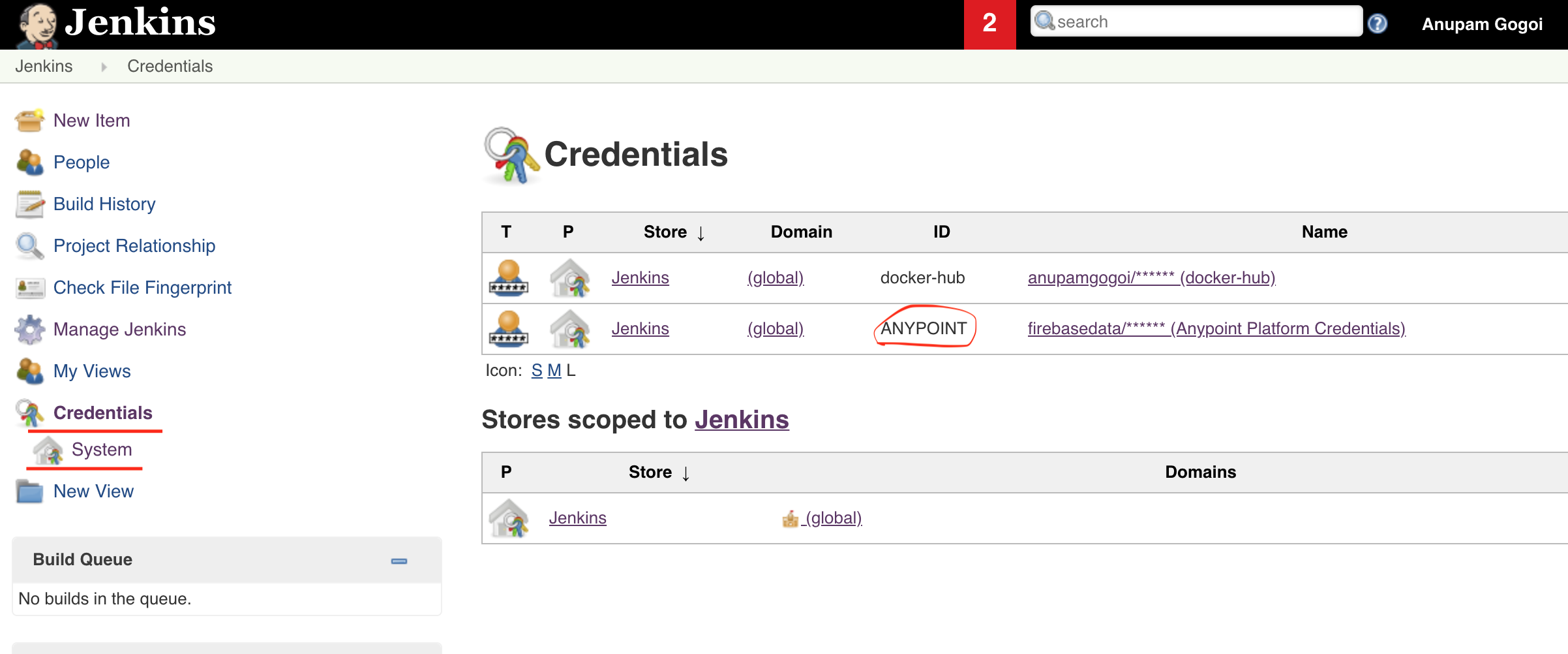
Image title

The credential ID in my case is ANYPOINT.

Jenkisfile

Create a very simple Jenkinsfile under the root of the project. The file is as shown below,
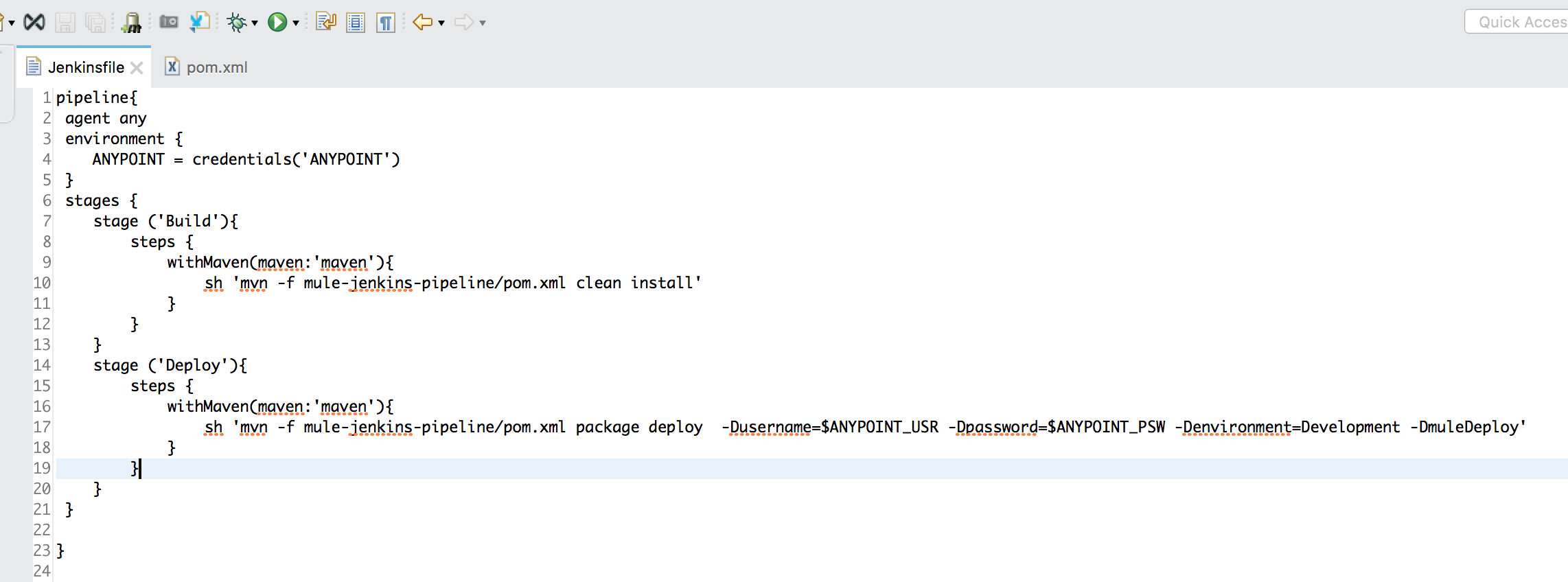
Image title

There are only two stages namely Build and Deploy.

Create Pipeline

In Jenkins, create a Pipeline item and configure it as follows.

Poll SCM 

I am polling every minute for SCM changes for this example. 
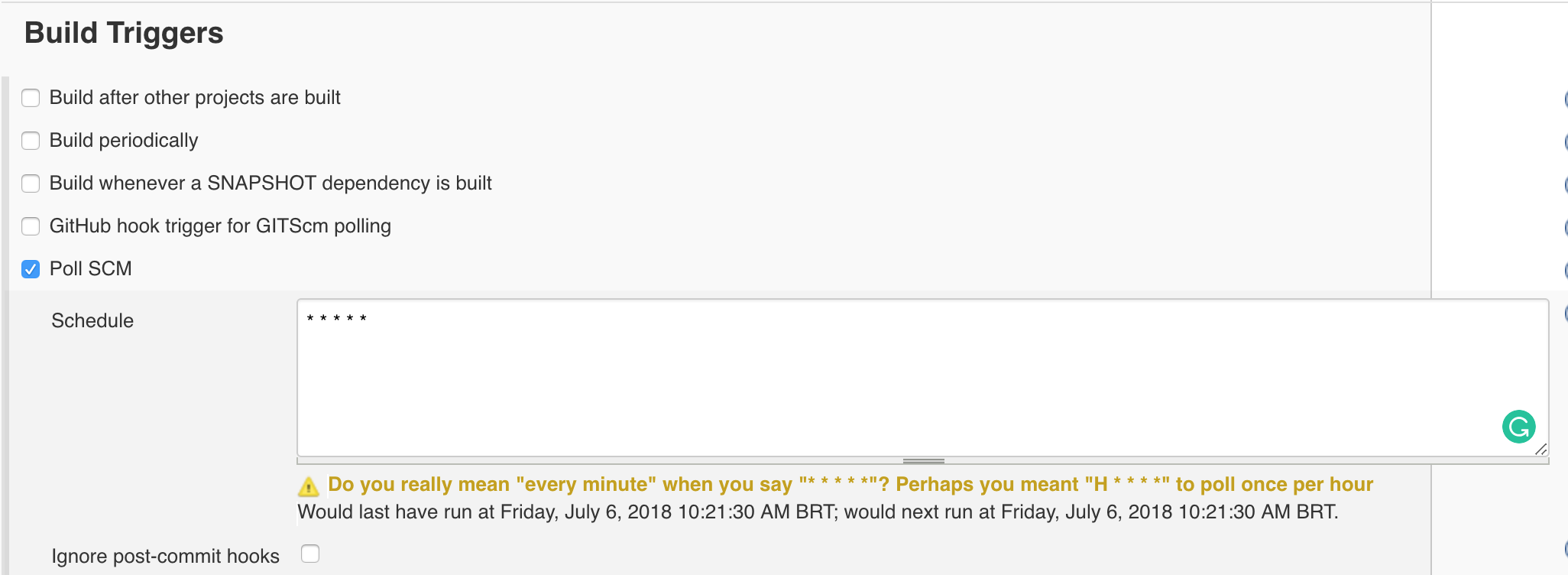
Image title

Pipeline Configuration

Configure the pipeline. In my case, my pipeline script (Jenkinsfile) resides in GitHub.
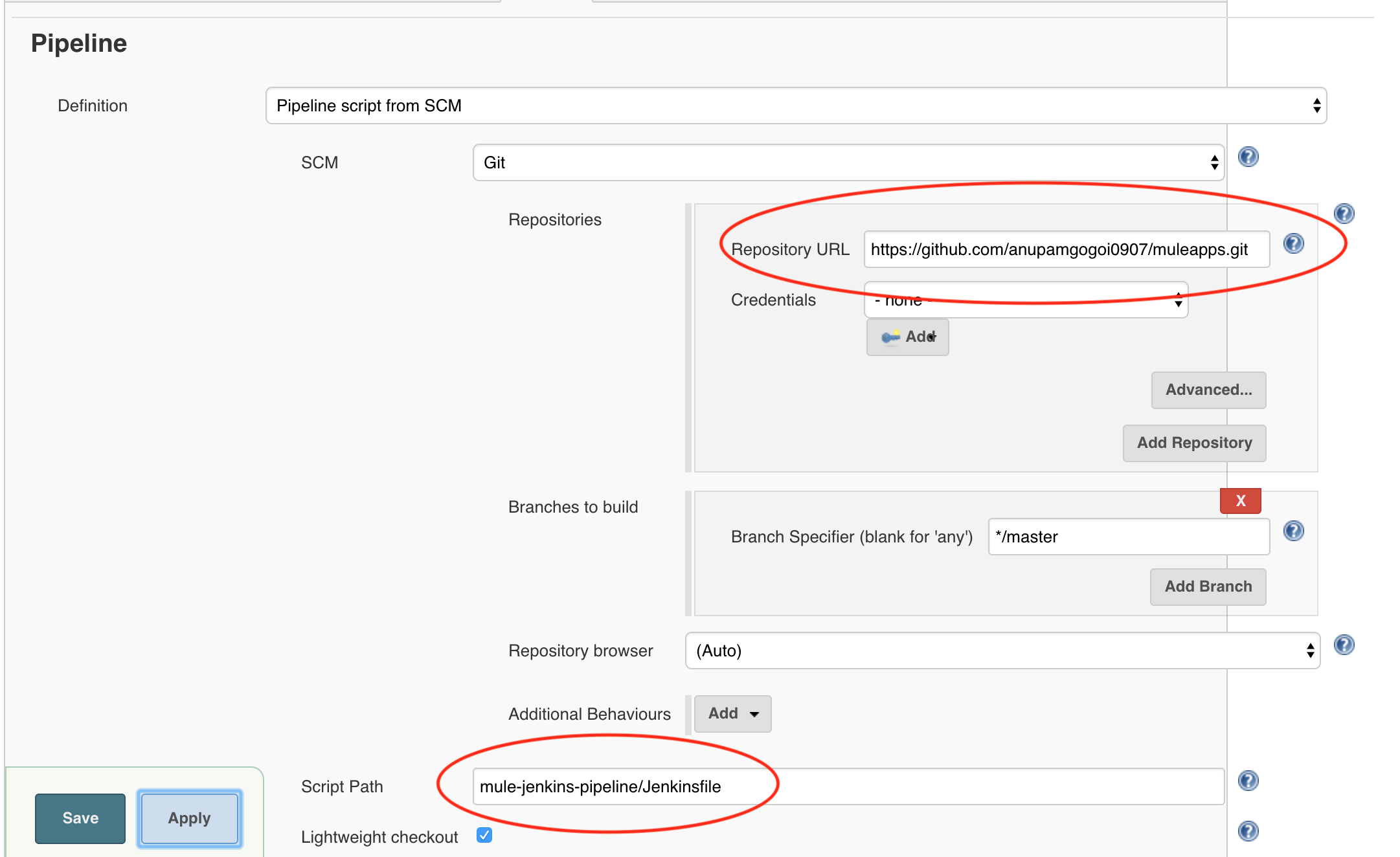
Image title

And that's it. You are done with the configuration. Now for every commit, the Jenkins job will be executed and thereby the pipeline will be executed, and the application will be deployed in the Cloubhub.

Conclusion

In this short article, I have demonstrated how easy it is to configure a Jenkins pipeline with Mule 4 Maven plugin. For demo purpose, I made the Jenkinsfile very simple but you can add more stages to it. The source code of the project can be found here.

Thank you.

Pipeline (software) Jenkins (software)

Opinions expressed by DZone contributors are their own.

Related

  • Mastering Shift-Left: The Ultimate Guide to Input Validation in Jenkins Pipelines
  • Jenkins Pipelines With Centralized Error Codes and Fail-Fast
  • Optimizing CI/CD Pipeline With Kubernetes, Jenkins, Docker, and Feature Flags
  • Building Jenkins Infrastructure Pipelines

Partner Resources

×

Comments

The likes didn't load as expected. Please refresh the page and try again.

  • RSS
  • X
  • Facebook

ABOUT US

  • About DZone
  • Support and feedback
  • Community research

ADVERTISE

  • Advertise with DZone

CONTRIBUTE ON DZONE

  • Article Submission Guidelines
  • Become a Contributor
  • Core Program
  • Visit the Writers' Zone

LEGAL

  • Terms of Service
  • Privacy Policy

CONTACT US

  • 3343 Perimeter Hill Drive
  • Suite 215
  • Nashville, TN 37211
  • [email protected]

Let's be friends:

  • RSS
  • X
  • Facebook