DZone
Thanks for visiting DZone today,
Edit Profile
  • Manage Email Subscriptions
  • How to Post to DZone
  • Article Submission Guidelines
Sign Out View Profile
  • Post an Article
  • Manage My Drafts
Newsletter
Log In / Join
Refcards Trend Reports
Events Video Library
Refcards
Trend Reports

Events

View Events Video Library

Related

  • Building REST API Backend Easily With Ballerina Language
  • MuleSoft Integration With RabbitMQ
  • Handle HL7 MLLP Messages With Mule 4
  • What D'Hack Is DPoP?

Trending

  • How to Submit a Post to DZone
  • Spring Security JWT Validation Best Practices
  • Idempotency Under Concurrency: Why Your Application Check Isn't the Last Line of Defense
  • Beyond Manual Mapping: AI-Orchestrated Governance for Hybrid Cloud

Draft This article hasn't been published, so readers can't see it.

In moderation This article is waiting for review, so readers can't see it yet.

Deleted This article has been deleted, so readers can't see it.

  1. DZone
  2. Software Design and Architecture
  3. Integration
  4. Mule 4: Dynamically Call Multiple Subflows With One Flow-Ref

Mule 4: Dynamically Call Multiple Subflows With One Flow-Ref

Learn how to dynamically call multiple sublows with a single Flow-Reference using Mule 4 and Anypoint Studio.

By 
Vignesh U
·
Updated May. 06, 20 · Tutorial
Post on X (opens in a new tab) Share on LinkedIn (opens in a new tab)
27.7K Views

Join the DZone community Save articles, join the discussion, and download Refcards and Trend Reports with a free account.

Join for free Already a member? Log in

In this tutorial, we will see how to call multiple subflows dynamically with the help of a single flow reference component. 

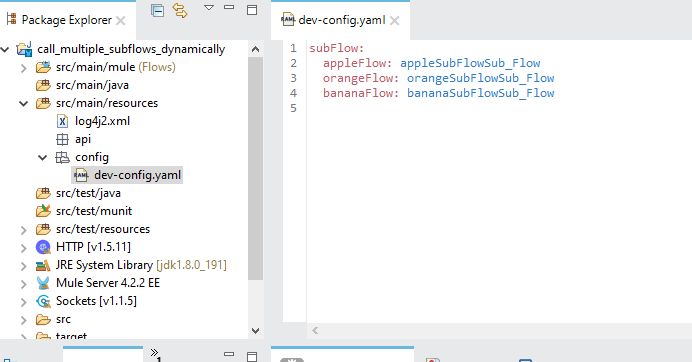
As a first step, let's create a new Mule project using Anypoint Studio. After creating the project, we need to have all the subflow details listed under .properties/.yaml file.


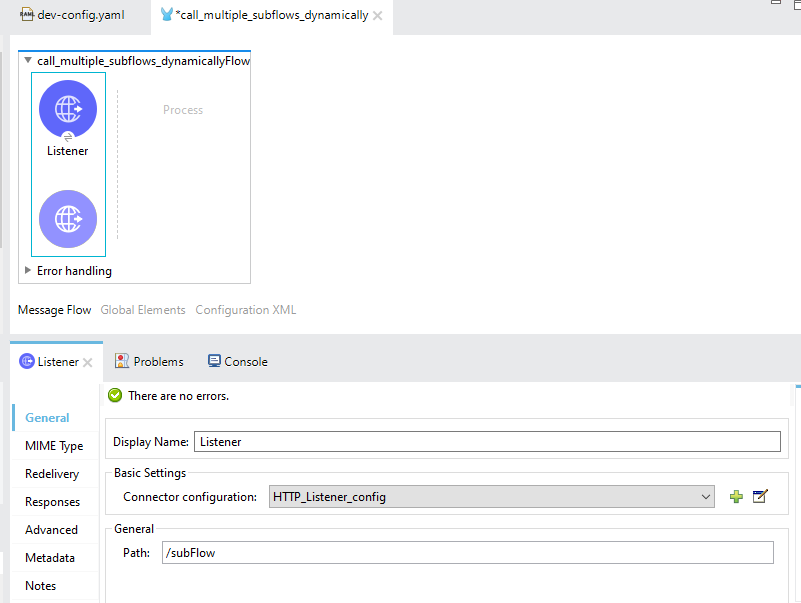
Let's create a flow with HTTP Listener connector.

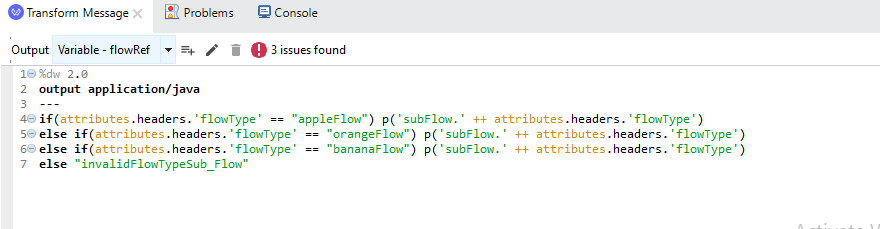
As a next step, let's assume we will get an attribute (header) as 'flowType' in our request. We will set a variable with a condition based on the header to route multiple subflows dynamically.
 

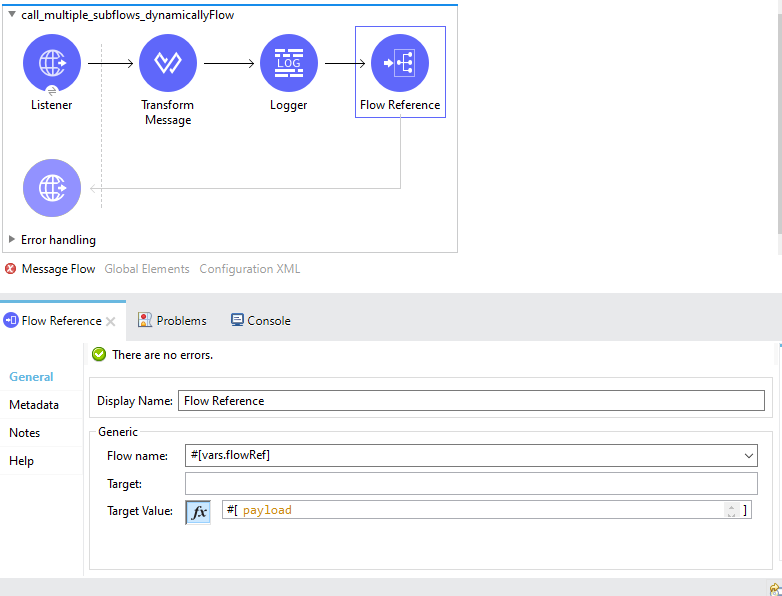
In the next step, we will add a Flow-Reference calling various subflows dynamically based on applied conditions.
 

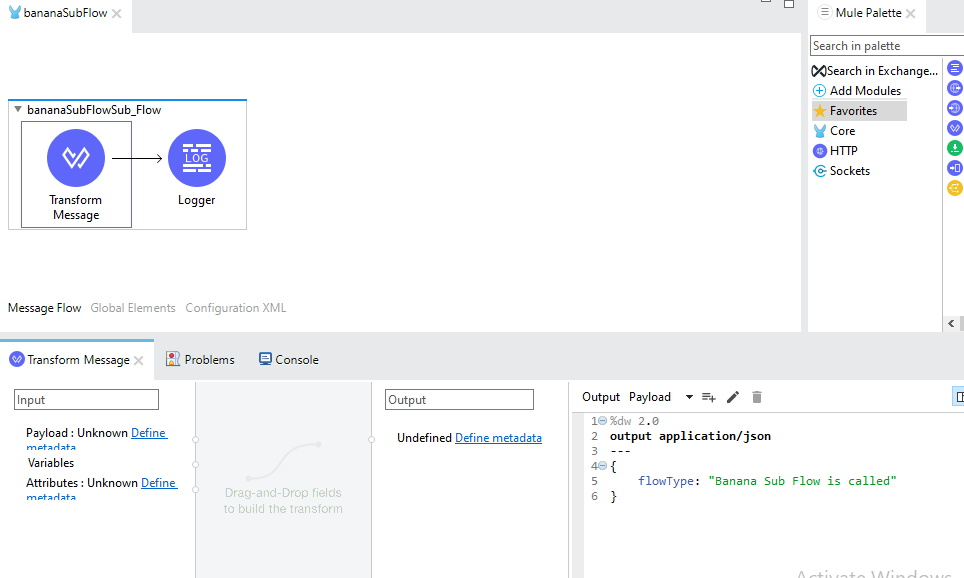
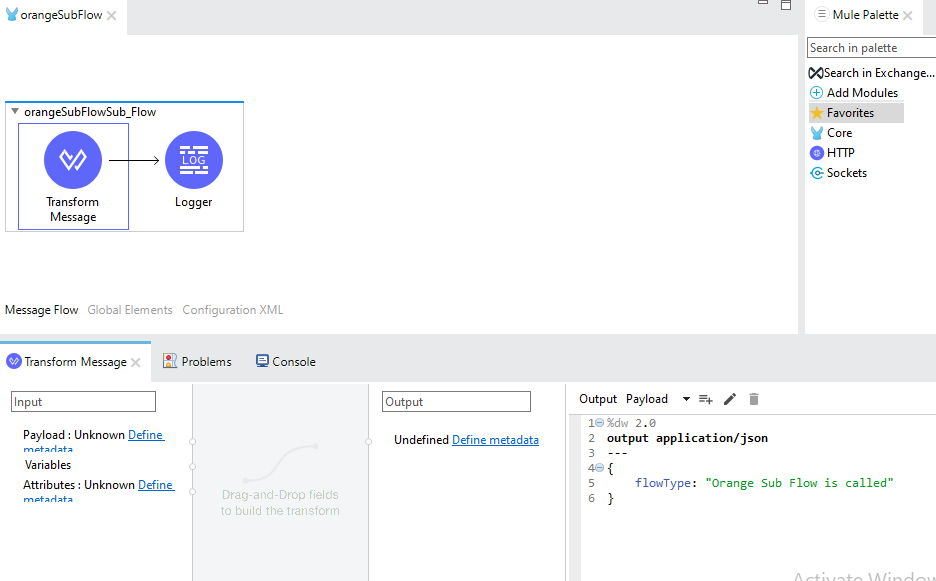
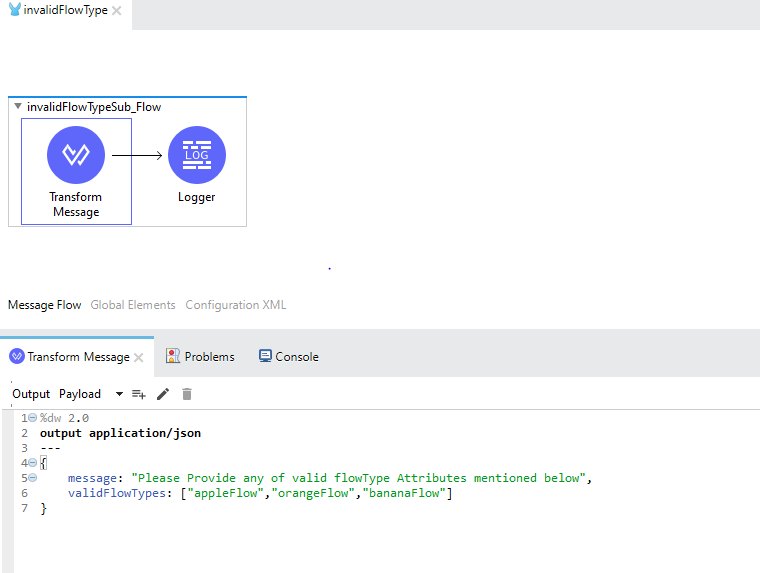
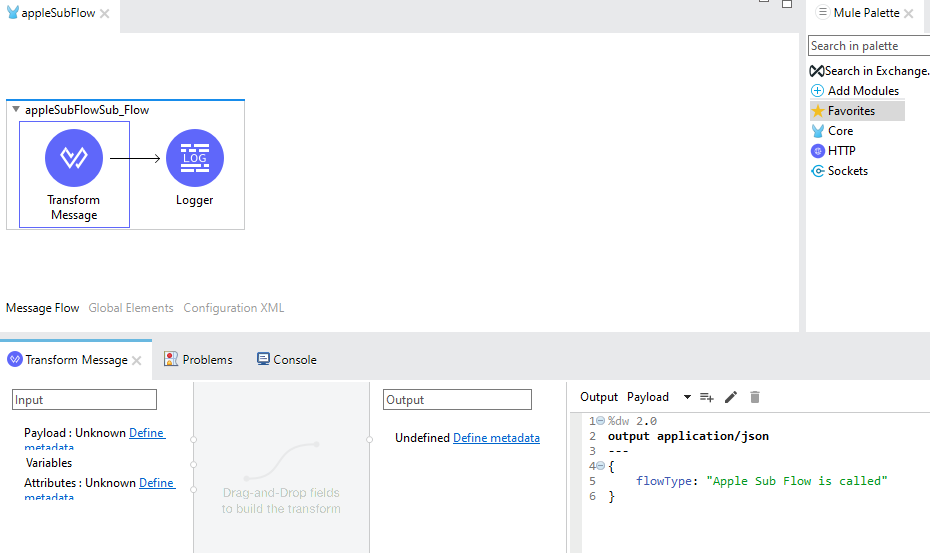
In the final step, let's create different subflows as follows:


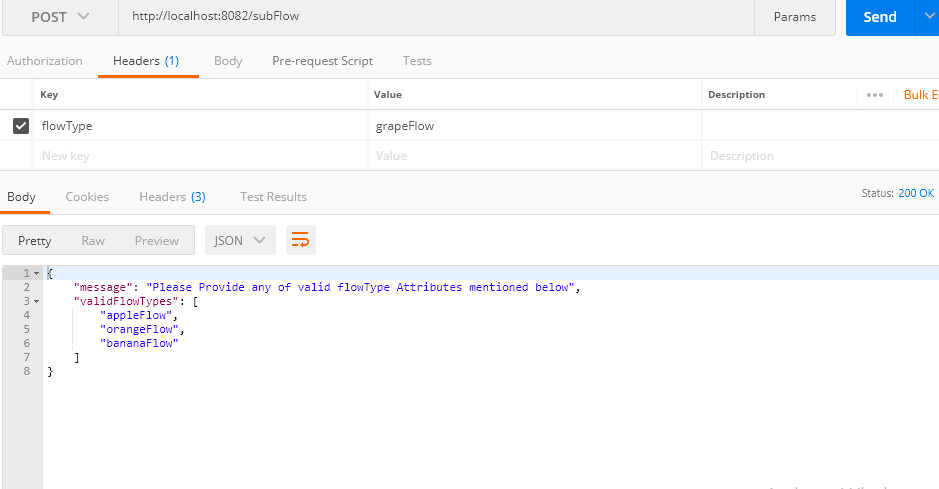
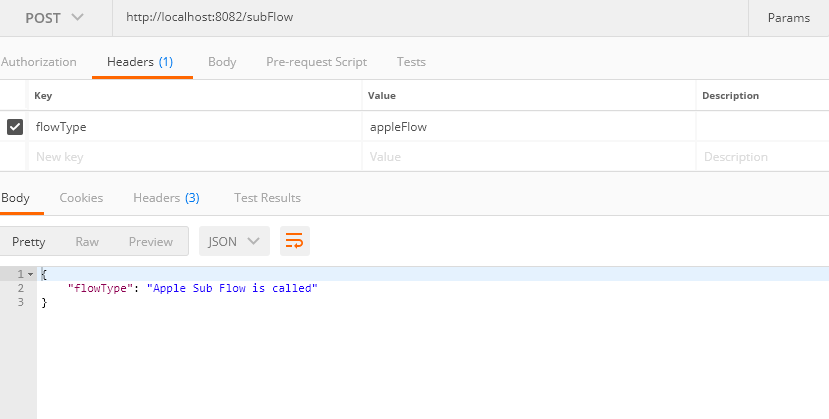
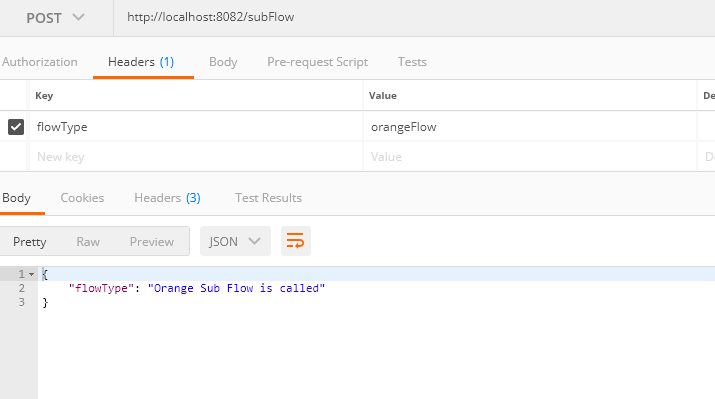
We can test the service after deploying the application in Anypoint Studio. You can use Postman/any other REST client to test the service.

The response will come back as follows (based on header that you send in your request)


I hope this article helps you understand how to call multiple subflows dynamically with the help of a single Flow-Reference.

Testing Requests Flow (web browser) application REST Connector (mathematics) Attribute (computing) Web Protocols

Opinions expressed by DZone contributors are their own.

Related

  • Building REST API Backend Easily With Ballerina Language
  • MuleSoft Integration With RabbitMQ
  • Handle HL7 MLLP Messages With Mule 4
  • What D'Hack Is DPoP?

Partner Resources

×

Comments

Loading comments

The comments didn't load

Please try again in a moment.

Likes

Loading

The next likes didn't load. Please try again.

The likes didn't load

Please try again in a moment.

See who liked this

Log in or join DZone for free to see who liked this article.

Log in Join for free
  • RSS
  • X
  • Facebook

ABOUT US

  • About DZone
  • Support and feedback
  • Community research

ADVERTISE

  • Advertise with DZone

CONTRIBUTE ON DZONE

  • Article Submission Guidelines
  • Become a Contributor
  • Core Program
  • Visit the Writers' Zone

LEGAL

  • Terms of Service
  • Privacy Policy

CONTACT US

  • 3343 Perimeter Hill Drive
  • Suite 215
  • Nashville, TN 37211
  • [email protected]

Let's be friends:

  • RSS
  • X
  • Facebook