

Must-Know Python Libraries
This article explains the must-know Python libraries which are useful for debugging, creating fake data, and for serialization and deserialization purposes.
 CORE
·
CORE
·
Introduction
This article explains the must-know Python libraries which are useful for debugging, creating fake data, and for serialization and deserialization purposes. This is the first part of the series, and the article covers 3 utility libraries:
- For Debugging: PySnooper
- Creating your own dataset: Faker
- Serialization/Deserialization:Pickle
Let’s explore.
PySnooper
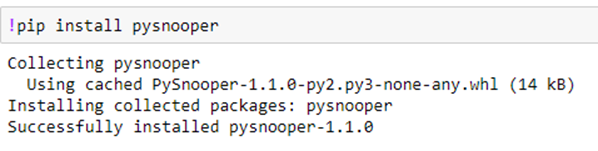
The installation of PySnooper or any other library of Python is straightforward. We can install it using the pip command.
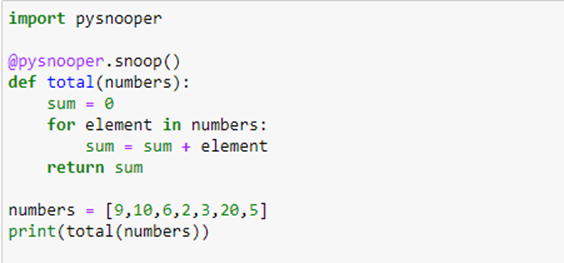
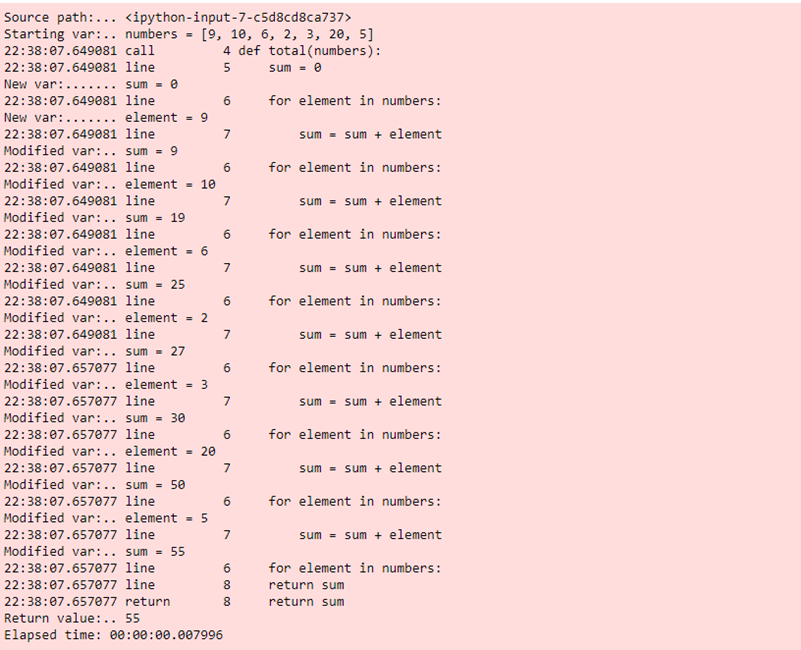
PySnooper is a library used for debugging Python code. It has a convenient decorator @pysnooper.snoop()on the function under execution. The entire step-by-step log is returned. See the example in the code below: the decorator is applied to the total function.
This returns:
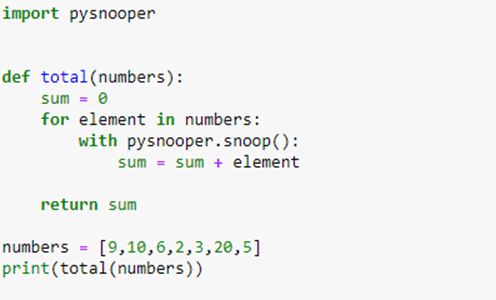
In the example, we have applied the decorator to the entire function. If we are interested in inspecting only the specific part of code that is also doable, all we need to do is to use a "with block."
Instead of printing the logs on the console, we can redirect the logs to a file as well.
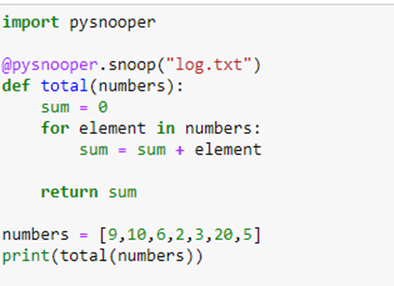
The PySnooper library creates a log.txt if not already created, and the logs will be redirected to the file.
Faker
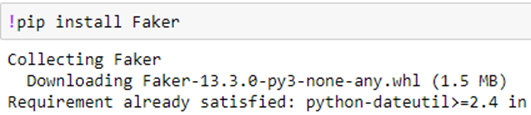
Installation is done using the pip command:
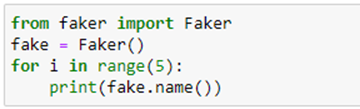
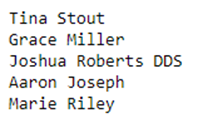
The Faker library in Python is used to create fake data. The fake data may be required for various reasons such as performance or integration testing. The Faker library can generate meaningful data such as names, emails, addresses, currency data, or locale-specific data. Let’s explore the library through a few examples. First, let’s generate names using the Faker library.
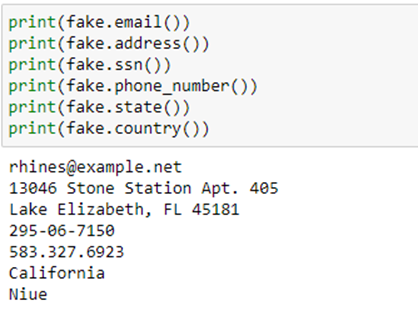
The example below showcases how to generate an email, SSN, address, phone number, etc. using the Faker library.
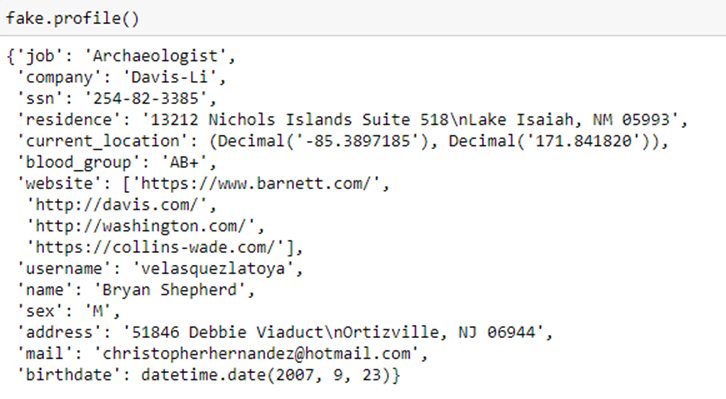
The Faker library can generate the entire profile of a person. Please note this profile is a fake profile: the person does not exist.
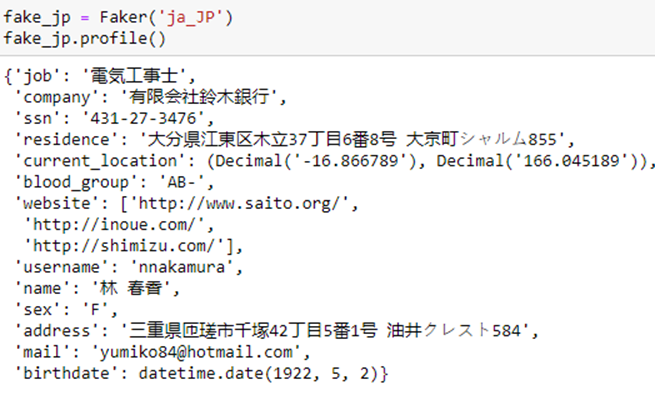
Faker library can generate the locale-specific data, and generate a fake profile in Japanese.
Pickle
The Pickle library is used for serialization/deserialization of Python object structures and uses the terminology "pickling/unpickling." The Pickle library has 2 functions: "dump" and "load." "Dump" is used for serialization or pickling, and "load" is used for deserialization/unpickling. Let’s use the Faker library used above, serialize the fake profile using the "dump" function, and then "load" it.
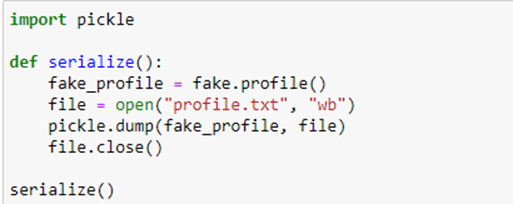
The "dump" function saves the byte-stream to a file named "profile.txt." Upon opening the file, we can see the content of a file in bytes.

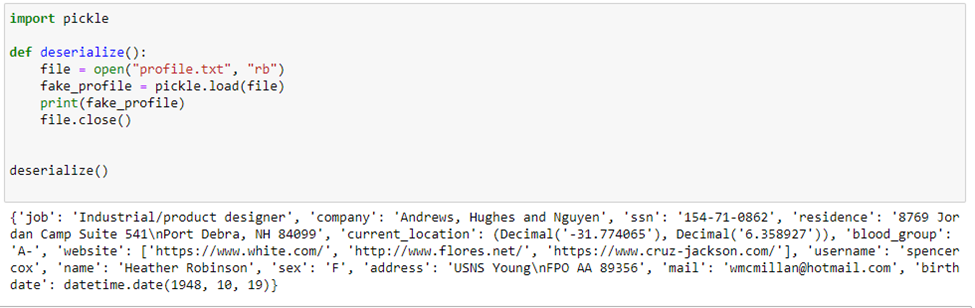
The "load" function is the deserialization process.
Conclusion
This article explained 3 extremely useful libraries in Python: PySnooper, which is used for debugging, Faker for generating fake data, and Pickle for serialization and deserialization. We are going to see a few other utility libraries in the next article.
Opinions expressed by DZone contributors are their own.
Comments