

Generate Random Test Data in PostgreSQL
Learn how to use PostgreSQL to generate random data for testing purposes, and use PL/pgSQL to automatically insert random values into your database tables.
 CORE
·
CORE
·
Join the DZone community and get the full member experience.
Join For FreeWhen developing and testing applications that use a PostgreSQL database, it's often helpful to populate your tables with random data. Whether you're testing queries, performance, or database functionality, having a set of test data can help ensure your application performs as expected.
In this guide, we'll walk through how to create an anonymous PL/pgSQL block that generates random data and inserts it into a PostgreSQL table. The data will include various types such as integers, strings, dates, booleans, and UUIDs.
Why Use Random Data?
Random data is crucial in testing because it helps simulate real-world scenarios. For example:
- Stress testing: Populate your tables with a large amount of data to see how your system performs under load.
- Edge case testing: Generate random values that might help uncover issues with validation or boundaries.
- Non-deterministic testing: Ensure your application works correctly regardless of the specific data used.
The PostgreSQL Code: Generating Random Data
The following steps outline how to write a PL/pgSQL block that generates and inserts random data into a PostgreSQL table:
1. Set Up Your PostgreSQL Table
First, make sure you have a table that you want to populate with random data. Here's an example of a simple table:
CREATE TABLE IF NOT EXISTS test_schema.test_tab2
(
    id BIGINT NOT NULL,
    fname VARCHAR(50),
    lname VARCHAR(50),
    create_date DATE,
    status BOOLEAN,
    CONSTRAINT test_tab1_pkey PRIMARY KEY (id)
);
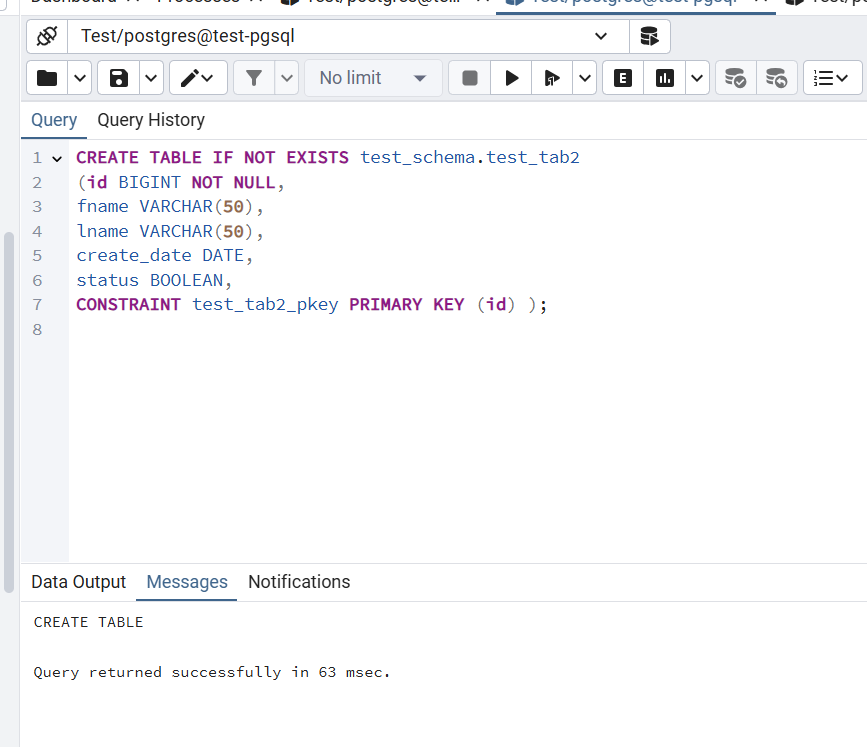
This table includes:
- An
id(bigint) - A
fname(string) - A
lname(string) - A
create_date(date) - A
status(boolean)
2. Generate Random Data With PL/pgSQL
Now, we can write a PL/pgSQL anonymous block that generates random data and inserts it into the table. This script will:
- Randomly generate values for each column based on the data type.
- Insert a specified number of rows (in this case, 10).
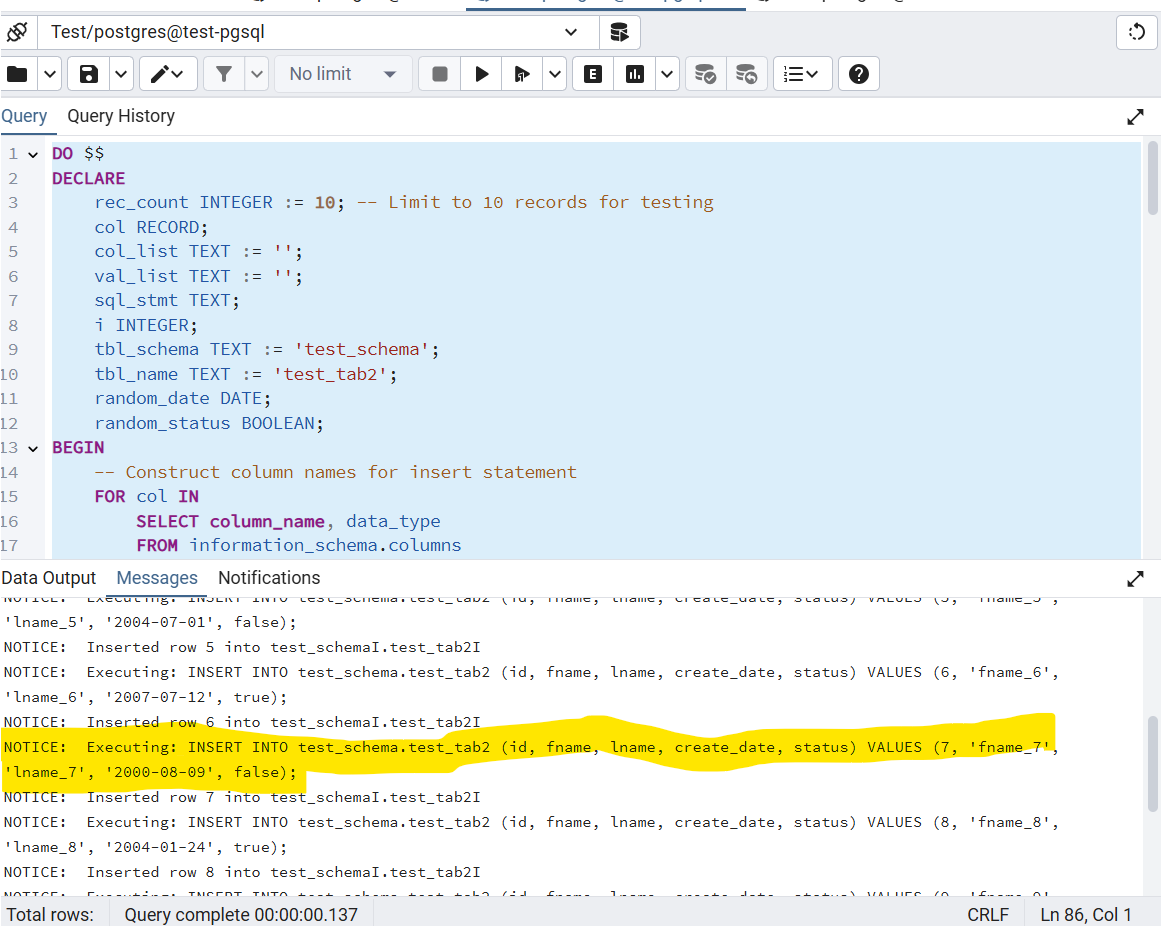
- Print the generated SQL statements for debugging and visibility.
Here’s the code:
DO $$
DECLARE
    rec_count INTEGER := 10; -- Limit to 10 records for testing
    col RECORD;
    col_list TEXT := '';
    val_list TEXT := '';
    sql_stmt TEXT;
    i INTEGER;
    tbl_schema TEXT := 'test_schema';
    tbl_name TEXT := 'test_tab2';
    random_date DATE;
    random_status BOOLEAN;
BEGIN
    -- Construct column names for insert statement
    FOR col IN
        SELECT column_name, data_type
        FROM information_schema.columns
        WHERE table_schema = tbl_schema
          AND table_name = tbl_name
        ORDER BY ordinal_position
    LOOP
        col_list := col_list || col.column_name || ', ';
    END LOOP;

    -- Trim trailing comma from column list
    col_list := left(col_list, length(col_list) - 2);

    -- Loop to insert rows
    FOR i IN 1..rec_count LOOP
        -- Initialize val_list for each row
        val_list := '';

        -- Loop through each column type to generate corresponding values for each row
        FOR col IN
            SELECT column_name, data_type
            FROM information_schema.columns
            WHERE table_schema = tbl_schema
              AND table_name = tbl_name
            ORDER BY ordinal_position
        LOOP
            -- Generate value for each column based on its data type
            CASE col.data_type
                WHEN 'bigint' THEN
                    val_list := val_list || i || ', ';
                WHEN 'character varying' THEN
                    val_list := val_list || quote_literal(col.column_name || '_' || i) || ', ';
                WHEN 'text' THEN
                    val_list := val_list || quote_literal(col.column_name || '_' || i) || ', ';
                WHEN 'date' THEN
                    -- Generate a random date between 2000-01-01 and 2009-12-31
                    random_date := '2000-01-01'::date + trunc(random() * 366 * 10)::int;
                    val_list := val_list || quote_literal(random_date) || ', ';
                WHEN 'boolean' THEN
                    -- Generate a random boolean value (TRUE/FALSE)
                    random_status := (i % 2 = 0);  -- TRUE if even, FALSE if odd
                    val_list := val_list || random_status || ', ';
                WHEN 'uuid' THEN
                    val_list := val_list || 'gen_random_uuid(), ';
                ELSE
                    val_list := val_list || 'NULL, ';
            END CASE;
        END LOOP;

        -- Trim trailing comma from val_list
        val_list := left(val_list, length(val_list) - 2);

        -- Prepare the SQL statement with dynamically generated values
        sql_stmt := format(
            'INSERT INTO %I.%I (%s) VALUES (%s);',
            tbl_schema, tbl_name,
            col_list,
            val_list
        );

        -- Print the SQL statement to the console
        RAISE NOTICE 'Executing: %', sql_stmt;

        -- Execute the SQL statement
        EXECUTE sql_stmt;

        -- Print confirmation of each inserted row
        RAISE NOTICE 'Inserted row % into %I.%I', i, tbl_schema, tbl_name;
    END LOOP;
END
$$;
How This Code Works
col_list: This variable dynamically collects the column names from the table schema.val_list: For each row, this variable dynamically generates the values for each column, based on its data type (e.g., integers, strings, dates, booleans).- Random data generation:
- Bigint: We use the row number (
i) as a simple value forbigintcolumns. - Strings (fname, lname): We concatenate the column name with the row number (e.g.,
fname_1,lname_1). - Date: We generate a random date between
2000-01-01and2009-12-31using the expression'2000-01-01'::date + trunc(random() * 366 * 10)::int. - Boolean: The
statuscolumn is set toTRUEfor even rows andFALSEfor odd rows. - UUID: A random UUID is generated using
gen_random_uuid().
- Bigint: We use the row number (
- SQL Statement Execution: The script then dynamically constructs an
INSERT INTOSQL statement and executes it for each row, inserting the data into the table.
3. Executing the Code
After writing the code, you can run it in your PostgreSQL environment. The script will print the SQL INSERT statements as it executes, so you can verify what is being inserted.
4. Verifying the Results
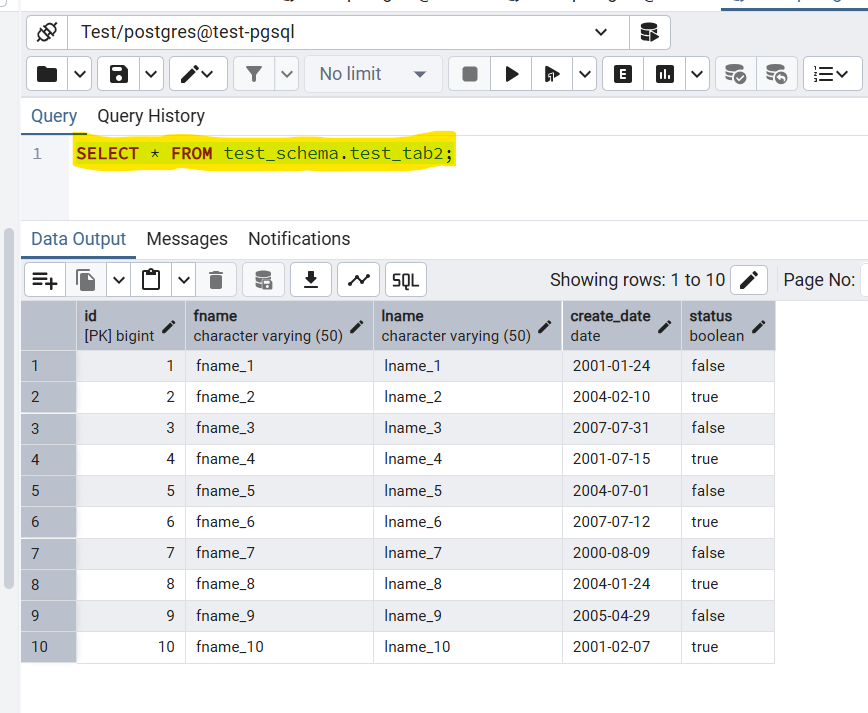
You can use a simple SELECT Query to verify the random data was inserted:
SELECT * FROM test_schema.test_tab2;This will display all the records that were inserted with the random data.
Benefits of Using This Method
- Flexibility: The script can easily be modified to generate more rows or handle additional columns and data types.
- Dynamic data generation: The data is dynamically generated based on the schema of the table, so no manual input is needed.
- Realistic testing: By generating random values, you simulate a variety of real-world scenarios, making your tests more robust and reliable.
Conclusion
Generating random test data in PostgreSQL can be a powerful tool for developers and testers. Whether you’re building new features, performing load testing, or ensuring data integrity, using dynamic PL/pgSQL scripts to generate test data allows you to automate the process and focus on the logic of your application.
By following this guide, you can easily populate any PostgreSQL table with random data and streamline your testing and development process.
Opinions expressed by DZone contributors are their own.
Comments