

Publish Log From Naked Mulesoft Deployment to Graylog
This article is a tutorial on how to perform a Naked deployment to a MuleSoft configuration in order to send a log to Graylog.
Join the DZone community and get the full member experience.
Join For FreeIntroduction
In this article, I discuss what Graylog is and how to perform a Naked deployment to a MuleSoft configuration in order to send a log to Graylog.
MuleSoft Features
MuleSoft supports configuration and dependencies in log4j to publish logs to Graylog from CloudHub and Naked MuleSoft deployments.
Graylog (MuleSoft)
A basic condition is to find a way to promote the Mule application logs to a third-party logging platform like Graylog. This allows you to maintain the logs between redeployment in the event of a crash.
About Graylog
Once messages are being received, we can poke around and explore a bit. There are several pages available, though not all the pages may be visible to all users, depending on individual permissions. The following are a few brief descriptions of each page’s purpose and function.
- Streams: Streams are a mechanism used to route messages into categories in real-time
- Searches: Searches may be saved or visualized as dashboard widgets that may be added directly to dashboards from within the search screen.
- DashBoards: Graylog Dashboards are visualizations or summaries of information contained in log events. Each dashboard is populated by one or more widgets.
- Alerts: Alerts are composed of two related elements, alert conditions, and alert notifications. Alert conditions are tied to streams and may be based on the content of a field, the aggregated value of a field, or message count thresholds. An alert notification triggers when a condition is met, typically sending an email or HTTP call back to an analyst or another system.
- Accepts messages from various input protocols GELF via HTTP/UDP/TCP, Syslog, etc.
- Allow messages to stream Trigger user-defined alerts per currents Stores messages in Elastic Search for graphing Provides messages to distinct outputs based on streams Uses MongoDB to store metadata and alerts.
- Graylog is a very flexible solution. It can be deployed in many different ways. For those who would like to do an initial lab evaluation of Graylog, we recommend starting with the virtual machine appliances.
Graylog Architect

Naked Deployed MuleSoft Configuration to Send the Log to Graylog
- MuleSoft application helps to customize log to transmit to custom appender defined in Log4j file.
- Following the same method, we can configure the MuleSoft logz.io custom library and dependencies in pom.xml and log4j file to publish logs to the Logz.io tool.
Below Configuration approach can be defined as below:
- The package needs to configure in the log4j file.
- Appender need to define.
- Dependencies need to define in pom.xml file.
The package needs to be configured in the log4j file as shown below.
xxxxxxxxxx
<Configuration status="debug" packages="biz.paluch.logging.gelf.log4j2">
<AsyncRoot level="INFO">
<AppenderRef ref="file" ></AppenderRef>
<AppenderRef ref="gelf" ></AppenderRef>
</AsyncRoot>
Appender needs to define.
xxxxxxxxxx
<Gelf name="gelf" host="udp:Host" port="PORT" version="1.0"
extractStackTrace="true" filterStackTrace="true" mdcProfiling="true"
includeFullMdc="true" maximumMessageSize="8192"
originHost="my.host.name" additionalFieldTypes="fieldName1=String,fieldName2=Double,fieldName3=Long"
ignoreExceptions="true">
<Field name="timestamp" pattern="%d{dd MMM yyyy HH:mm:ss,SSS}" />
<Field name="level" pattern="%level" />
<Field name="simpleClassName" pattern="%C{1}" />
<Field name="className" pattern="%C" />
<Field name="server" pattern="%host" />
<Field name="server.fqdn" pattern="%host{fqdn}" />
</Gelf>
POM dependencies added:
xxxxxxxxxx
<dependency>
<groupId>biz.paluch.logging</groupId>
<artifactId>logstash-gelf</artifactId>
<version>1.14.1</version>
</dependency>
Graylog Initial Configuration
- Create a user in Graylog.
- Configure Input configuration to allow receiving log/data from external application using UDP (GELP UDP Section).

MuleSoft Configuration in MuleSoft Application Flow
- Below is the configuration in the logger component will be done to follow Graylog appender configure in Log4j file.
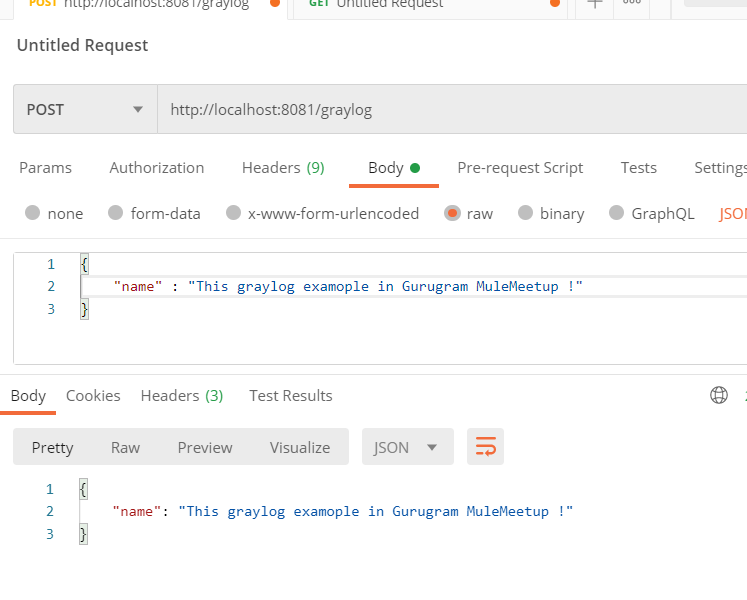
 Test Request
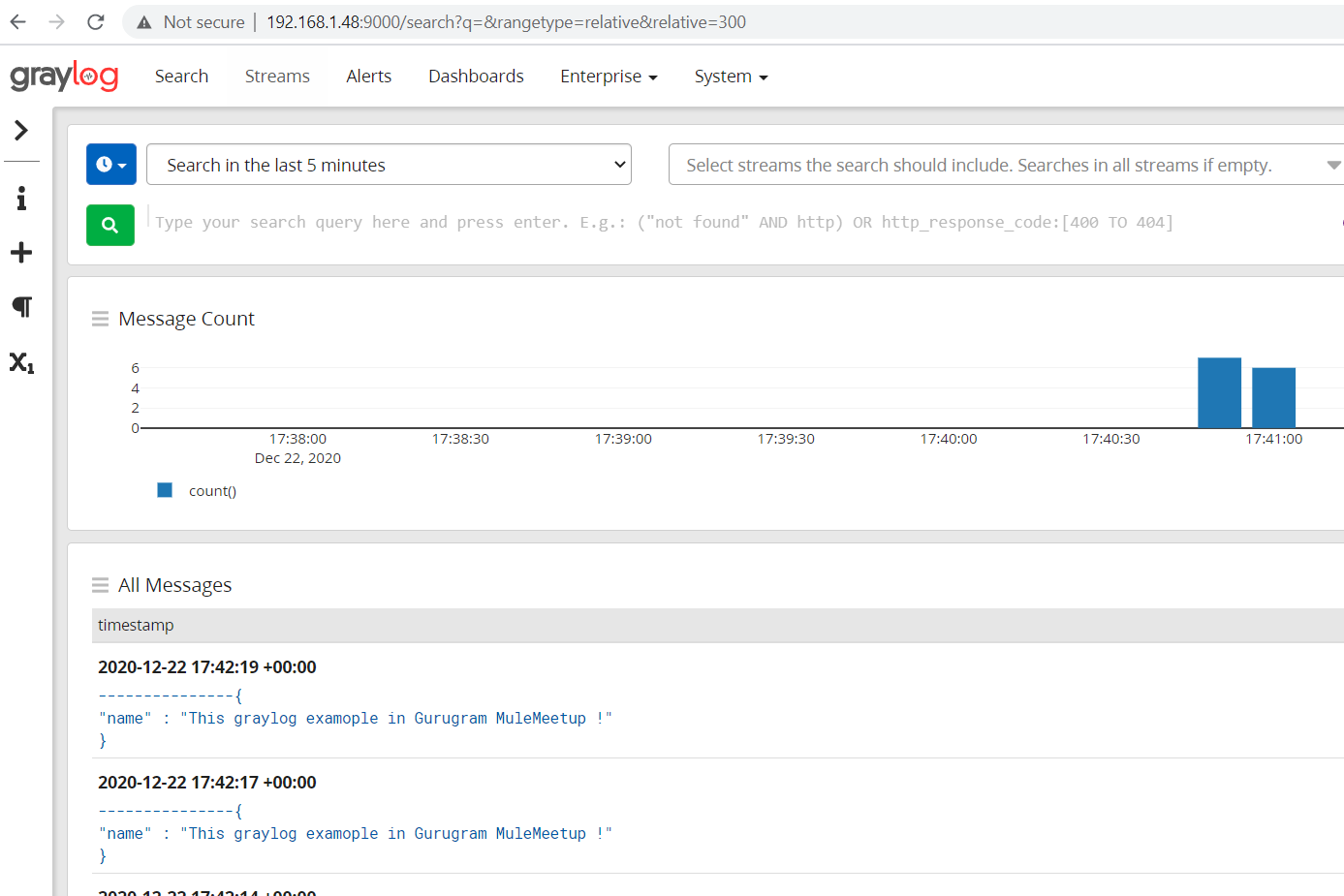
 Logs Can Be Verified in Graylog
Published at DZone with permission of Sadik Ali. See the original article here.
Opinions expressed by DZone contributors are their own.
Comments