

Redis Connector in Mule 4
For this article, I will be using a non-clustered connection to show you the basic operations of the Redis connector in Anypoint Studio.
Join the DZone community and get the full member experience.
Join For FreeWhat is Redis?
Remote Dictionary Server (Redis) is an open-source, in-memory data structure store. It is used for various use cases such as caching a user profile, creating a leaderboard, tracking real-time activities on a website, implementing a spam filtering system, using it as a message queue, and more.
Redis is an open-source key-value store. It uses memory to store its data most of the time. It is fast because it stores data in memory instead of disk.
One can easily create their account by going to the Redis lab website and configuring the necessary details.
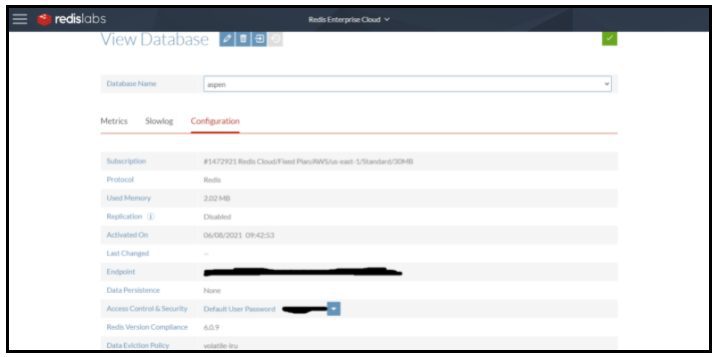
Once you have created your account, it will provide you with the endpoint and password that the Mulesoft Redis connector will use to use the Redis Database.
Redis Connector in Anypoint Studio
Redis Connector is not present in the Mule Palette by default. You need to go to the Palette and then search in exchange to get it in the studio and use it.
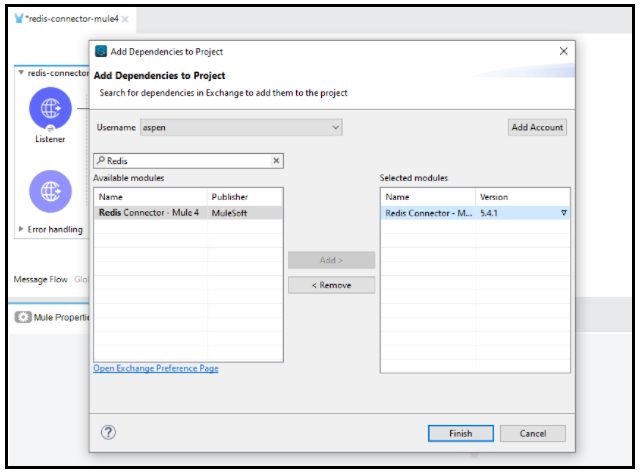
Make sure you always import the latest version of the connector from the exchange. Just click on the drop-down in the version column to see all the available versions of the connector.
Once the Redis connector is available in the studio, you can perform various operations provided by the connector by configuring the Redis connector with your Redis account.
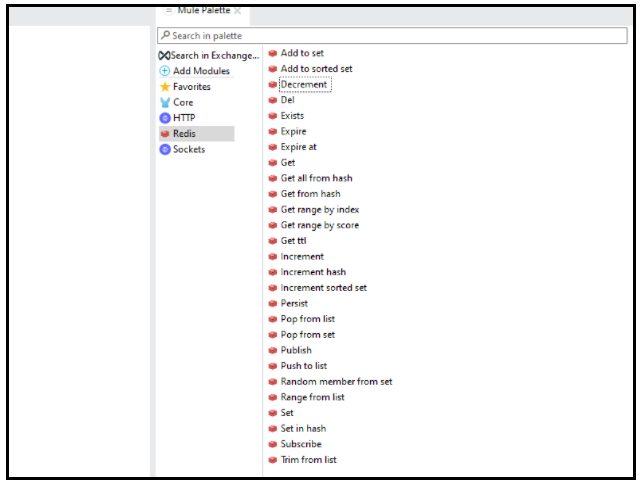
Configuring the Redis Connector
Redis provides you with 3 types of connections to connect to your Redis database :
- Clustered
- Non-Clustered
- Sentinel
You can read more about the connections from the Mulesoft document provided here:
https://docs.mulesoft.com/redis-connector/5.4/redis-connector-reference#redis
For this article, I will be using a non-clustered connection to show you the basic operations of the Redis connector.
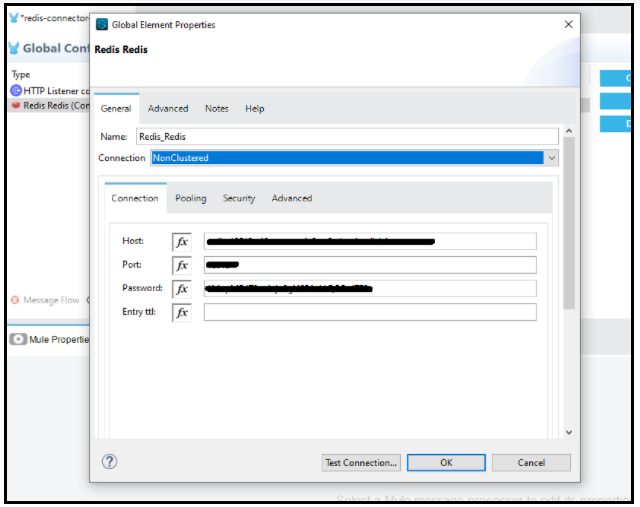
You need to provide the host, port, and password to get a successful connection for the non clustered connection for your Redis connector.
Various Operation in Redis Connector
As we have seen above, that Redis connector provides us with various operations to use. We will now be using some of them to know what they are basically used for and how they are configured.
SET
The SET operation is used to assign a value or payload to a key. If the key already holds a value, it is overwritten, regardless of its type.
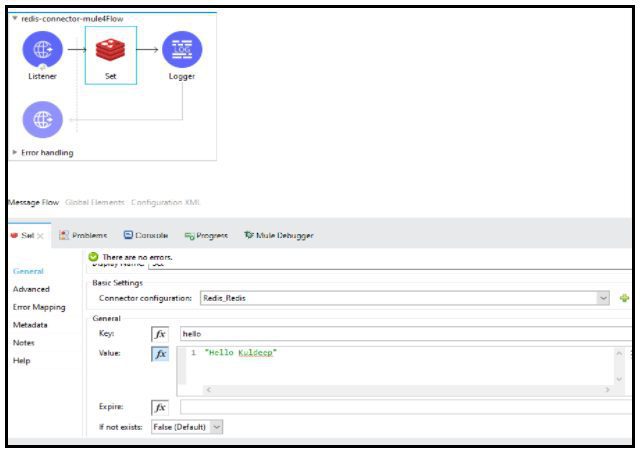
While using the connector, you need to specify both the key and the value.
You can also set the timeout on the specified key. After the timeout, the key will automatically be deleted from the database or server. A key with an associated timeout is said to be volatile in Redis Terminology.
You can set the expiration timeout just below the value box, as seen in the image above.
Once you trigger the above endpoint with the postman, you will get an OK response, which means the value has been successfully set in the Redis database.
GET
The GET operation is used to retrieve or get the value of a specified key. If the key does not exist, null is returned.
You need to pass the key in the connector configuration to retrieve the value of that key.
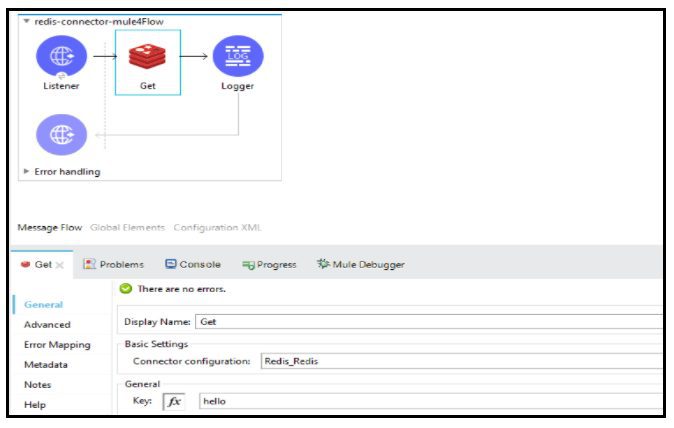
Increment
The Increment operation is used to increment the number stored in the key by step. If the key does not exist, it is set to 0 before operating.
An error is returned if the key contains a wrong value or data that can not be represented in Integer.

You need to provide the key in the connector configuration for which you need to increment the value. The step option provides you the benefit of buying how much you need to increase the value of the key. Like above, the step is set to 2. Therefore, every time the endpoint is triggered, it will increase its value by 2 (+2).
Expire
The expire operation is used to expire a key present in Redis in a specified time interval also mentioned with the key in the connector configuration.
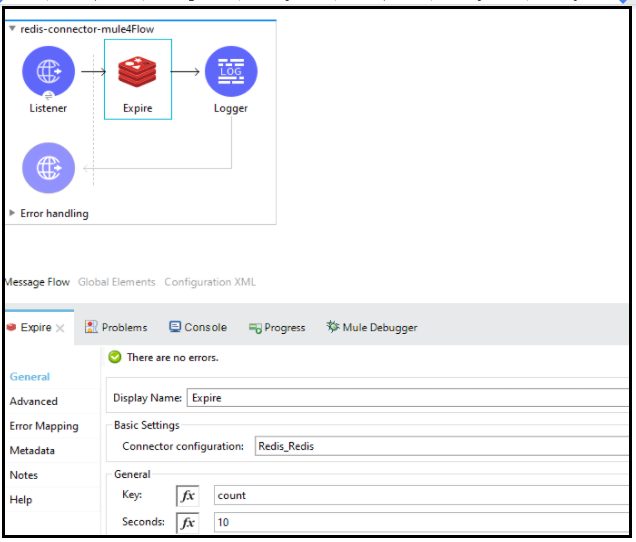
Here in the image above, as soon as the endpoint is triggered, the key count will expire in 10 seconds from the time of getting triggered. If the value of Seconds is set to 0(zero), it will expire instantly, without waiting even for 1 second.
DEL
The Del operation is used to Delete a specified key. The key is ignored if it does not exist.
You need to provide the key name in the connector configuration.
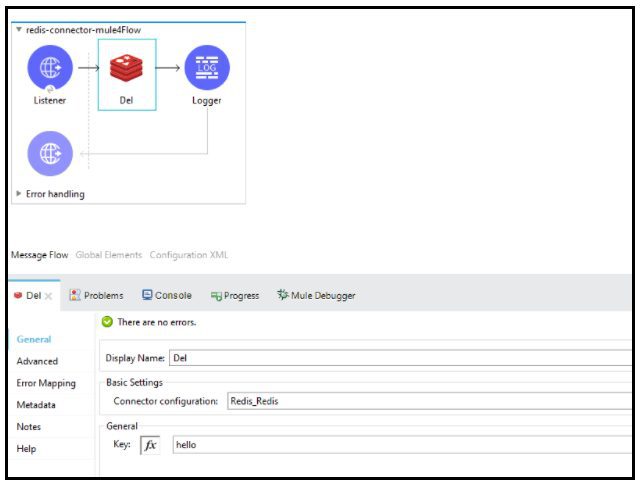
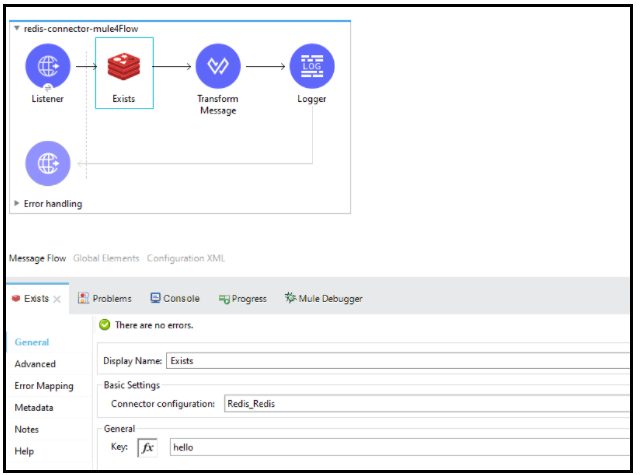
Exists
The existing operation helps you to check if the specified key is present in the Redis or not.
It will output as true if the key is present, else false.
Likewise, you can try other Redis operations as well. Redis has been very beneficial in cases where more than 100 transactions per second as the Object Store in Mulesoft fails to provide you that.
Reference Links
https://docs.mulesoft.com/redis-connector/5.4/redis-connector-reference#redis
Published at DZone with permission of Kuldeep Rana. See the original article here.
Opinions expressed by DZone contributors are their own.
Comments