

Scheduled Tasks With Hyperlambda and Retry
Scheduled tasks imply repeatedly executing some piece of code according to some interval. Adding retry, implies retrying execution until it succeeds.
 CORE
·
CORE
·
Join the DZone community and get the full member experience.
Join For FreeScheduled tasks imply repeatedly executing some piece of code according to some interval. Adding retry implies retrying execution until it succeeds. Creating scheduled tasks with Hyperlambda is extremely easy. Making sure your tasks execute using retry logic is slightly more complex, but it's quite easy once you understand the flow of things, and you learn some basic Hyperlambda. To understand our code, we'll need to analyze some of the core Hyperlambda slots first.
Hyperlambda Is Async to the Bone
The above implies that Hyperlambda consumes tiny amounts of operating system resources while it's waiting for tasks. If you invoke [http.get] to retrieve some data from another server, the thread your Hyperlambda is scheduled to run on is actually suspended and released back to the operating system. This allows your operating system to "reuse" threads for different tasks, resulting in your app as a whole can accept a lot more throughput. Your app scales much better as a result.
All thread-related slots are also async to the bone. This implies that if you invoke [sleep], the thread is released while Hyperlambda waits.
The Hyperlambda Task Scheduler
Some additional theory about the Hyperlambda task scheduler might be needed now. This helps you understand its scalability traits. A lot of task schedulers will consume your server's resources until you've got nothing left. Hyperlambda's task scheduler does not operate like this. First of all, it's using a semaphore to make sure a maximum of 8 tasks is executed simultaneously. If task number 9 tries to execute, it needs to wait for one of the other tasks to finish before it's given CPU time. This prevents your operating system from being "flooded" with scheduled tasks executed in parallel.
In addition, it never re-schedules a repeated task before the task is finished executing. So it's literally impossible to create a task that repeats often enough by itself to flood your semaphore resulting in a stack overflow, or out-of-memory exception. It is still possible to create "bad code" that somehow exhausts your server, but it's actually very difficult, and almost requires a conscious choice from your side as a software developer.
The Code
Now that we understand the internals of Hyperlambda's task scheduler, it's time for some code.
.no:int:5
while
   mt
      get-value:x:@.no
      .:int:0
   .lambda
      try

         // Do stuff here ...
         // If exception, task will "retry" 5 times.

         // Task succeeded, "breaking" while loop!
         set-value:x:@.no
            .:int:0

      .catch

         // Task failed, retrying 5 times.
         log.error:Task failed ...
         sleep:1000
         math.increment:x:@.no

      // Task is finished, [while] loop will now abort.
The above code will execute the thing inside your [try] block, and if it's not succeeding, it will retry 5 times before giving up. Copy and paste the above code into scheduled tasks such as illustrated below.
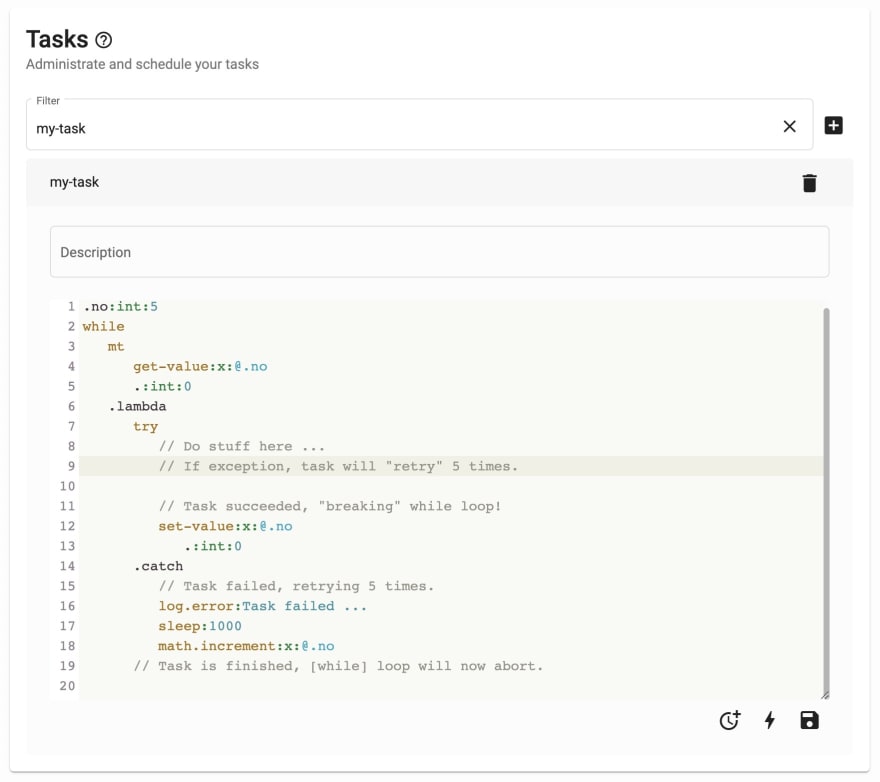
At this point, all we need to do is to schedule or task. This is done by clicking the clock icon in the bottom right corner of your task and choosing a repetition pattern.

The above schedule your task to execute with a 5-day interval. There are repetition patterns for everything ranging from "1st of every month" to "every Tuesday and Thursday". Below are the basic building blocks for creating repeating tasks.
Unit Repetition
This repetition is in the form of n.unit. n is a number, and the unit can be any of the following values.
- seconds
- minutes
- hours
- days
- weeks
- months
Creating a pattern such as for instance 5.weeks implies your task will execute once and then wait for 5 weeks before executing again.
Weekday Repetition
This pattern resembles the following; ww.HH.mm.ss. The parts imply the following in order of appearance.
- Weekdays
- Hours
- Minutes
- Seconds
The weekday part can pipe multiple weekdays together, allowing you to use the following pattern Tuesday|Thursday.23.55.00 to execute your task every Tuesday and Thursday 5 minutes to midnight. Weekdays can have a double asterisk as their value, implying "every weekday". This allows you to declare a pattern such as follows **.05.00.00 to execute the task every day at 5 AM in the morning.
Monthly Repetition
This pattern is as follows MM.dd.HH.mm.ss and the entities imply in order of appearance the following.
- Month
- Day of month
- Hours
- Minutes
- Seconds
To create a task that executes only on February the 5th at 7 AM, you could use values such as follows 02.05.07.00.00. A month can be piped just as weekdays above, allowing you to supply multiple months such as this; 01|02|03.05.07.00.00. The last pattern executes January, February, and March the 5th, at 7 AM in the morning.
The MM, dd, and WW values in both of the above repetition patterns can have ** as their value implies "all values".
Ask Us for Help
This article was created because one of our partners had a specific use case needing "HangFire functionality". Instead of explaining to him directly, I chose to write an article where I solved his use case. If you have some problem related to Hyperlambda or Magic, let us know, and we'll help you out :)
Published at DZone with permission of Thomas Hansen. See the original article here.
Opinions expressed by DZone contributors are their own.
Comments