

From Keywords to Meaning: A Hands-On Tutorial With Sentence-Transformers for Semantic Search
This tutorial shows how to use sentence-transformers to build a semantic FAQ search engine that matches queries by meaning, not just keywords.
Join the DZone community and get the full member experience.
Join For FreeTraditional keyword-based search systems are inherently limited, as they operate on exact word matching rather than contextual understanding. For instance, a query such as “physician appointment” may fail to retrieve results containing “doctor visit”, despite their semantic equivalence.
Recent advances in natural language processing, particularly through sentence transformers, address this gap by generating semantic embeddings — vector representations that encode meaning beyond surface-level words. These embeddings enable more sophisticated operations such as semantic similarity comparison, clustering, and context-aware retrieval.
In this blog, I demonstrate the development of a semantic FAQ search engine using Python and the sentence-transformers library. This approach highlights how semantic search methods can enhance information retrieval in real-world scenarios, including healthcare systems, customer support platforms, and knowledge management tools, where precision and contextual relevance are critical.
What Are Sentence Transformers?
Sentence transformers are models that convert entire sentences into semantic embeddings — numerical vectors that represent meaning. Unlike keyword search, they allow us to find, cluster, or compare text based on intent and context. This makes them powerful for real-world applications like semantic FAQ search, customer support, and healthcare text analysis.
Installation and Setup
First, install the sentence-transformers package in your project directory using bash:
pip install sentence-transformersVerify installation in Python:
from sentence_transformers import SentenceTransformer
print("Installed:", SentenceTransformer.__version__)
Real-Time Industry Use Case: FAQ Semantic Search
Let’s say we’re building a healthcare portal with FAQs. Users may phrase questions differently, so keyword search alone won’t cut it.
Here’s a practical example of how we can use sentence-transformers to build a semantic FAQ matcher. I have added comments for each line of code to help you understand the code example.
# Here we are importing the SentenceTransformer class to load pre-trained models
# and util for similarity functions like cosine similarity
from sentence_transformers import SentenceTransformer, util

# After import the require librariries, we are loading a pre-trained model that can turn sentences into vector embeddings
# This model is coming from huggingface, which is light but fast to capture good semantic meaning
model = SentenceTransformer('all-MiniLM-L6-v2')

# Define FAQs - Here we are taking a example list of FAQ sentences that users might ask on a website and possible answers we’ll search through
faqs = [
    "How can I book a doctor appointment?",
    "What insurance plans are accepted?",
    "How do I reset my password?",
    "Where can I find my lab test results?",
    "How do I update my personal information?"
]

# Than we convert each FAQ into an embedding vector (a numeric representation of meaning)
faq_embeddings = model.encode(faqs)

# Here we are taking the User query, which is also encoded into another embedding vector
query = "How to schedule a physician visit?"
query_embedding = model.encode(query)

# Here 'cos_sim' Compares and compute similarity scores for the query embedding with every FAQ embedding using cosine similarity (a measure of closeness between vectors)
# Higher scores mean higher semantic similarity.
cosine_scores = util.cos_sim(query_embedding, faq_embeddings)

# Here 'argmax()' helps to find best match by finding the FAQ with the highest similarity score
best_match_idx = cosine_scores.argmax()

# Prints the query and the closest matching FAQ
print("Query:", query)
print("Best Match:", faqs[best_match_idx])

# Further we can fetch the similarity score and print the score as well
best_score = cosine_scores[0][best_match_idx].item()  # extract float
print("Cosine similarity score between these sentences:", round(best_score,3))
Output:
Query: How to schedule a physician visit?

Best Match: How can I book a doctor appointment?

Cosine similarity score between these sentences: 0.731
Notice how it understands that “physician” ≈ “doctor” and “visit” ≈ “appointment.” That’s the power of semantic search.
How It Works
- Embeddings: The model converts text into dense numerical vectors that represent meaning.
- Cosine similarity: We measure how close the query vector is to each FAQ vector.
- Ranking: The FAQ with the highest similarity score is returned as the best match.
Unlike keyword-based search, this approach can handle synonyms, paraphrases, and even slight variations in sentence structure.
Visualization of the Embedding Space
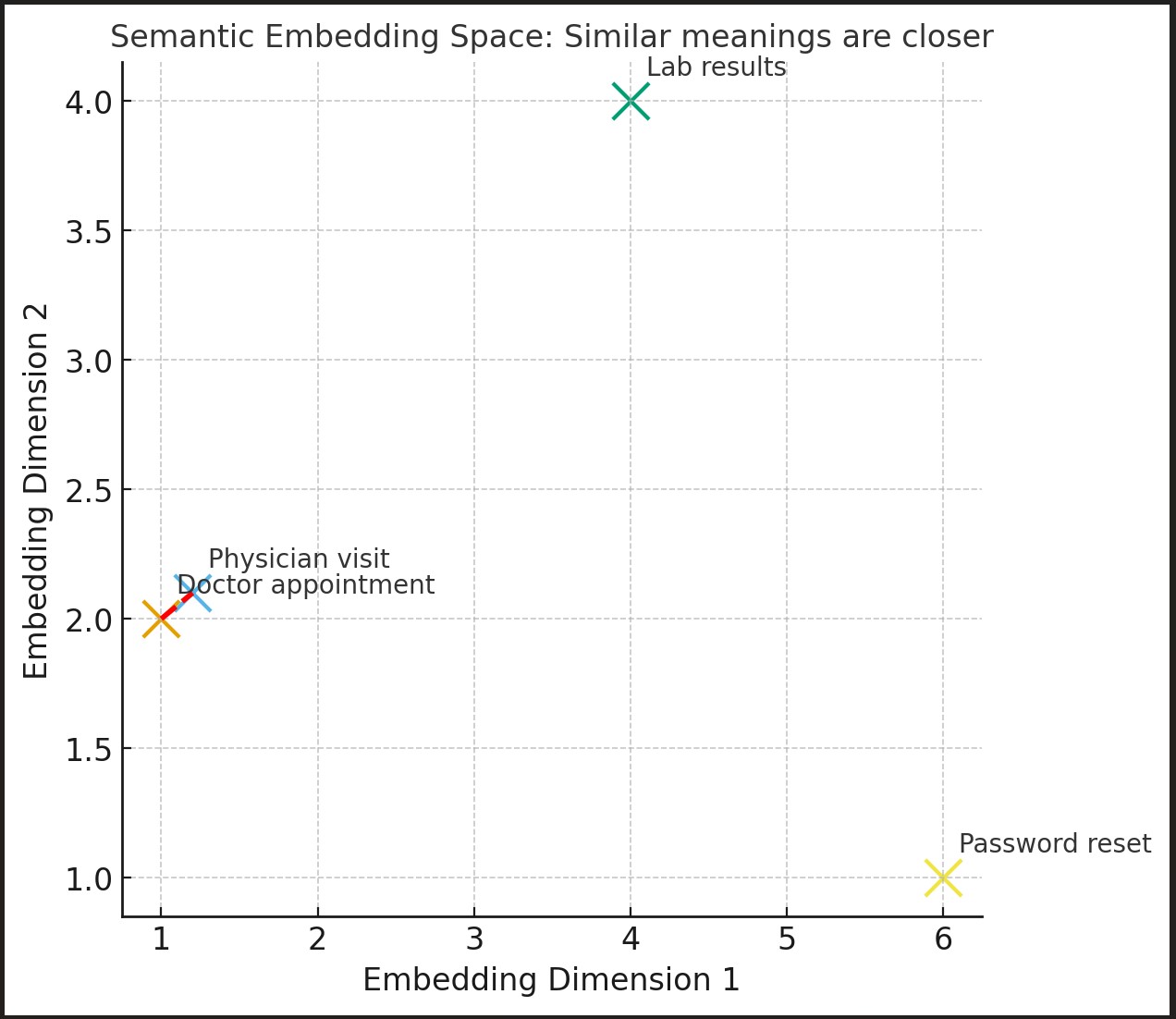
Here’s a simple visualization of the embedding space, which illustrates the embeddings of different words and sentences:
- Texts with similar meaning (“Doctor appointment” and “Physician visit”) are close together.
- Unrelated texts (“Password reset”, “Lab results”) are farther apart.
This helps to understand a user what sentence-transformers are doing under the hood.
How the Cosine Similarity Score Helps to Find the Identical or Best Match Meanings
Scores range from -1 to 1:
- 1.0 – identical meaning
- 0.8 - 0.9 – very close in meaning
- 0.5 - 0.7 – somewhat related
- <0.3 – probably unrelated
Extending the Use Case
This simple example can be extended to more advanced real-world applications:
- Customer support: Match user queries with helpdesk tickets or knowledge base articles.
- E-commerce: Recommend products based on the semantic similarity of descriptions.
- Document search: Find relevant policies, reports, or contracts without exact keyword matches.
- Chatbots: Map user inputs to the most relevant FAQ answer dynamically.
You can also:
- Replace the dataset with a CSV of your own FAQs or articles.
- Wrap this logic in a Flask or FastAPI app to provide real-time semantic search.
- Try different models like
all-mpnet-base-v2ormulti-qa-MiniLM-L6-cos-v1from Hugging Face’s Sentence-Transformers hub.
Conclusion
With just a few lines of code, we’ve built a semantic FAQ search engine that understands meaning rather than relying only on keywords. This approach improves user experience dramatically, especially in domains like healthcare, customer support, and e-commerce.
Next step? Wrap this into an API and power a real-time semantic search service for your own applications.
Opinions expressed by DZone contributors are their own.
Comments