

How to Simply Manage Releases With Git
A straightforward recipe that helps understand the basic concepts of releasing projects with Git and maintaining the process.
 CORE
·
CORE
·
Join the DZone community and get the full member experience.
Join For FreeThis post briefly outlines a simple yet clean process for managing the releases of an application via Git/GitHub. Its goal is to provide a straightforward recipe, while it's assumed that these practices may vary from situation to situation, from team to team, from project to project.
Setup
The subject is a small project whose source code resides in GitHub. Details on how it was created and synced into the source repository may be found here, although this aspect is less important in the context of this article.
The application main branch is https://github.com/horatiucd/ninjago-front-end. The current state of this branch might be different now as the project has evolved.
Creating a Release
Assuming the current state of the application’s main branch is in line with what was aimed to be its first version, the following operations may be done in order to be ready to release it:
1. A new branch is created from main – v1.0.0 and checked out.
> git checkout -b v1.0.0From now on, this branch will be the ‘source’ of version 1.0.0 releases. Moreover, it will help when fixing issues (bugs) or adding enhancements for this version.
2. Sync the branch to GitHub.
> git push origin v1.0.03. Create a new tag with the target of the v1.0.0 branch — release-v1.0.0.
This may be done in two ways: either from the IDE and then pushed to the remote repository, or created directly in GitHub. In the former case, the tag is available among the GitHub Tags section and may be used when a release is created.
4. Create the actual release, provide a name in accordance with the convention used, and details on what this version actually contains
Once this is fulfilled, an archive file (zip and tar.gz) containing the project code is available — ninjago-front-end-release-v1.0.0.
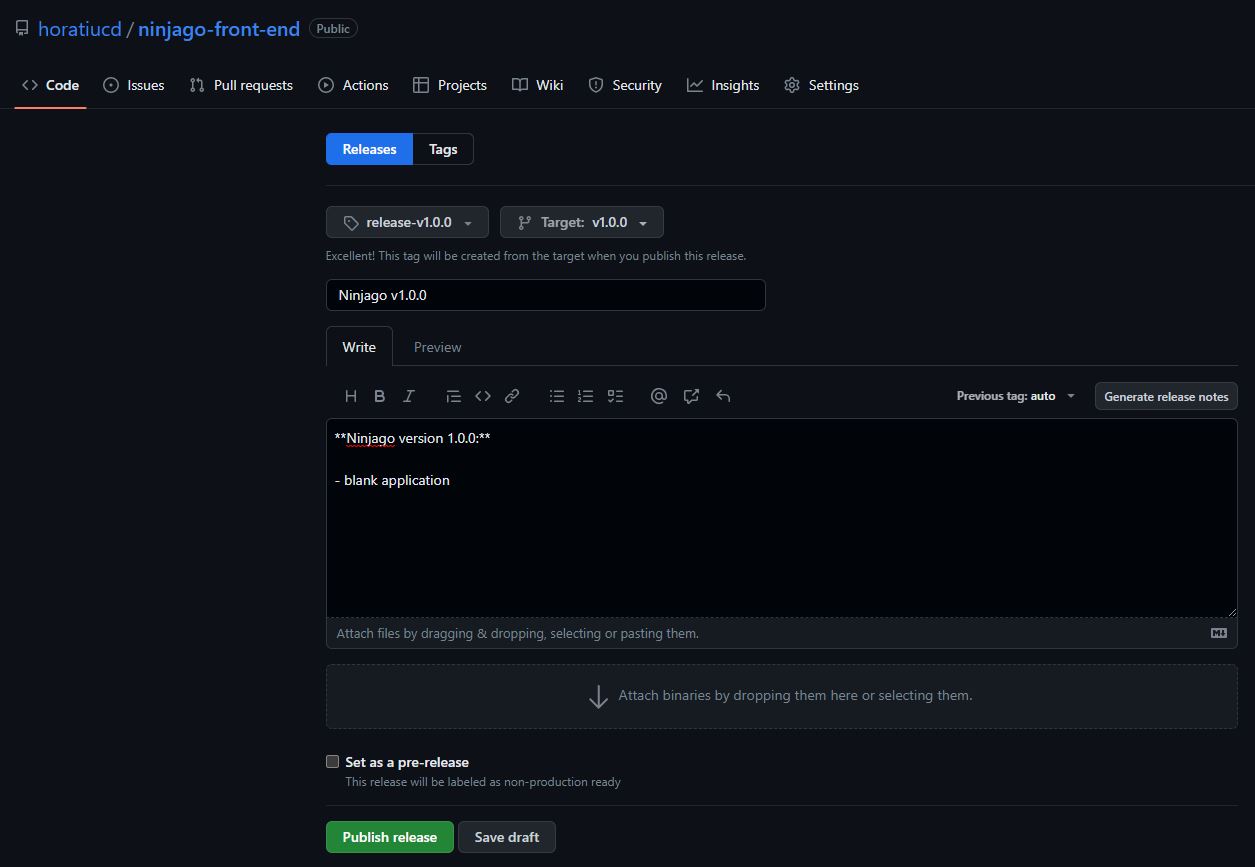
5. Publish the release.
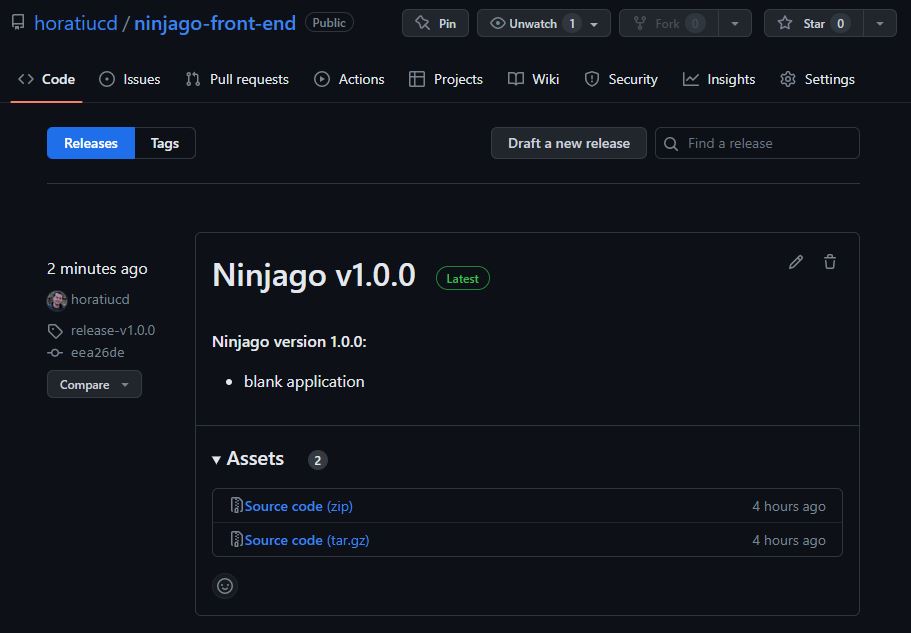
The newly made release is visible in GitHub – releases section.
Application Evolution and Maintenance
In case an issue is discovered or an enhancement is wanted in a certain version (e.g., 1.0.0), the recommended approach is the following:
- Make the code modification(s) in the release branch (e.g., v1.0.0).
- Merge the modification(s) into main and all newer version branches.
- Release from each version branch as described in the previous sections.
As the main branch is usually the most current one, in case a new version is to be released, the steps mentioned above are applicable.
Use Case
- Main evolves
- A fix is needed in v1.0.0
- The fix is done and a new release is made — release-v1.0.1
- The fix is ported to the main branch as well
Use Case Log of Actions
- The main branch is being modified, the application evolves — this is an ongoing action.
- At some point, a bug is found in version 1.0.0 — e.g., the main page should display ‘Ninjago App is running!’ instead of ‘Ninjago App is running!’
- Create an issue branch from v1.0.0 and check it out.
> git checkout -b issue1-v1.0.0- Fix the issue, commit to the local branch, and push to the remote repository.
> git commit -m "Fixes the display issue in the main page."
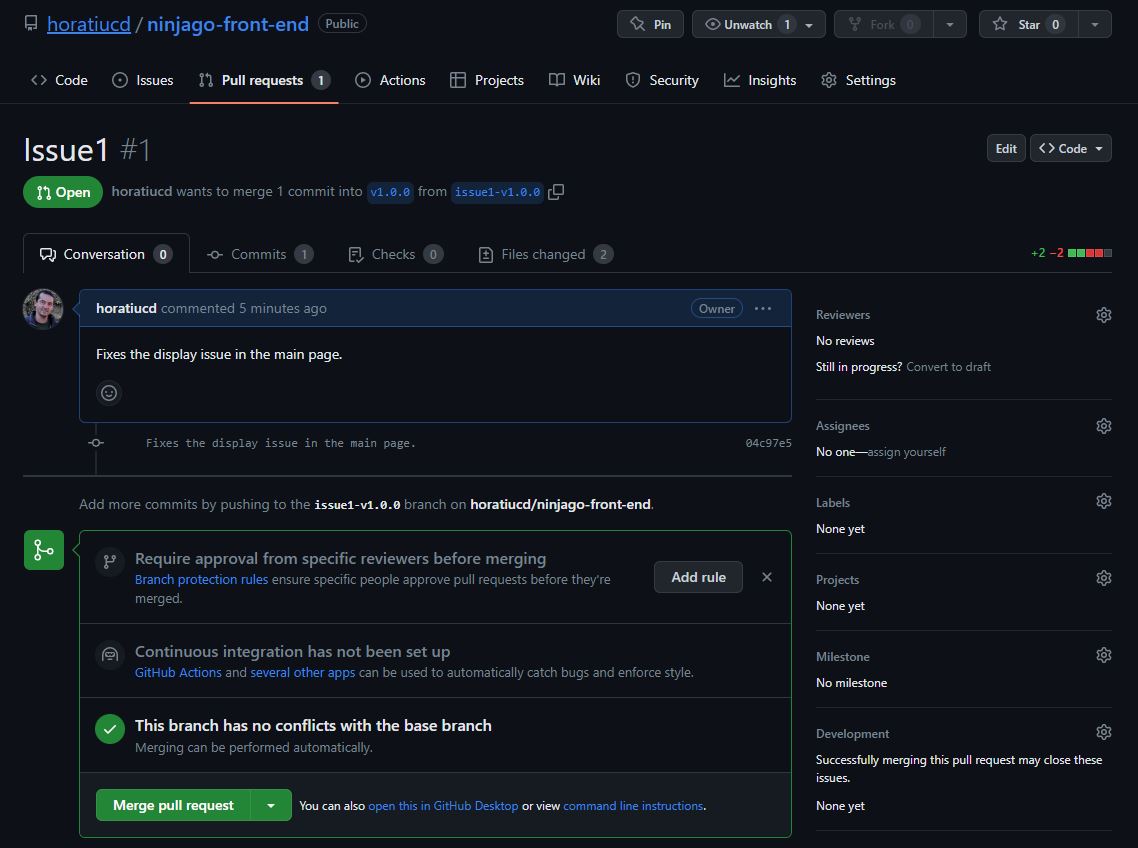
> git push origin issue1-v1.0.0- Create a pull request in GitHub — from issue1-v1.0.0 towards v1.0.0.
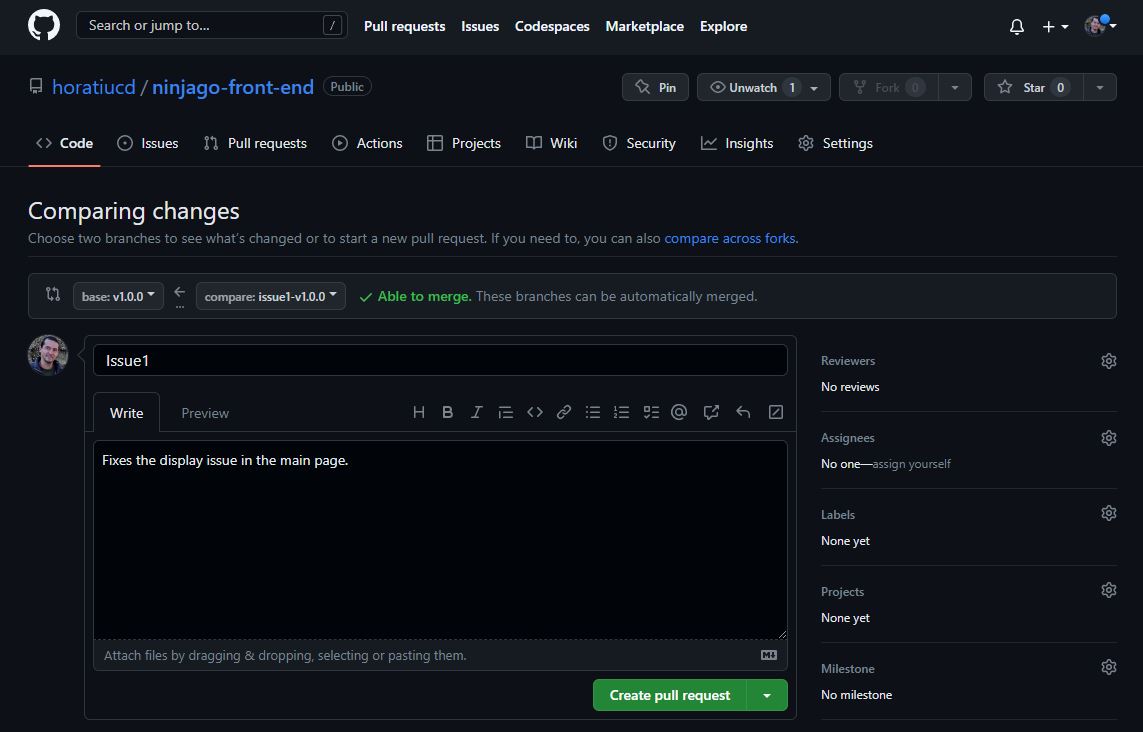
- Have the changes reviewed and approved.
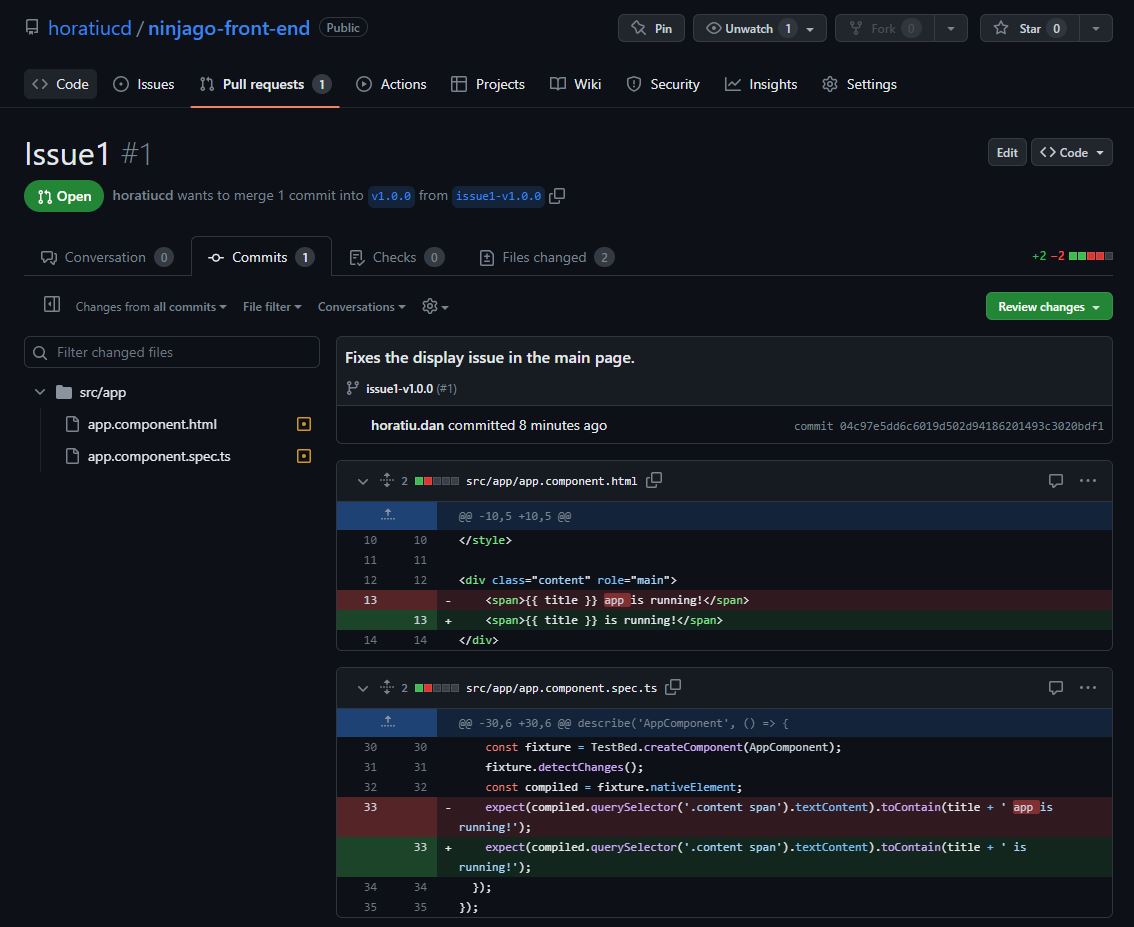
- Merge the pull request into the v1.0.0 branch – easily doable from GitHub.
- Make a new release from the v1.0.0 branch.
Follow the steps indicated in the above section:
- Checkout v1.0.0 branch
- Create a new tag on branch v1.0.0 – release-v1.0.1
- Create and publish the actual release – Ninjago v1.0.1
- Local and remote issue1-v1.0.0 branches may now be deleted.
- Merge the fix into the main branch so that the next versions will be up-to-date (either by cherry-picking or merging) and push the changes to the remote repository.
> git checkout main> git cherry-pick 04c97e5dd6c6019d502d94186201493c3020bdf1or
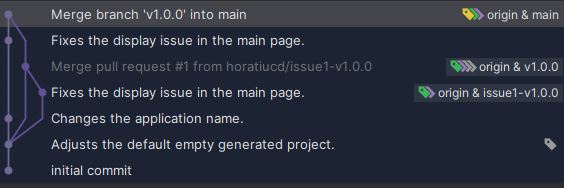
> git merge v1.0.0> git push origin mainThe visual git log for all the aspects described is below.
Summing Up
Although simple and straightforward, I find this brief recipe useful, especially for small-sized projects and teams, but not only.
To conclude, a few takeaways containing general aspects related to the subject are outlined below:
Effective release management with Git hinges on consistent workflows, clear branching strategies, and disciplined versioning. By standardizing practices, risks are reduced, delivery cycles shortened, and all in all, releases become reliable.
Git is powerful when coordinating work across teams, but its true value emerges only when teams align around a set of shared conventions. A well-defined release workflow, supported by clear communication, peer code reviews, and automation, creates a predictable and collaborative environment where developers can deliver high-quality software with confidence.
The process becomes significantly more robust when paired with automation. Integrating tagging, versioning, and deployment steps into CI/CD pipelines reduces human error and enforces consistency. In this direction, when release pipelines are automated, the delivery is not only accelerated but also more robust and transparent for all team members.
A well-shaped Git release strategy is more than a technical choice — it’s a foundation for sustainable development. Whether using trunk-based development (by far my favorite) or a lightweight branching model, organizations should select and refine an approach that aligns with their product lifecycle, team size, and deployment frequency.
Ultimately, successful release management with Git is about balancing control with agility. With the right branching model, clear tagging conventions, and a healthy dose of automation, teams can deliver features faster, diagnose issues more easily, and maintain a clean historical record of the project’s evolution.
Published at DZone with permission of Horatiu Dan. See the original article here.
Opinions expressed by DZone contributors are their own.
Comments