

Step-by-Step Guide to Use Anypoint MQ: Part 2
Learn how to implement a DLQ with your queue, look into the message that was not delivered, and take the necessary actions to reprocess it.
Join the DZone community and get the full member experience.
Join For FreeThis blog is the second part of the Step-by-Step Guide to Use Anypoint MQ series. You can find Part 1 here. In this blog, we will learn about dead letter queue (DLQ) and how to use it in the Mule API.
Dead Letter Queue (DLQ)
A dead letter queue is used to keep/store the undelivered messages that are not routed to the destination. DLQ, sometimes referred to as an undelivered message queue, is a holding queue for messages that cannot be delivered to their destination queues.
There might be cases where we want to make sure that in case of any failure, our message won’t get lost. In such scenarios, dead letter queue (DLQ) can be used. A dead letter queue is associated with one or more queues, which are called the parent queue.
There are a few more things to remember before creating a DLQ. The DLF and parent queue both need to be:
- Same type of queue (standard or FIFO)
- Created in the same geographical region
- Created in the same environment and owned by the same Anypoint Platform account
The process of creating of a dead letter queue is same as normal queue. We create a DLQ and assign it to another queue.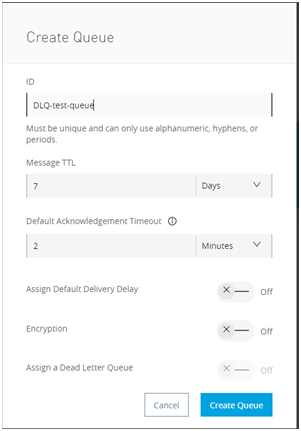
Our queue, named DLQ-test-queue, is created.
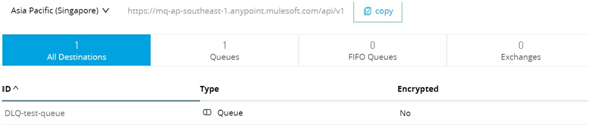
Now, we will assign it as a dead letter queue to another queue named test-queue.
Create a queue named test-queue and click Assign a Dead Letter Queue.
A drop-down field for the DLQ will appear. There, we can see the queue DLQ-test-queue; select that queue. The field Reroute After this is used to tell how many times MQ attempts to deliver the message in the queue before rerouting the message to the DLQ. Set this value as 2. See the below image: 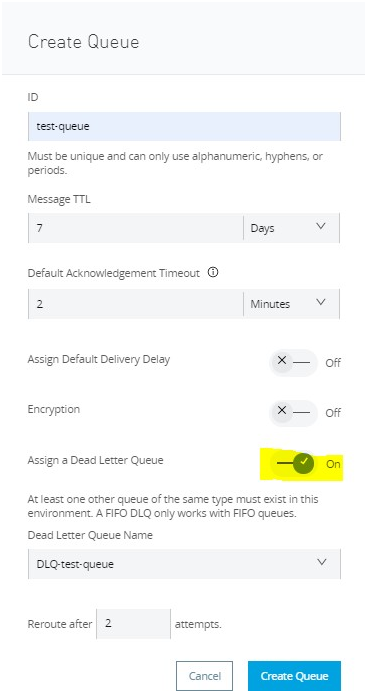
We can see both the queues on the Anypoint MQ console.
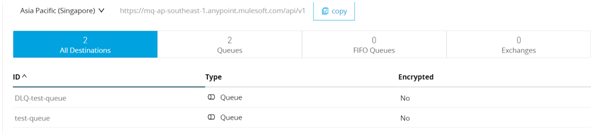
Let’s check whether the undelivered message re-routes to DLQ.
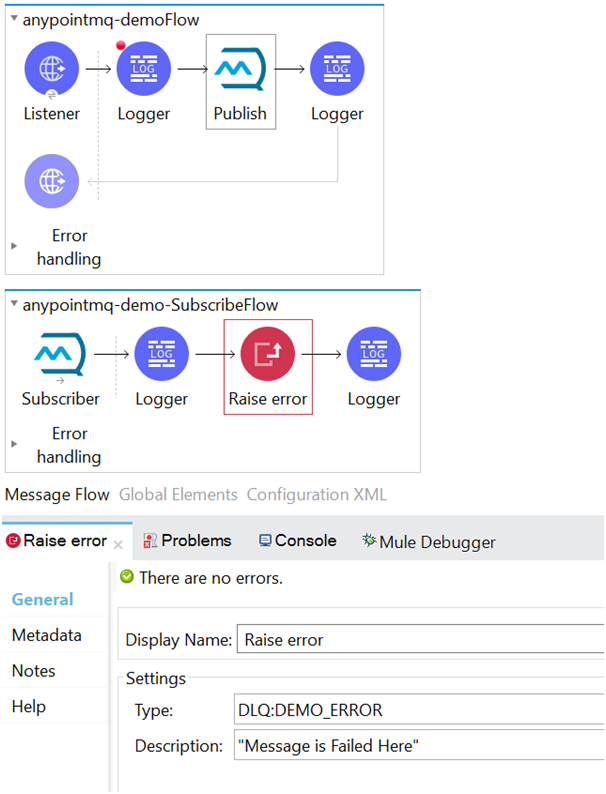
For this, we will create two flows — the first for publishing the message into the queue and second for subscribing the message from the queue. In the subscriber flow, we will add a raise error component to get a custom error (DLQ:DEMO_ERROR) so that the flow will give an error just after receiving the message from the queue.
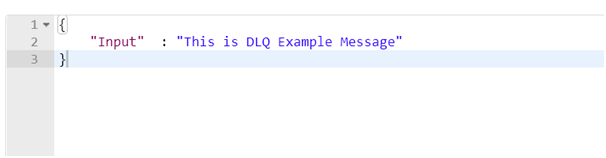
Send the below message from Postman:
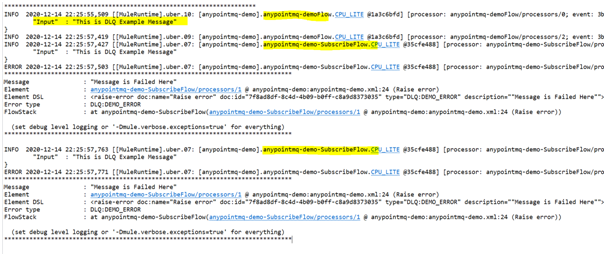
Let’s have a look on the logs. We can see that the message is published to Anypoint MQ by anypointmq-demoFlow. Upon completion of this flow, our subscriber flow (anypointmq-demo-SubscribeFlow) is executed and we can see that it failed two times before sending the message to the DLQ. This is because we set the value as 2 for the Reroute After field in the queue.
Let’s see if the message is delivered to DLQ.
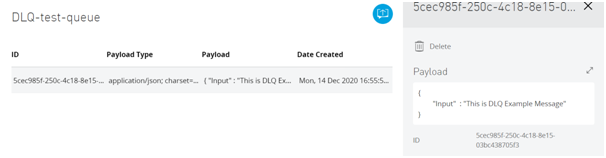
This is how we can implement a DLQ with our queue, look into the message that was not delivered (due to a processing error, server error, or any other error), and take the necessary actions accordingly to reprocess it.
Opinions expressed by DZone contributors are their own.
Comments