

Streaming Change Data Capture Data Two Ways
Walk through how to use Debezium with Flink, Kafka, and NiFi for Change Data Capture using two different mechanisms: Kafka Connect and Flink SQL.
 CORE
·
CORE
·
Join the DZone community and get the full member experience.
Join For FreeEvery database event is important: don’t let them rot away in an old batch, forgotten to the ravages of time and irrelevance. Let’s capture all that data.
Since we are out of the office and working remotely, I need our relational database records to follow us and be sent offsite. Our physical tables may be empty, but our database ones are not. Let’s get that data streaming and useful.
CDC (Change Data Capture, not Center for Disease Control and not Cat Data Capture) is well defined in Wikipedia and in this article.
Sometimes you don’t need pure change data capture. Sometimes you can just get data when an ID or date increments. You can do that really easily at scale (including grabbing every table in a database) with Apache NiFi. For further reading:
- Incrementally Streaming RDBMS Data to Your Hadoop DataLake
- Ingesting RDBMS Data As New Tables Arrive - Automagically - into Hive
- Incremental Fetch in NiFi with QueryDatabaseTable
If you have MySQL/MariaDB simple CDC, then you can do it with Apache NiFi:
- Simple Change Data Capture (CDC) with SQL Selects via Apache NiFi
- Change Data Capture (CDC) with Apache NiFi (Part 1 of 3)
- Change Data Capture (CDC) with Apache NiFi (Part 2 of 3)
- Change Data Capture (CDC) with Apache NiFi (Part 3 of 3)
For real CDC, the best open source option is using Debezium along with Kafka and Kafka Connect. CDC Debezium KConnectors for PostgreSQL, MySQL, SQL Server, DB2, and Oracle.
Some other options are:
- pgcapture
- Maxwell's daemon
- Airbyte Change Data Capture (CDC)
- Understanding Change Data Capture (CDC): Definition, Methods, and Benefits
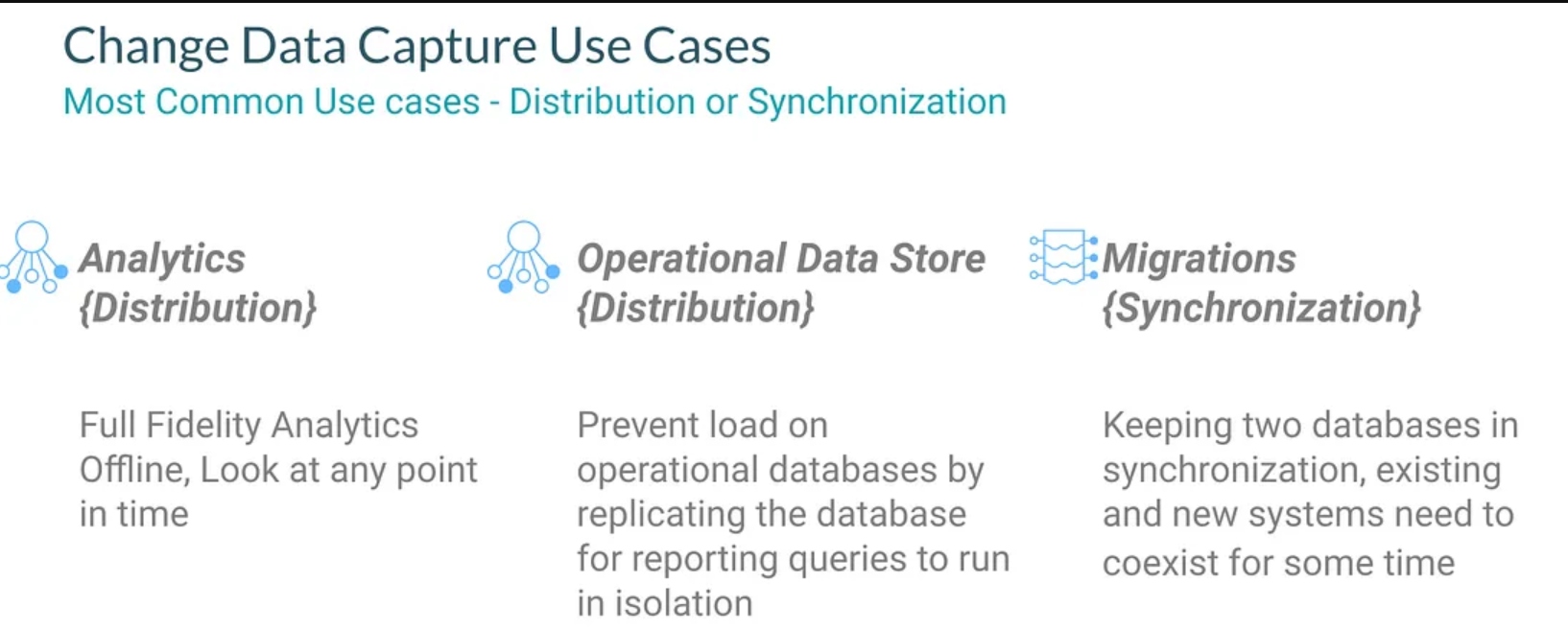
There has been much discussion on this topic as you can see if my Twitter thread.
Source Code
Step Through Video
Change Data Capture With Apache Flink
The piece that is not going anywhere is Debezium. It is the easiest and most solid of the open-source options for handlings CDC from a number of different databases, including some closed source. There are also other options for MySQL like Maxwell and Canal. For most use cases in the open source, Debezium is the way to go. It is supported by a number of projects, companies, and frameworks.
My first example is capturing all inserts that occur to my PostgreSQL database. In my use case, NiFi happens to be the app that is inserting data into my database. For those of you trying to build your own apps with minimal cost or as a developer, using the Cloudera CSP-CE includes a dockerized version of Apache Flink, Apache Kafka, and PostgreSQL. This makes for a great way to build these apps with no cloud expense.
Data Flow
Apache NiFi inserts data into PostgreSQL via PutDatabaseRecord.
Our Source Table in PostgreSQL
CREATE TABLE newjerseybus
(
    title VARCHAR(255),
    description VARCHAR(255),
    link VARCHAR(255),
    guid   VARCHAR(255),
    advisoryAlert VARCHAR(255),
    pubDate VARCHAR(255),
    ts VARCHAR(255),
    companyname VARCHAR(255),
    uuid VARCHAR(255),
    servicename VARCHAR(255)
)
Create Flink Postgresql-CDC virtual table via SQL DDL.
CREATE TABLE `postgres_cdc_newjerseybus` (
    `title` STRING,
    `description` STRING,
    `link` STRING,
    `guid` STRING,
    `advisoryAlert` STRING,
    `pubDate` STRING,
    `ts` STRING,
    `companyname` STRING,
    `uuid` STRING,
    `servicename` STRING
) WITH (
  'connector' = 'postgres-cdc',
  'database-name' = '<Database Name>',
  'hostname' = '<Host Name>',
  'password' = '<Password>',
  'decoding.plugin.name' = 'pgoutput',
  'schema-name' = '<Schema Name>',
  'table-name' = 'newjerseybus',
  'username' = '<User Name>',
  'port' = '5432'
);
Apache Flink uses Debezium/connect to read data in Debezium JSON format.
Let’s then query that CDC Table.
select * from postgres_cdc_newjerseybus
Another thing we can do is create a JDBC Sink as a virtual table in SQL Stream Builder and have Flink SQL populate it for us. I am thinking of joining all the transit sources together and having a sink populate it.
insert into postgres_jdbc_newjerseytransit
select * from postgres_cdc_newjerseybus
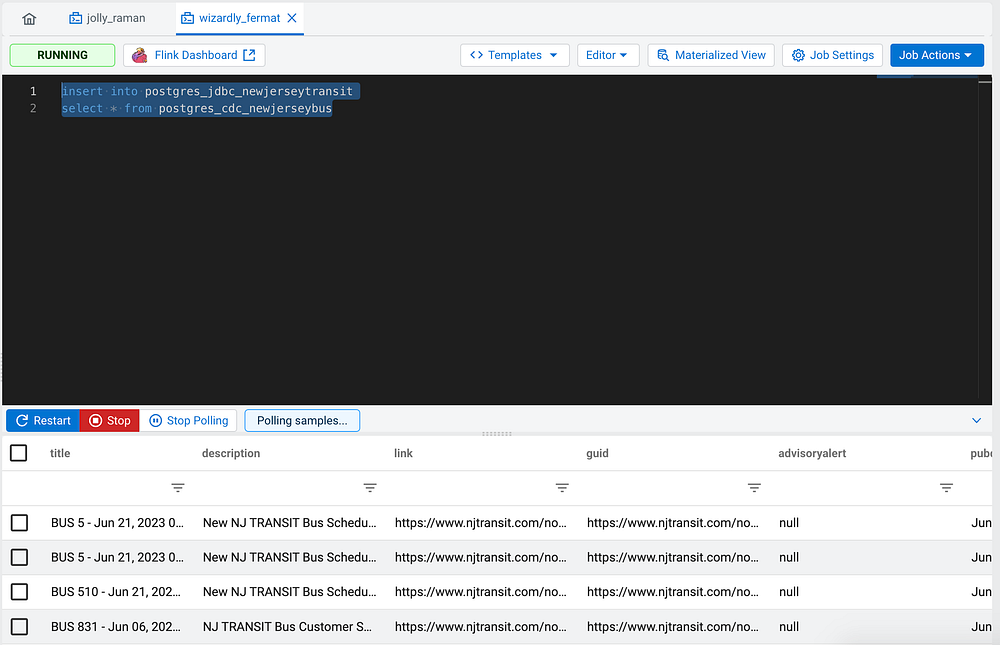
Our JDBC PostgreSQL Sink Table DDL in SSB:
CREATE TABLE postgres_jdbc_newjerseytransit (
  `title` VARCHAR(2147483647),
  `description` VARCHAR(2147483647),
  `link` VARCHAR(2147483647),
  `guid` VARCHAR(2147483647),
  `advisoryalert` VARCHAR(2147483647),
  `pubdate` VARCHAR(2147483647),
  `ts` VARCHAR(2147483647),
  `companyname` VARCHAR(2147483647),
  `uuid` VARCHAR(2147483647) ,
  `servicename` VARCHAR(2147483647),
  primary key (uuid) not enforced
) WITH (
  'connector' = 'jdbc',
  'table-name' = 'newjerseytransit',
  'url' = 'jdbc:postgresql://<HOSTNAME>:5432/<DATABASENAME>',
  'username' = '<username>',
  'password' = '<password>'
)
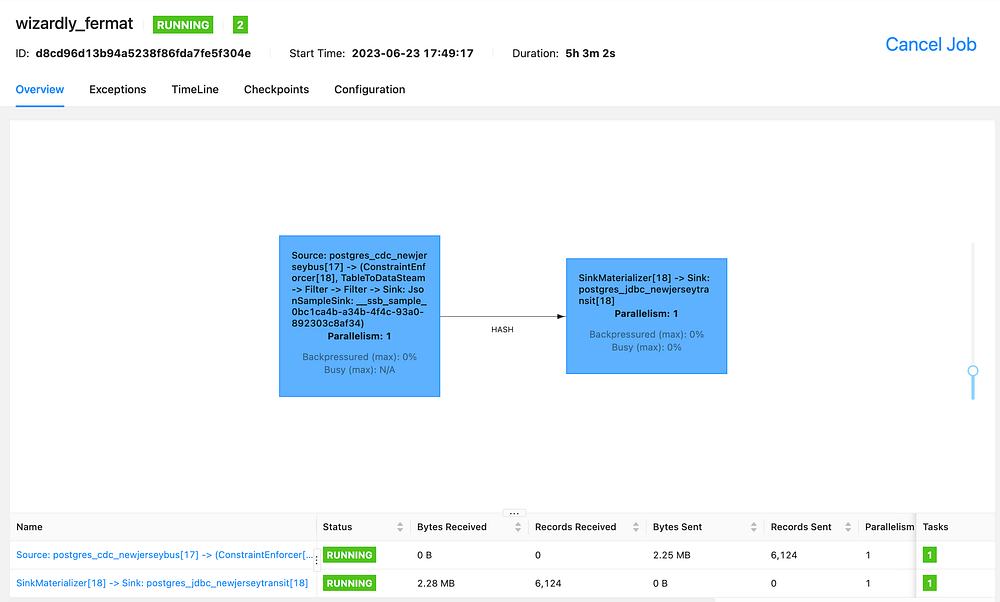
Insert into Postgresql Select from Postgresql CDC with Flink and Debezium

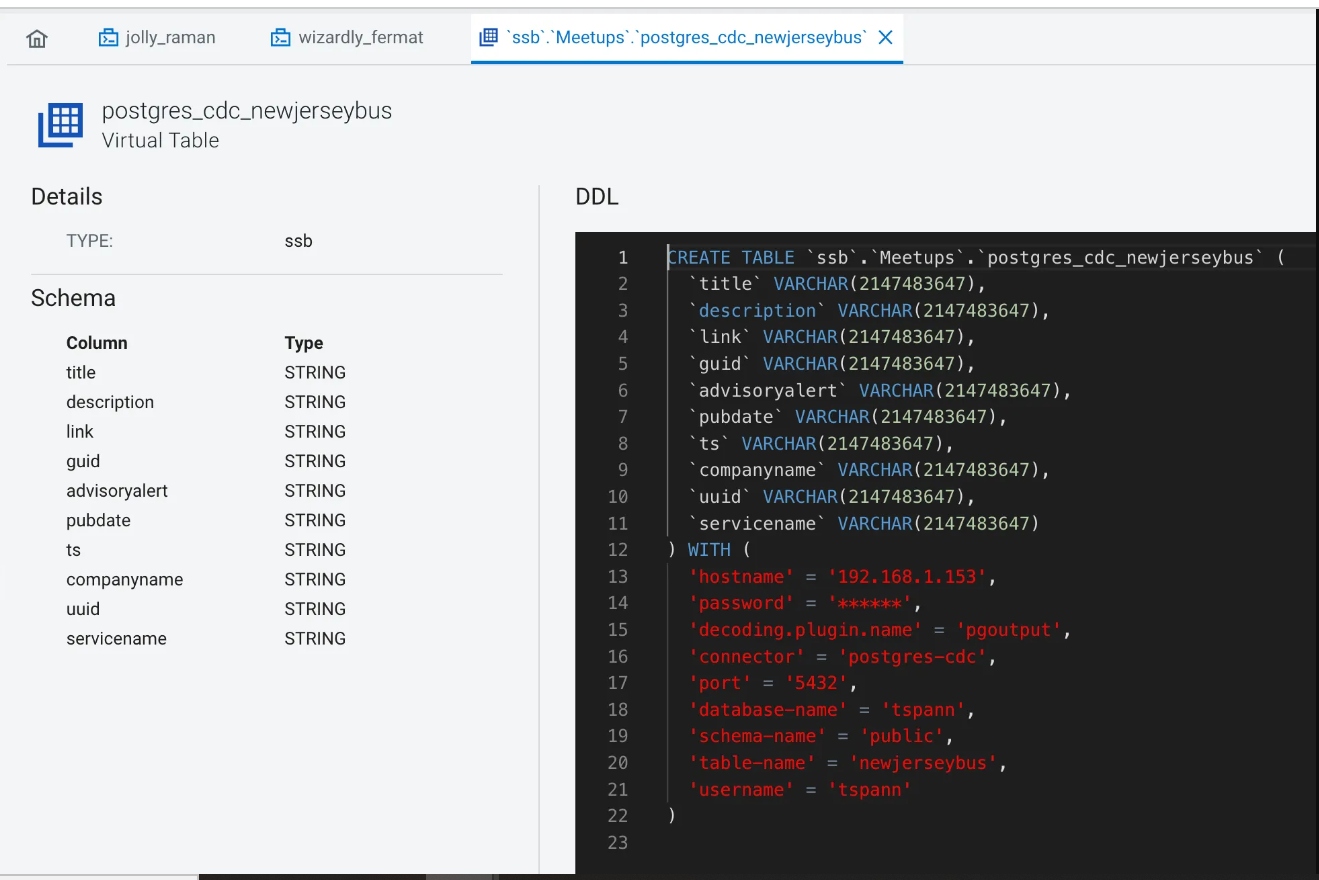
We can check out PostgreSQL table with DBeaver to make sure our sink table is getting records.
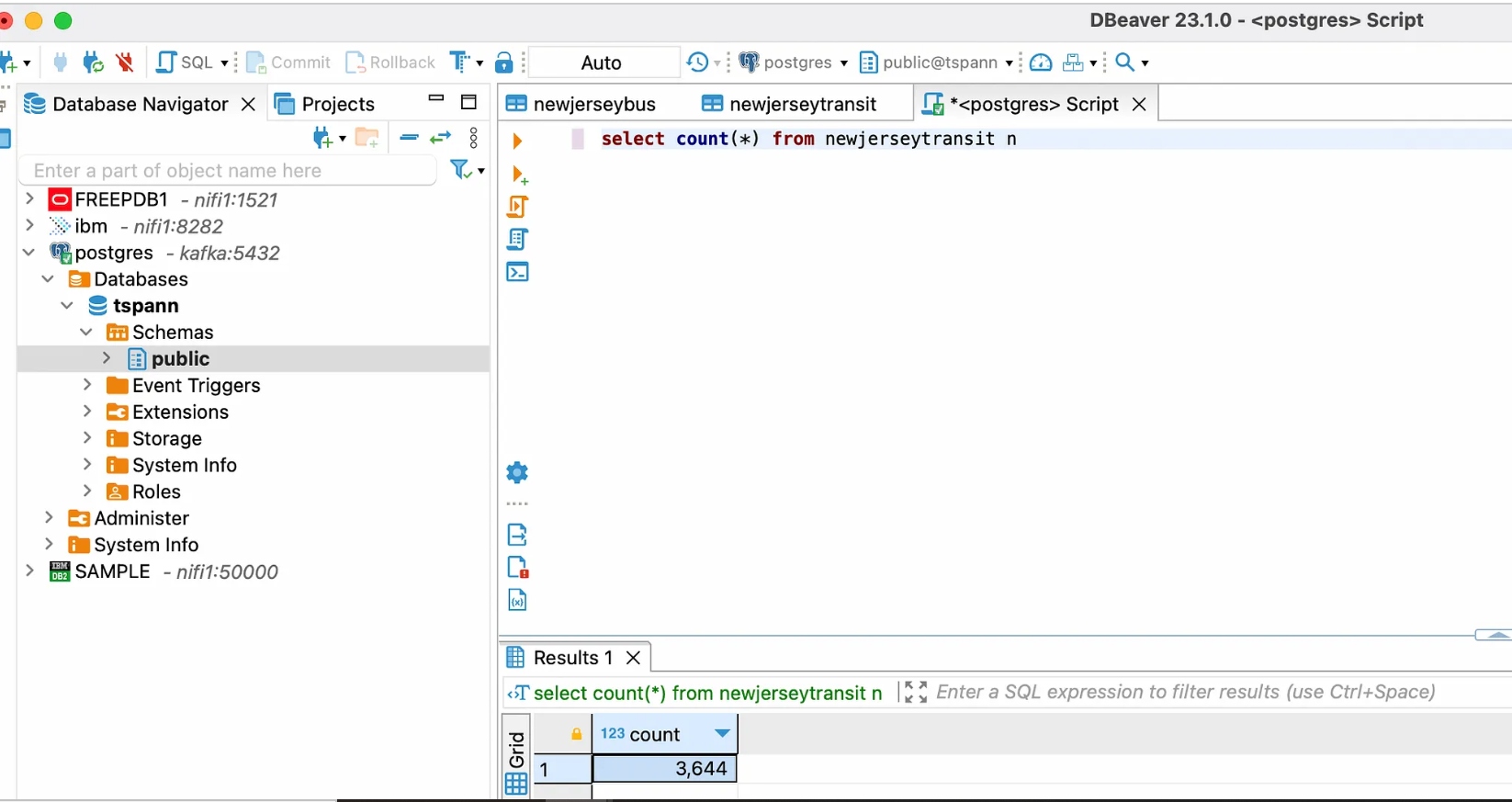

Records from NewJerseyTransit Sink table in PGSQL
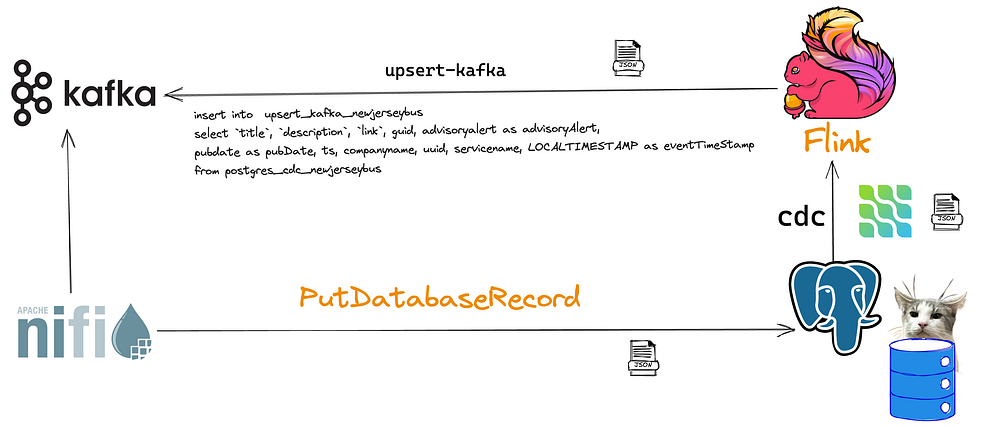
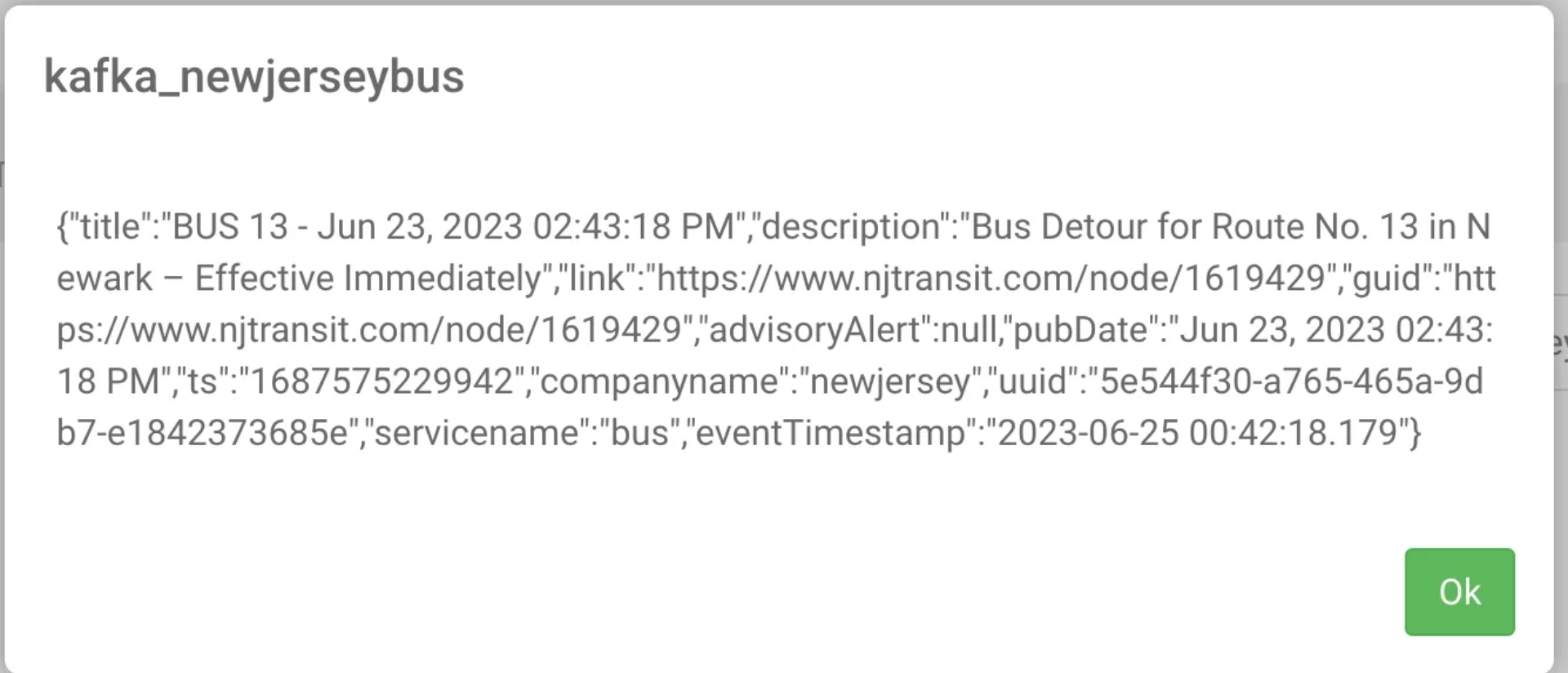
We can also upsert records into Kafka from our Flink CDC table. First, we create another virtual table as upsert-kafka and make sure we have it mapped to an existing Kafka topic.
CREATE TABLE  `upsert_kafka_newjerseybus` (
  `title` String,
  `description` String,
  `link` String,
  `guid` String,
  `advisoryAlert` String,
  `pubDate` String,
  `ts` String,
  `companyname` String,
  `uuid` String,
  `servicename` String,
   `eventTimestamp` TIMESTAMP(3),
   WATERMARK FOR `eventTimestamp` AS `eventTimestamp` - INTERVAL '5' SECOND,
   PRIMARY KEY (uuid) NOT ENFORCED
) WITH (
  'connector' = 'upsert-kafka',
  'topic' = 'kafka_newjerseybus',
  'properties.bootstrap.servers' = 'kafka:9092',
  'key.format' = 'json',
  'value.format' = 'json'
  );

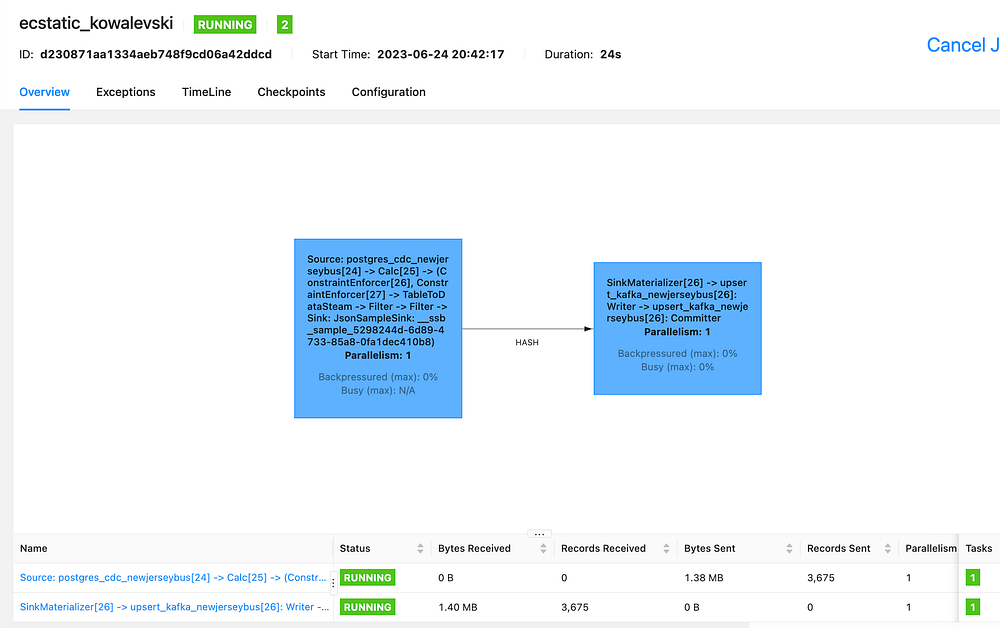
Flink Job Running
insert into  upsert_kafka_newjerseybus
select `title`, `description`, `link`, guid, advisoryalert as advisoryAlert,
    pubdate as pubDate, ts, companyname, uuid, servicename, LOCALTIMESTAMP as eventTimeStamp
from postgres_cdc_newjerseybus
insert into  upsert_kafka_newjerseybus
select `title`, `description`, `link`, guid, advisoryalert as advisoryAlert,
    pubdate as pubDate, ts, companyname, uuid, servicename, LOCALTIMESTAMP as eventTimeStamp
from postgres_cdc_newjerseybus
In our insert, it’s important to match up field names and types, so I rename them in the SQL, and for the field we don’t have, I let Flink generate a timestamp.

FLaNK-CDC With Debezium, Apache Kafka and Kafka Connect
The other way to use Debezium via Kafka Connect is to use Apache Kafka from within Cloudera Streams Messaging Manager (SMM). This is the default way and is pretty easy to set up with some simple configuration.
Data Flow for Flink CDC
Use Cloudera Streams Messaging Manager (SMM) to easily configure.
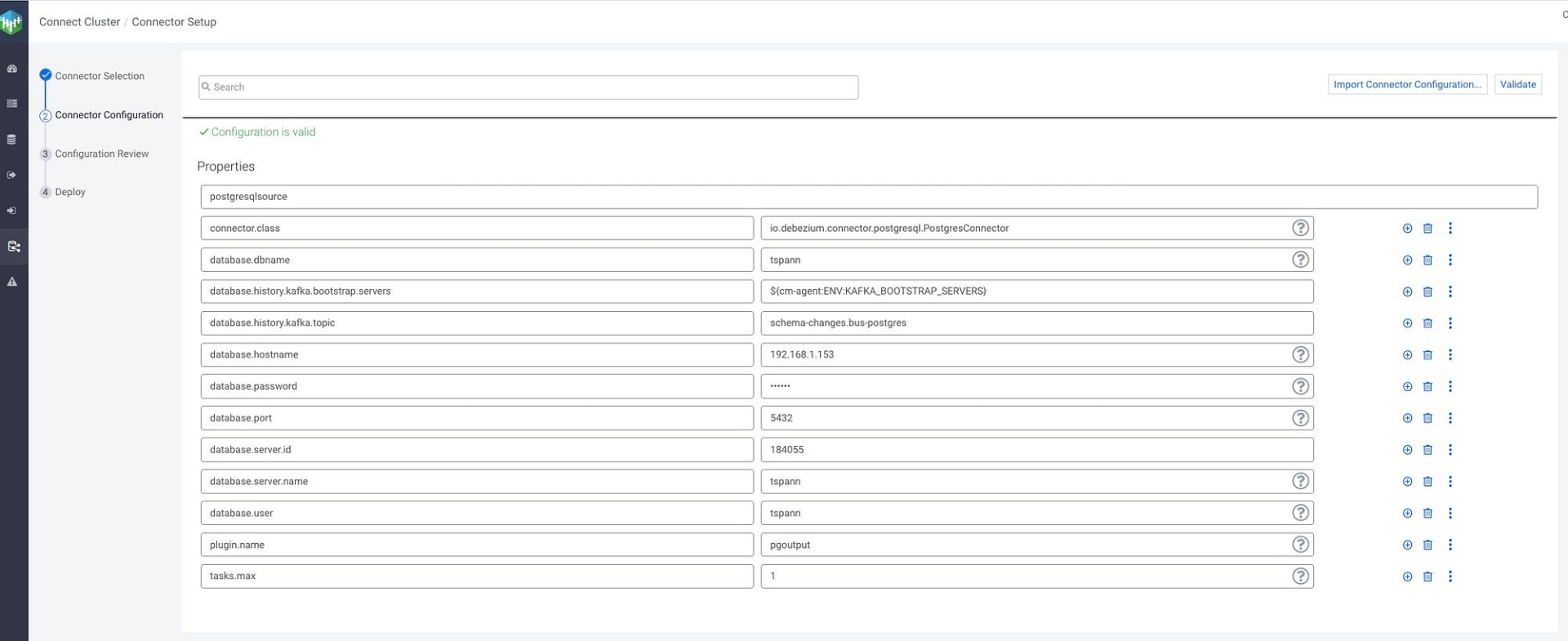
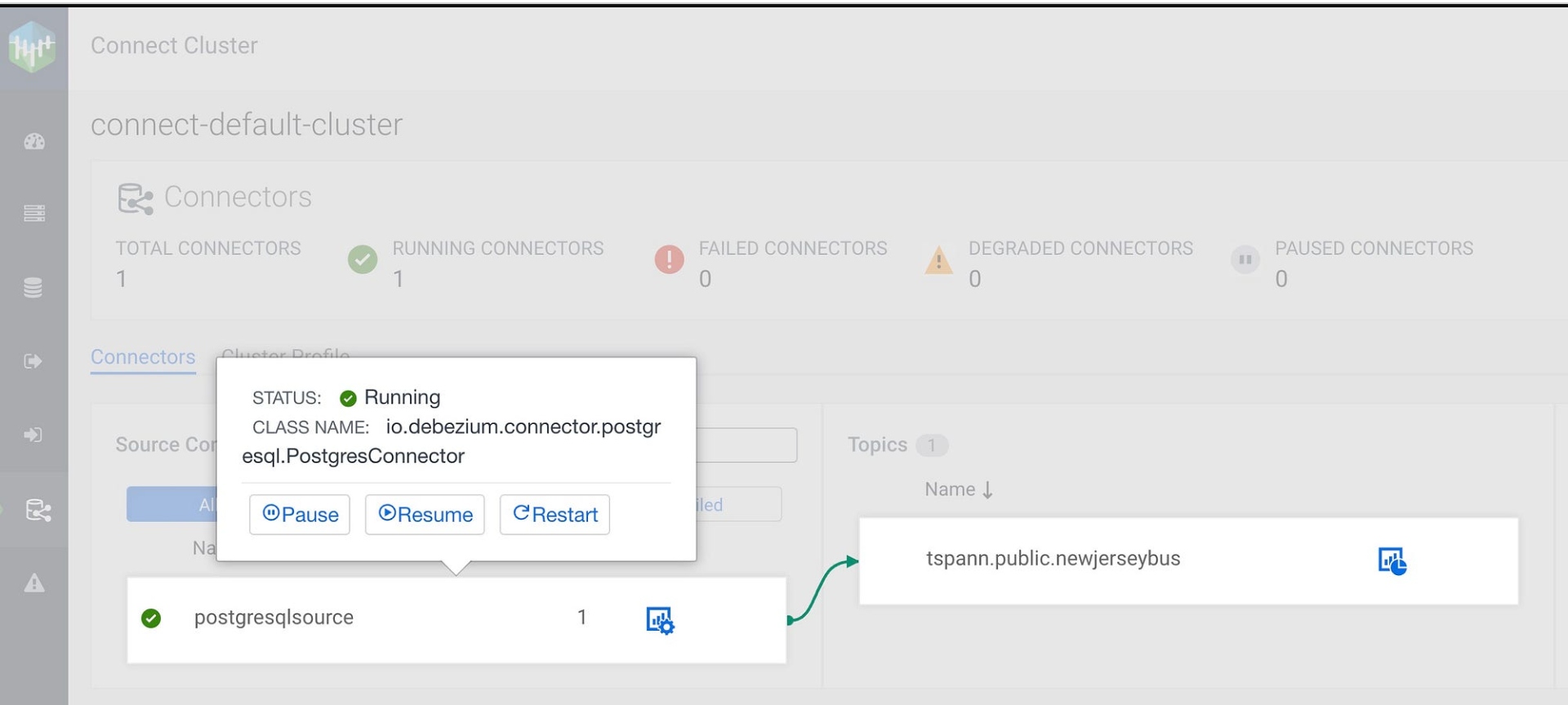
Kafka Connect Source -> CLASS NAME: io.debezium.connector.postgresql.PostgresConnector

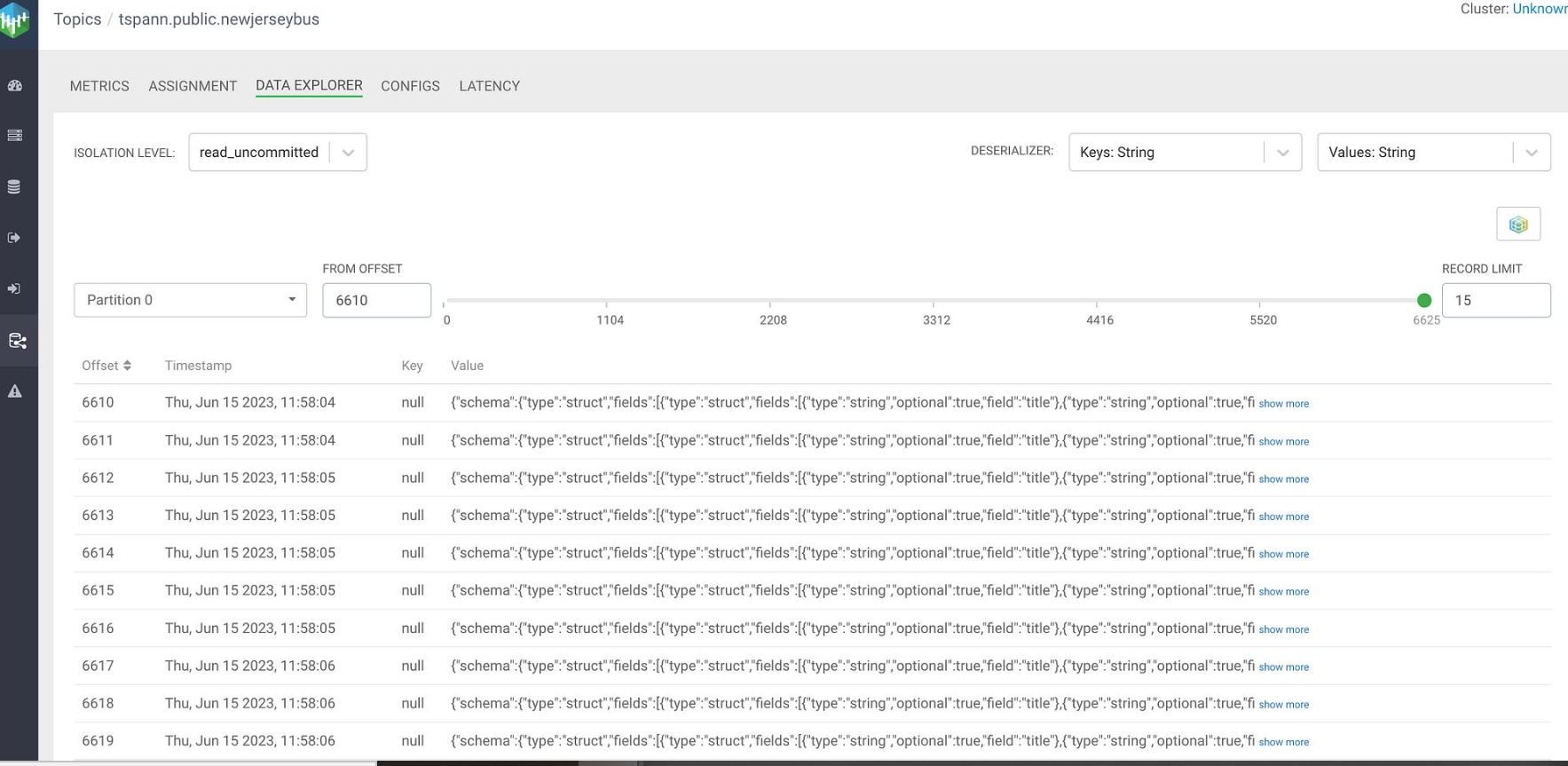
Data is produced to Kafka Topic: tspann.public.newjerseybus.

CDC is in stream!
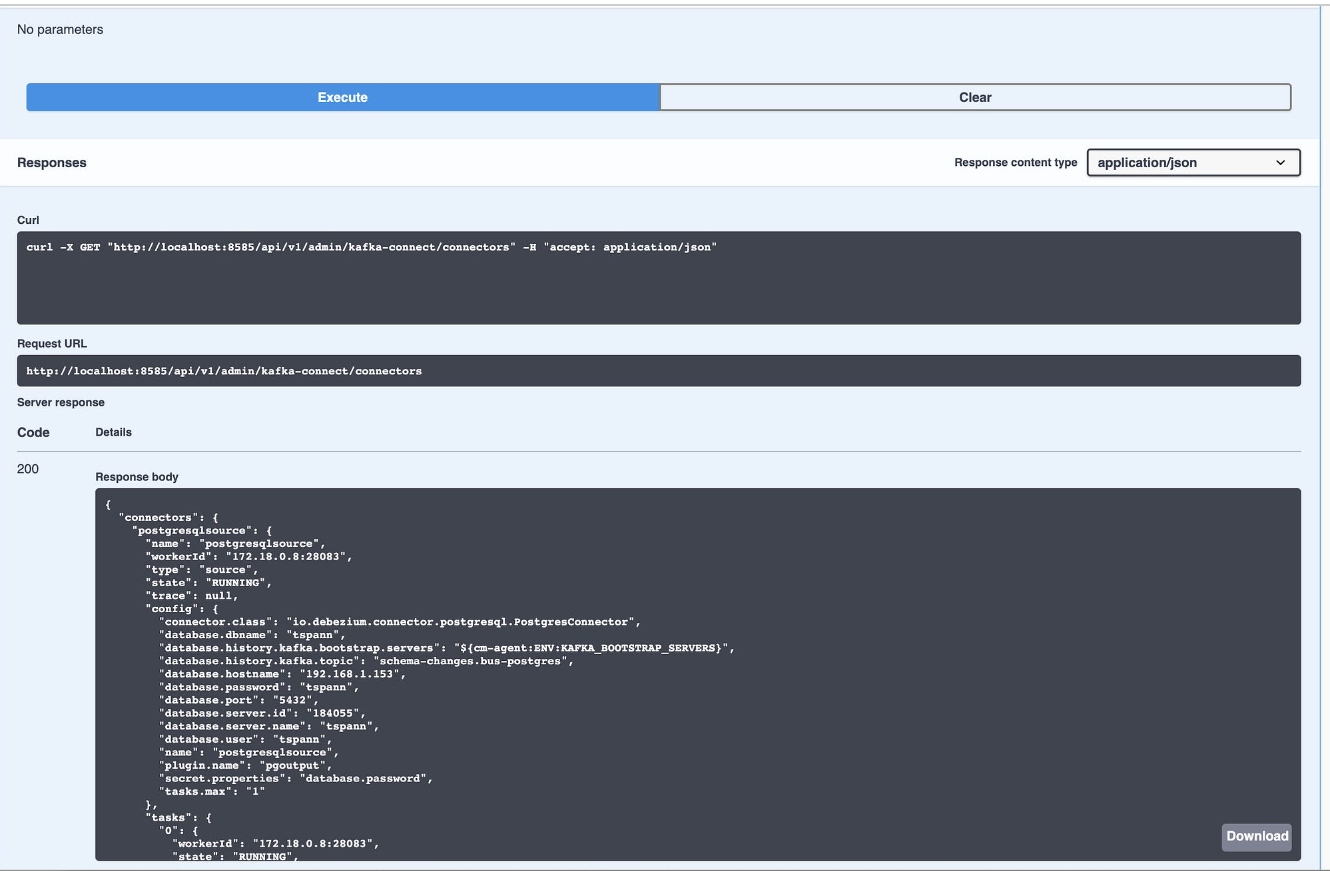
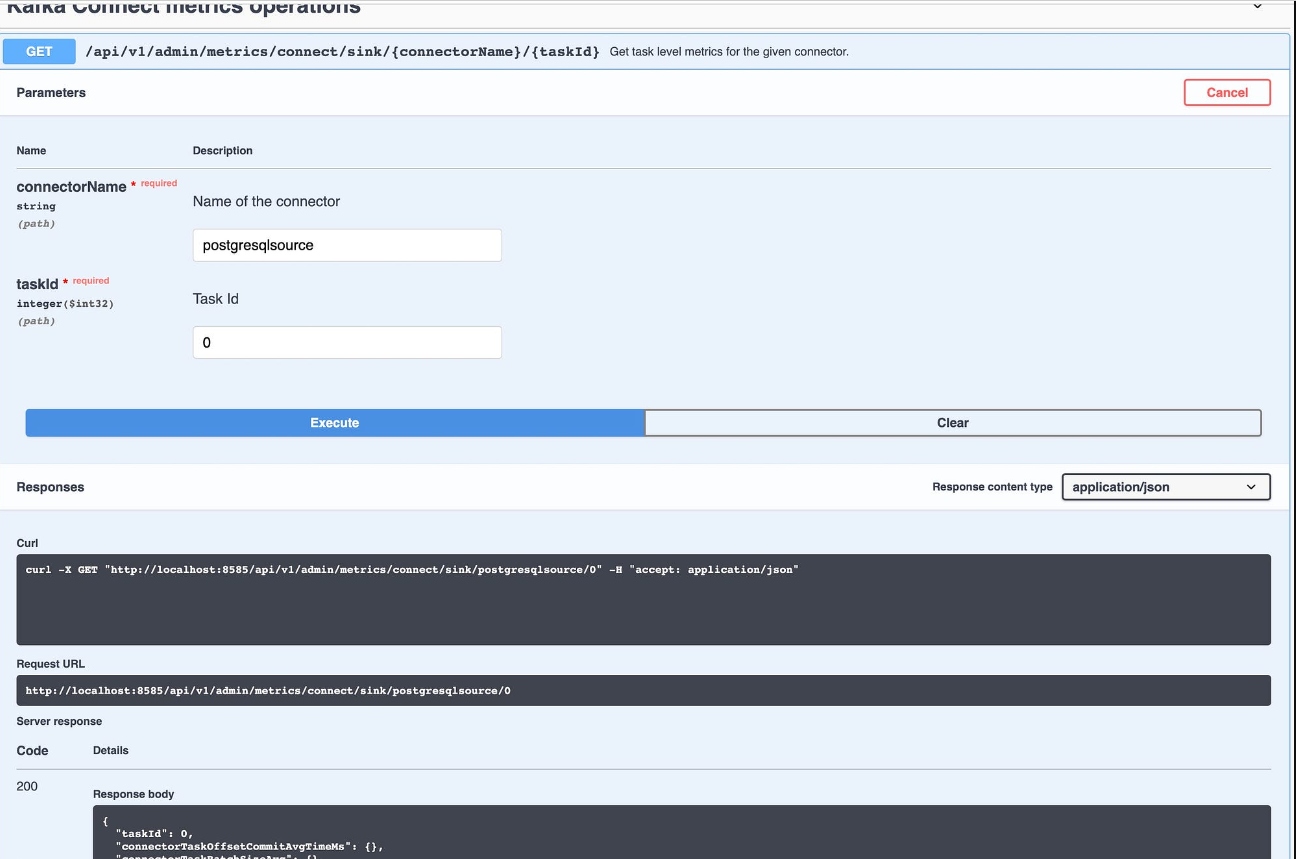
As shown below using REST, we can export the Kafka Connect configuration as JSON.
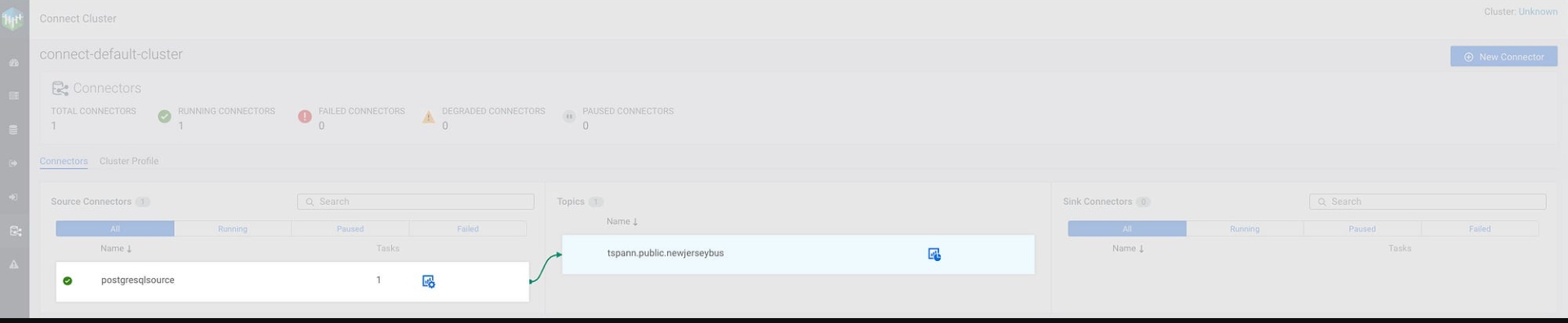
Monitor CDC Stream in SMM
Check out Swagger/REST API!
Let’s run some API calls.

Now let’s use those CDC events. Debezium CDC Kafka Messages have arrived.
CDC/Debezium/Kafka Consumer
We will now read those Debezium CDC events with Apache NiFi and send those changed PostgreSQL table rows to Oracle.

- NiFi consumes from Kafka Topic: tspann.public.newjerseybus
- Debezium JSON events are parsed by ApacheNiFi.
- NiFi sends after record to ForkEnrichment.
- NiFi sends plain after record as inserts to Oracle 23 database/schema/table: FREEPDB1.TSPANN.NEWJERSEYBUS
- Debezium Meta Data attributes are joined with after records to build annotated JSON record.
- NiFi sends this enhanced JSON event to the Kafka Topic: ${sourcetable}-cdc ie. newjerseybus-cdc.
Consume From the Apache Kafka Topic

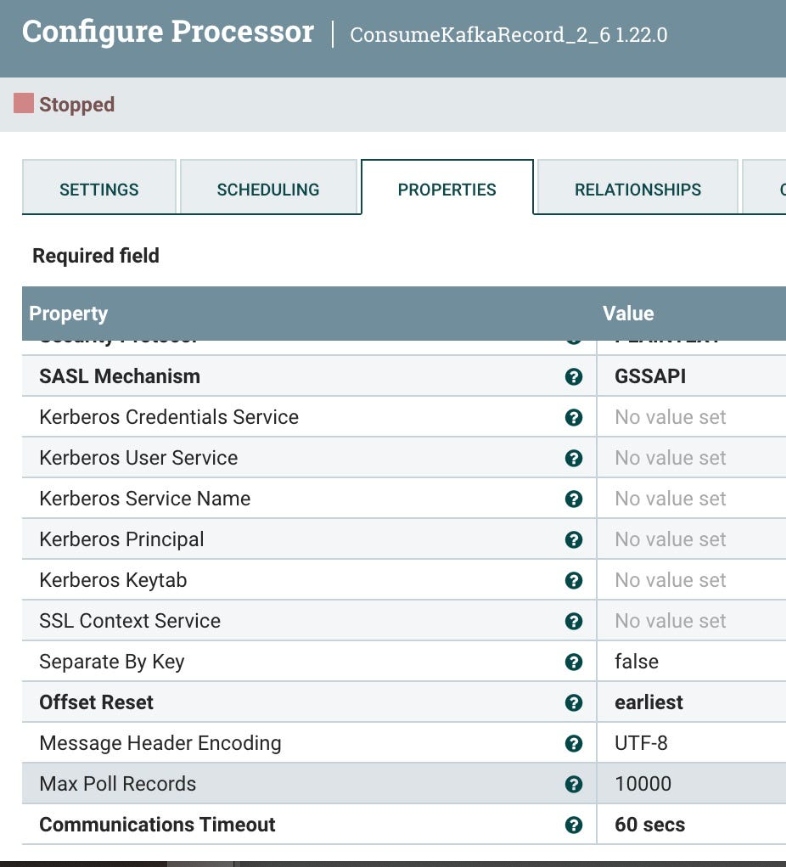
Set the schema name for schema registry lookups.

UpdateAttribute
Let’s split it out into one record at a time.

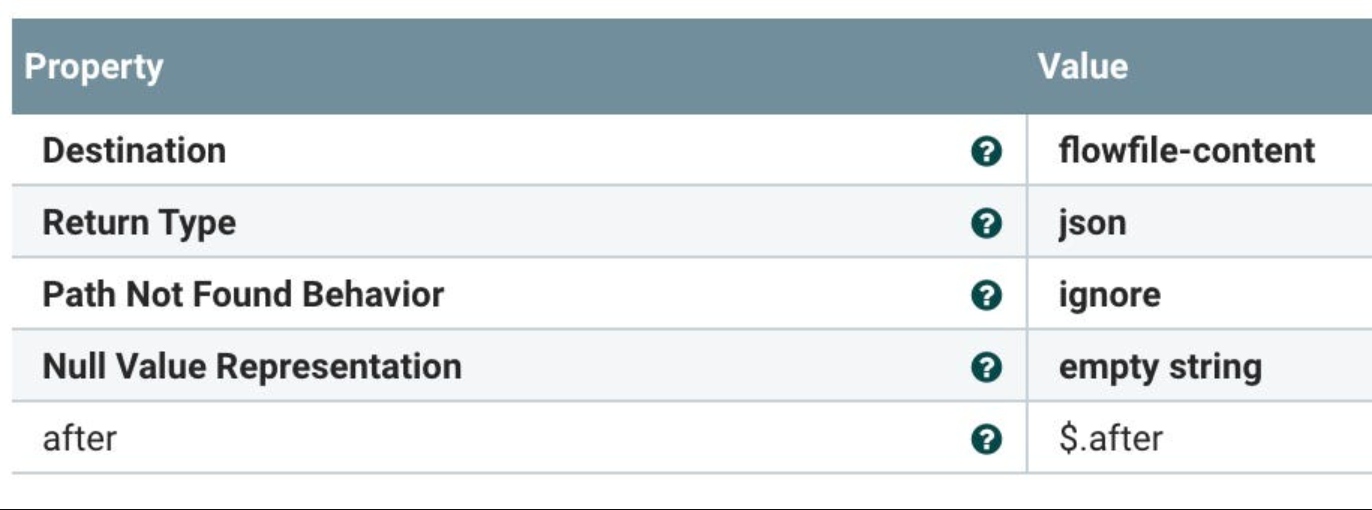
Let’s pull out the Debezium JSON Event fields including the after record which is the full current record for the table. The other fields describe the source attributes.

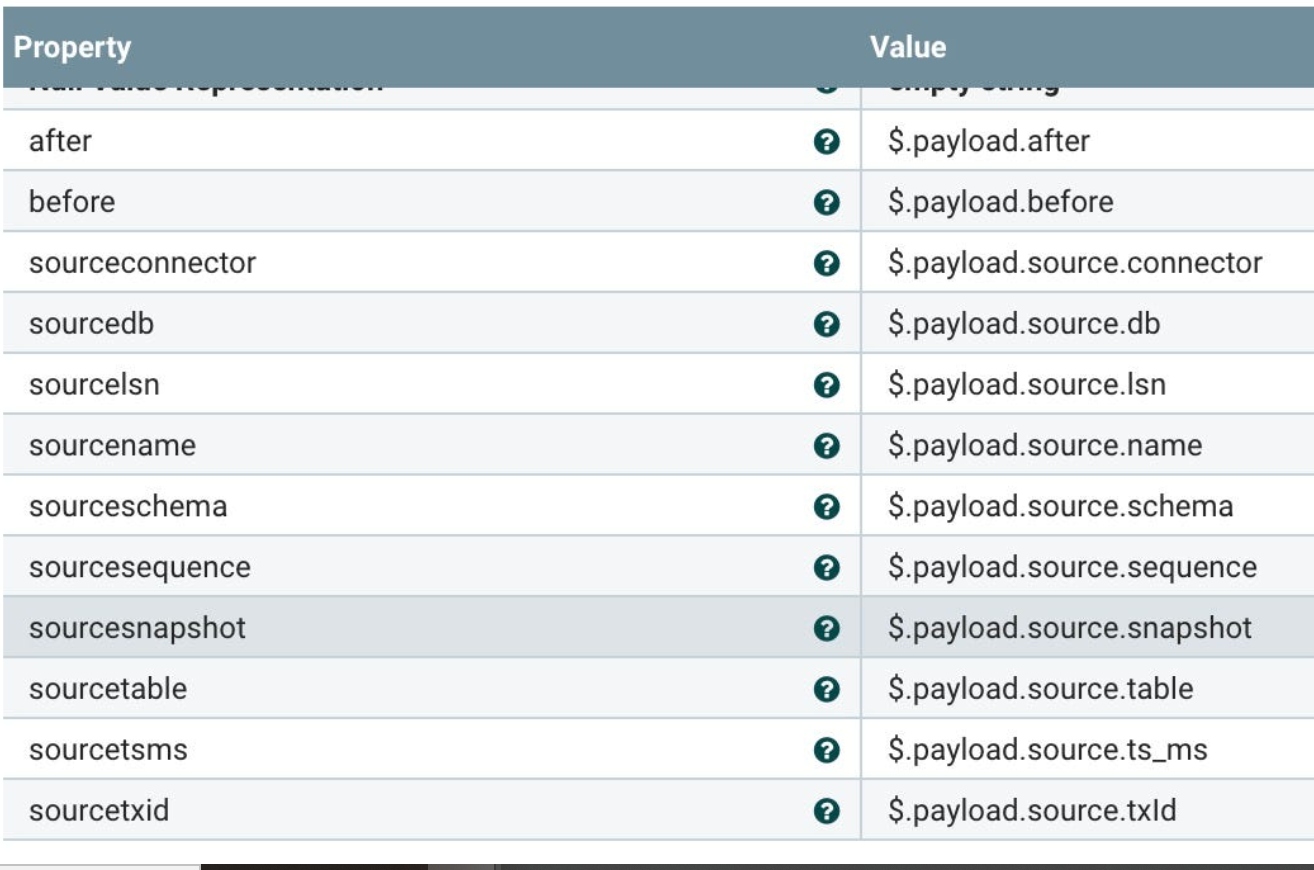
We pull out the after record (which will be the full current table record as JSON).
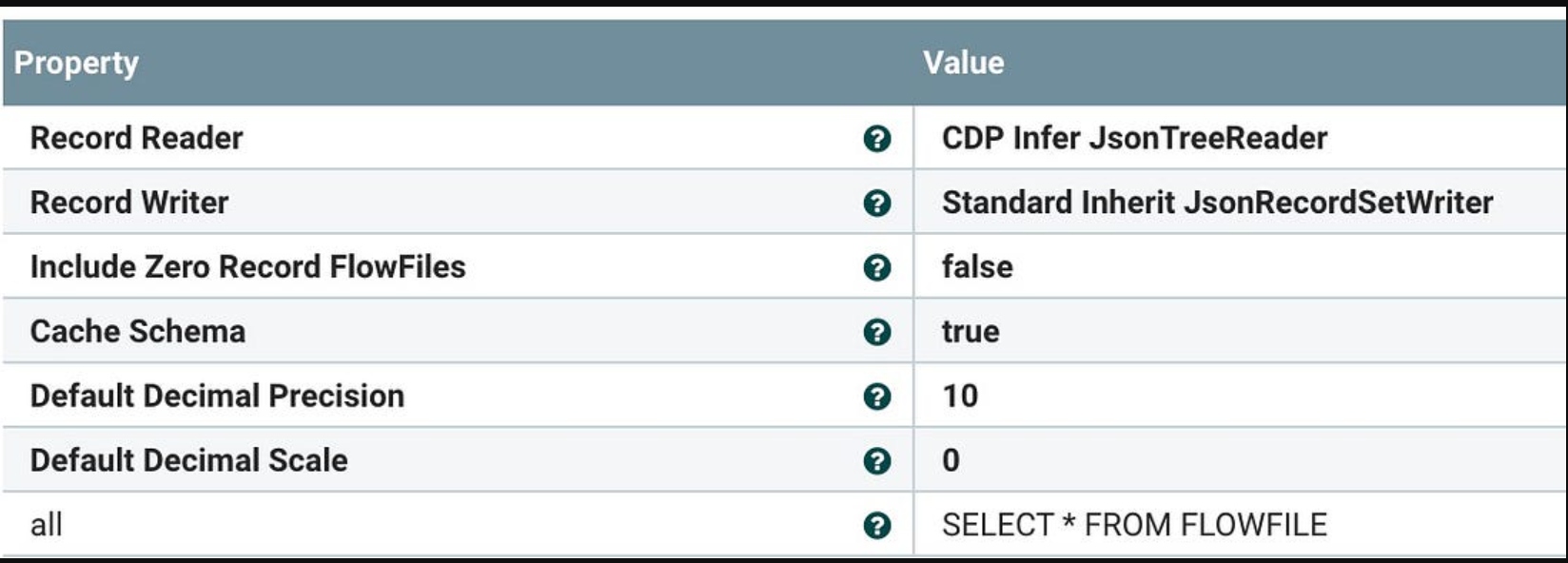
Let convert and filter via QueryRecord. We need to add a filter, this is a placeholder for now. It’s just SELECT *.
Let’s filter out empty records with routing (RouteOnAtribute).

In the remainder of the NiFi flow, you can see which fork the record into two pieces. One piece goes raw to Oracle and the other is enhanced with extra fields.

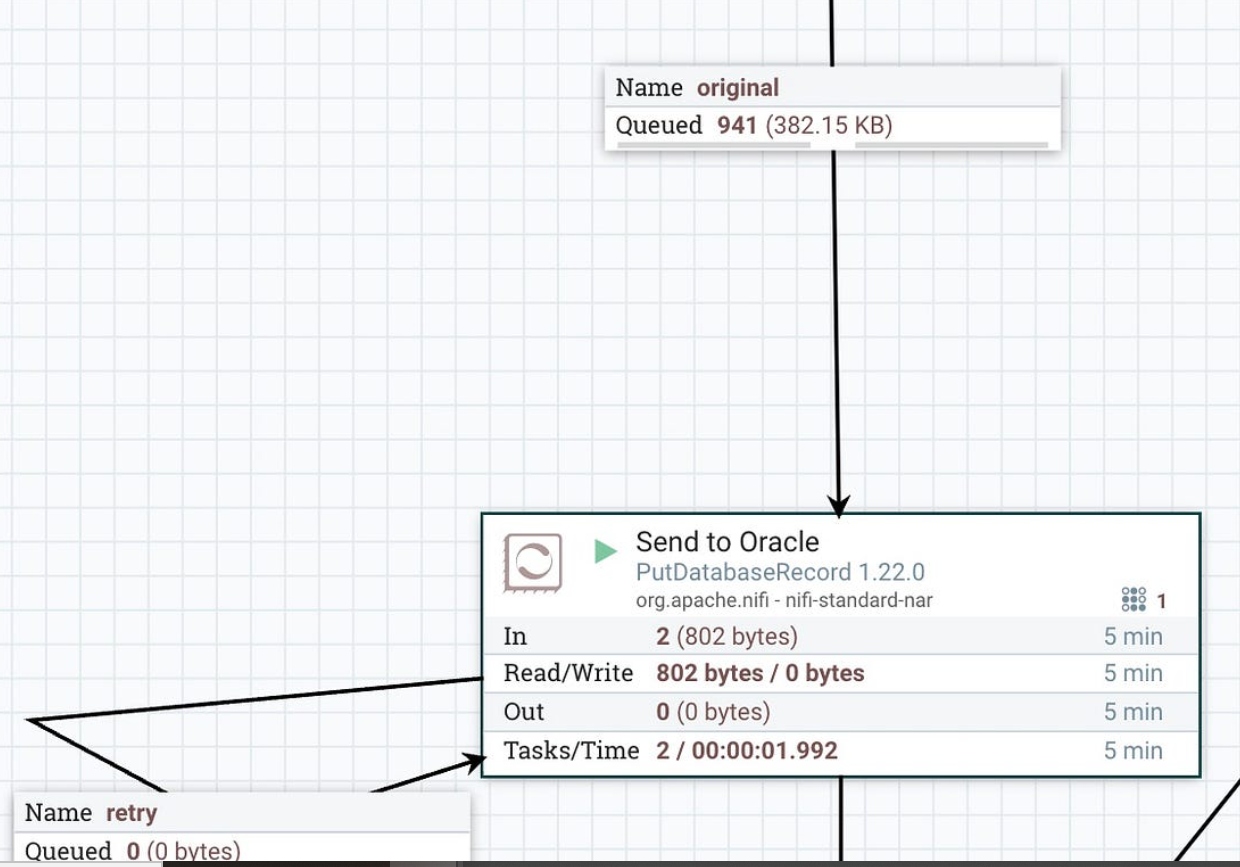
Insert records from CDC into Oracle, automagically.

Our table design to receive Postgresql records into Oracle 23: when I started work, my first Oracle version was 5.

Rows have landed in our table.

Build new JSON record: after the fork enrichment, add Debezium fields.
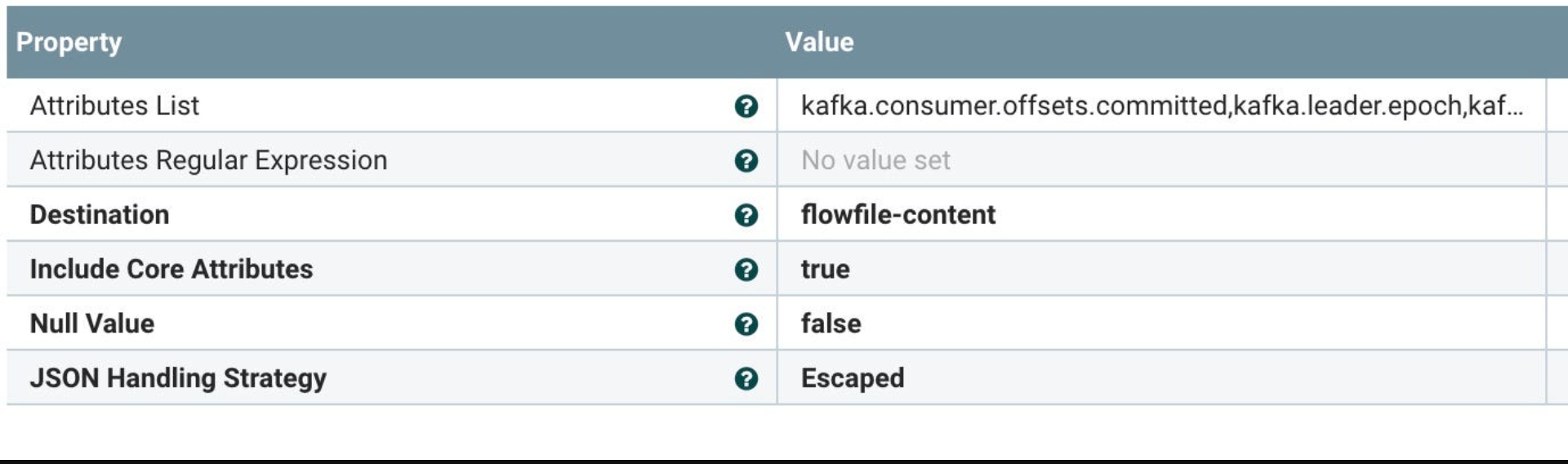
After the new JSON enhancement, let’s join those two records together automagically.
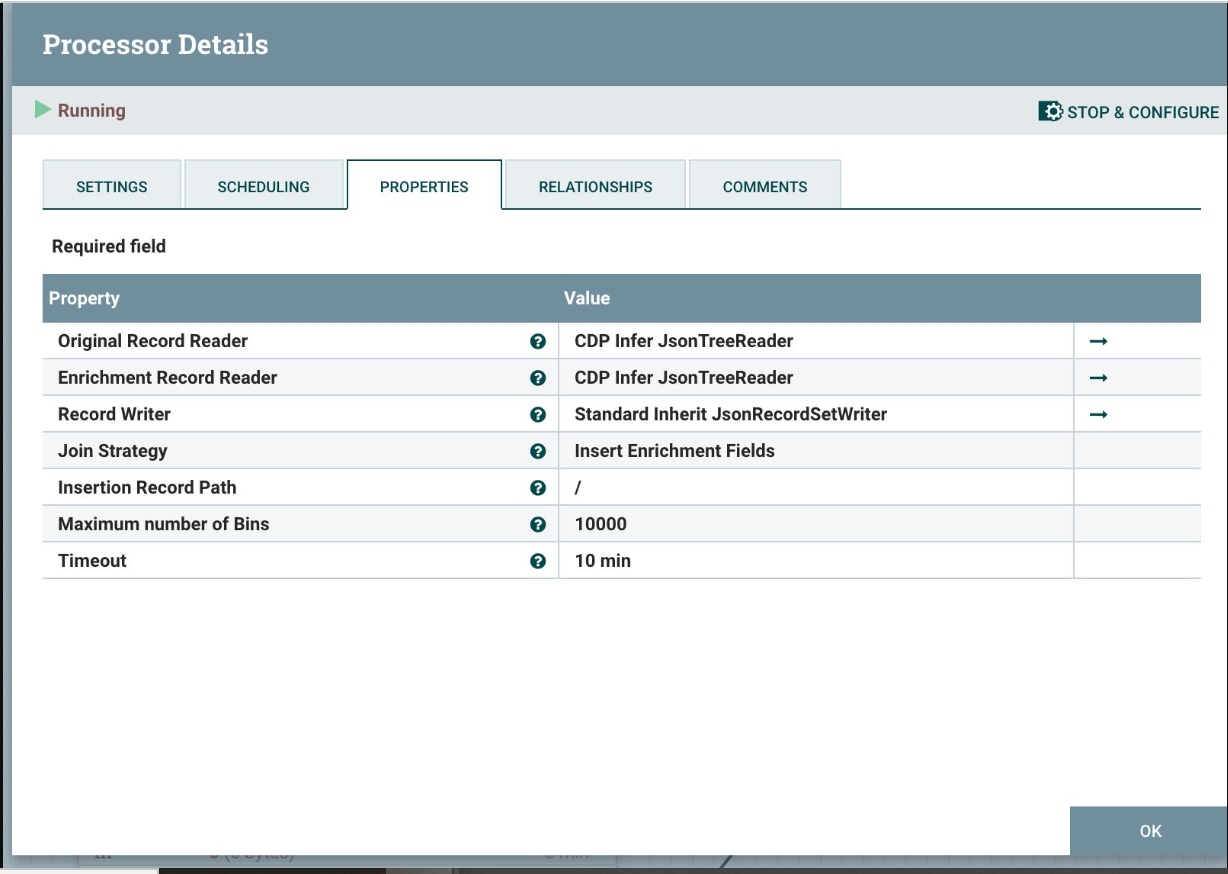
Let’s stream this newly joined record to our Kafka cluster.

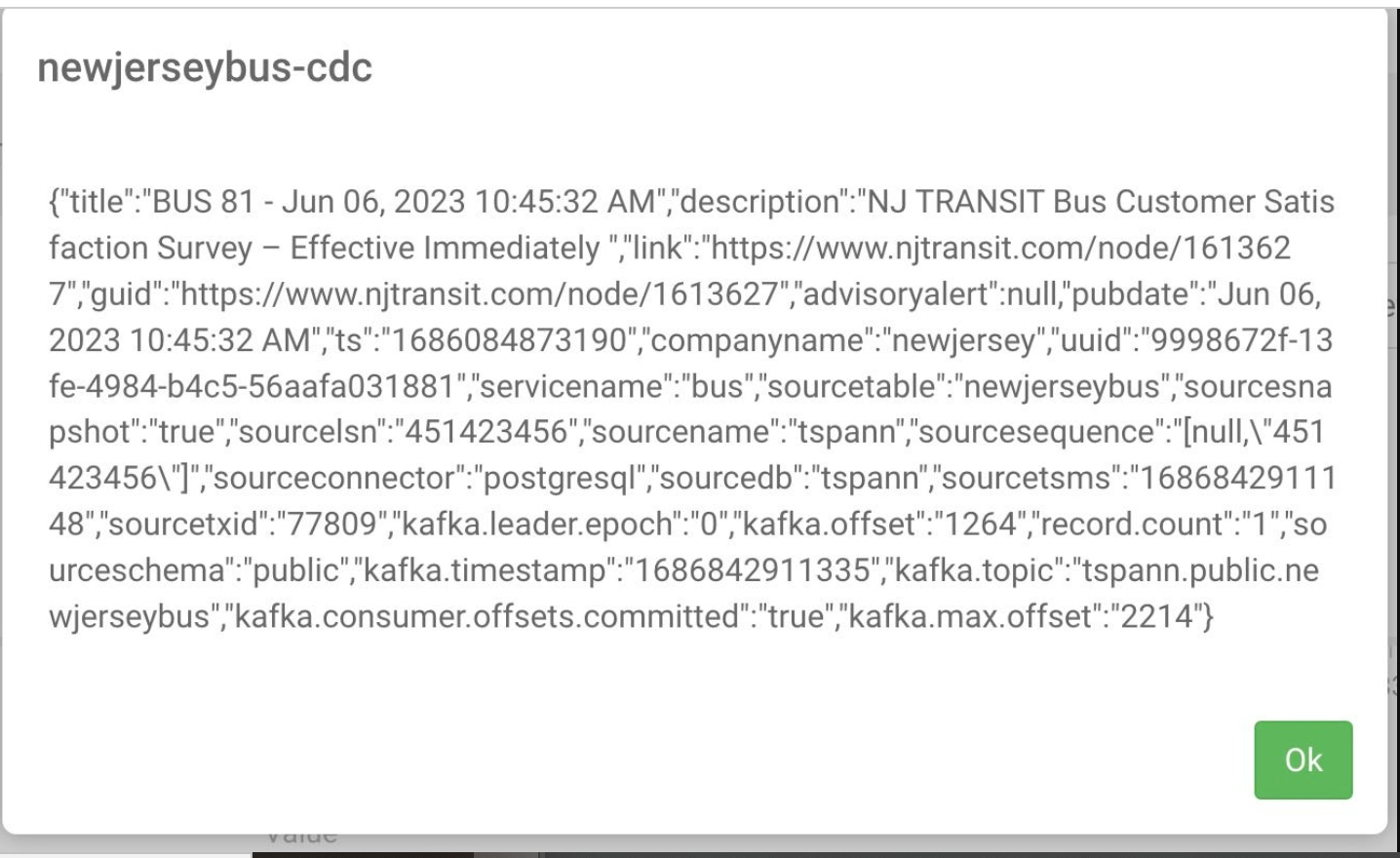
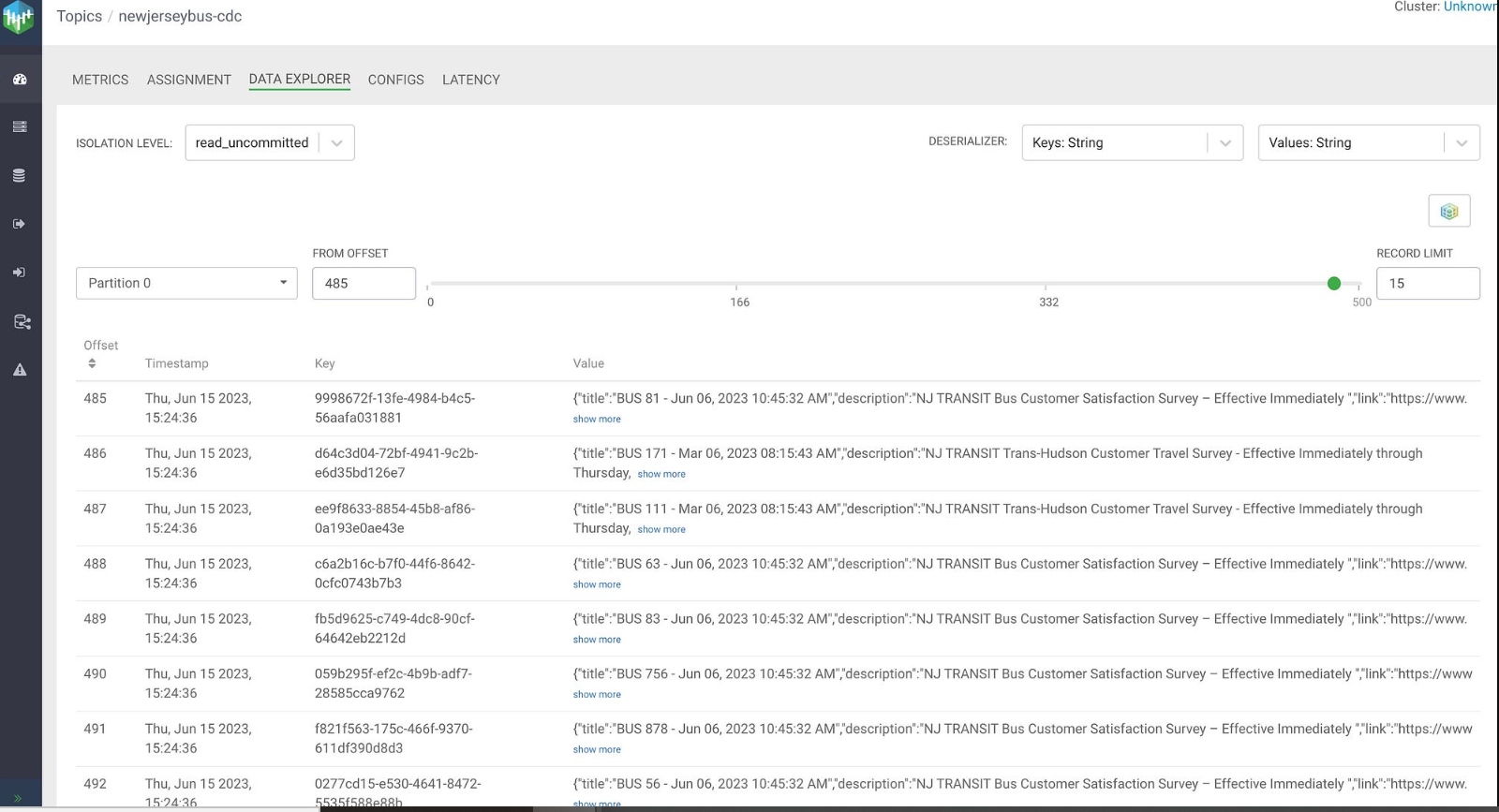
For development, use the free Dockerized Oracle.
Wrap-Up
As you can see, Debezium is a very powerful way to stream change events from databases like PostgreSQL and use them for whatever purpose you stream fit. You can choose Kafka Connect and Kafka to receive your Debezium events or have Flink do it directly. Kafka Connect has support for more connectors, so that may be the go-to choice for other connectors.
I will next start streaming events from Oracle, DB2, MariaDB/MySQL, SQL Server, MongoDB, and others.
Tips
When you are searching for CDC, it’s probably best to search for “Change Data Capture”, as CDC will bring up a lot of disease data. That’s a subject for another article and example.
Don’t get lost on the Internet, bring a cat.
References
Published at DZone with permission of Tim Spann. See the original article here.
Opinions expressed by DZone contributors are their own.
Comments