DZone
Thanks for visiting DZone today,
Edit Profile
  • Manage Email Subscriptions
  • How to Post to DZone
  • Article Submission Guidelines
Sign Out View Profile
  • Post an Article
  • Manage My Drafts
Over 2 million developers have joined DZone.
Log In / Join
Refcards Trend Reports
Events Video Library
Refcards
Trend Reports

Events

View Events Video Library

Related

  • Migrating MuleSoft System API to AWS Lambda (Part 1)
  • Managing Dynamic Application Properties in MuleSoft for CloudHub Applications
  • SharePoint Integration With MuleSoft
  • MDC Logging With MuleSoft Runtime 4.4

Trending

  • Multi-Scale Feature Learning in CNN and U-Net Architectures
  • Compliance Automated Standard Solution (COMPASS), Part 10: How OSCAL Mapping Paves the Way for Continuous Compliance Scalability
  • Data Contracts as the "Circuit Breaker" for Model Reliability
  • How to Format Articles for DZone
  1. DZone
  2. Data Engineering
  3. Databases
  4. Strict Validations in Mulesoft APIkit Router

Strict Validations in Mulesoft APIkit Router

This article will help you in your understanding of the functionality of Query Parameters and Headers Strict Validations in the MuleSoft APIkit Router.

By 
Abhishek Bathwal user avatar
Abhishek Bathwal
·
Feb. 16, 22 · Tutorial
Likes (2)
Comment
Save
Tweet
Share
10.3K Views

Join the DZone community and get the full member experience.

Join For Free

This article will help you in your understanding of the functionality of Query Parameters and Headers Strict Validations in the MuleSoft APIkit Router.

What Are Strict Validations?

Strict Validations is an APIkit router configuration that restricts or limits API calls with unwanted Headers and/or Query Parameters which are not defined in the API Specification (RAML).

RAML:

Here, I designed a simple RAML, having no Headers or Query Parameters defined.

RAML screenshot.

Configuration:

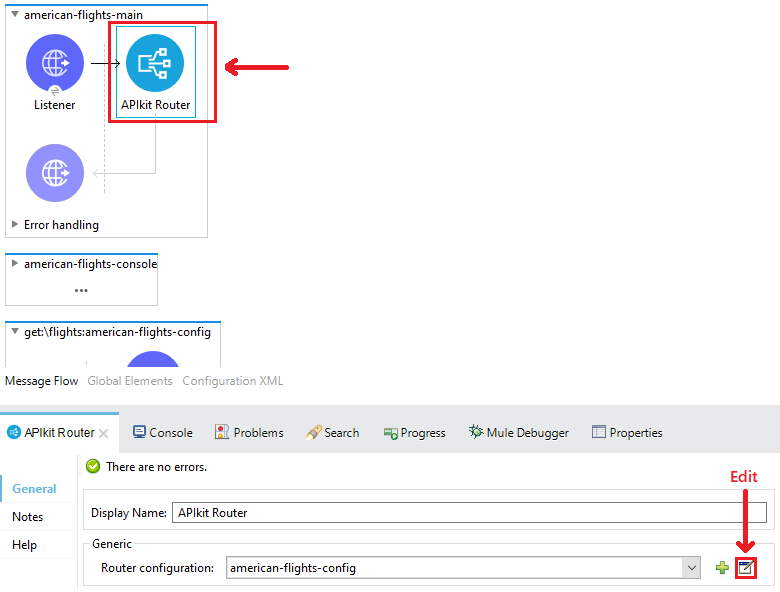
Now, I generated the flow out of the RAML. Configure APIkit router for Query Parameters and Headers Strict Validations.

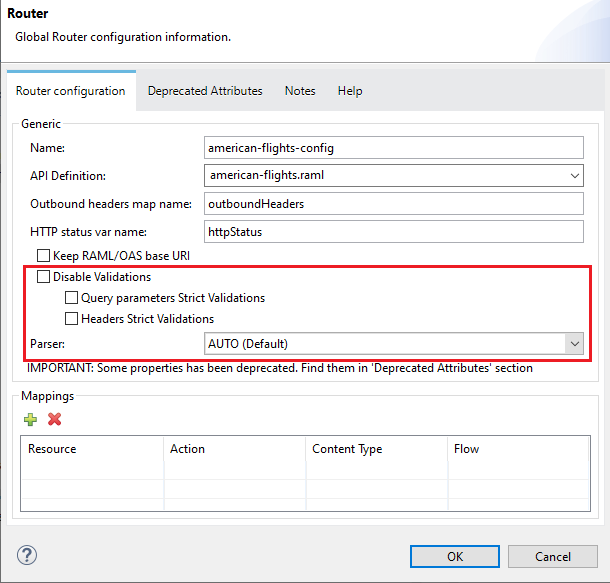
  1. Select APIKit router and edit the Router Configuration.Router configuration screenshot.By default, validations are disabled.
    (By default Validations are Disabled)
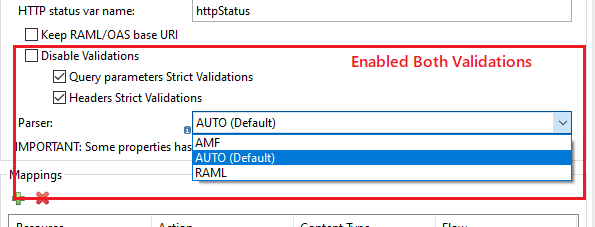
  2. Enable the validation by selecting the required option.Enabling the validation.
    (For Parser we can keep it as Auto or we can select RAML, Both works)
  3. Disable the Validation by Selecting the Disable option or Uncheck one or Both options.

    Disable all

    Uncheck one or Both
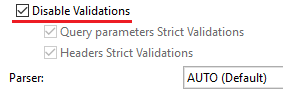
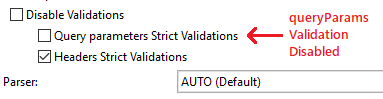
    Disabling the validation.

Testing:

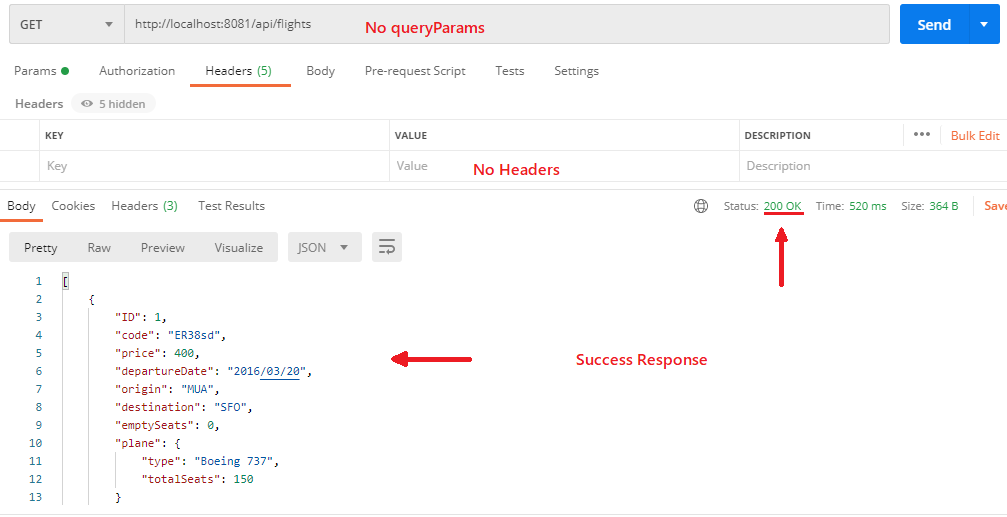
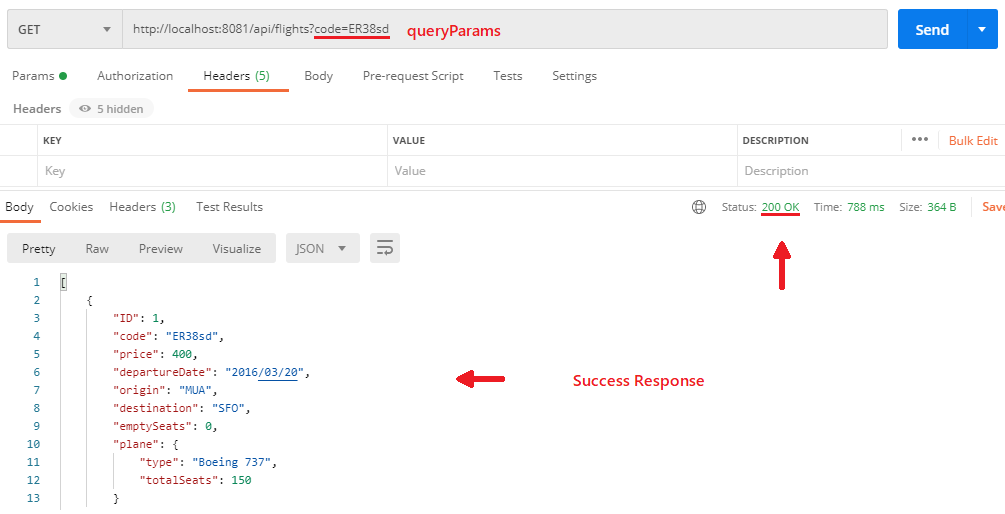
  1. No Strict Validations.                                                                                                            The RAML does not contain Header or Query Parameters, even if both the attributes are passed during API call, it returns a successful response. Successful response.
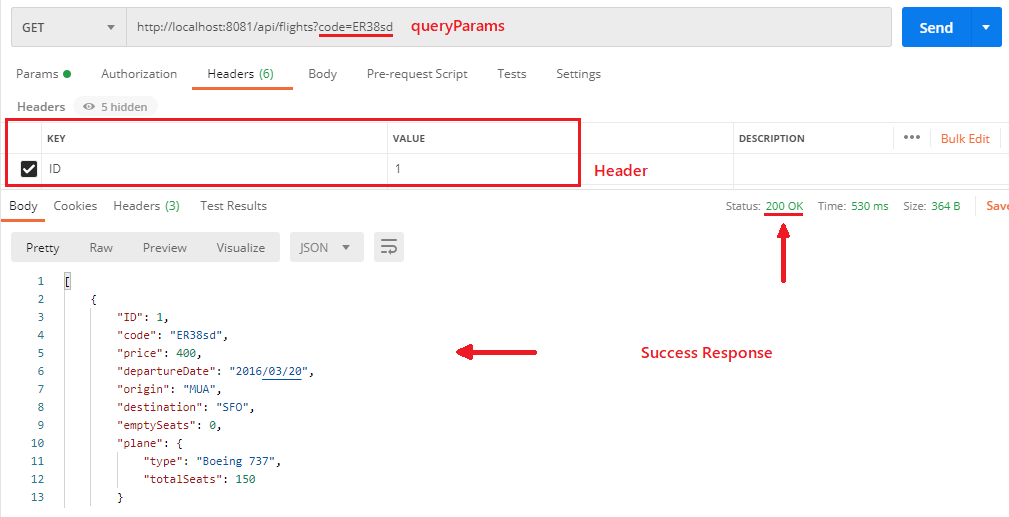
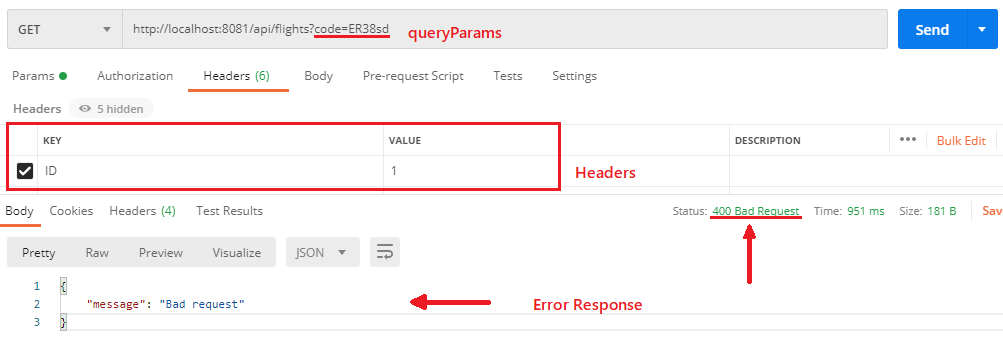
  2. Both Headers and Query Parameters ValidationsHeaders and Query parameters validations with attributes.

    With Attributes

    Headers and Query parameters validations without attributes.
    Without Attributes
  3. Only Headers ValidationWith Query parameter but no headers.
    With Query Parameter but no Headers
  4. Only Query Parameters ValidationWith Headers but no Query parameters.
    With Headers but no Query Parameters

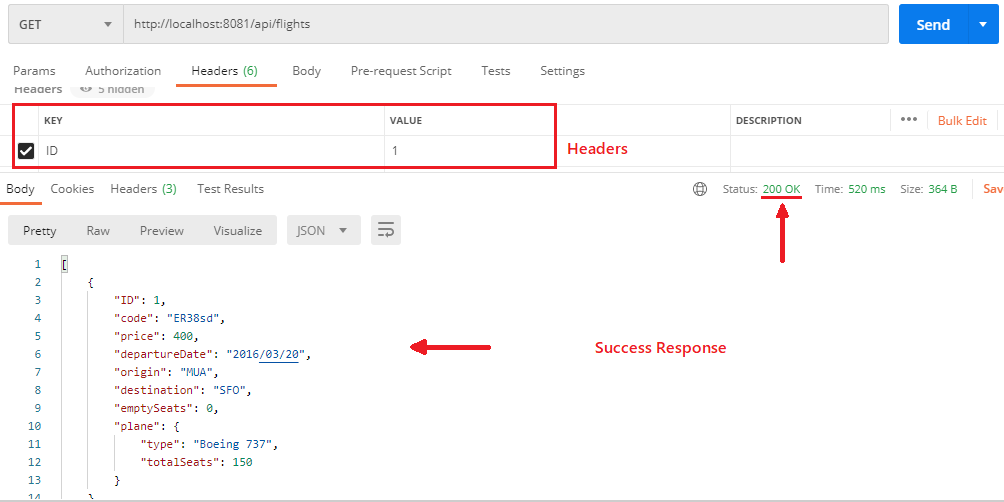
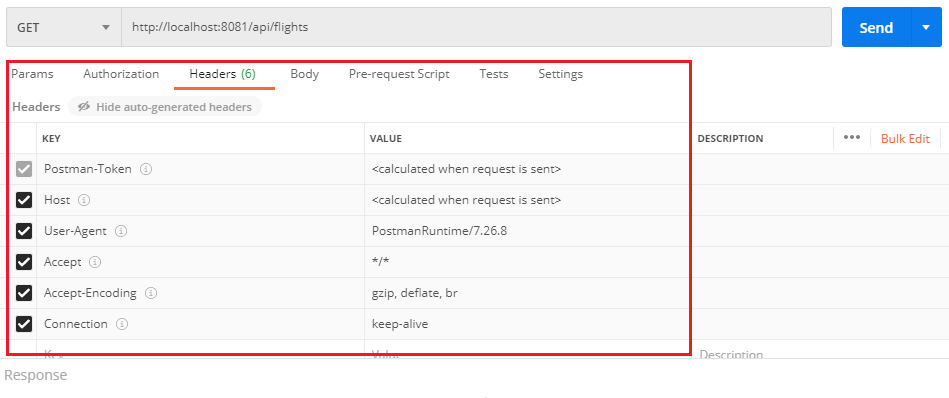
Note: Postman contains hidden headers, manage the headers before testing otherwise it may return an error.
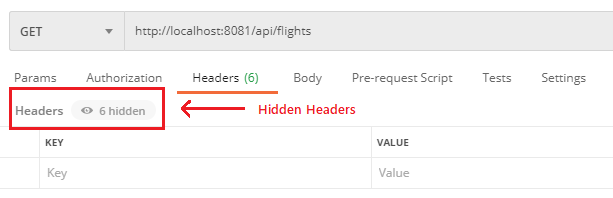
Hidden Headers.


Managing the Headers.


Check out the Video Tutorial:


MuleSoft Database

Published at DZone with permission of Abhishek Bathwal. See the original article here.

Opinions expressed by DZone contributors are their own.

Related

  • Migrating MuleSoft System API to AWS Lambda (Part 1)
  • Managing Dynamic Application Properties in MuleSoft for CloudHub Applications
  • SharePoint Integration With MuleSoft
  • MDC Logging With MuleSoft Runtime 4.4

Partner Resources

×

Comments

The likes didn't load as expected. Please refresh the page and try again.

  • RSS
  • X
  • Facebook

ABOUT US

  • About DZone
  • Support and feedback
  • Community research

ADVERTISE

  • Advertise with DZone

CONTRIBUTE ON DZONE

  • Article Submission Guidelines
  • Become a Contributor
  • Core Program
  • Visit the Writers' Zone

LEGAL

  • Terms of Service
  • Privacy Policy

CONTACT US

  • 3343 Perimeter Hill Drive
  • Suite 215
  • Nashville, TN 37211
  • [email protected]

Let's be friends:

  • RSS
  • X
  • Facebook