

Building an AI-Powered Slack Bot With IBM WatsonX
Leverage WatsonX's AI capabilities to create innovative applications that streamline processes and boost productivity, making life easier and more productive for users.
 CORE
·
CORE
·
 ·
·
Join the DZone community and get the full member experience.
Join For FreeIn today's digital age, the integration of AI into everyday applications has become increasingly prevalent. Chatbots, in particular, have revolutionized communication and automation across various platforms. In this tutorial, we will delve into the realm of AI-powered Slack bots, leveraging the robust capabilities of IBM WatsonX for text generation. By combining the power of IBM Watson's AI with the simplicity of Flask, a lightweight web framework, we will create a versatile bot capable of generating dynamic responses based on user input within Slack channels.
Setting up the WatsonX Project
Create an API Key
- Sign in to your IBM Cloud account.
- Navigate to the IAM (Identity and Access Management) section.
- Click on "API keys" and then "Create an IBM Cloud API key".
- Give your API key a name and click "Create". Note down the generated API key.

Create a Sandbox Project
In Watsonx a project is where you work with data and models by using tools. Create a sandbox project in the IBM Cloud Data Platform.
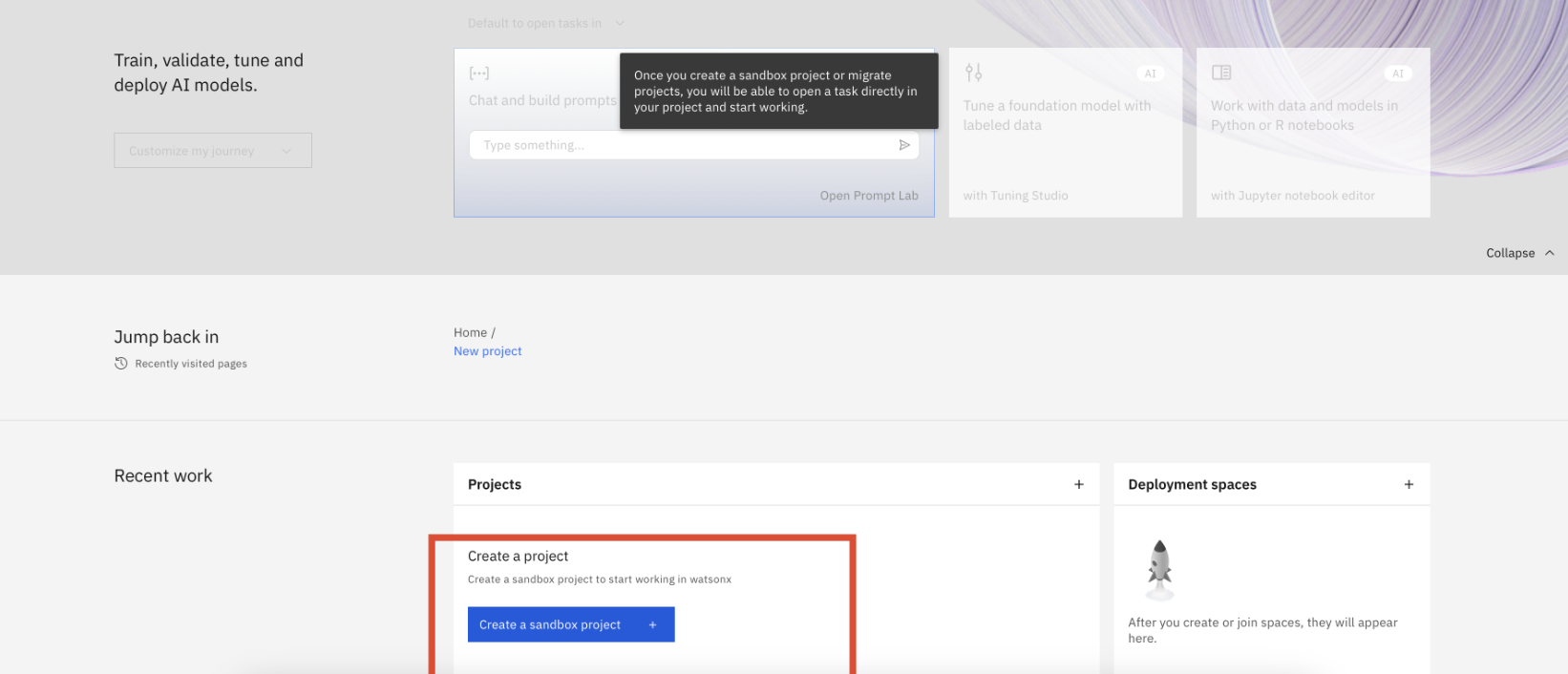
On the Watsonx home page, launch the prompt lab in your sandbox project and copy the project ID.
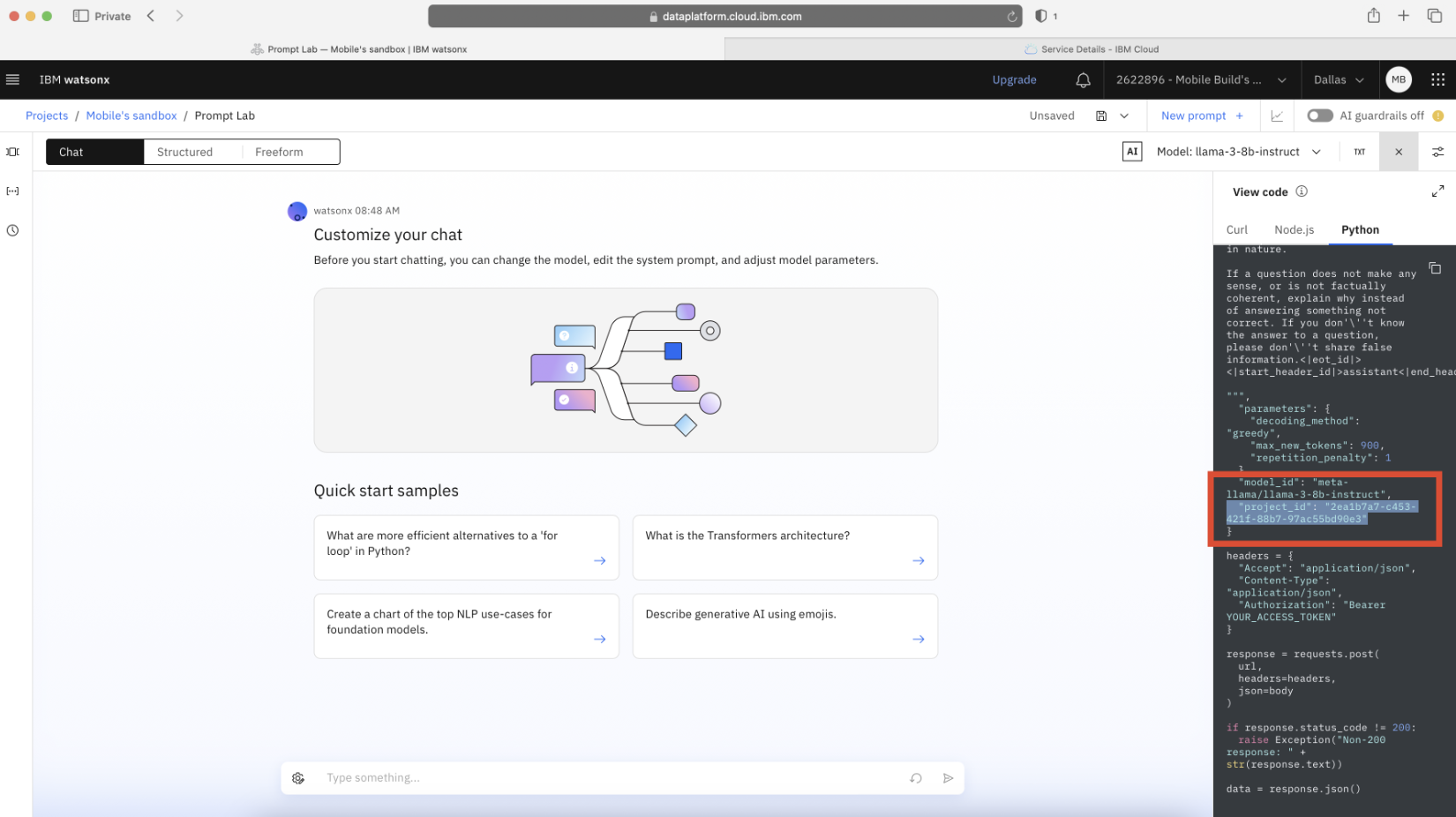
Creating a Slack Application
- Navigate to Slack API.
- Click on "Create App" -> "From Scratch".
- Provide an app name and select the workspace where you want to deploy your bot.
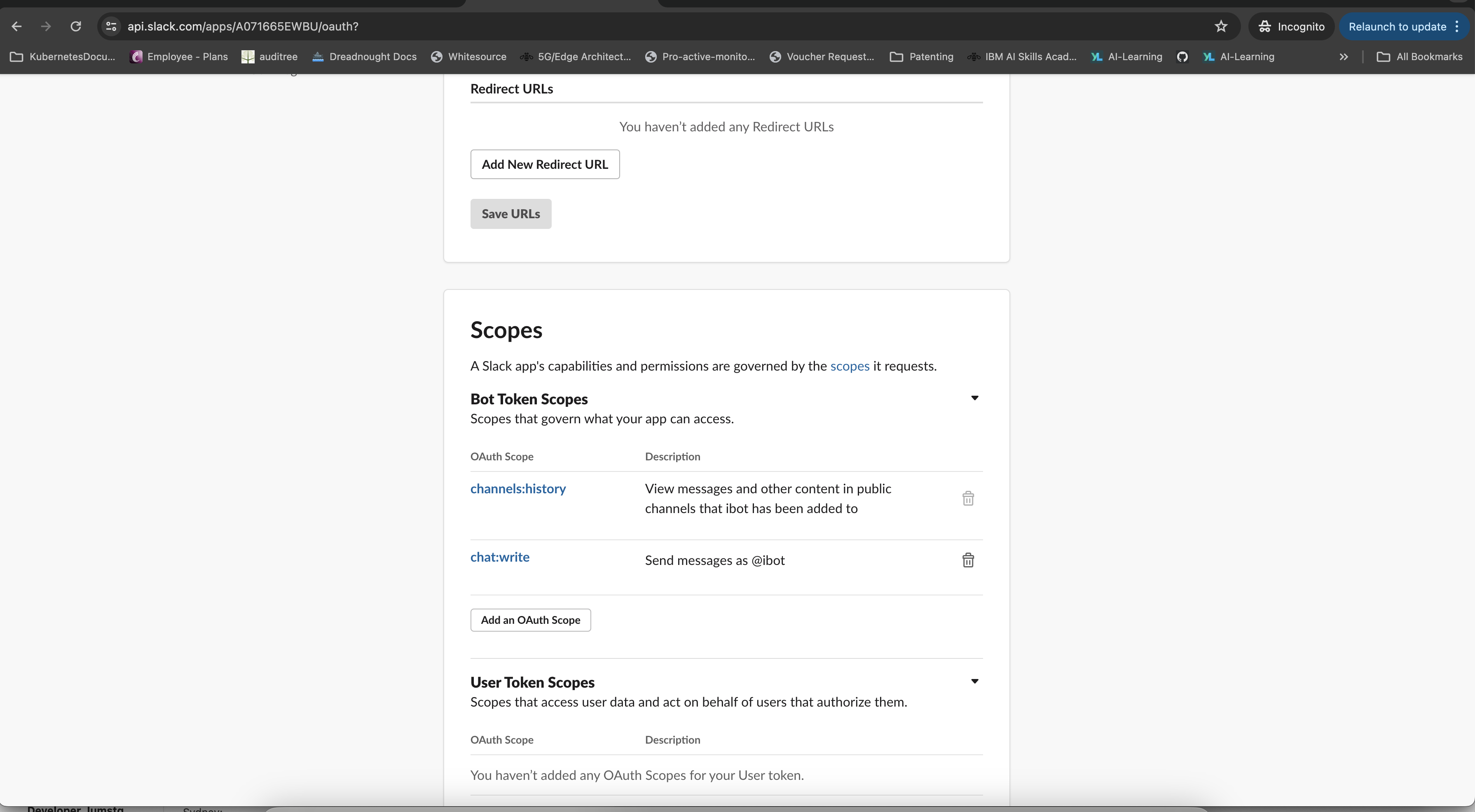
- Under your Slack application settings, navigate to "OAuth & Permissions".
- Click on "Add an OAuth Scope" and add "channels:history" and "chat:write" as bot token scopes.
Set Environment Variables
Set the following environment variables in your terminal:
export SLACK_TOKEN="xoxb-****" # Obtain this value from your Slack application settings under "OAuth & Permissions"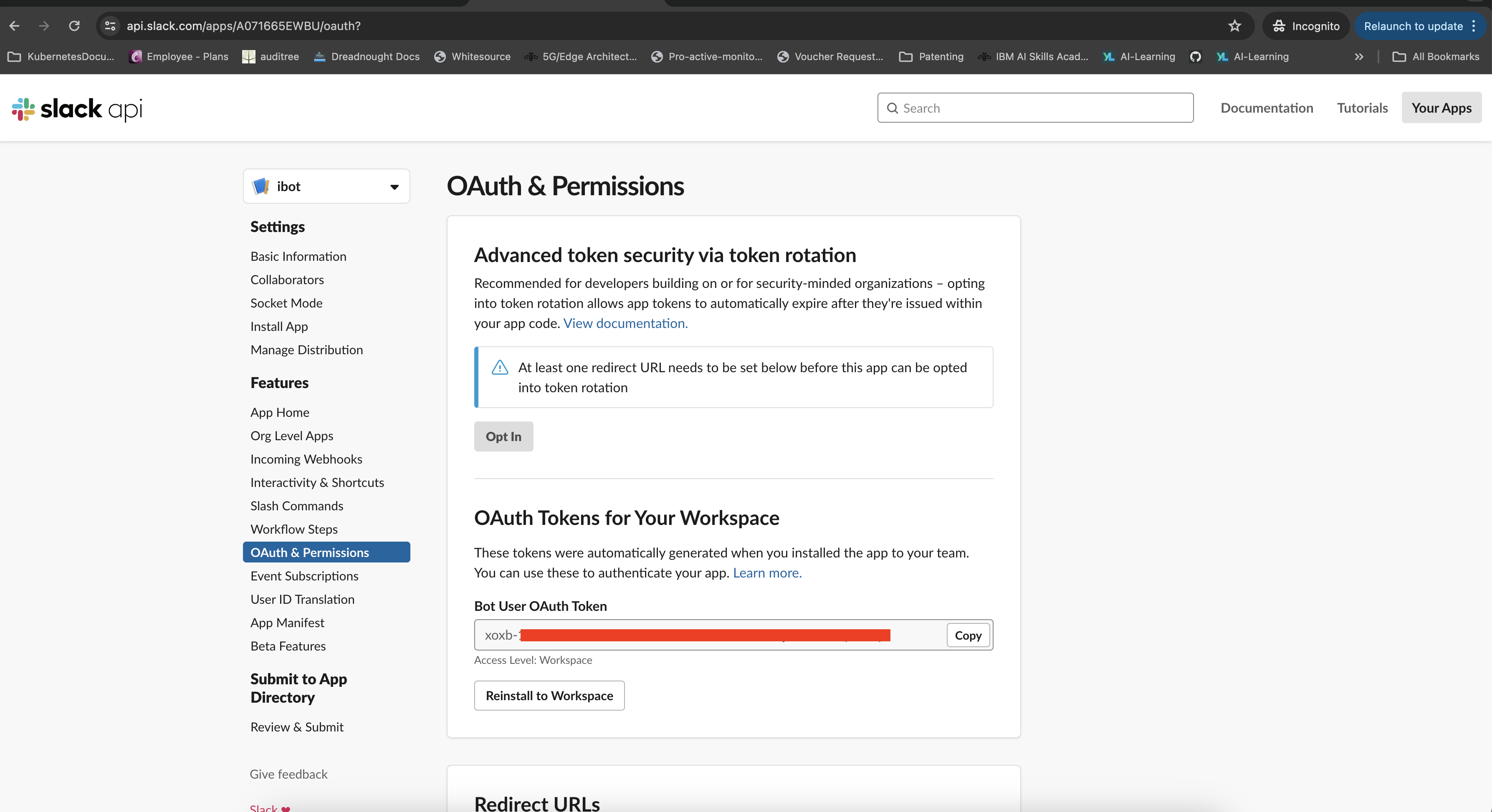
export SIGNING_SECRET="****" # Obtain this value from your Slack application basic information (Signing Secret)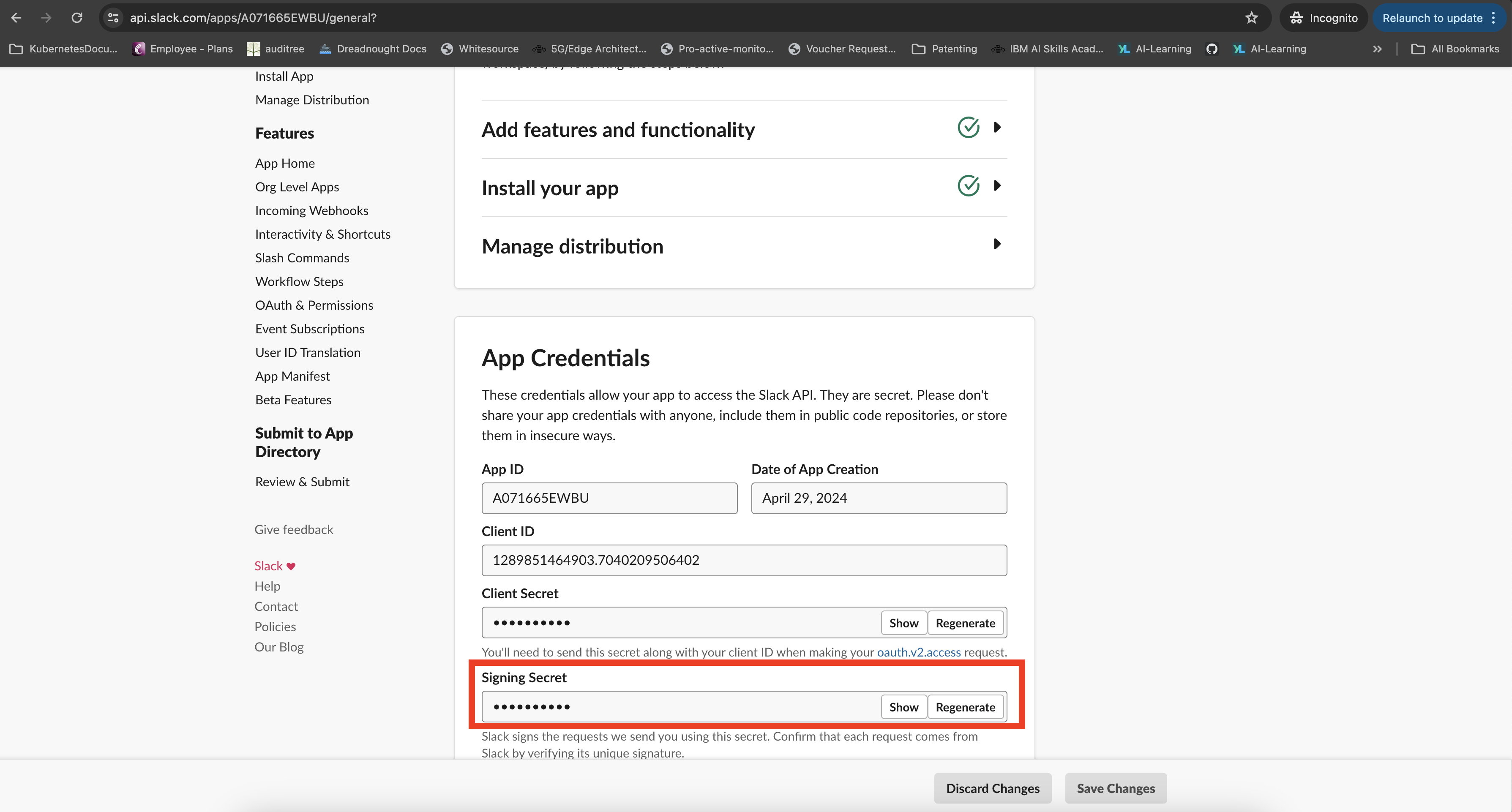
export API_KEY="***"  # Obtain this value from Step 1 (IBM WatsonX API Key)
export PROJECT_ID="****"  # Obtain this value from Step 3 (IBM Cloud Data Platform Project ID)
Run Your Python App and Create a Tunnel With Ngrok
Download the chatbot Python project from the GitHub repository.
Extract the downloaded project and navigate to the project directory from your terminal. Install the required modules using pip:
pip install -r requirements.txtStart your Python Flask application:
python3 app.pyOpen a new terminal window and navigate to your ngrok directory or ensure ngrok is in your system's PATH.
Create a tunnel between Slack and your locally running application on port 8080, using ngrok:
ngrok http 8080After running ngrok, you will see a forwarding URL in the terminal. Copy this URL as it will be used to connect Slack to your local application.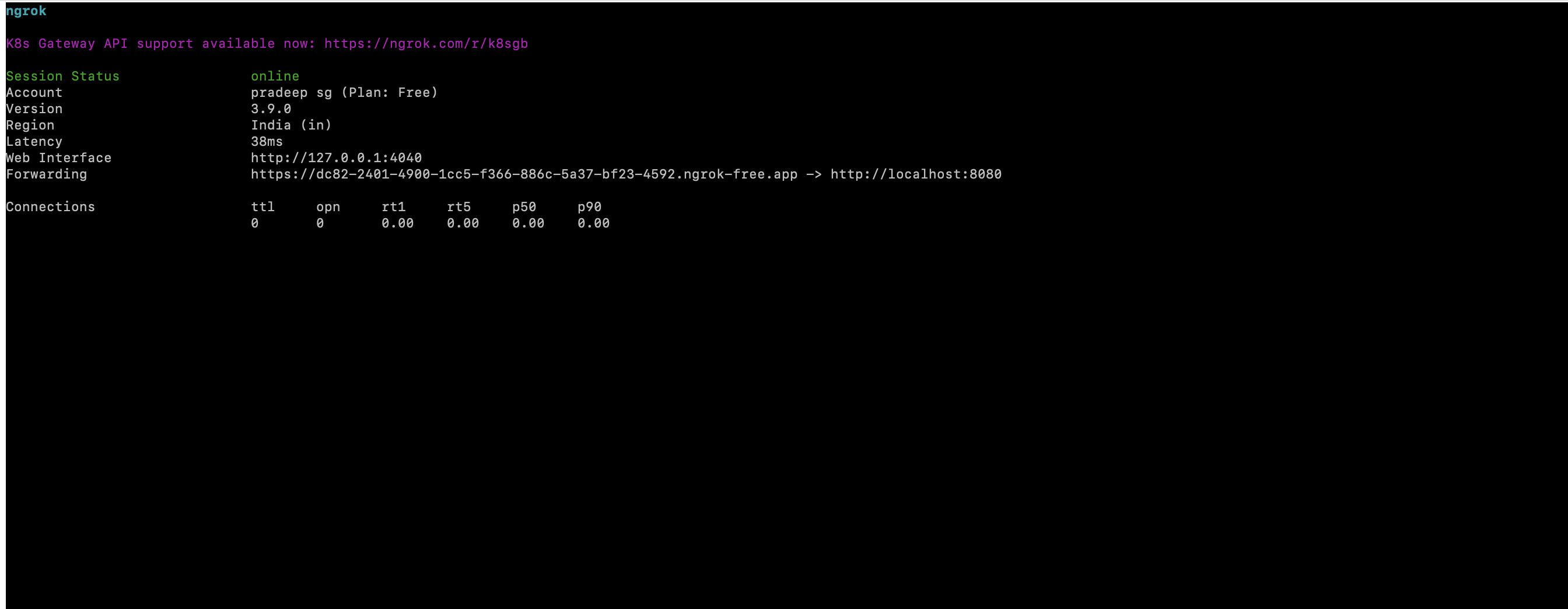
Configure Slack to use the ngrok URL:
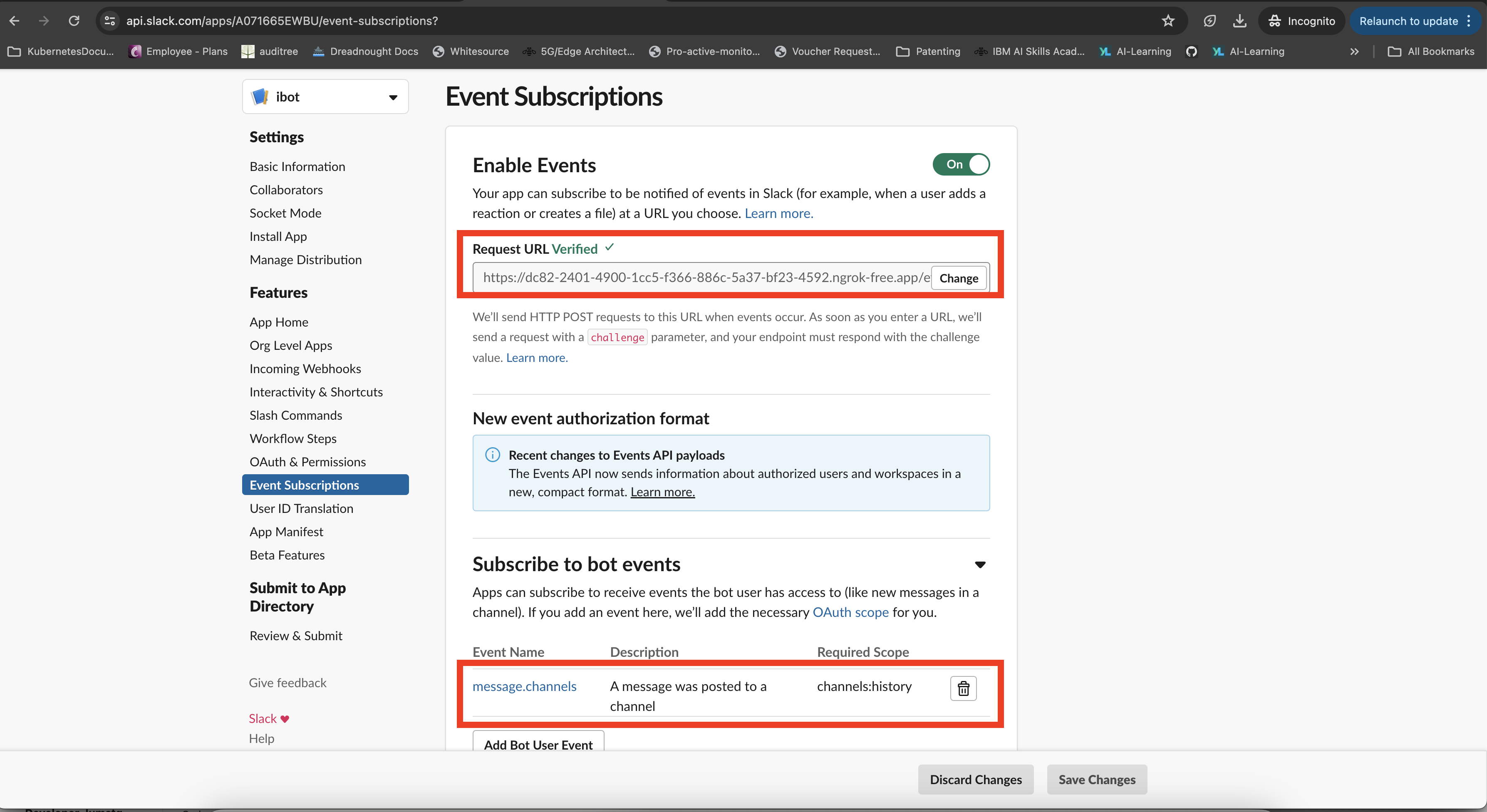
- In your Slack application settings, navigate to "Event Subscriptions".
- Update the "Request URLs" field with your ngrok URL followed by
/events-endpoint. - Add bot user Events "message.channels"
-
Save the changes in your Slack application settings.
Interact With Your App
- Invite your bot to the Slack channel where you want it to operate.
- In the Slack channel, send a message to trigger the bot. For example:
Hi @ibot, can you please write a hello world program? - Wait for the bot to process your request and generate a response.
- Observe the bot's intelligent response based on the input provided.
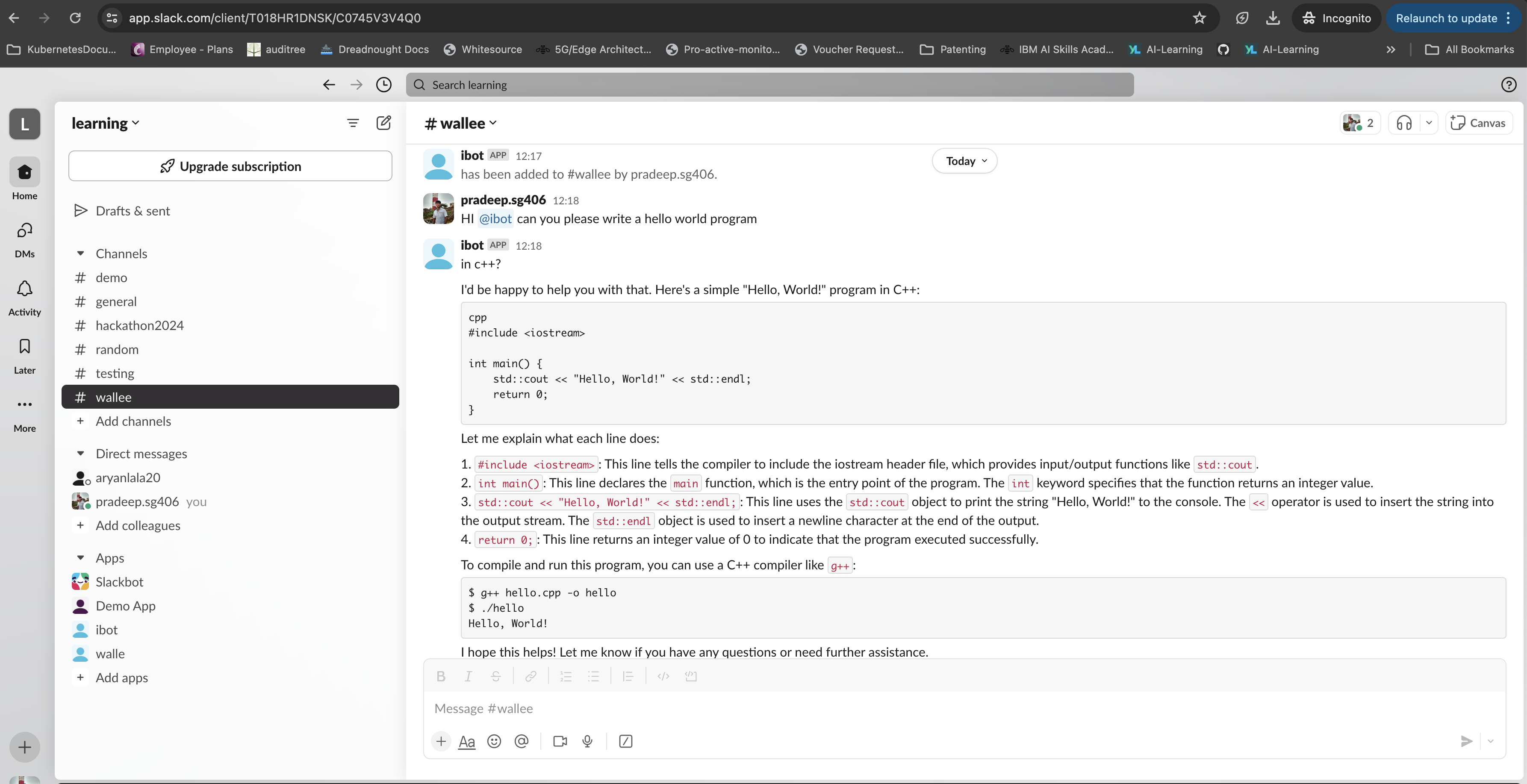
By interacting with your bot in Slack, you can test its functionality, engage in conversations, and experience its AI-powered capabilities firsthand.
Conclusion
In conclusion, by integrating IBM WatsonX into your Slack bot, you've unlocked a world of possibilities for intelligent automation and enhanced user experiences. The ability to generate context-aware responses and interact dynamically with users demonstrates the power of AI in modern applications.
With IBM WatsonX, developers can create similar innovative and impactful applications across various domains. Whether it's automating repetitive tasks, providing personalized recommendations, or assisting with complex decision-making, WatsonX opens doors to creating cool and awesome applications that streamline processes and boost productivity.
As technology continues to evolve, leveraging AI capabilities like those offered by IBM WatsonX becomes increasingly essential for staying competitive and delivering exceptional user experiences. Embrace the potential of AI to transform your applications and make life easier and more productive for users worldwide.
Opinions expressed by DZone contributors are their own.
Comments