

How to Configure Common Flows in Mule 4 to Reuse Common Functionalities
This tutorial explains how to reuse common functionalities in your implementation flow in Mule 4.
By
 ·
·
Tutorial
·
·
Tutorial
Likes
(2)
Likes
There are no likes...yet! 👀
Be the first to like this post!
It looks like you're not logged in.
Sign in to see who liked this post!
Comment
Save
9.0K Views
Join the DZone community and get the full member experience.
Join For FreeReusing common functionalities is very important in any coding language to avoid redundancy. In MuleSoft, we will also come across situations where we will have to reuse common functionalities, for example, error handling. In this article, I will explain how to reuse common flows in your implementation flow.
There are two ways of doing it:
- Create Maven dependencies in the Maven repository and reuse them in the main flow.
- Create the JAR file and use it in the main flow.
Create Maven Dependencies in the Maven Repository and Reuse Them in the Main Flow
- Create the common Mule Project in Studio that you are planning to reuse. In Studio, under Package Explorer, right click -> click New - > select "Mule Project." Enter the Project Name (in my case,
common-lib-prj) and click Finish.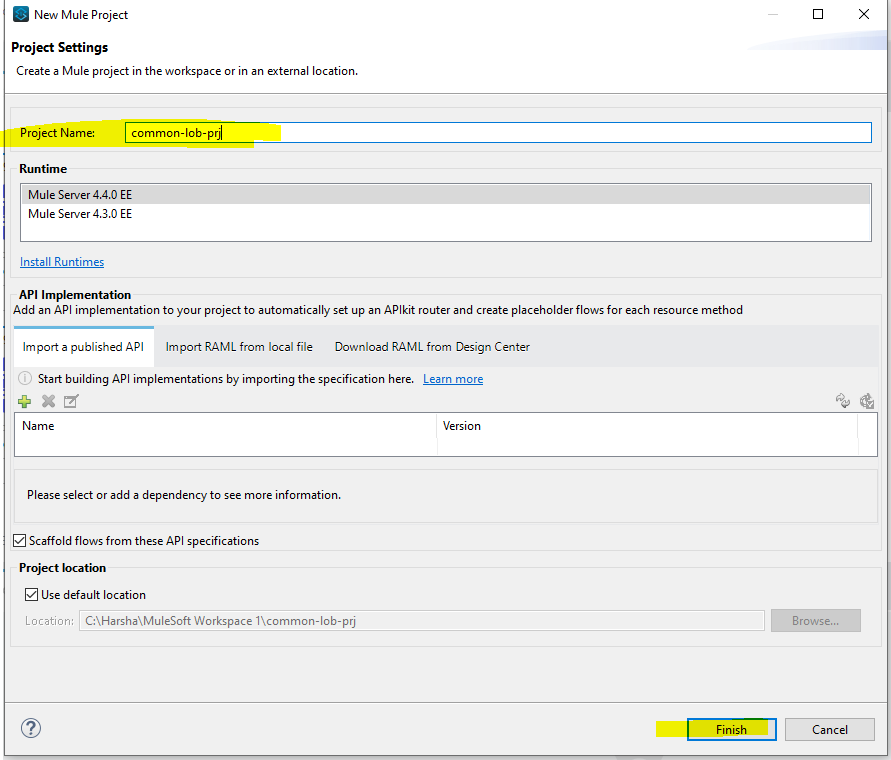
- Create two flows in it with a logger inside the flow as below.
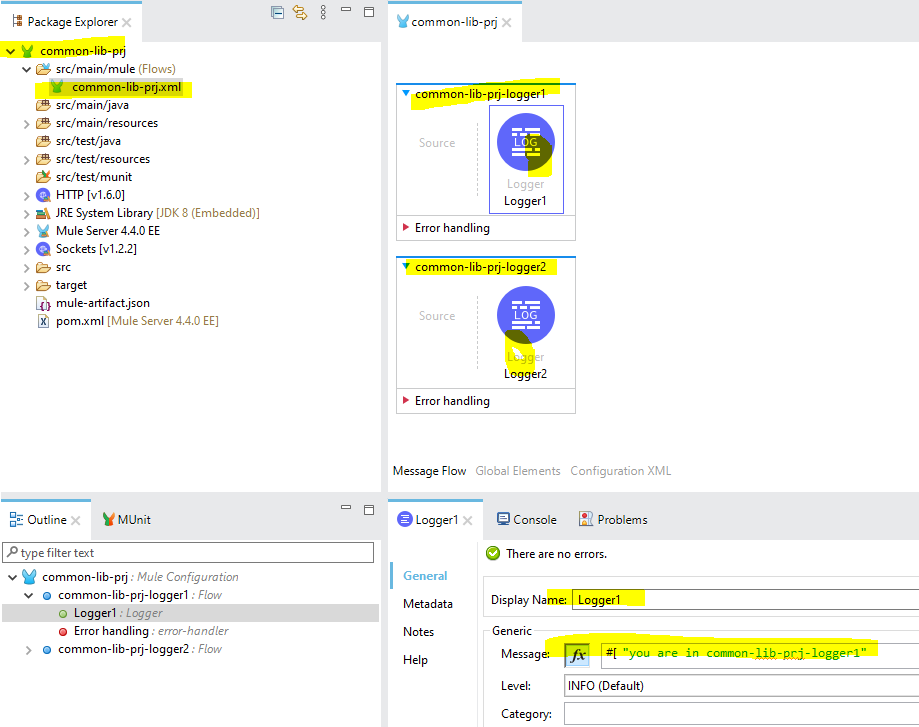
- Open the
pom.xmlfile and modify the Mule Maven Plugin by adding the classifier as "mule-plugin" as below.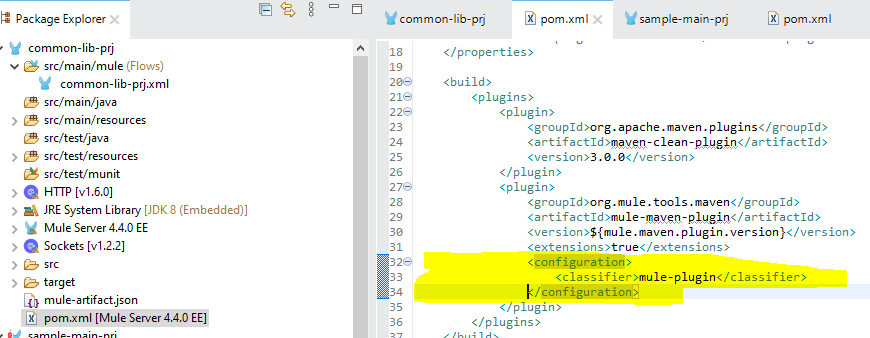
- Open the command prompt and go to the workspace project directory of
common-lib-prj. Enter the command "mvn clean install." By doing this,common-lib-prjwill be created as a plugin project, and it will be available to use as a Maven dependency once the build is a success.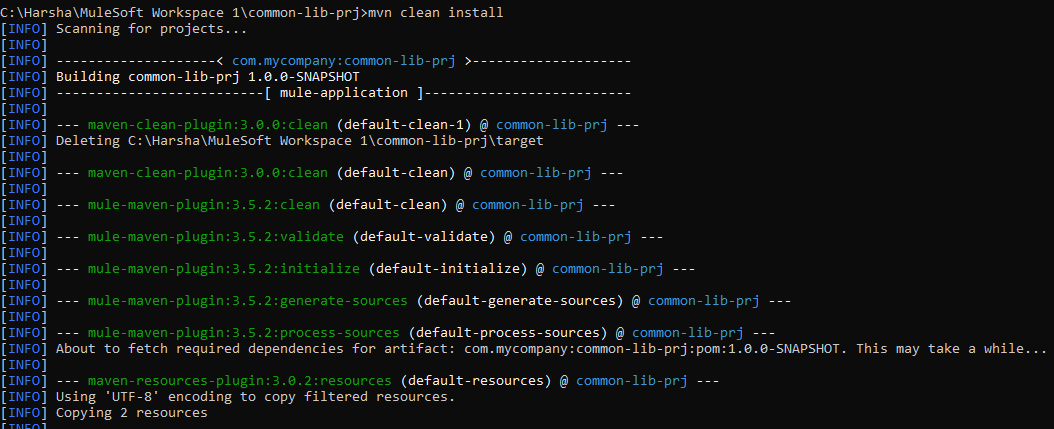
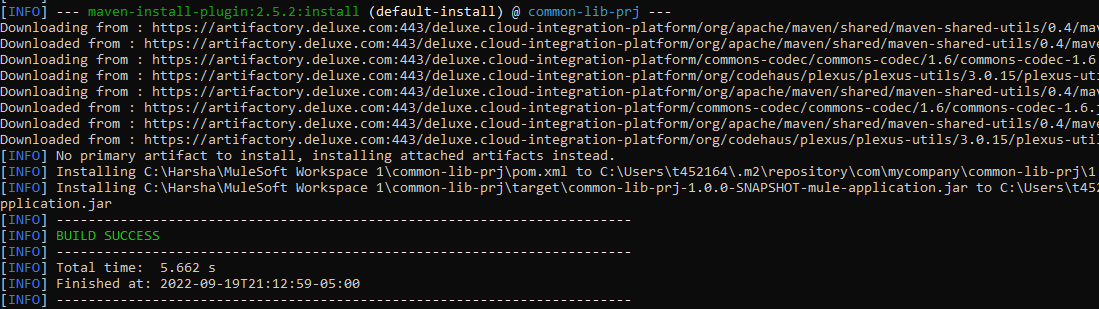
- Create the new Mule project (in my example, I am creating
sample-main-prj) in which you will be using thiscommon-lib-prj.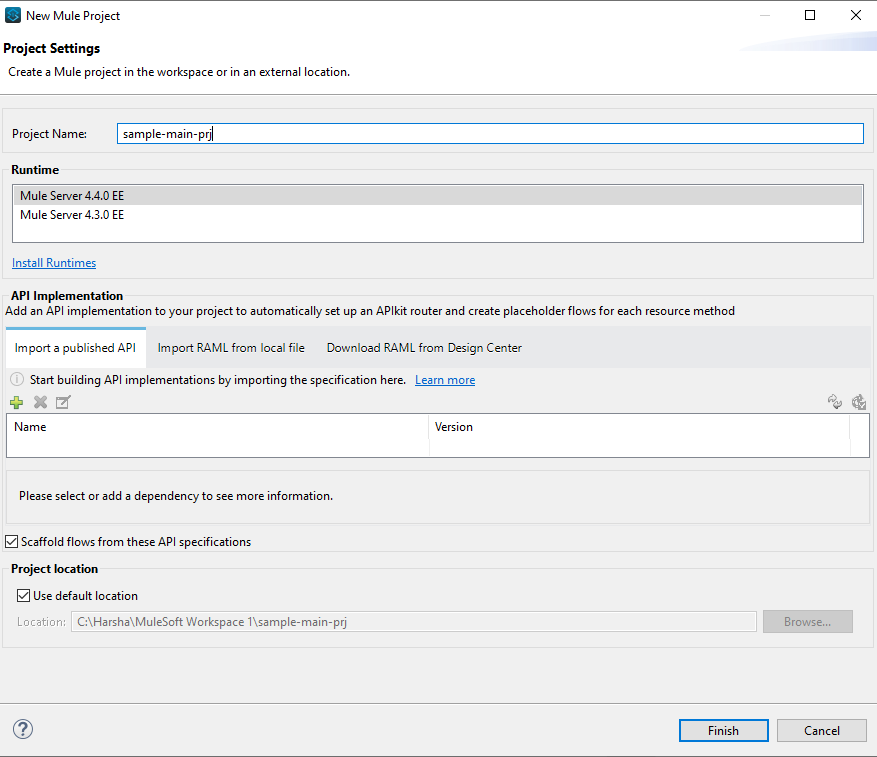
- Create a sample flow in the Mule configuration file as below. Drag the HTTP listener from the palette, add the default connector configuration with port 8081 and path as
/api/*, and then add one Logger and Flow Reference Component.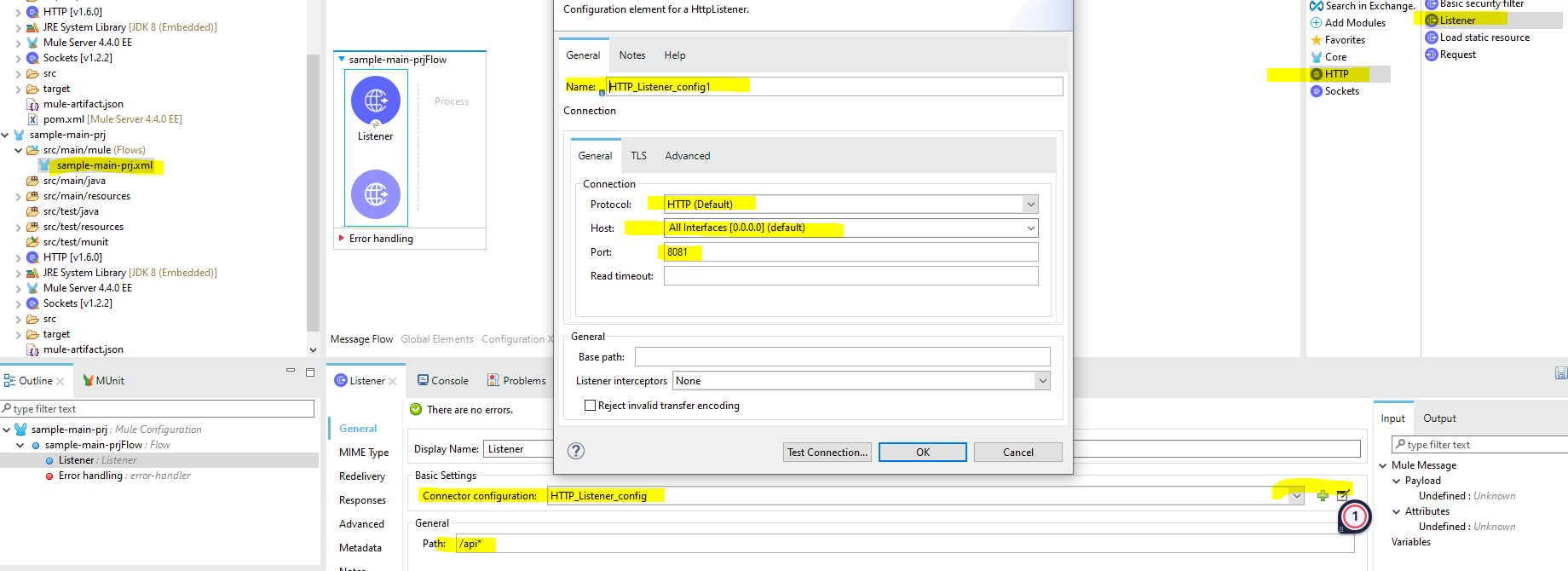
- Copy
groupId,artifactId, andversionfrompom.xmlfile fromcommon-lib-prjas below.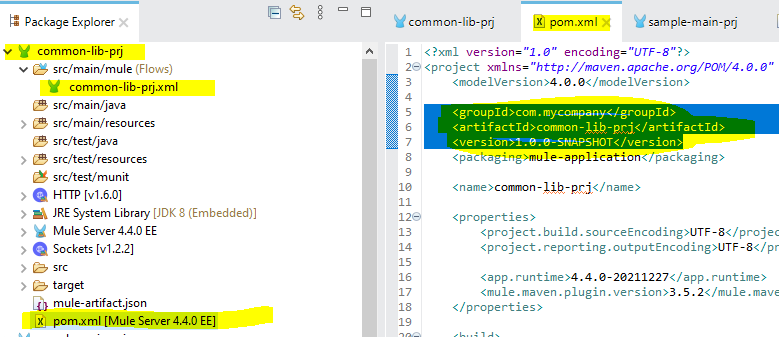
- Add the above-copied properties and also the classifier into the
pom.xmlfile insample-main-prjas a dependency. Once you save thepom.xmlfile, you will seecommon-lib-prjgetting added in tosample-main-prjin the Package Explorer.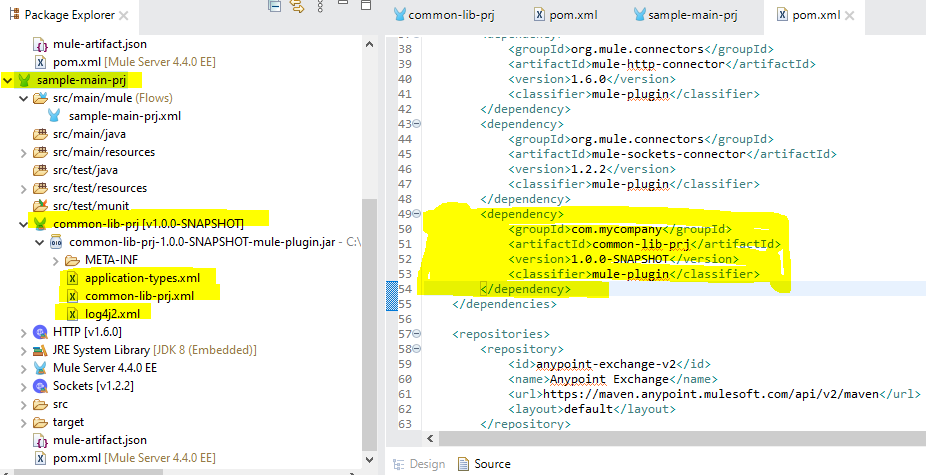
- Go to
sample-main-prjMule configuration file and click on the tab Global elements to add Import as Global configuration.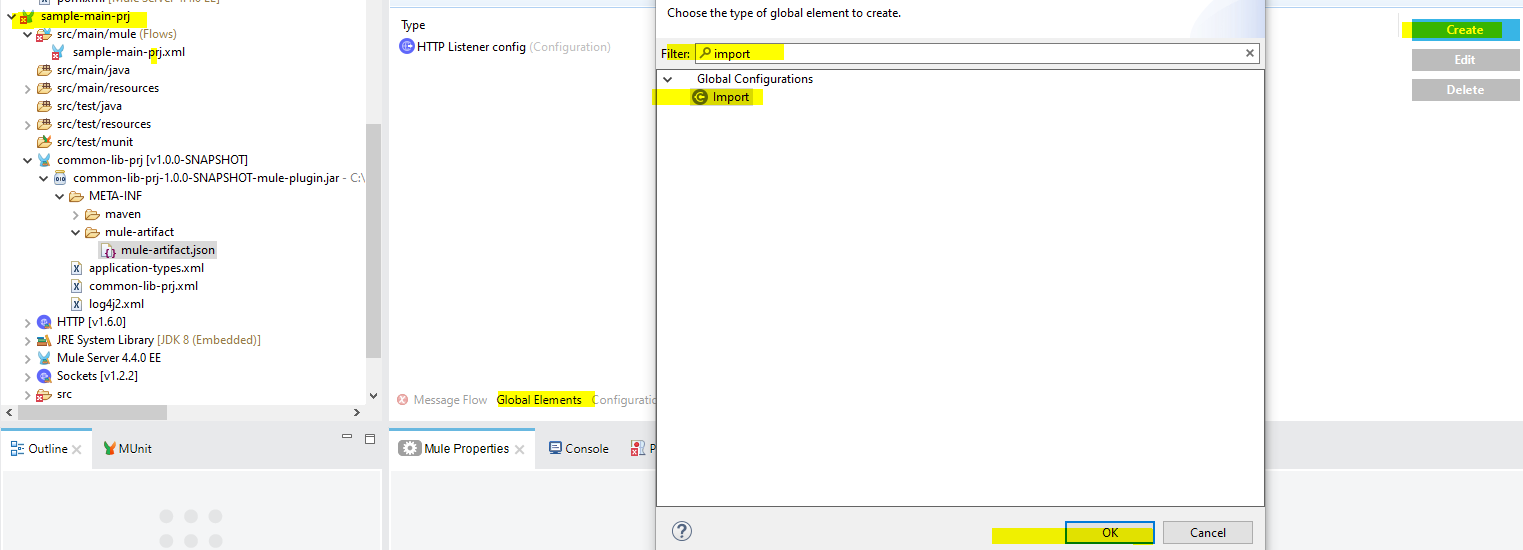
- Add the
common-lib-prj.xmlMule configuration file name as an Import Global Configuration as below.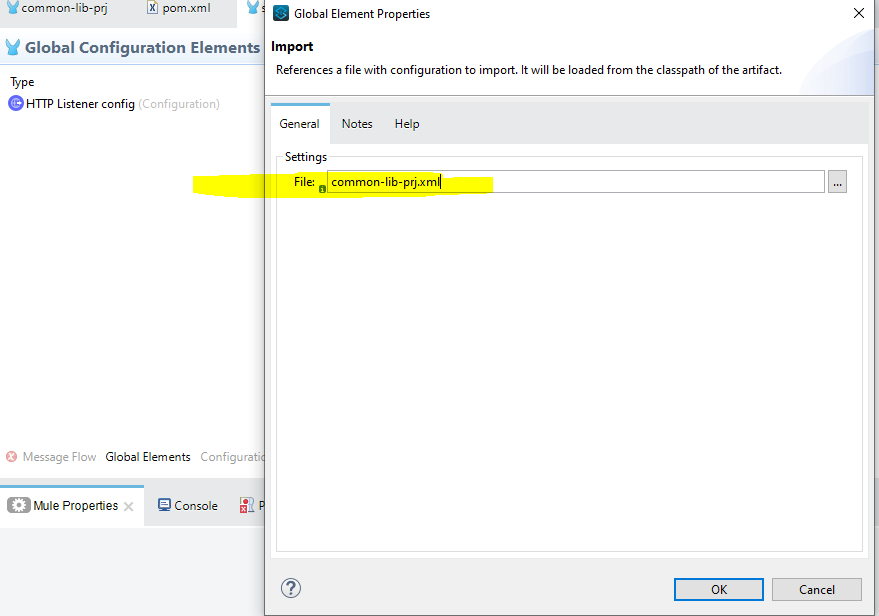
- Now you should be able to see both flows which we built under
common-lib-prjin the Flow Reference drop-down menu insample-main-prjas below.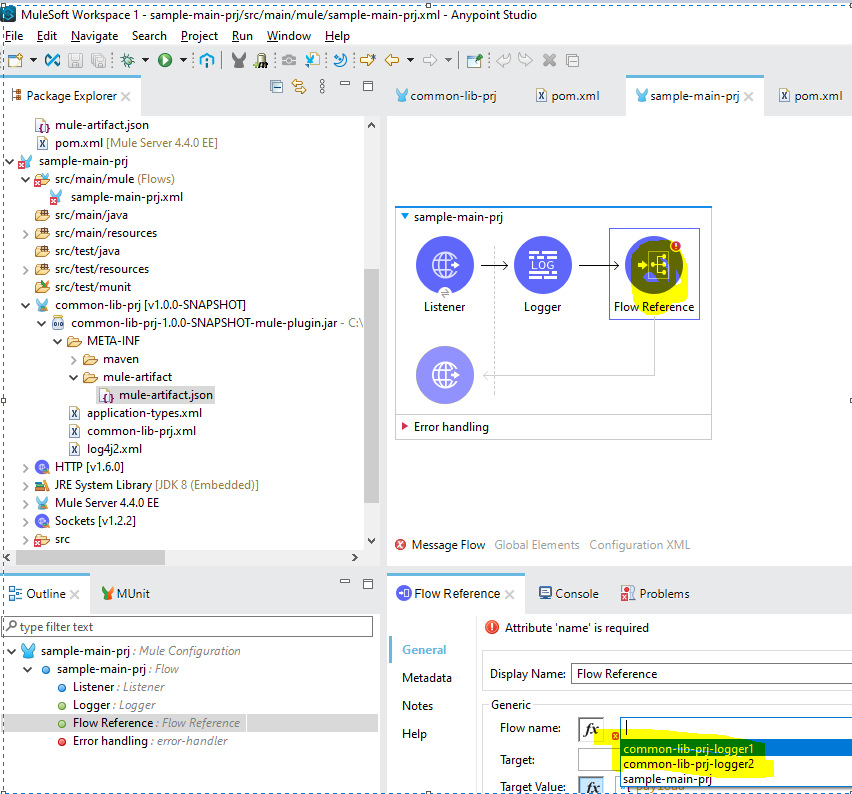
- Now deploy the flow
sample-main-prjby running the project.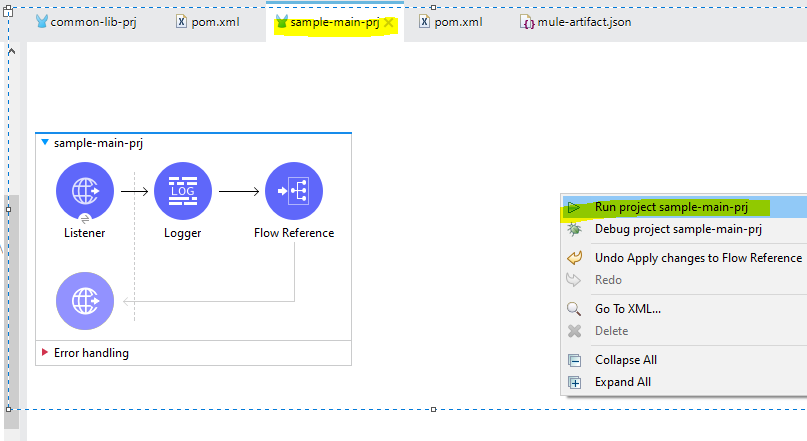
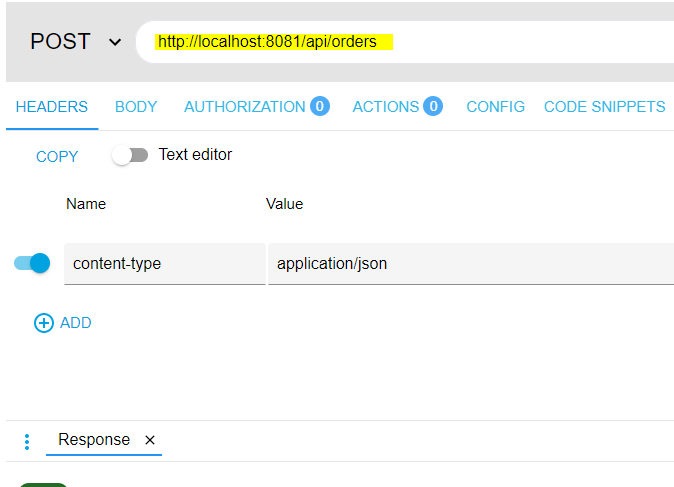
- Open Postman or Advanced REST Client and send the request as below.
- Check the Studio Console output and you should see the logger getting printed from
common-lib-prjas below.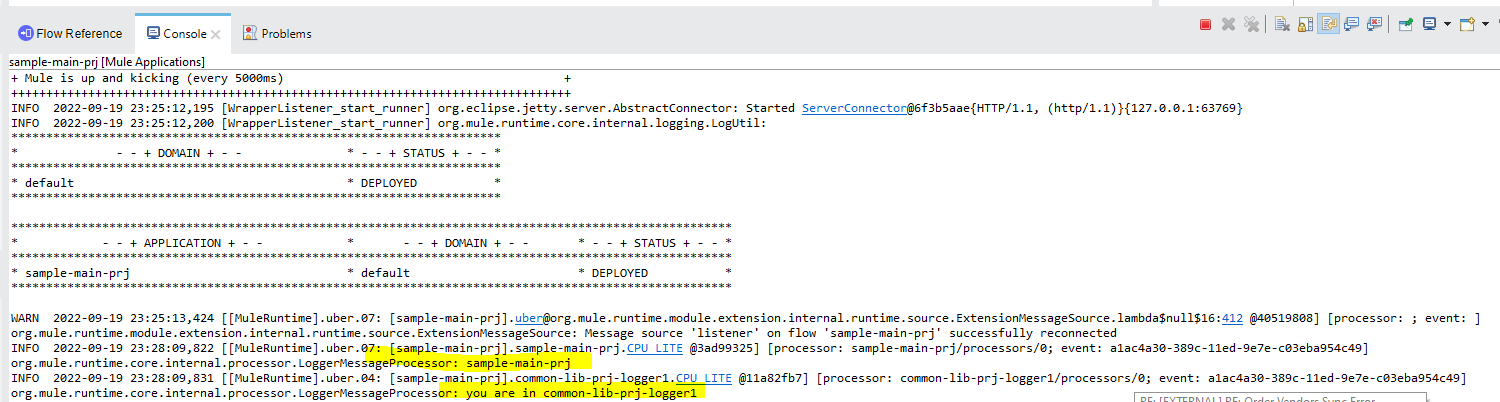
Create the JAR File and Use It in the Main Flow
- Create the common Mule Project in Studio that you are planning to reuse. In Studio, under Package Explorer, right click -> click new - > select "Mule Project." Enter the Project Name (in my case,
common-lib-prj) and click Finish. - Create two flows in it with a logger inside the flow as below.
- Deploy the
common-lib-prjby running the project.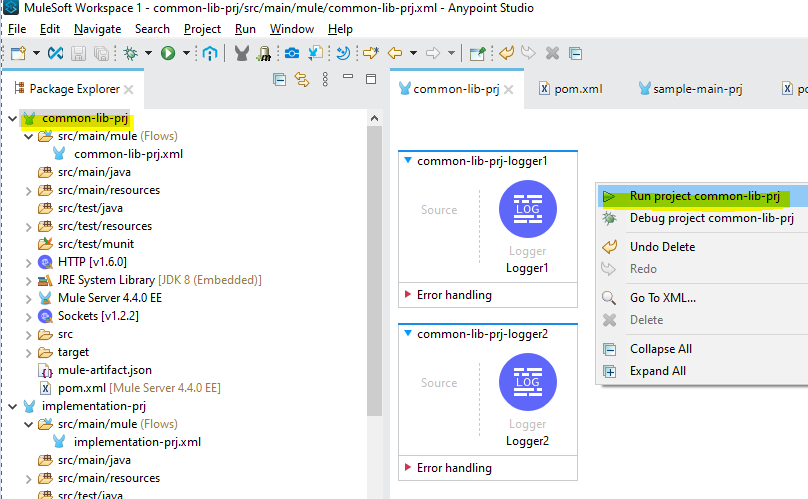
- Once the flow is successfully deployed, just export as a Mule Project.
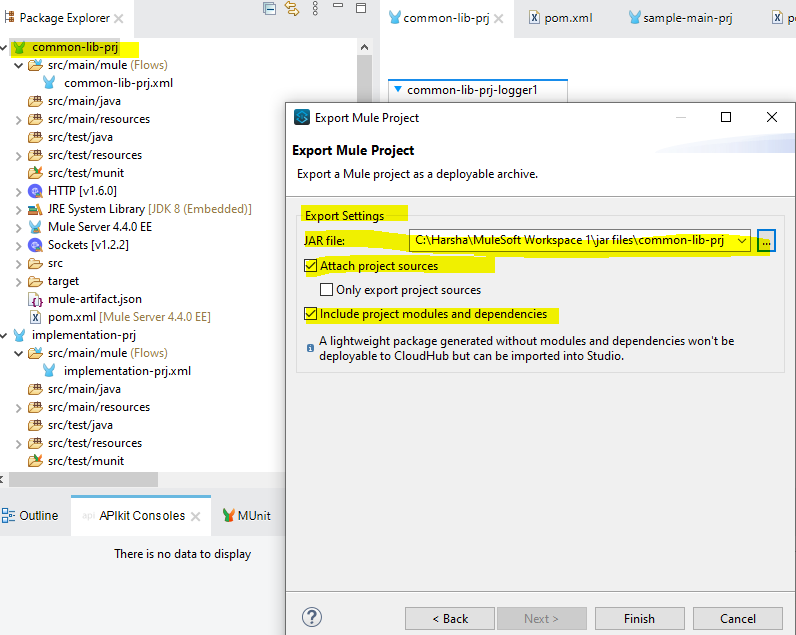
- Create a new Project called
implementation-prjwhere you will be usingcommon-lib-prjflows.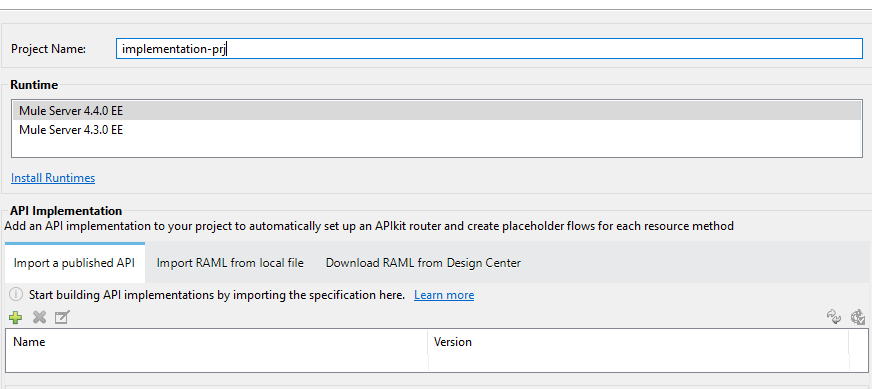
- Right-click on
implementation-prjand addcommon-lib-prj.jarinto the implementation project as a Maven dependency.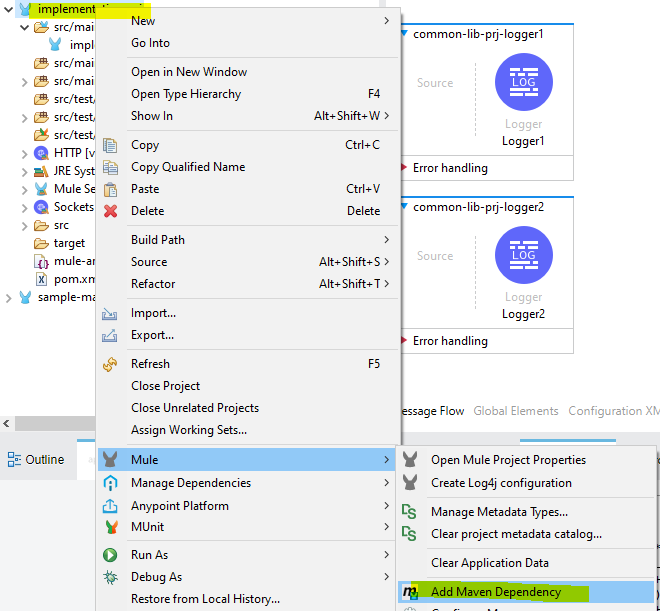
- In the next pop-up window, click on "Install a local dependency," browse the
common-lib-prj.jarfile and install it. Then click Finish. The JAR file will be successfully added to the local repository.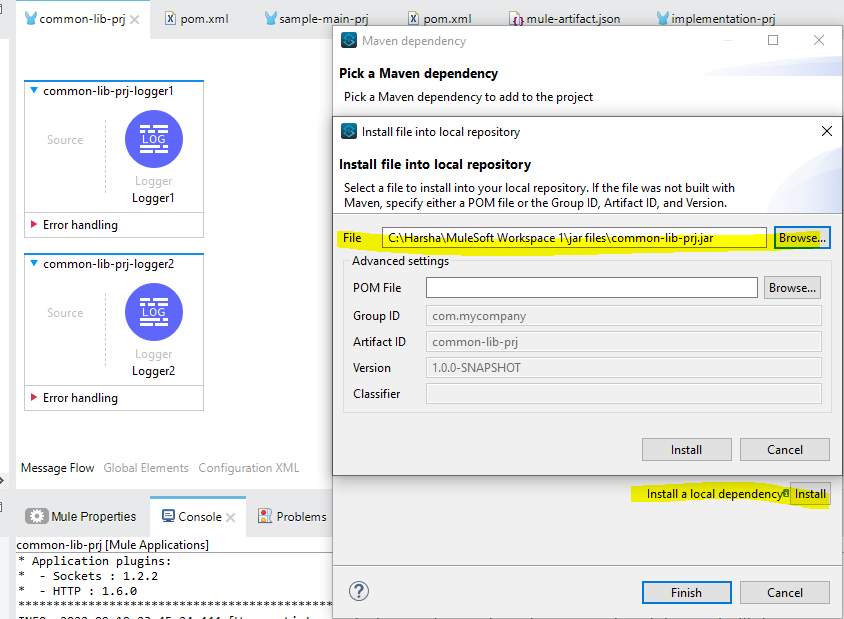
- You should be able to see the dependency of
common-lib-prjin thepom.xmlfile ofimplementation-prjas below. And also you should be able to seecommon-lib-prjadded under "Project Libraries."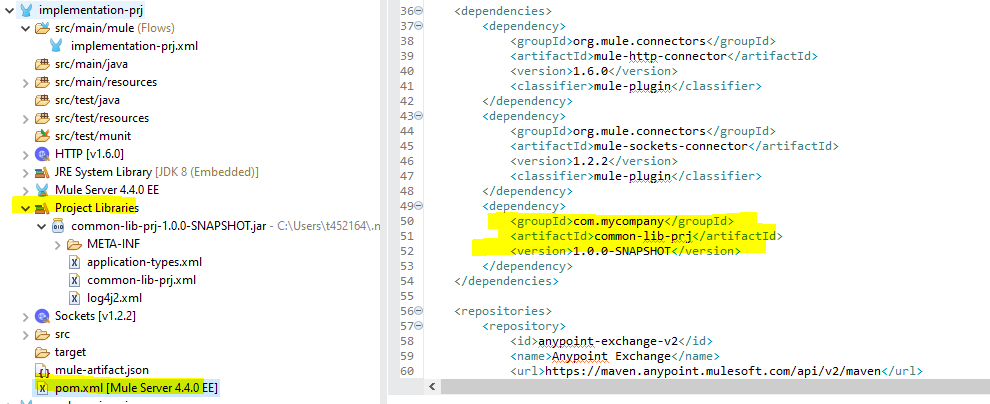
- Create the flow in
implementation-prjas below with the default HTTP listener configuration, logger, and Flow Reference.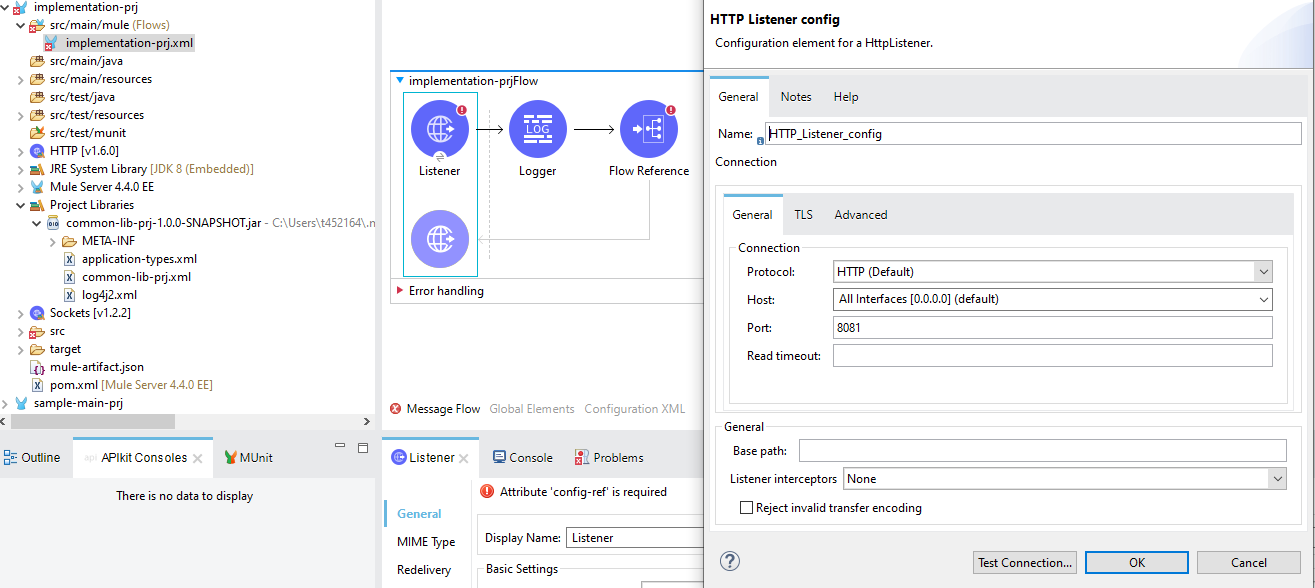
- Go to Global Elements and import the
common-lib-prjMule Configuration file. With this, we can reference any common flows and configurations which we can utilize or access as shared resources. We can import multiple files.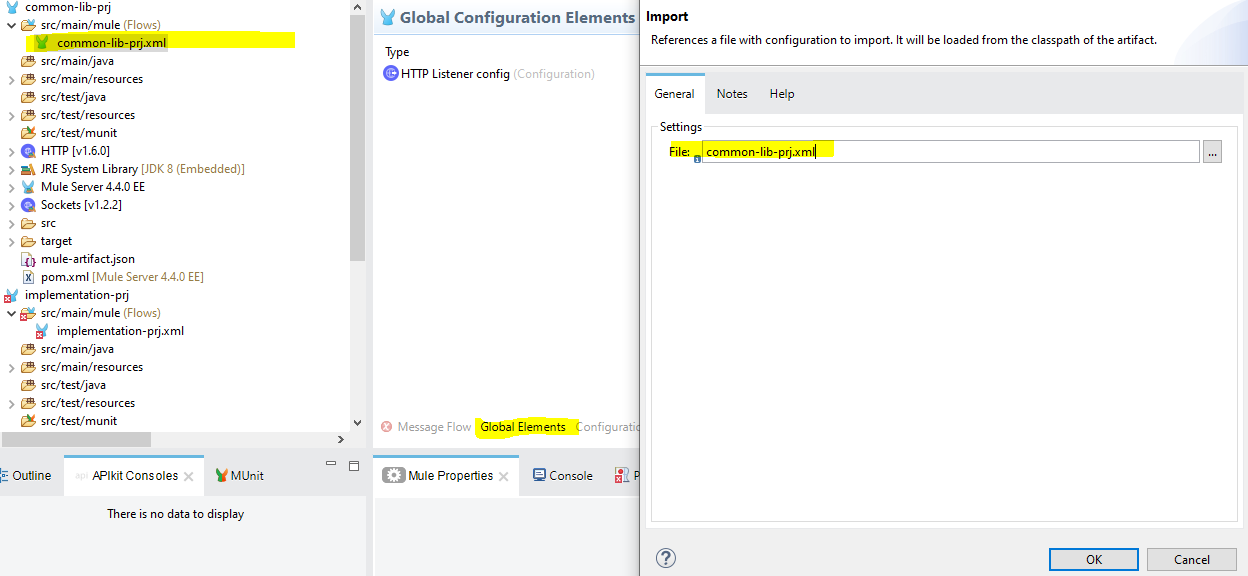
- Now you should be able to see both the flows which we built under
common-lib-prjin the Flow Reference drop-down menu inimplementation-prjas below.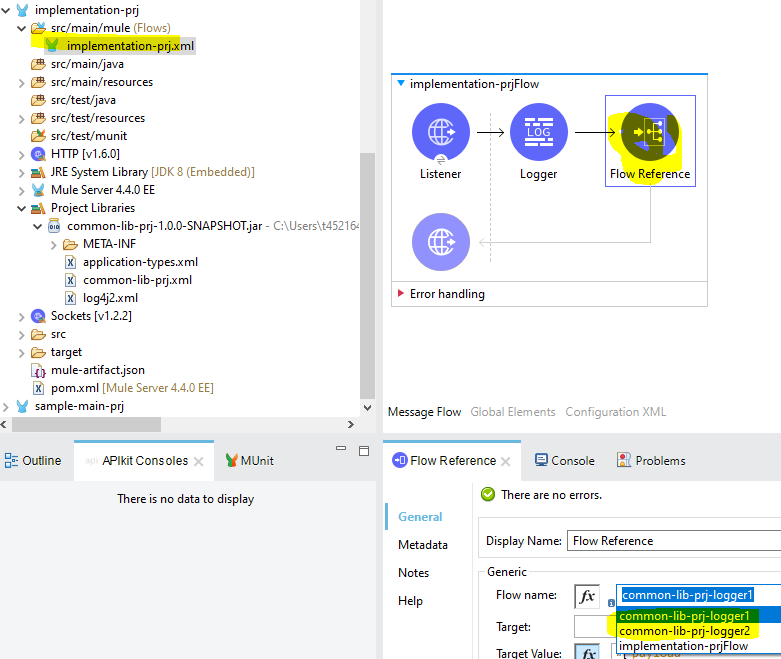
- Now deploy the flow
implementation-prjby running the project.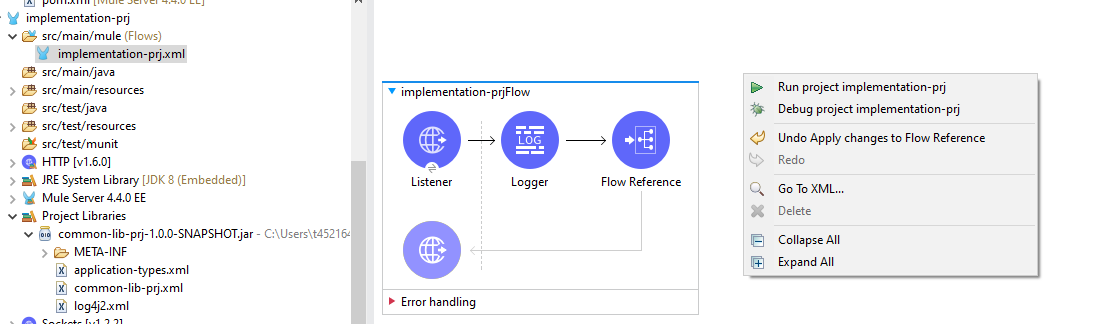
- Open Postman or Advanced REST Client and send the request as below.
- Check the Studio Console output and you should see the logger getting printed from
common-lib-prjas below.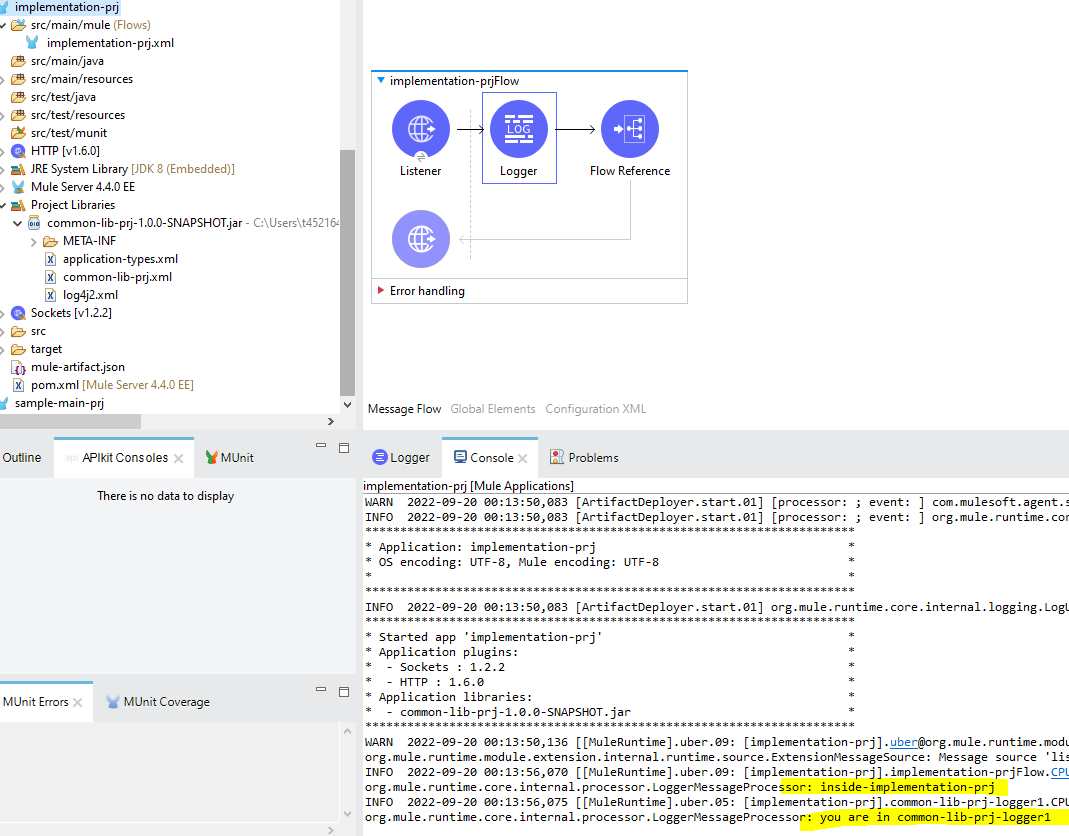
You can deploy these two flows in CloudHub and see the result.
MULE
Flow (web browser)
Opinions expressed by DZone contributors are their own.
Comments