DZone
Thanks for visiting DZone today,
Edit Profile
  • Manage Email Subscriptions
  • How to Post to DZone
  • Article Submission Guidelines
Sign Out View Profile
  • Post an Article
  • Manage My Drafts
Over 2 million developers have joined DZone.
Log In / Join
Refcards Trend Reports
Events Video Library
Refcards
Trend Reports

Events

View Events Video Library

Related

  • Revolutionizing Scaled Agile Frameworks with AI, MuleSoft, and AWS: An Insider’s Perspective
  • Unlocking the Potential: Integrating AI-Driven Insights with MuleSoft and AWS for Scalable Enterprise Solutions
  • Mastering Multi-Cloud Integration: SAFe 5.0, MuleSoft, and AWS - A Personal Journey
  • AI-Generated DataWeave in MuleSoft: Production Failure Modes and How to Make It Safe

Trending

  • Bridging Gaps in SOC Maturity Using Detection Engineering and Automation
  • The Cost of Knowing: When Observability Becomes the Outage
  • Spec-Driven Integration: Turning API Sprawl Into a Governed Capability Fleet for AI
  • Liquibase: Database Change Management and Automated Deployments
  1. DZone
  2. Software Design and Architecture
  3. Integration
  4. Logging With New Relic for Mulesoft APIs

Logging With New Relic for Mulesoft APIs

In this article, you will learn what New Relic is and how to easily send logs to New Relic from MuleSoft by using the HTTP Appender.

By 
Swati Singla user avatar
Swati Singla
·
Updated Jan. 21, 21 · Tutorial
Likes (2)
Comment
Save
Tweet
Share
14.1K Views

Join the DZone community and get the full member experience.

Join For Free

What Is New Relic?

New Relic is a web application performance service designed to figure in real-time together with your live web app. New Relic Infrastructure provides flexible, dynamic server monitoring. You can see the important performance data of your app in New Relic, like browser reaction time by geography and browser type, web transactions in real-time, etc.

Steps to Registering With New Relic

  1. Go to https://newrelic.com/
  2. Click on Sign Up if you do not have an account already.
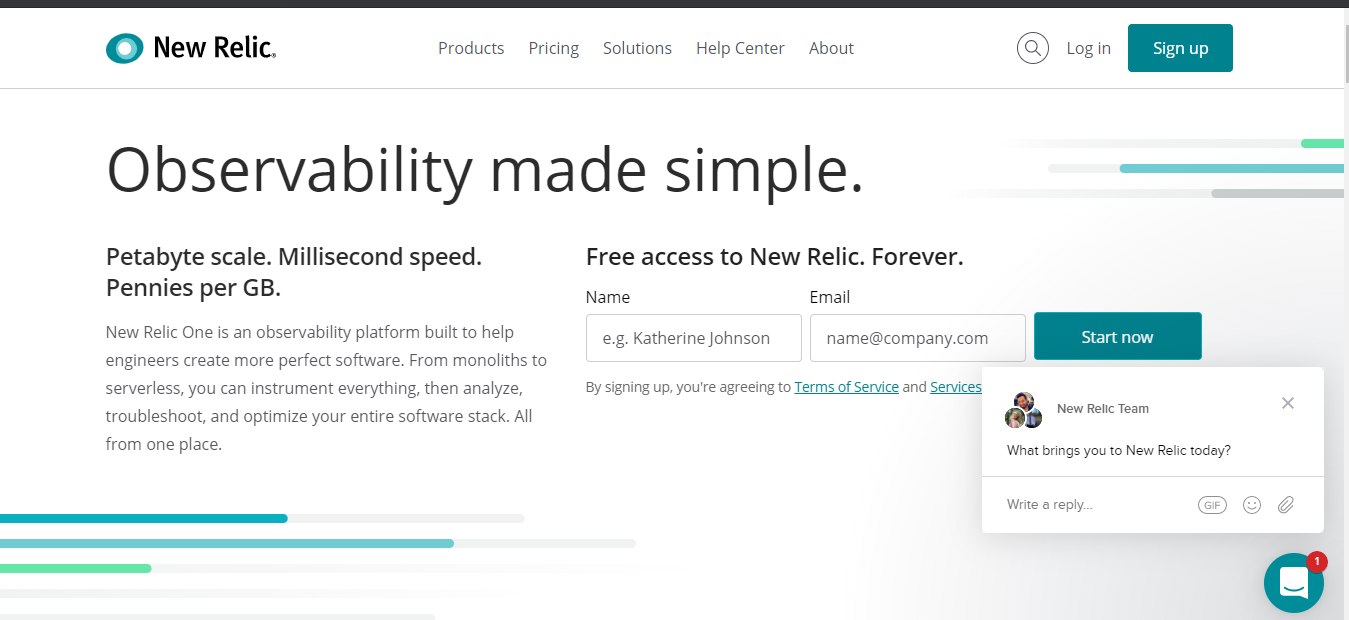
New Relic sign-up screenshot.


Login to New Relic

  1. Go to https://newrelic.com/
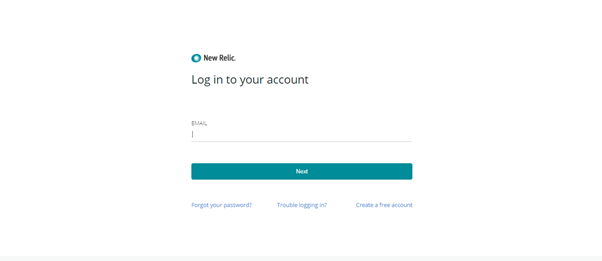
  2. Click on Login.New Relic login screenshot.
  3. Provide your credentials.
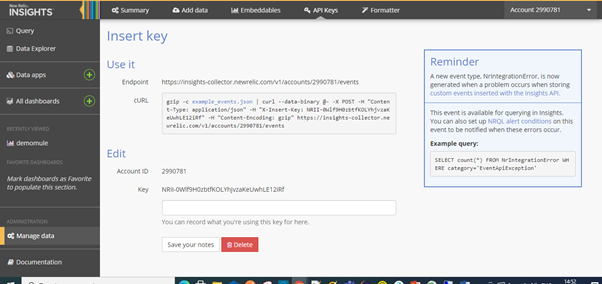
  4. Go to More -> Insights -> Manage data --> Click on the “+” icon in front of Insert Keys.
  5. Get the accountId and insert the key on your screen.Insert Key page screenshot.
  6. Save your Key and Account ID.

Steps to Enable Logging into the Mulesoft Application 

In Anypoint Studio, go to Project.

Add these details in logger: (Logger, Custom Apisero Logger).

The logger should contain the eventType field.

JSON


xxxxxxxxxx
1
11


1
{
2
    "severity": "LOW",
3
    "eventType": "InsightsLogs",
4
    "env": "DEV",
5
    "messageId": "7238-8580565-84859-4858",
6
    "muleAppName": "new-relic-insights",
7
    "CreationDate": "2021-01-17T10:22:33",
8
    "payload": "payload",
9
    "result": "Success",
10
    "endpoint": "/api/first"
11
}


Open: src/main/resources/log4j2.xml and add the below XML tag in Configuration/Appenders

XML


xxxxxxxxxx
1


1
<Http name="NEWRELIC" url="https://insights-collector.newrelic.com/v1/accounts/<accountId>/events">
2
        <Property name="X-insert-Key" value="<apiKey>" />
3
        <Property name="Content-Type" value="application/json" />
4
        <PatternLayout pattern="%m%n"></PatternLayout>
5
</Http>


The URL should follow the below format:

<AppenderRef ref="NEWRELIC" />

 Now, Run Application.

See the Console Log.
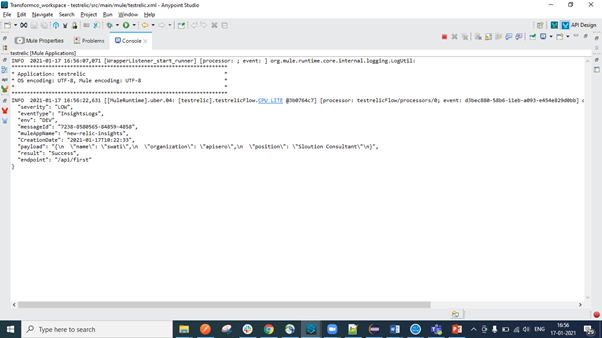
Console Log screenshot.


 View the Logs in New Relic

  1.  Go to https://newrelic.com/
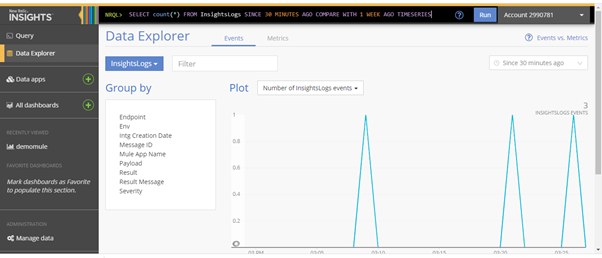
  2. Go to the Data Explorer.Data Explorer page screenshot.
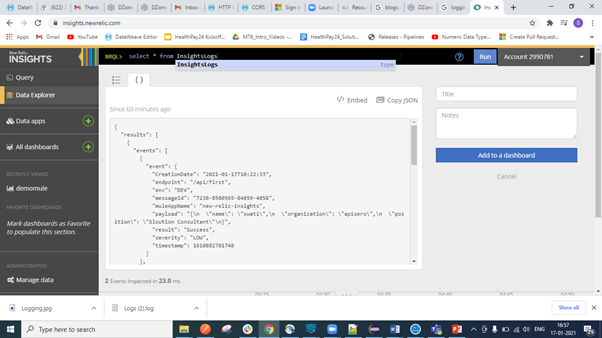
  3. Type the NRQL Query: Select * from Insightslogs.Insightslogs page screenshot.
  4. Go to the right next tab to the open window and you can see the logs.Log view screenshot.
MuleSoft

Opinions expressed by DZone contributors are their own.

Related

  • Revolutionizing Scaled Agile Frameworks with AI, MuleSoft, and AWS: An Insider’s Perspective
  • Unlocking the Potential: Integrating AI-Driven Insights with MuleSoft and AWS for Scalable Enterprise Solutions
  • Mastering Multi-Cloud Integration: SAFe 5.0, MuleSoft, and AWS - A Personal Journey
  • AI-Generated DataWeave in MuleSoft: Production Failure Modes and How to Make It Safe

Partner Resources

×

Comments

The likes didn't load as expected. Please refresh the page and try again.

  • RSS
  • X
  • Facebook

ABOUT US

  • About DZone
  • Support and feedback
  • Community research

ADVERTISE

  • Advertise with DZone

CONTRIBUTE ON DZONE

  • Article Submission Guidelines
  • Become a Contributor
  • Core Program
  • Visit the Writers' Zone

LEGAL

  • Terms of Service
  • Privacy Policy

CONTACT US

  • 3343 Perimeter Hill Drive
  • Suite 215
  • Nashville, TN 37211
  • [email protected]

Let's be friends:

  • RSS
  • X
  • Facebook