

Effortless Credential Management in Azure: The Power of Managed Identities
Managed Identities simplify access to Azure resources, eliminating the need for connection strings and manual rotation of secrets.
 CORE
·
CORE
·
Azure Entra Id, formerly Azure Active Directory is a comprehensive Identity and Access Management offering from Microsoft. While it encompasses many functionalities, the article will focus on Managed Identities.
Why Managed Identities?
Initially, Azure resources were accessed using connecting strings--keys tied to specific resources. For instance, for a storage account named "Foo", its connection string might be "Bar". This string would be stored in a Vault, and applications would retrieve it to access the resource.
Some of the challenges with this approach were:
- Key rotation: When a key rotation is performed, the new key must be updated in the Vault. Service using it had to be notified about the rotation.
- Security risks: The Storage Key acts like a Master Key, allowing any operation, including deletion of the resource, to pose a risk in a production environment.
Then came Service Principal and Role Based Access Control (RBAC). With this, the principal is assigned to an Azure Resource, such as Storage, along with permissions like Blob Reader and Blob Writer, restricting operations the principal can perform.
- While this method eased the management of multiple connection strings and Security Risks, the need for manual rotation of Service Principal client secrets/certificates failed to address the Key Rotation issue.
This is where Managed Identity emerges as the pivotal solution to address all these challenges. Here's how:
- Automated key rotation: Azure takes charge of the Key Rotation process seamlessly in the background, eliminating the need for manual intervention.
- Credential concealment: Managed Identity shields actual credentials from end-users, significantly reducing the risk of inadvertent exposure. This means developers can confidently work without the fear of accidentally committing access keys to version control systems or unintentionally exposing them to the public domain
Types of Identities
Azure Entra has two offerings, System Managed and User Managed Identity.
User Managed Identity
- This is a standalone instance, similar to an Azure VM or an App Service. It creates a Service Principal managed by Azure.
- Like any other principal, the created principal can be attached to any resource and granted corresponding permissions. Azure resources requiring access to the assigned resource can utilize the client ID of the user-managed identity to gain access.
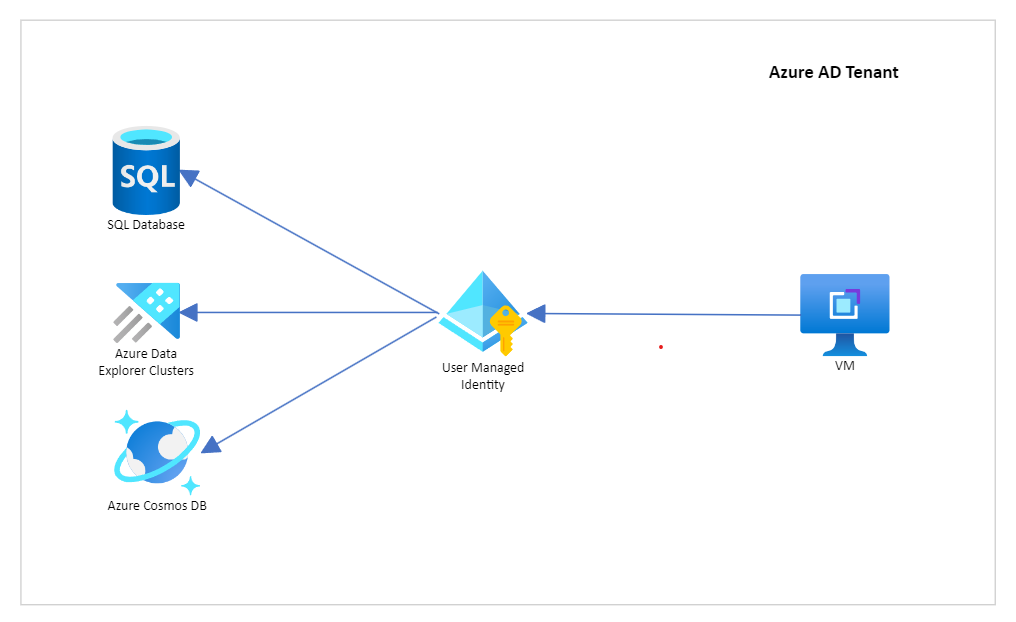
Use Case
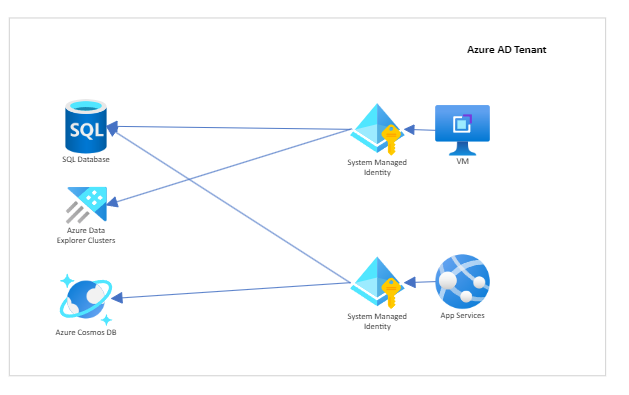
- When resources and permissions need to be managed individually, for example, in the image above, the lifecycle of the VM should not impact the permissions to either of the databases.
How To Create a User Managed Identity
- Log in to Azure Portal.
- Go to Market Place -> Search for "User Assigned Managed Identity" -> "Create".
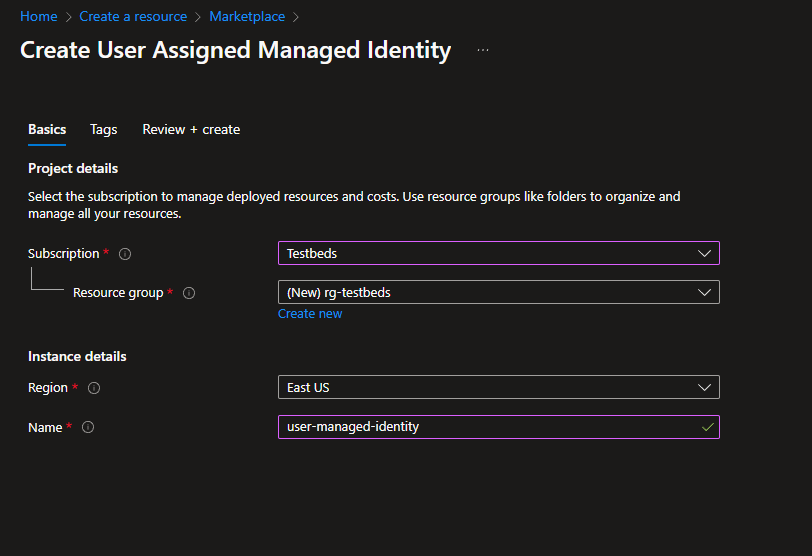
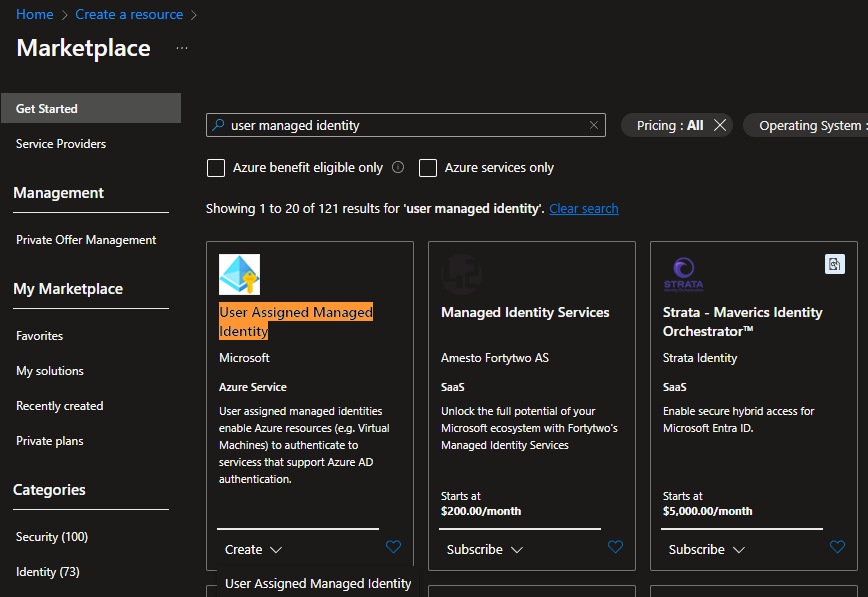 Select Subscription, Resource Group, and Name. Click Review + Create.
 Consider assigning this identity to a VM. Go to the VM -> Identity -> User assigned.
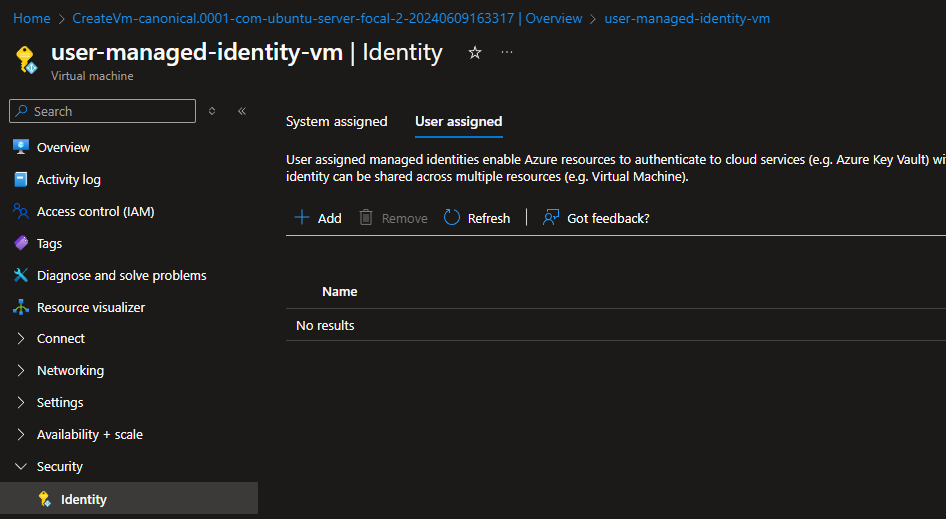 Click Add and add the user-managed identity created previously.
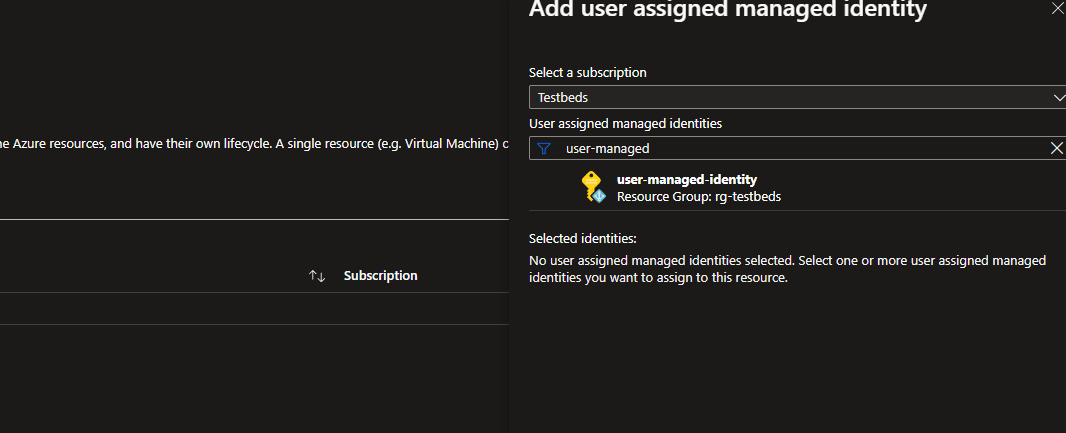 Now, the VM has access permissions assigned to this identity.
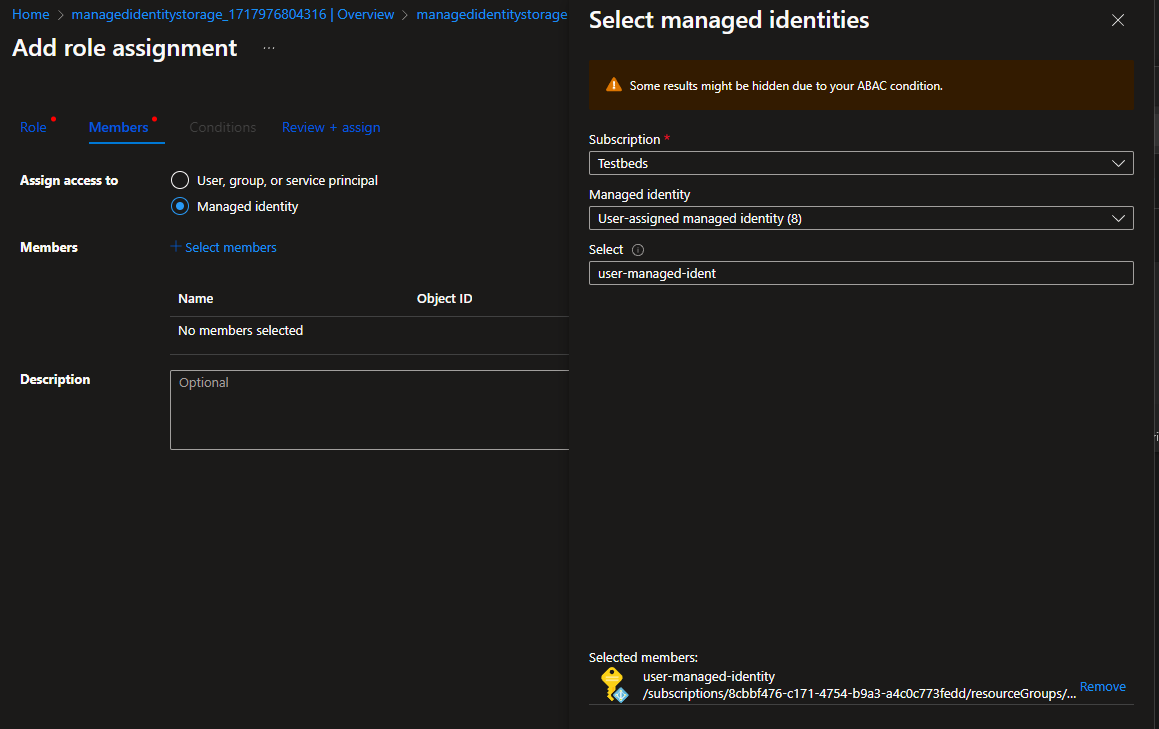
- To assign permissions to the Managed Identity, go to a resource for example storage, select the appropriate role, and choose the managed identity in the members section.
Using User Managed Identity in Your Code
TokenCredential tokenCredential = new DefaultAzureCredential(new DefaultAzureCredentialOptions { ManagedIdentityClientId = <clientId of User MSI> });

// Using the identity in Queue
QueueClient queue = new QueueClient(new Uri($"https://{storageName}.queue.core.windows.net/processors"), tokenCredential);
// Using the identity in Blob
BlobContainerClient blobContainer = new BlobContainerClient(new Uri($"https://{storageName}.blob.core.windows.net/processors"), tokenCredential));
System Managed Identity
- The identity is linked to Azure Resource. For example, creating a VM or an App Service creates the resource and the Principal.
- Like any other principal, this can be associated with any azure instance.
- However, deleting the resource also removes the corresponding principal.
Use Case
- When both permissions and resources need to be deleted together.
How To Create a System-Managed Identity
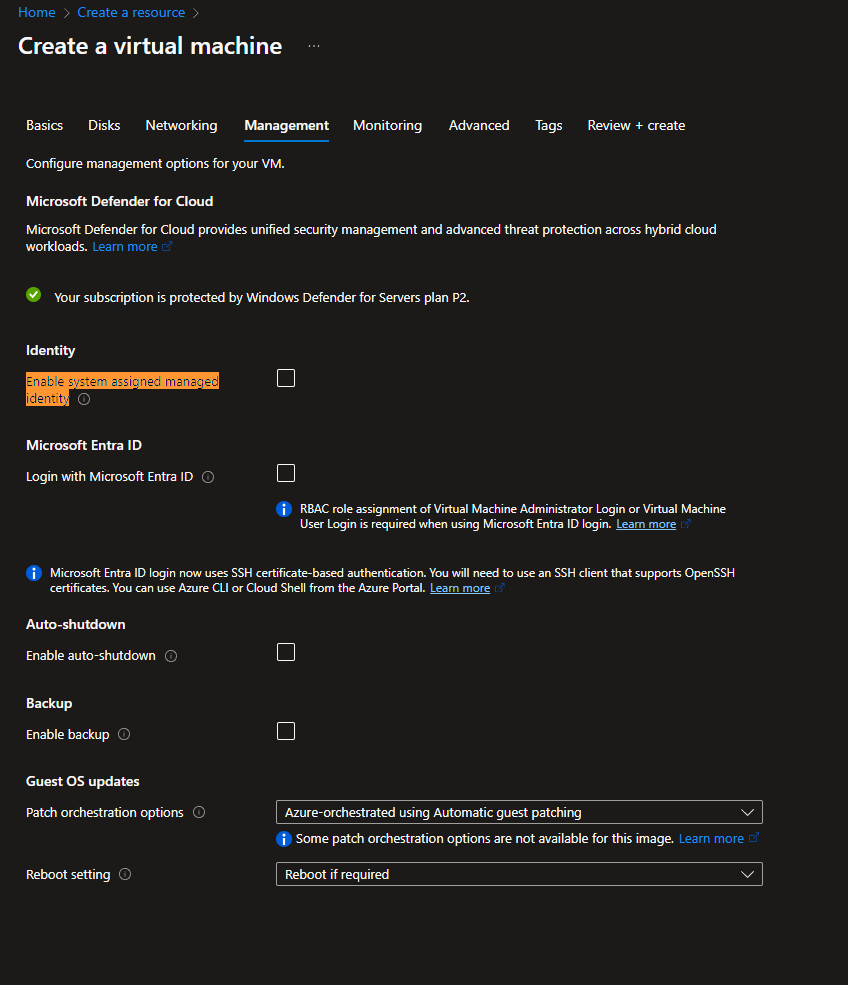
- While creating a resource, enabling the System Managed Identity option creates the identity automatically. For example, when creating a VM choose "Enable system-assigned managed identity"
Using System Managed Identity in Your Code
TokenCredential tokenCredential = new DefaultAzureCredential();

// Using the identity in Queue
QueueClient queue = new QueueClient(new Uri($"https://{storageName}.queue.core.windows.net/processors"), tokenCredential);
// Using the identity in Blob
BlobContainerClient blobContainer = new BlobContainerClient(new Uri($"https://{storageName}.blob.core.windows.net/processors"), tokenCredential));Opinions expressed by DZone contributors are their own.