

OpenCode: Setting Up an Open-Source AI Coding Assistant
Learn how to install and configure OpenCode, an open-source AI coding assistant, and connect it to GitHub Copilot, local models, and MCP servers.
 CORE
·
CORE
·
Join the DZone community and get the full member experience.
Join For FreeOpenCode is a terminal-based, open-source AI coding assistant that supports multiple providers, including GitHub Copilot. For developers looking for a vendor-independent AI coding assistant, OpenCode offers a flexible way to integrate AI into their coding workflow.
Enjoy!
Introduction to OpenCode
There are many AI models and also many AI coding assistants. Choosing one is hard and depends on whether you run the models locally or in the cloud. When running locally, Qwen3-Coder is a strong AI model for programming tasks. In previous posts, DevoxxGenie, a JetBrains IDE plugin, was often used as an AI coding assistant. DevoxxGenie integrates well within JetBrains IDEs. But it is also a good idea to take a look at other AI coding assistants. In previous blogs, Qwen Code and Claude Code were used in combination with local models. Another post discussed GitHub Copilot CLI. GitHub Copilot CLI integrates very well with GitHub Copilot.
A disadvantage of Qwen Code, Claude Code, and GitHub Copilot CLI is that these are all closed source. Another disadvantage of Claude Code and GitHub Copilot CLI is that these are quite limited concerning integration with 'other' inference engines or cloud vendors. With GitHub Copilot CLI, for example, you can only use it with GitHub Copilot. This is one area where OpenCode shines. Besides that, it is entirely open source; there is a huge list of integrations available, including GitHub Copilot.
In this blog, you will take a closer look at OpenCode, how to configure it, and how to use it.
The official documentation for OpenCode can be found here.
Prerequisites
Prerequisites for reading this blog are:
- Some experience with AI coding assistants;
- If you want to compare to DevoxxGenie, take a look at a previous post;
- You need access to a local inference engine (e.g., Ollama) or an account with a supported cloud vendor.
How to Install OpenCode
The easiest way to install OpenCode is to execute the following bash command. Do note that if you are using Windows, it is recommended to use WSL.
curl -fsSL https://opencode.ai/install | bash
It might be that you need to source your .bashrc or start a new terminal before the opencode command is available.
How to Set Up OpenCode With GitHub Copilot
Open a terminal and navigate to a git repository. You can use this one if you have none available. Be sure to check out the github-copilot branch. If you want to execute the commands from this blog, you first delete the .github and src/test directories.
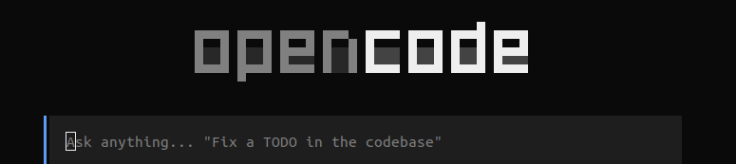
You start OpenCode by typing the command opencode in the terminal. You will see a chat-like textbox.
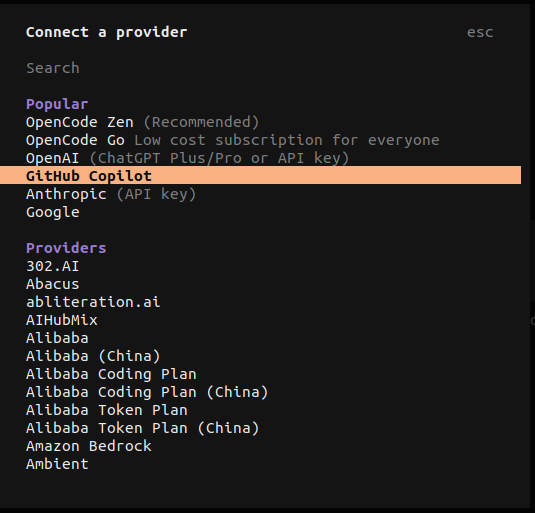
The first thing to do is to connect to an inference engine (local or remote). You do so by the command /connect. In the figure below, you only see a small part of the huge list. Choose GitHub Copilot.
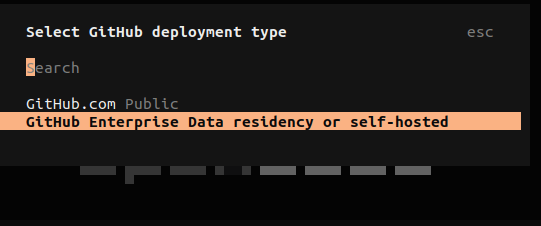
Next, you need to choose a deployment type. If you want to connect using your personal GitHub account, choose GitHub.com. If you have a GitHub Enterprise account, you choose GitHub Enterprise Data residency or self-hosted.
The next steps depend on your choice of the deployment type. You will need to connect to your GitHub account and authorize OpenCode to use this account.
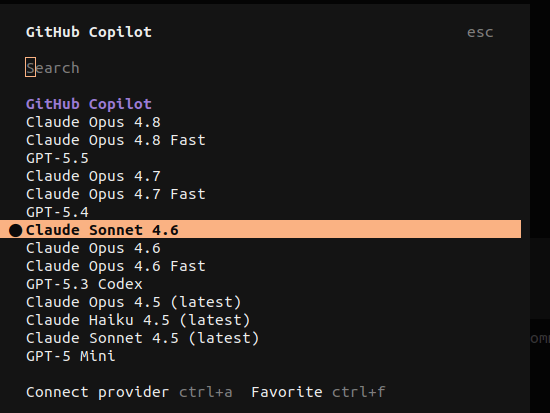
In the last step, you will be asked to choose a default model. You always have the opportunity to change the model by means of the command /models.
Running Your First OpenCode Prompt
If you enter a prompt, OpenCode sends the request to the model provider, which then generates the response. Note that the context menu is now much larger than when you first started OpenCode.
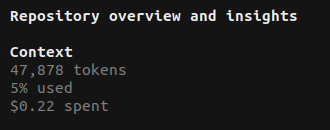
In the top right of the terminal window, you can see how many tokens were used, how much of the context window has been used, and how much it cost you.
Configuring OpenCode Agents, Skills, and MCP Servers
Just like many other AI coding assistants, you can extend the capabilities of OpenCode.
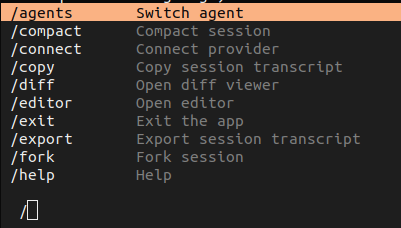
OpenCode can be extended with agents. The configuration needs to be located in ~/.config/opencode/agents. You can invoke the agents by command /agents.
OpenCode can be extended with skills. OpenCode will search many paths for available skills, but the most convenient one and aligned with the agents configuration is ~/.config/opencode/skills/.
With MCP servers, you can add all kinds of tools or integrations with other tools (git repository manager, Jira, CI/CD applications, etc.) to OpenCode. The configuration is located in ~/.config/opencode/opencode.jsonc.
OpenCode vs. GitHub Copilot CLI
Maybe the most important question: why OpenCode? I have investigated and explored many AI coding assistants, so what are the advantages/disadvantages of all these coding assistants? My setup is IntelliJ IDEA, and I must be able to use local models (via a local Ollama instance) and GitHub Copilot. I also want to be able to configure the AI assistant with agents, skills, and MCP servers. This list is not complete, but gives you a direction of what you might expect from a coding assistant.
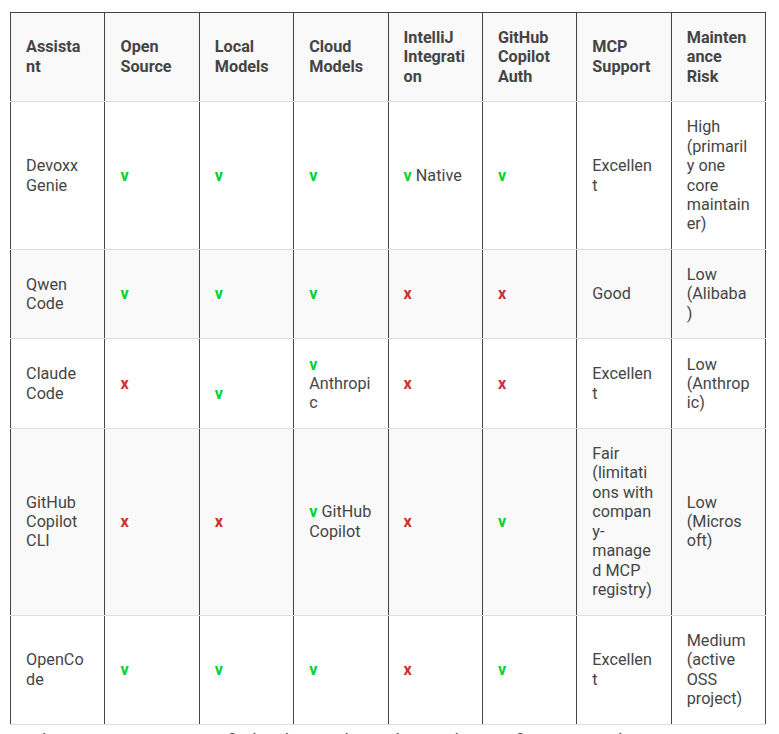
Until now, I was pretty satisfied with GitHub Copilot CLI, but configuring it with MCP servers has been dramatic. Especially when a company-managed MCP registry is used. Bottom line, you cannot use it at the time of writing. Company-managed MCP servers are always blocked. I tried the GitHub Copilot IntelliJ plugin also. It seems to work better, but some MCP servers still don't work. They do work in OpenCode. Setting up OpenCode, including agents, skills, and MCP servers, took me less than half an hour. Compared to the time I lost trying to set MCP servers up with GitHub Copilot CLI and the IntelliJ plugin, which took me several hours and, in the end, was not entirely functional.
Conclusion
OpenCode will be my go-to AI coding assistant for the time being. It satisfies all my requirements, and it just works.
Published at DZone with permission of Gunter Rotsaert. See the original article here.
Opinions expressed by DZone contributors are their own.
Comments