

Safe Clones With Ansible
In this tutorial, learn how to safely clone private Git repos from Ansible by using temporary GitHub deploy keys.
Join the DZone community and get the full member experience.
Join For FreeI started research for an article on how to add a honeytrap to a GitHub repo. The idea behind a honeypot weakness is that a hacker will follow through on it and make his/her presence known in the process.
My plan was to place a GitHub personal access token in an Ansible vault protected by a weak password. Should an attacker crack the password and use the token to clone the private repository, a webhook should have triggered and mailed a notification that the honeypot repo has been cloned and the password cracked.
Unfortunately, GitHub seems not to allow webhooks to be triggered after cloning, as is the case for some of its higher-level actions. This set me thinking that platforms as standalone systems are not designed with Dev(Sec)Ops integration in mind. DevOps engineers have to bite the bullet and always find ways to secure pipelines end-to-end. I, therefore, instead decided to investigate how to prevent code theft using tokens or private keys gained by nefarious means.
Prevention Is Better Than Detection
It is not best practice to have secret material on hard drives thinking that root-only access is sufficient security. Any system administrator or hacker that is elevated to root can view the secret in the open. They should, rather, be kept inside Hardware Security Modules (HSMs) or a secret manager, at the very least. Furthermore, tokens and private keys should never be passed in as command line arguments since they might be written to a log file.
A way to solve this problem is to make use of a super-secret master key to initiate proceedings and finalize using short-lived lesser keys. This is similar to the problem of sharing the first key in applied cryptography. Once the first key has been agreed upon, successive transactions can be secured using session keys. It goes beyond saying that the first key has to be stored in Hardware Security Modules, and all operations against it have to happen inside an HSM.
I decided to try out something similar when Ansible clones private Git repositories. Although I will illustrate at the hand of GitHub, I am pretty sure something similar can be set up for other Git platforms as well.
First Key
GitHub personal access tokens can be used to perform a wide range of actions on your GitHub account and its repositories. It authenticates and authorizes from both the command line and the GitHub API. It clearly can serve as the first key.
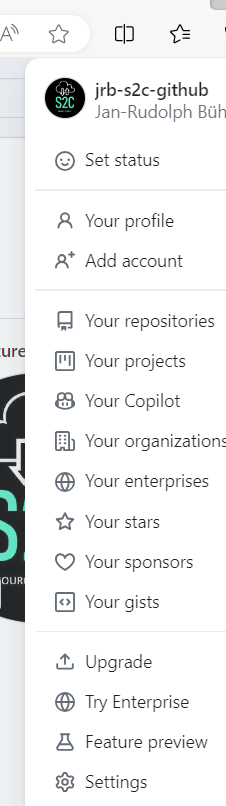
Personal access tokens are created by clicking your avatar in the top right and selecting Settings:
A left nav panel should appear from where you select Developer settings:
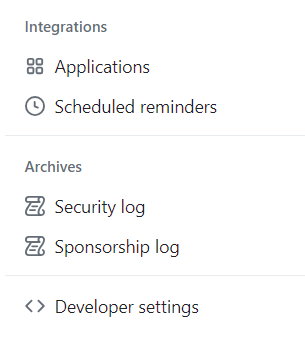 The menu for personal access tokens will display where you can create the token:

I created a classic token and gave it the following scopes/permissions: repo, admin:public_key, user, and admin:gpg_key. Take care to store the token in a reputable secret manager from where it can be copied and pasted when the Ansible play asks for it when it starts. This secret manager should clear the copy buffer after a few seconds to prevent attacks utilizing attention diversion.
vars_prompt:
  - name: github_token
    prompt: "Enter your github personal access token?"
    private: true
Establishing the Session
GitHub deployment keys give access to private repositories. They can be created by an API call or from the repo's top menu by clicking on Settings:
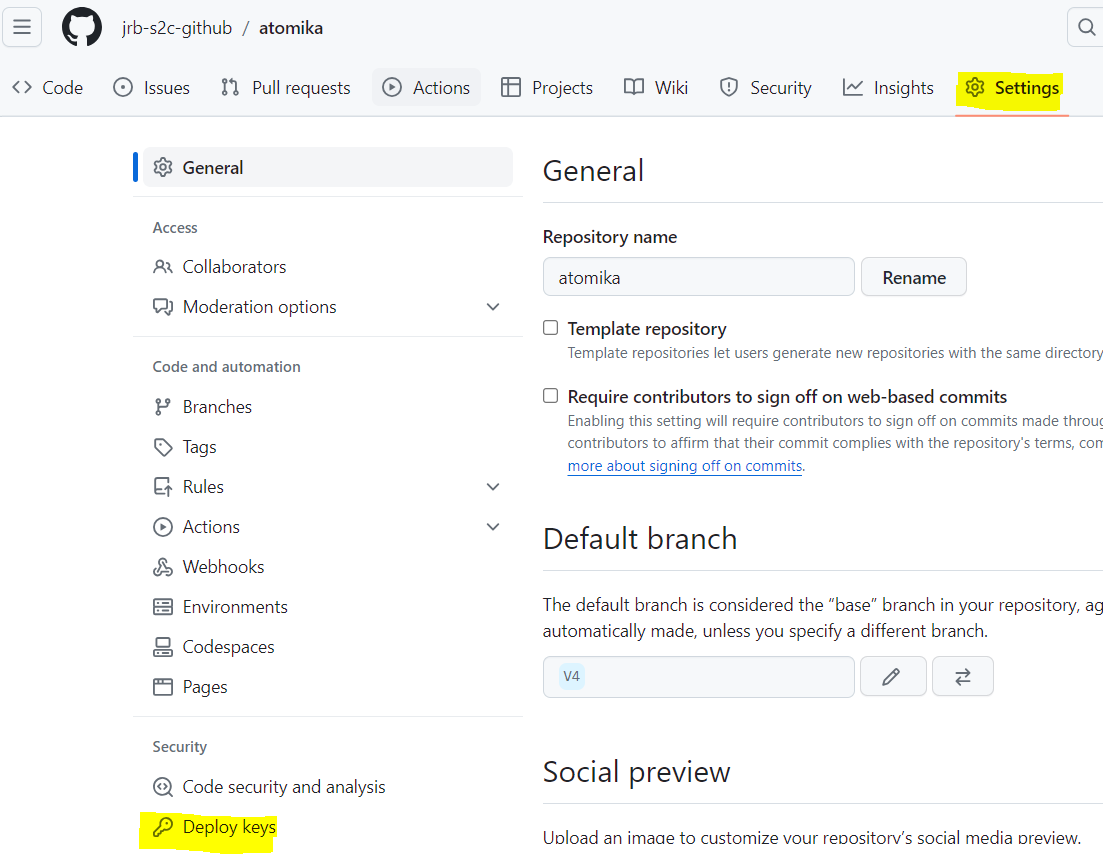
With the personal access token as the first key, a deployment key can finish the operation as the session key. Specifically, Ansible authenticates itself using the token, creates the deployment key, authorizes the clone, and deletes it immediately afterward.
The code from my previous post relied on adding Git URLs that contain the tokens to the Ansible vault. This has now been improved to use temporary keys as envisioned in this post. An Ansible role provided by Asif Mahmud has been amended for this as can be seen in the usual GitHub repo. The critical snippets are:
- name: Add SSH public key to GitHub account
  ansible.builtin.uri:
    url: "https://api.{{ git_server_fqdn }}/repos/{{ github_account_id }}/{{ repo }}/keys"
    validate_certs: yes
    method: POST
    force_basic_auth: true
    body:
      title: "{{ key_title }}"
      key: "{{ key_content.stdout }}"
      read_only: true
    body_format: json
    headers:
      Accept: application/vnd.github+json
      X-GitHub-Api-Version: 2022-11-28
      Authorization: "Bearer {{ github_access_token }}"
    status_code:
    - 201
    - 422
  register: create_result
The GitHub API is used to add the deploy key to the private repository. Note the use of the access token typed in at the start of play to authenticate and authorize the request.
- name: Clone the repository
  shell: |
    GIT_SSH_COMMAND="ssh -i {{ key_path }} -v -o StrictHostKeyChecking=no -o UserKnownHostsFile=/dev/null" {{ git_executable }} clone git@{{ git_server_fqdn }}:{{ github_account_id }}/{{ repo }}.git {{ clone_dest }}

- name: Switch branch
  shell: "{{ git_executable }} checkout {{ branch }}"
  args:
    chdir: "{{ clone_dest }}"
The repo is cloned, followed by a switch to the required branch.
- name: Delete SSH public key
  ansible.builtin.uri:
    url: "https://api.{{ git_server_fqdn }}/repos/{{ github_account_id }}/{{ repo }}/keys/{{ create_result.json.id }}"
    validate_certs: yes
    method: DELETE
    force_basic_auth: true
    headers:
      Accept: application/vnd.github+json
      X-GitHub-Api-Version: 2022-11-28
      Authorization: "Bearer {{ github_access_token }}"
    status_code:
      - 204
Deletion of the deployment key happens directly after the clone and switch, again via the API.
Conclusion
The short life of the deployment key enhances the security of the DevOps pipeline tremendously. Only the token has to be kept secured at all times as is the case for any first key. Ideally, you should integrate Ansible with a compatible HSM platform.
I thank Asif Mahmud for using their code to illustrate the concept of using temporary session keys when cloning private Git repositories.
Opinions expressed by DZone contributors are their own.
Comments