

Develop and Debug C++ Messaging Client Using AMQP Protocol in Apache ActiveMQ Artemis
In this tutorial, see how to develop and debug a C++ messaging client using AMQP protocol in Apache ActiveMQ Artemis.

Join the DZone community and get the full member experience.
Join For FreeApache ActiveMQ Artemis is one of the most popular open source messaging brokers. It supports multiple messaging protocols like AMQP, STOMP, Openwire, MQTT, and native core. In this article, we will discuss C++ clients, including producer and consumer. These clients are based on the Qpid Proton library, which is based on AMQP protocol.
These examples are already available in the Qpid Proton website. We will demonstrate how we can execute and debug these examples using opensource IDE CodeBlock IDE. This CodeBlock IDE can be very useful for basic or intermediate C++ projects. I have been working in Linux OS with Java language and Eclipse IDE. Being a beginner with C++, I wanted a similar IDE in Linux (Fedora) for C++. Specifically, I was looking for Debug Tools to analyze these examples. It is not as feature-rich as the Eclipse IDE, but with CodeBlock IDE, I was able to debug these clients.
You can find these examples in my personnel GitHub link. There are three separate CodeBlock projects:
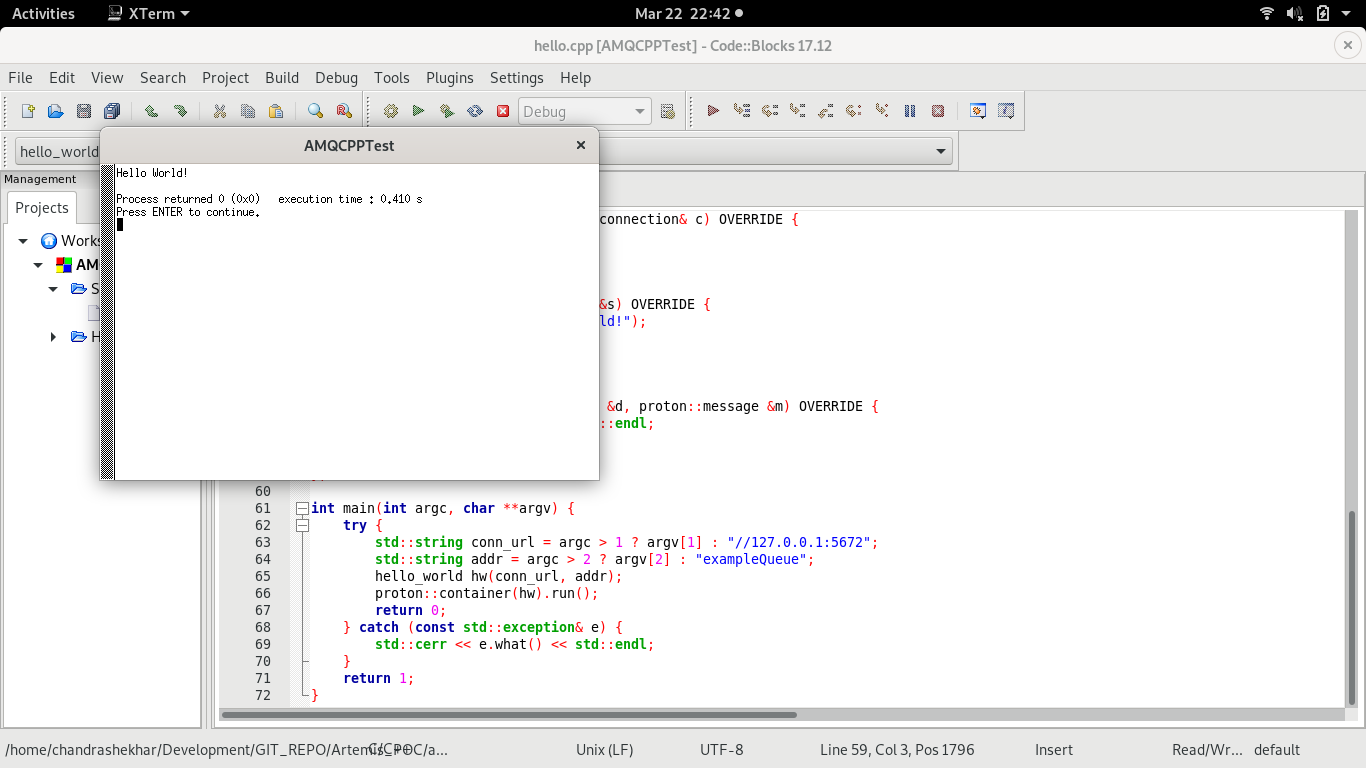
- AMQCPPTest: It is a simple HelloWorld program in C++, which just sends a message to the broker and consume also. This example might not be very useful because mostly the sender/producer and receiver/consumer are different client/projects. But it is the best example to start with and understand the concepts.
- AsyncReceive: It is the receiver program. It receives or consumes messages sent by AsyncSend Project.
- AsyncSend: It is a project that sends messages to the broker. It is based on a proton example simple_send.cpp.
Prerequisites
Follow this documentation to install the proton c++ client. I had Fedora 31, and I used the following command to install the Proton C++ client library.
xxxxxxxxxx
sudo yum install qpid-proton-cpp-devel qpid-proton-cpp-docs
Let's get rolling now:
Step 1. Download Apache ActiveMQ Artemis Broker from this link.
Step 2. Unzip this and create a broker instance broker1_cpp with the following command. I have created a folder artemis_instance, I will create a broker instance within this folder with the following command:
xxxxxxxxxx
[chandrashekhar@localhost artemis_instance]$ ../apache-artemis-2.11.0/bin/artemis create broker1_cpp
Creating ActiveMQ Artemis instance at: /home/chandrashekhar/Development/AMQ_RH/artemis_instance/broker1_cpp
--user: is a mandatory property!
Please provide the default username:
admin
--password: is mandatory with this configuration:
Please provide the default password:
--allow-anonymous | --require-login: is a mandatory property!
Allow anonymous access?, valid values are Y,N,True,False
Y
Auto tuning journal ...
done! Your system can make 5.68 writes per millisecond, your journal-buffer-timeout will be 176000
You can now start the broker by executing:
"/home/chandrashekhar/Development/AMQ_RH/artemis_instance/broker1_cpp/bin/artemis" run
Or you can run the broker in the background using:
"/home/chandrashekhar/Development/AMQ_RH/artemis_instance/broker1_cpp/bin/artemis-service" start
Step 3: Start broker instance broker1_cpp with command:
xxxxxxxxxx
[chandrashekhar@localhost bin]$ pwd
/home/chandrashekhar/Development/AMQ_RH/artemis_instance/broker1_cpp/bin
[chandrashekhar@localhost bin]$ ./artemis run
Step 4: You can create a queue example with command:
xxxxxxxxxx
[chandrashekhar@localhost bin]$ ./artemis queue create --name exampleQueue --auto-create-address --anycast
--address: is a mandatory property!
Enter the address name. <Enter for exampleQueue>
--durable: is a mandatory property!
Is this a durable queue, valid values are Y,N,True,False
Y
--purge-on-no-consumers: is a mandatory property!
Purge the contents of the queue once there are no consumers, valid values are Y,N,True,False
N
Queue [name=exampleQueue, address=exampleQueue, routingType=ANYCAST, durable=true, purgeOnNoConsumers=false, autoCreateAddress=false, exclusive=false, lastValue=false, lastValueKey=null, nonDestructive=false, consumersBeforeDispatch=0, delayBeforeDispatch=-1, autoCreateAddress=false] created successfully.
[chandrashekhar@localhost bin]$
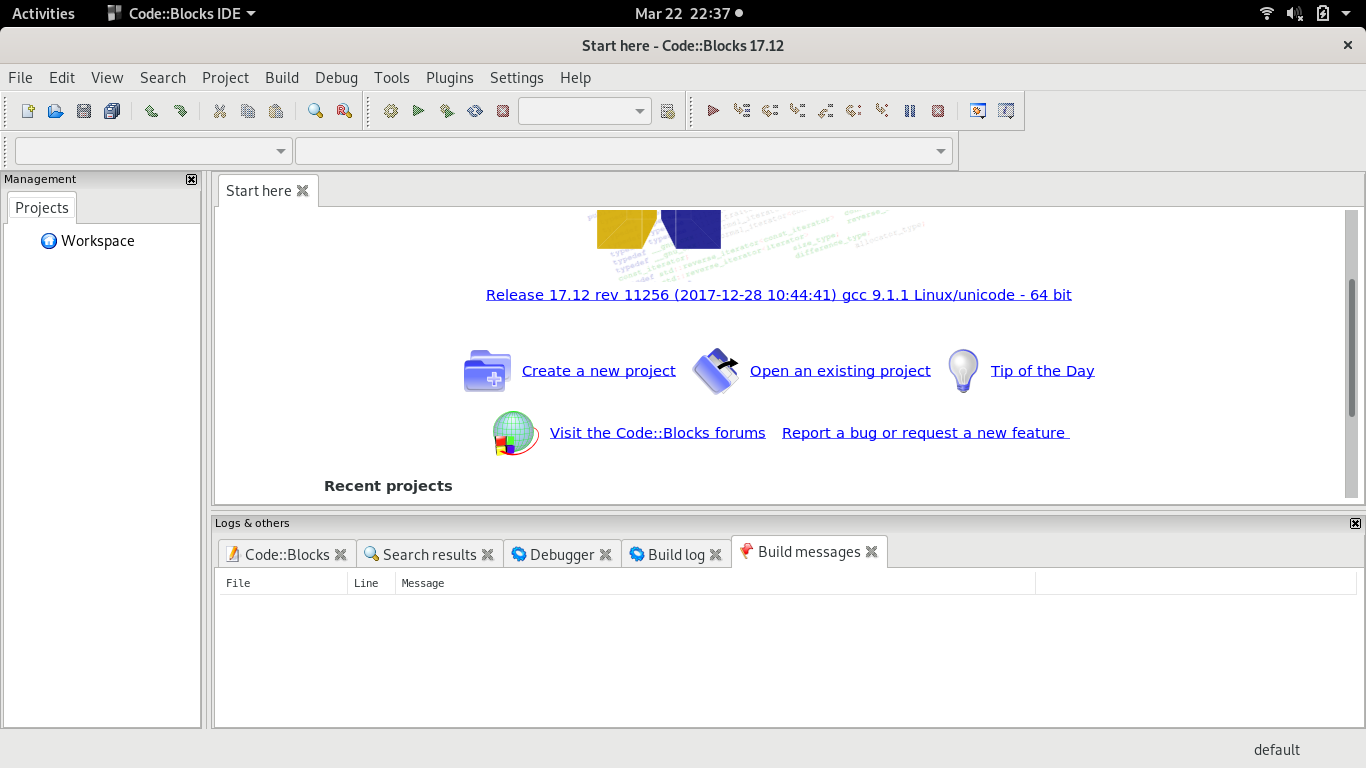
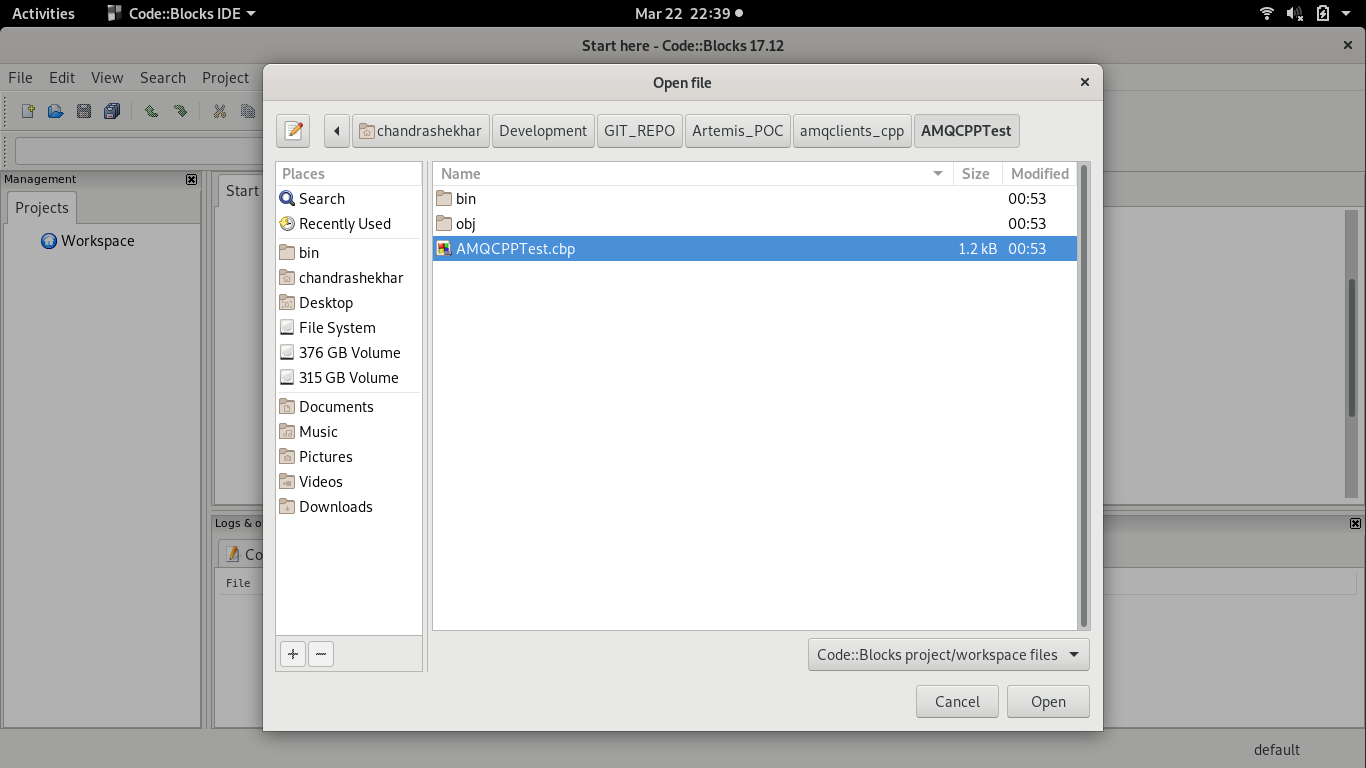
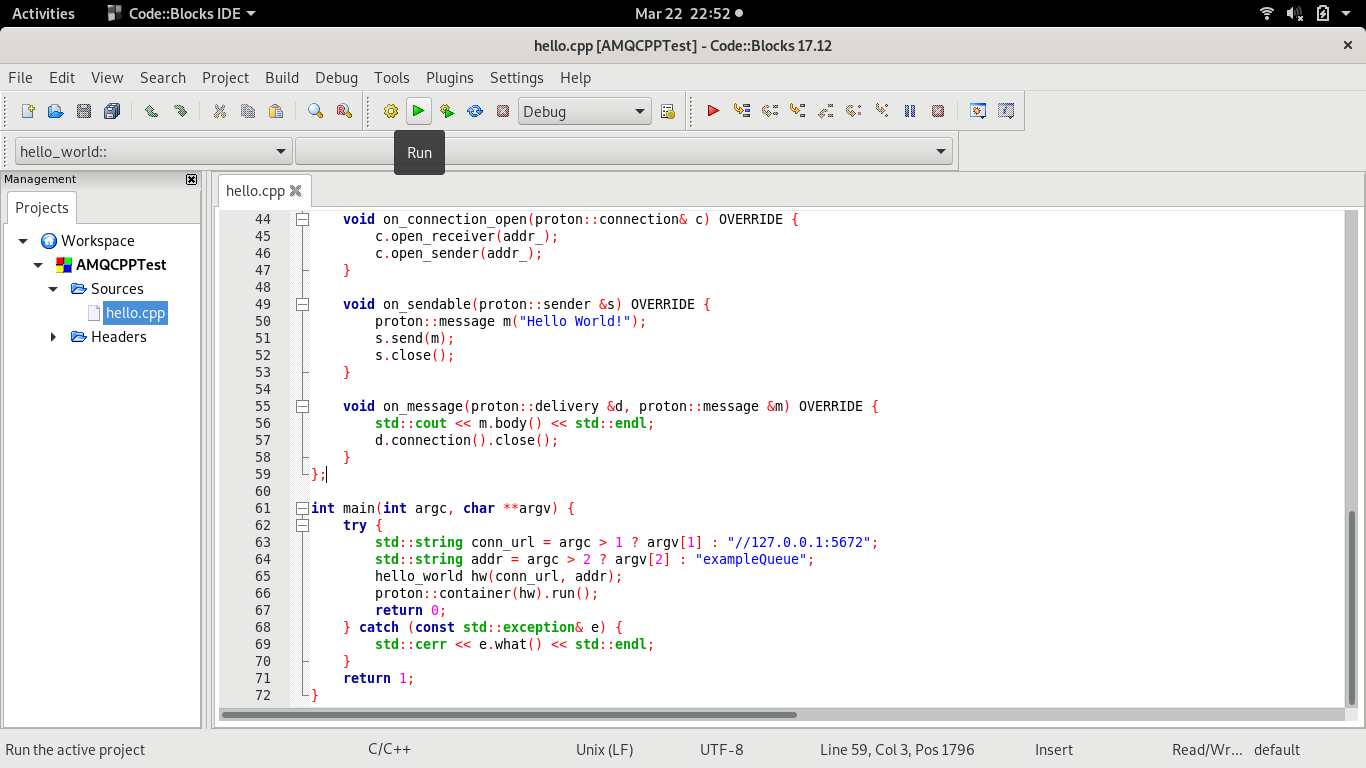
Step 5: From CodeBlock IDE, import project AMQCPPTest.
Step 6. Check Queue Statistics
xxxxxxxxxx
[chandrashekhar@localhost bin]$ ./artemis queue stat
|NAME |ADDRESS |CONSUMER_COUNT |MESSAGE_COUNT |MESSAGES_ADDED |DELIVERING_COUNT |MESSAGES_ACKED |SCHEDULED_COUNT |ROUTING_TYPE |
|exampleQueue |exampleQueue |0 |0 |1 |0 |1 |0 |ANYCAST |
[chandrashekhar@localhost bin]$
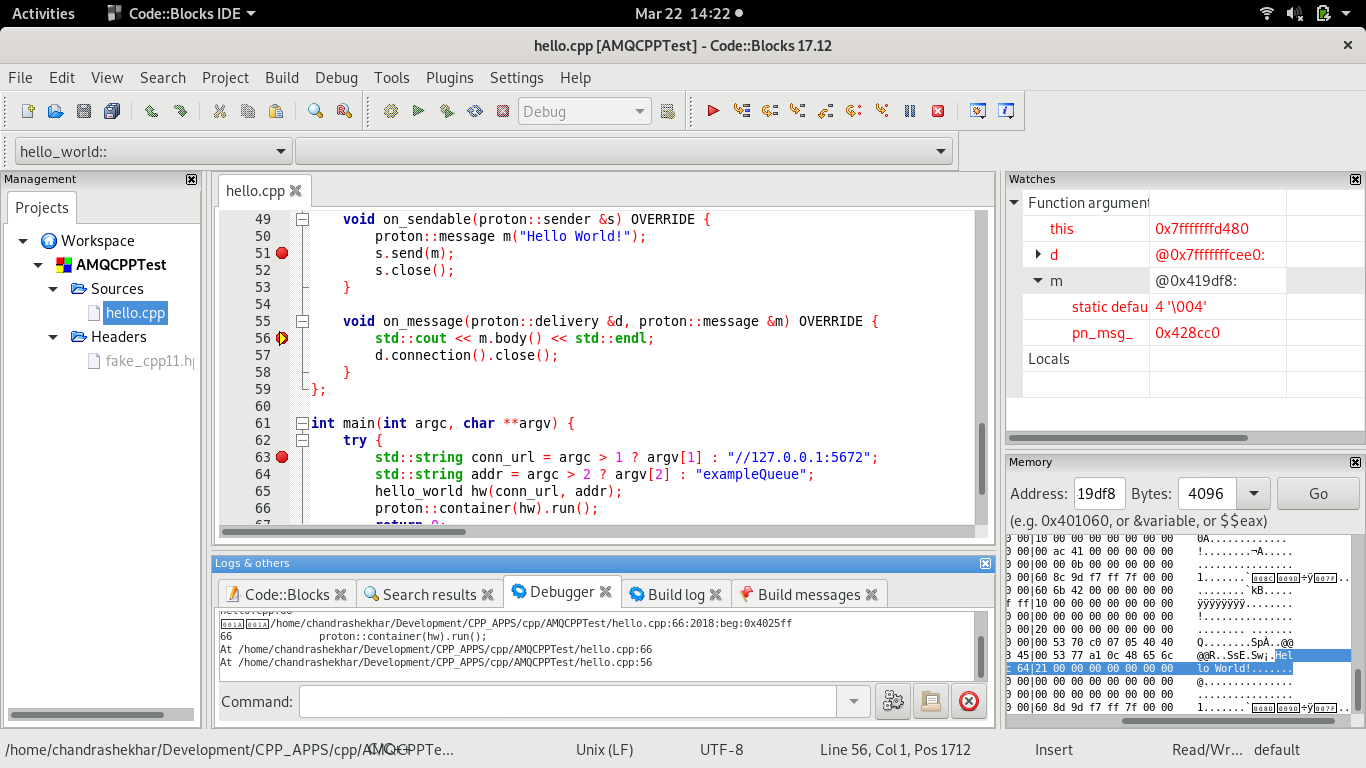
Step 7. Debug C++ code from CodeBlock IDE. From the menu bar with path DEBUG > Debugging windows, we can select plugin watches and Memory dump. To Debug set breakpoints and execute the Red Play button in the tool bar, you can debug as in screenshot.
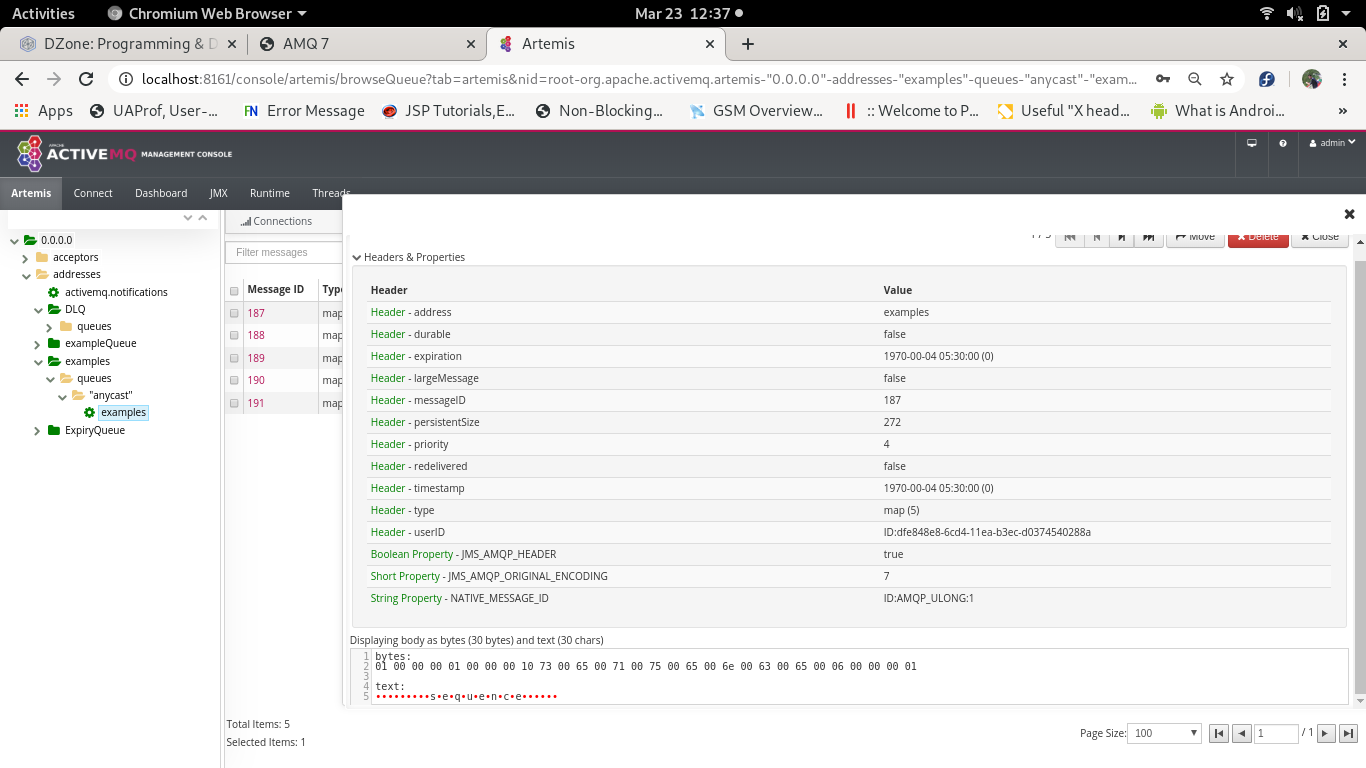
Step 8. Check message details like headers and the body for example queue from Apache ActiveMQ Artemis GUI console using url http://localhost:8161. You can login with username and password admin, which we set while create broker instance in beginning. These messages were sent using AsyncSend project.
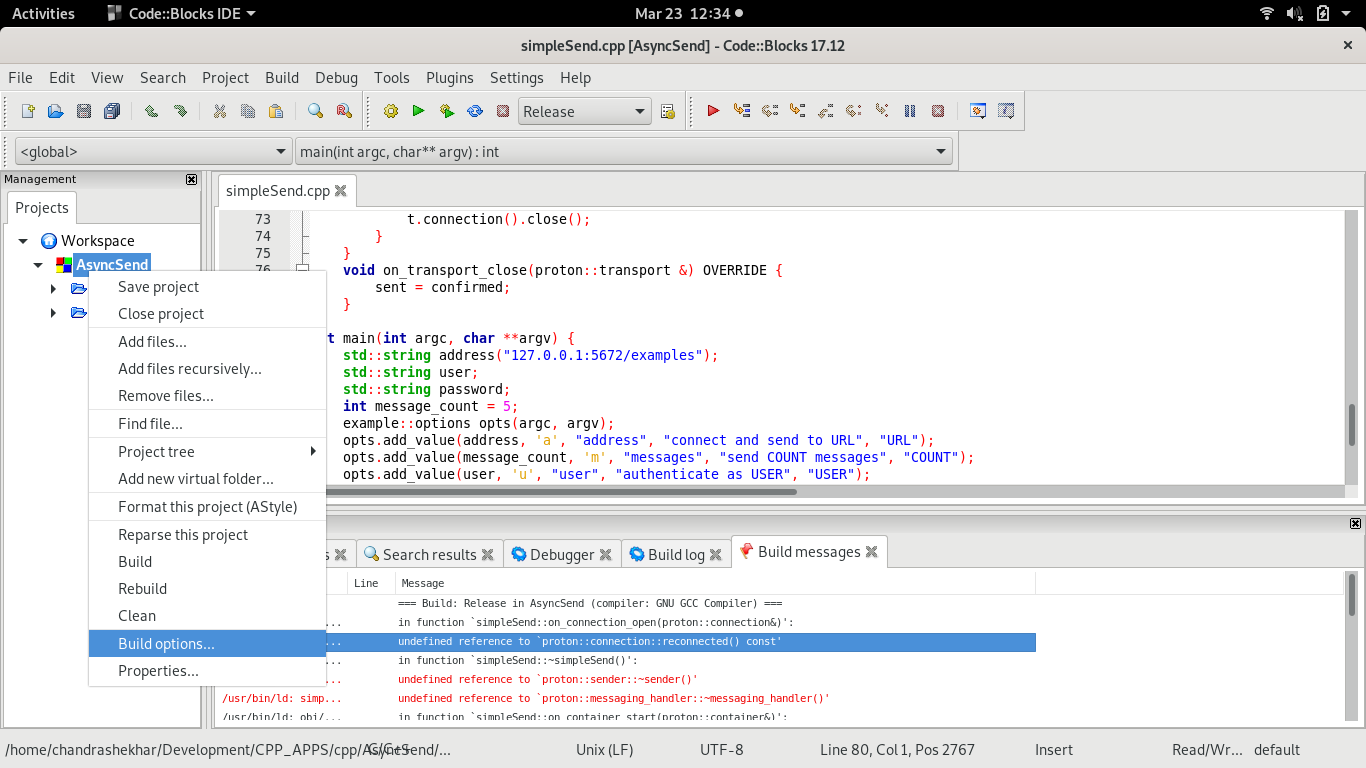
Step 9. You might make mistakes building this project. You would have to add the qpid-proton-cpp library so that dependencies can be resolved. Follow the screenshot to add.
Step 10. We can always compile and run these C++ class files with the following command.
[chandrashekhar@localhost AsyncSend]$ g++ simpleSend.cpp -lqpid-proton-cpp -o simplSend.out
[chandrashekhar@localhost AsyncSend]$ ./simplSend.out
credits before send: 1000
credits after send: 900
credits before send: 900
credits after send: 900
all messages confirmed
[chandrashekhar@localhost AsyncSend]$
That's it. I believe you will find this article informative and interesting.
Opinions expressed by DZone contributors are their own.
Comments