

Inside the World of Data Centers
There is a constant shift towards cloud-native applications. Here, take a look into the workings of data centers that are hosting these cloud infrastructures.
Join the DZone community and get the full member experience.
Join For FreeThe computing requirements of algorithms have increased dramatically over the past two decades. In particular, machine learning (ML) algorithms have experienced a growth in computing resource demand that exceeds Moore’s Law. While Moore's Law predicts a doubling of processing power every two years, since 2012, ML algorithms have been doubling in computational demands every 3-4 months (“AI and Compute,” 2018).
As a result, running these algorithms on a single computer is nearly impossible or prohibitively expensive. A more practical approach is to break down these algorithms into smaller chunks, and then use many commodity computers to run these smaller blocks. To illustrate this, imagine we are training a machine learning model on a dataset with 1 million entries. Instead of using one computer to process the entire dataset, we could break it into 10 blocks of 100K entries each. We would then use 10 computers, each running the training algorithm on the subset of 100K entries. (Note: For simplicity, I've omitted the step of combining the results from these machines, as it’s beyond the scope of this article.)
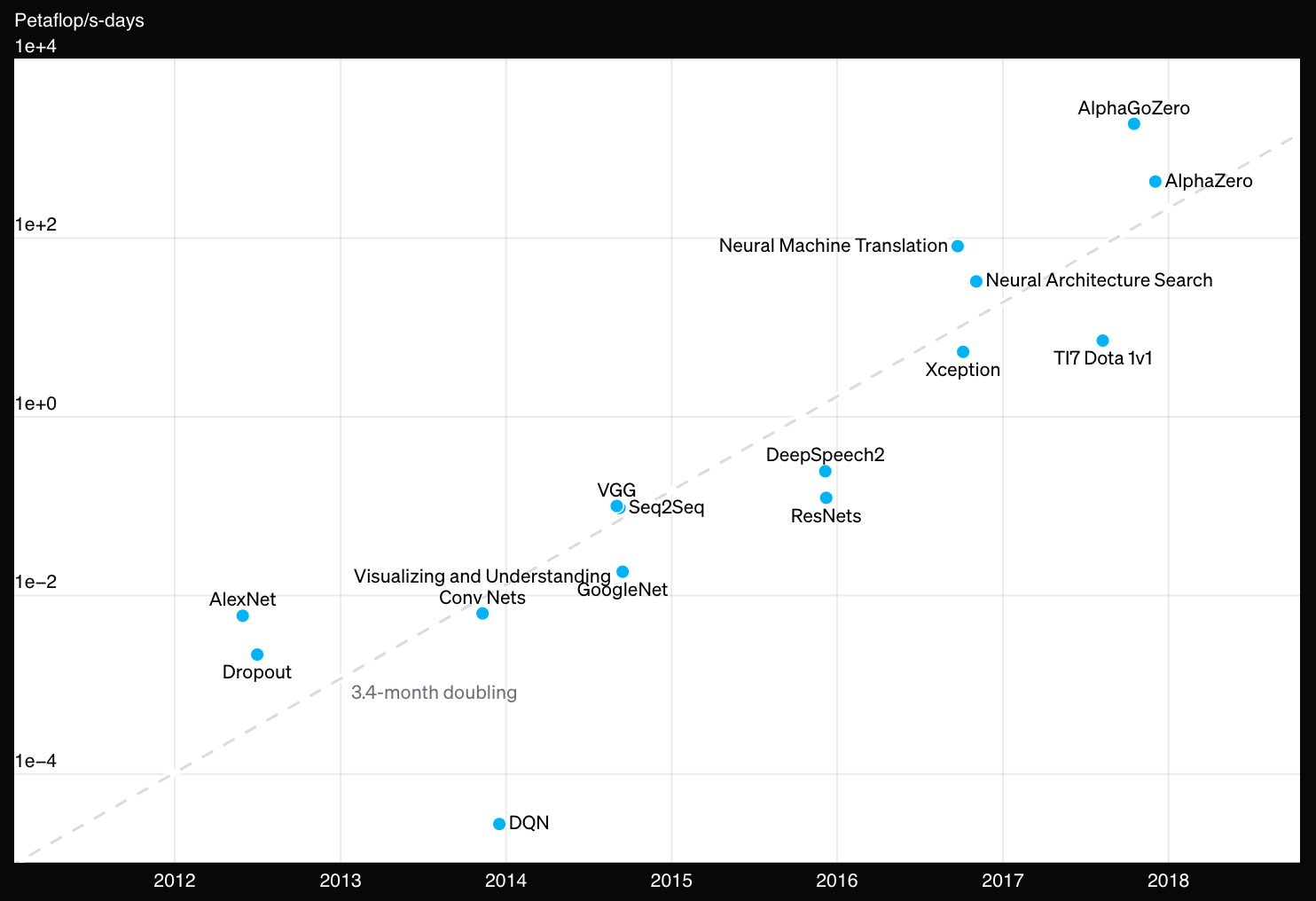 Image borrowed from “AI and compute,” 2018
Using multiple computers to run a single algorithm or application is common nowadays. Today, the market has numerous cloud providers that own data centers hosting machines in the range from a few thousand to a few million. This makes it more accessible for developers to create and run these compute-intensive applications and algorithms.
Most companies now run a part of or all of their workloads, services, and applications on the cloud. Thus, all developers are bound to write cloud-native algorithms and applications. Since data centers support the cloud, it has become essential for developers to understand the fundamental architecture of these data centers (clouds) to build efficient and high-performance cloud-native applications.
Why the Cloud-Native Shift?
Let’s consider a software company that develops software to help its customers in filing taxes. The company offers two delivery formats: 1) a compact disc (CD), and 2) an online version. A week after launch, many customers have purchased the software in both formats. For simplicity, let’s assume the software installed via the CD runs entirely on customers' computers without any internet connectivity.
Scenario 1: A Bug in the Software
Suppose the company discovers a bug in the software that requires fixing. Fixing the online version is straightforward since the company controls its deployment and execution. However, the company has no control over the CD-installed versions on customers' computers, making it difficult to distribute the bug fix to offline users.
Scenario 2: A Bug in the Customer’s Computer
Now, let’s imagine the software works well on all computers, except those with a specific combination of CPU model and operating system version. For offline customers with this hardware setup, the software might fail, while the online version, likely running in the cloud, continues to perform smoothly for all users. Testing software on every possible hardware and OS combination is a complex challenge for offline applications.
In both scenarios, the company has a much easier time providing a smooth, bug-free experience to users of the online version. This is a major reason for the shift to cloud-native applications: they offer developers more control over the software environment. However, developing in the cloud-native domain also requires an understanding of cloud infrastructure.
According to the “Voice of Kubernetes Experts Report 2024,” 80% of organizations predict that most of their new applications will be built on cloud-native platforms within the next five years.
Core Components of Data Centers
At a very high level, a data center is a collection of multiple individual computers. Customers can use a handful of these computers to run their workloads. The three key components of a data center are:
- Servers
- Storage
- Network
Let’s dive into them.
1. Servers
These are the computers with one or more cores. The number of cores on a computer defines its computing capacity. For example, if your computer has only one core, it can only perform one task at a time. However, if it has two cores, it can handle two tasks simultaneously.
Multiple servers are stacked together to form a rack. All the servers in a rack are connected using a local-level switch. Multiple racks are connected using a data-center level switch. We will discuss switches in more detail in the networking section. Data centers can house thousands to millions of cores depending on their size.
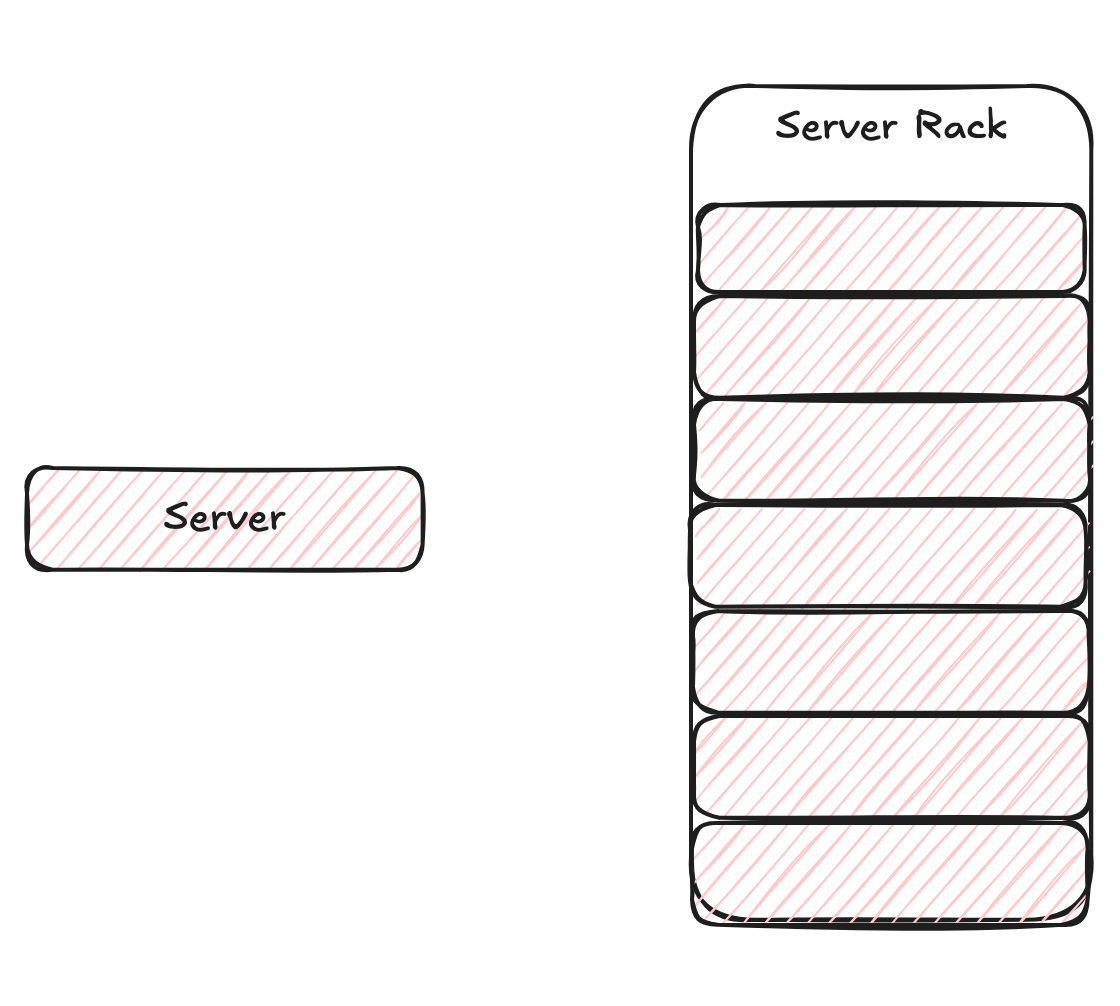 Single server vs Rack of servers
2. Storage
This component provides the data storage capability to the machines in a data center. Storage can be directly attached to a server, or it can be remotely connected to a server. The storage access from the server has lower latency in direct attachment mode as the communication between them requires less network bandwidth. On the other hand, remotely connected storage is easier to maintain and can potentially be shared by multiple servers. At the same time, it also requires higher network bandwidth for server-storage communication.
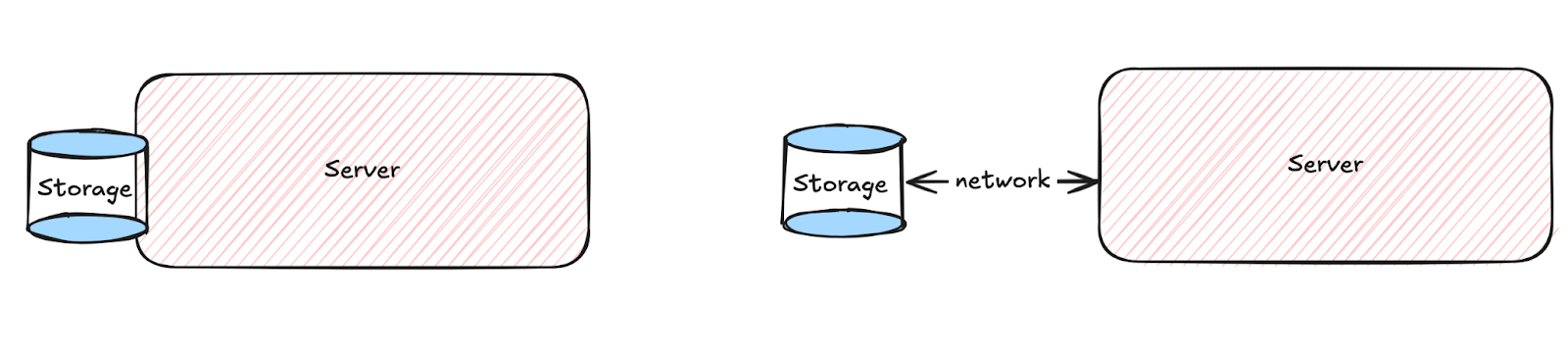 Directly attached vs Remotely connected storage
3. Network
There are two levels of network connections in a data center. The first is the intra-rack connections that connect all the servers within a rack. The second is the inter-rack connections that connect different racks. These connections are made using hardware called a "network switch." It is a device that routes data from a source to a destination. Each switch has an upper limit on the number of servers that can be connected to it. Commodity switches are cheaper but have limited capacity, whereas high-end switches can handle larger loads but are expensive. Data center architects often balance performance with cost by using a mix of both types of switches.
For example, consider we have a rack of 40 servers and a commodity network switch with 48 ports. We can use this network switch to connect all 40 servers to the data center-level switch using the remaining 8 ports as uplink. In other words, 1 uplink port is handling the load of 5 servers of the rack. This will impact the performance of uplink connectivity since the ideal situation would be to use 1 uplink port per server, using an expensive 80-port network switch. This cost optimization and performance tradeoff balance is crucial in the data center design.
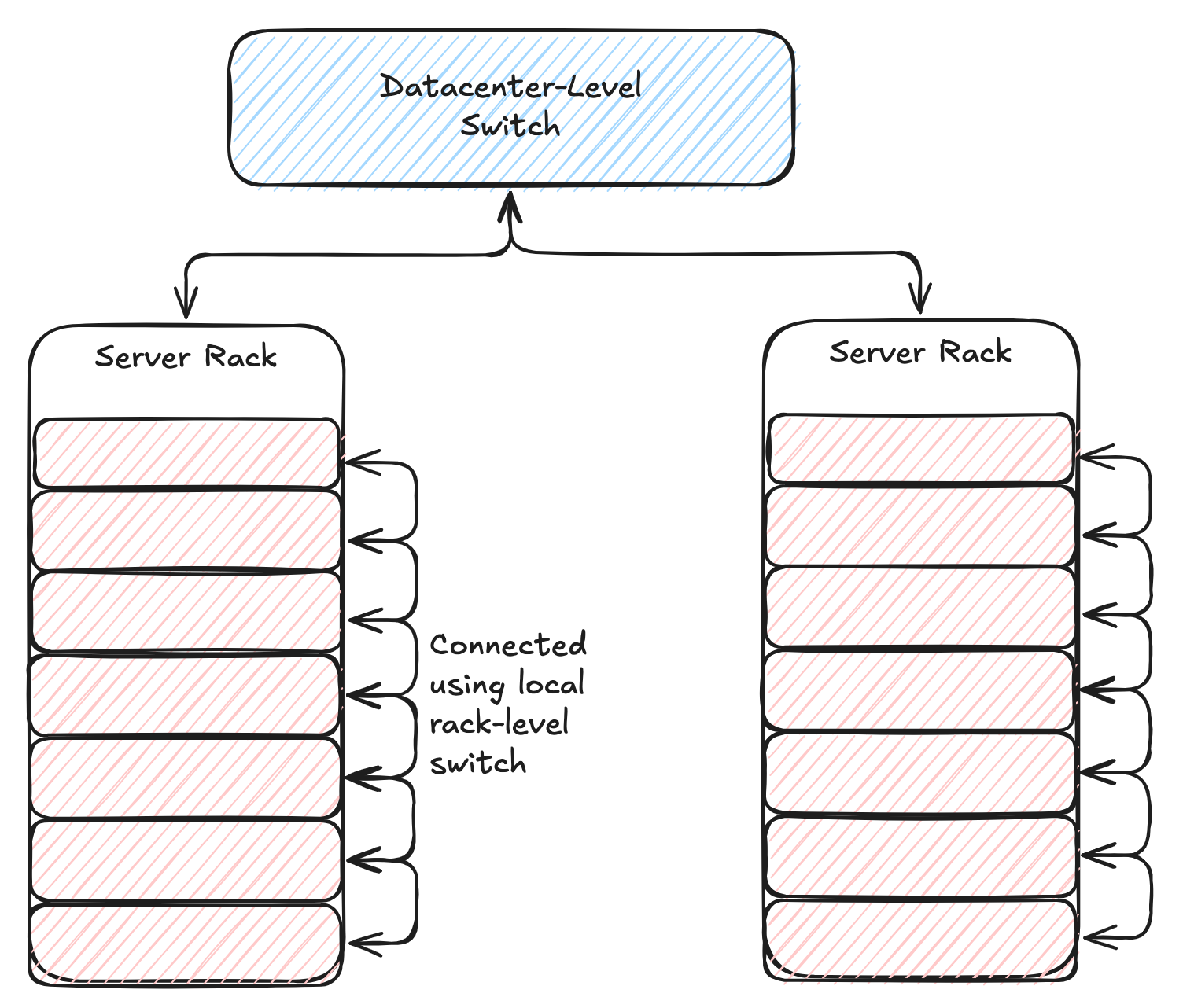 Intra-Rack vs Inter-Rack connectivity
Other Factors in Data Center Design
Apart from these, data centers also need to manage the building and infrastructure, power usage, backup power, maintenance, repairs, and handling hardware failures. All of these elements are critical for ensuring smooth operations.
Conclusion
Modern applications and algorithms often distribute their workloads on many individual computers. Data centers provide this capability by creating a mesh of thousands of computers. While this setup provides enormous parallelization, it also requires managing failures of individual components and handling them gracefully to ensure smooth performance. As the industry continues to shift toward cloud-native applications, understanding data center architecture will become increasingly important for developers.
Opinions expressed by DZone contributors are their own.
Comments